
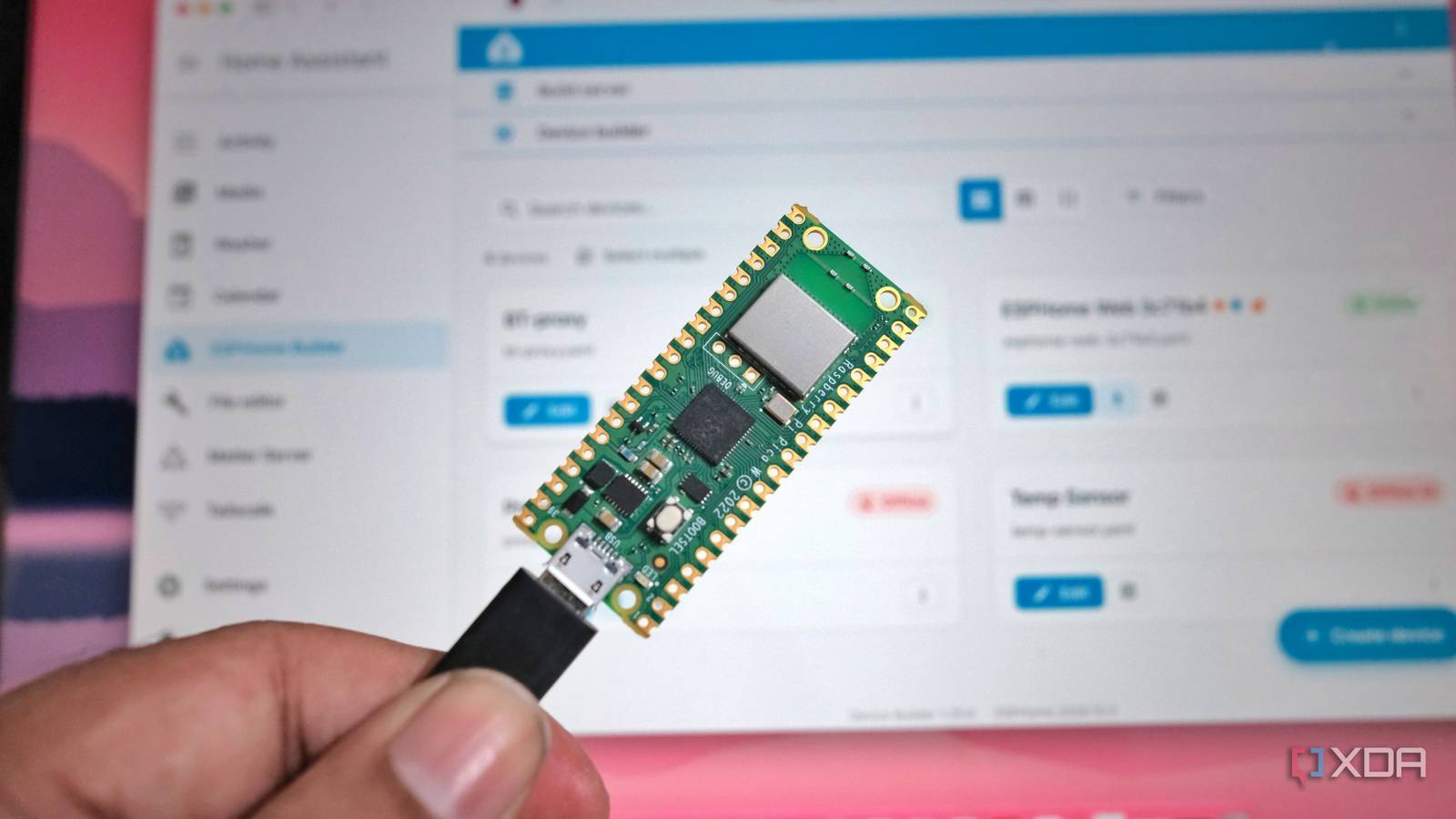
Published Nov 15, 2026, 3:30 PM EST Samir Makwana is a technology journalist and editor from India since past 18 years and his work appears on MakeUseOf, HowToGeek, GSMArena, BGR, GuidingTech, The Inquisitr, TechInAsia, TechWiser, and others. He has written news, features, and gadget reviews for national technology media publications. His passion is to help people with their technology problems and gadget purchases. For that, he has worked for some of the biggest international technology publications, covering news, explainers, how-to guides, listicles, and product-buying guides. He has worked as an editor and managed teams since 2015. His expertise broadly covers computers, smartphones, game consoles, headphones, smart home products, browsers, and apps. For a long time, stretching Home Assistant’s Bluetooth range around the house meant using ESP32 boards. I turned a couple of ESP32 boards into Bluetooth proxies, and they fixed most of the range problems. It’s hard to argue with a few dollars' worth of hardware doing that job. But ESPHome couldn’t use the Bluetooth chip in the Raspberry Pi Pico W and Pico 2 W boards. Thankfully, that changed: ESPHome now lets you use the RP2040 and RP2350 as full Bluetooth proxies, including active connections. I used a Pi Pico W, which costs $6 or $7, depending on the vendor, to relay the BLE devices to Home Assistant. Here’s how I did it, and where it falls short. The Pi Pico W can finally do more than just listen It can handle active BLE connections Home Assistant forum threads I found on using Pico W as a Bluetooth proxy used to end in a flat no. That changed when ESPHome added the RP2 BLE Tracker component, and listed the RP2040 and RP2350 as full proxies. Both chips handle active connections, unlike boards that can only forward BLE advertisements. An advertisement-only proxy just forwards what nearby BLE devices broadcast, which is enough for something like a temperature sensor outside a window. Meanwhile, active connections enable two-way communication and real-time control, rather than passive listening and forwarding. For example, a thermostat can forward temperature details and accept commands from the Home Assistant. You can check the refresher on Bluetooth proxies to see why they are worth having in your smart home. One heads-up if you already run a Pico W as an advertisement-only proxy. If your config file doesn’t set the active option, it gains connection slots in the next update. That’s because active defaults to true on the Pico W. Setting active: false keeps it advertisement-only. Raspberry Pi Pico The Raspberry Pi Pico is a $4 microcontroller board with Raspberry's in-house, ARM-based RP2040 chip. It's programmable in C and MicroPython and features I/O options like I2C, SPI, and PIO. Setup requires a browser and a USB cable ESPHome Web flashes the firmware ESPHome’s ready-made projects page doesn’t list the Pico W as a Bluetooth proxy target. However, you can set it up as an empty device, connect it to Home Assistant using the ESPHome integration, and add it to the ESPHome dashboard. The dashboard generates the Wi-Fi, API, rp2, and ESPHome blocks in the YAML file. You only need to add the tracker and proxy: rp2_ble_tracker:bluetooth_proxy: active: true connection_slots: 3 On the Pico W, “active: true” and three other slots are already in the defaults. So those lines just spell out the setup. Then, build the firmware and flash it directly to the Pico W using Edge or Chrome. It’s the same workflow I use for ESP32 boards. Three connection slots cover a bunch of devices Passive sensors skip the limit The Pico W proxy supports up to three simultaneous BLE connections, which is similar to ESP32’s limitations. Though that limit sounds tight, slots matter for devices that actually connect. Passively broadcast data, like many home sensors send, is received separately and doesn't use a slot. Only the devices that stay connected all the time, like smart locks or thermostats, hold one of the slots full-time. A Pi Pico W in a bedroom can handle a few temperature sensors and a lock without any drama. If you need more memory, you can set “connection_slots” to 1 or 2 in the YAML. Three slots use about 17KB more static RAM than a single-slot build. If you have more always-connected devices than slots, you can always add another proxy in the next room. That has the same logic behind treating Bluetooth proxies as a smart home investment. ESPHome Turn your ESP32, ESP8266, or RP2040 boards into powerful smart home devices with simple YAML configuration It can’t replace an ESP32 when range is a problem The radio is the limit The Pi Pico W is Wi-Fi only, with no built-in Ethernet or external antenna connector. ESPHome recommends Ethernet for better reception than Wi-Fi traffic off the radio, plus a board with an external antenna for better reception. A stock Pico W has neither. Pi Pico W’s placement matters for making a consistent connection. ESPHome’s documentation recommends keeping proxies at least 3 meters from routers and other network gear. Like every proxy, it only handles BLE devices, not classic Bluetooth. Since this is a new feature, there are fewer community write-ups than for the ESP32. So if you have a Pi Pico W sitting in a drawer, or you just need a few sensors covered in one room, using it as a proxy is a good fit. But if range is the actual problem, I would still use an ESP32 with an external antenna. A spare Pico W with a proxy job The Raspberry Pi Pico W becomes more than a development board once you use it as a Bluetooth proxy with ESPHome. You can flash it from the browser; it supports active connections with three slots, and it costs about the same as a typical ESP32 board. It’s a kind of local project I can keep coming back to, like an ESP32 build without a cloud app or gimmicks. Next, I will flash the spare Pico W from my parts drawer and place it in the room where my current proxy’s signal is weakest. Home Assistant OS Windows, macOS, Linux, Android, iOS, web iOS compatible Yes Android compatible Yes Home Assistant is the best way to connect your smart home systems together.
I turned a $6 Raspberry Pi Pico W into a full Home Assistant Bluetooth proxy, and it can handle active connections now
Full Article
Original Source
Read the full article at Xda-developers →KhanList aggregates and links to publicly available news content. We do not host full articles from third-party sources. Always verify important information with original sources.