
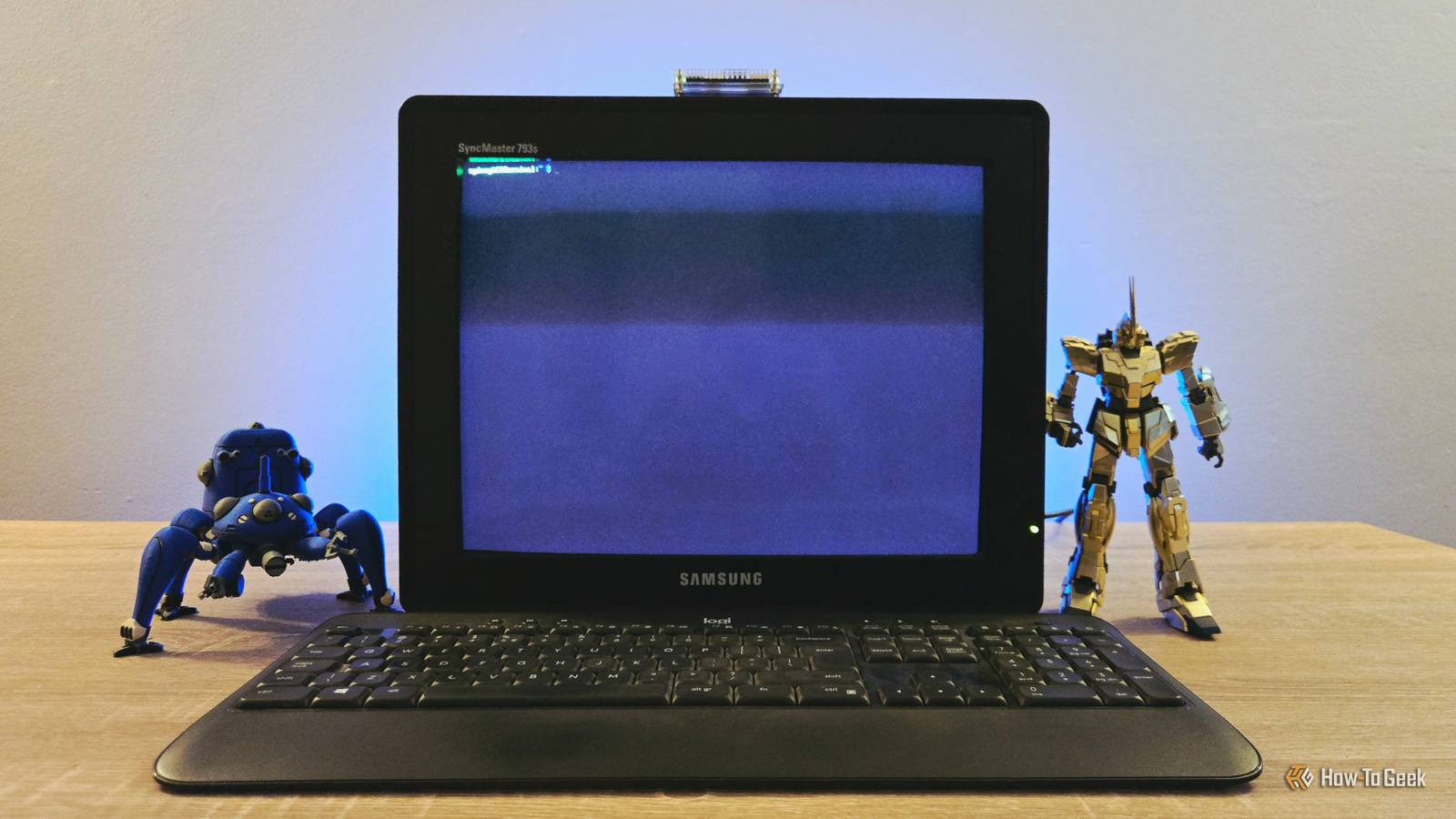
Published Nov 7, 2026, 8:00 PM EST Sydney Butler is a technology writer with over 20 years of experience as a freelance PC technician and system builder and over a decade as a professional writer. He's worked for more than a decade in user education. On How-To Geek, he writes commerce content, guides, opinions, and specializes in editing hardware and cutting edge technology articles. Sydney started working as a freelance computer technician around the age of 13, before which he was in charge of running the computer center for his school. (He also ran LAN gaming tournaments when the teachers weren't looking!) His interests include VR, PC, Mac, gaming, 3D printing, consumer electronics, the web, and privacy. He holds a Master of Arts degree in Research Psychology with a minor in media and technology studies. His masters dissertation examined the potential for social media to spread misinformation. Outside of How-To Geek, he hosted the Online Tech Tips YouTube Channel, and wrote for Online Tech Tips, Switching to Mac, and Helpdesk Geek. Sydney also wrote for Expert Reviews UK. He also has bylines at 9to5Mac, 9to5Google, 9to5Toys, Tom's Hardware, MakeTechEasier, and Laptop Mag. I've never really been a guy who spends much time on the command line or terminal on any computer or OS, but these days, as I get into more self-hosting projects and take remote control of devices on my LAN, I find myself SSH-ing from my Mac's terminal at least once or twice a week. Which got me thinking: I have an old (rather shabby) Samsung CRT monitor I'm not using, and my Pi Zero 2W is just sitting in a drawer, doing nothing. Why not just turn these two devices into a dedicated terminal? Is there a practical reason to do this? No. Do I still want to? Very yes. Getting all the bits and pieces Oh, it's just some stuff I had lying around I just threw this all together from stuff I had lying around, but for the record, here's what I used: A Samsung SyncMaster 793s 17-inch CRT monitor (with a rusty VGA plug and dust in places I can't bother to scrape out) A Raspberry Pi Zero 2W A 32GB SD card (because I didn't have anything smaller) A MacBook with an SD card reader The Raspberry Pi Imager A cheap generic HDMI to VGA adapter An old wireless Logitech keyboard Oh, and of course, I used some generic USB chargers to power the VGA adapter and Pi itself. Getting the OS installed It's five minutes of your life Since this is a low-end device with limited memory, I want it to be as stripped down as possible. Which means I simply used the Raspberry Pi Imager tool to write a copy of Raspberry Pi Lite. This version of Pi OS has no GUI and takes up only 3GB of space on an SD card. Even more importantly, it uses around 150MB of RAM at idle, leaving perhaps enough room in the Pi's 512MB of RAM for some headless applications, if I feel having it only be a dumb terminal is a waste of resources. We'll see. It's alive! I mean, of course it is Next, I just popped the SD card in, hooked up all the cables and adapters, turned on the power, and it started up. The first time you do this, there's some housekeeping, setup, unpacking, and all that. Once it's done, however, you'll always boot straight into the terminal. Since I had set up SSH details during the SD imaging process, I also confirmed that I could SSH into the Pi, just in case I wanted to play an UNO reverse card and change some stuff on it without leaving my main workstation. At this point, the job's done. Now I can just walk up to this monitor and SSH into any other headless system that's currently switched on and connected to my LAN. Will I actually do that? I might. OK, honestly, I just did this for fun, but now that I have it good to go, I'm thinking of moving my self-hosted Wikipedia instance to this Pi Zero instead, because it's currently running on a much more expensive Pi that could be doing other things. I'd be keen to see if this little guy can serve the pages up as snappily, however. If Pi Zero boards ever come down to a reasonable price again, I might grab a few, set them up as various headless servers, and control them from this creaky old setup. It's not dumb if it works, after all. Next steps to making it really feel retro? What I've done so far really is the bare minimum to have a dedicated CRT-based terminal device. However, I've got a few ideas to make it even more "retro." One is to use "Cool Retro Terminal," which is a terminal emulator designed to look like those early monochrome CRTs. Exactly, in fact, like the CRTs I first encountered on computers in the early '90s. To get this to work, however, I will need to install at least a minimal desktop environment on my Pi Zero 2W, and I have doubts about performance. I also feel a little ambivalent about emulating a CRT on a CRT. I might as well have just used an LCD monitor instead. In-person, having the terminal run on a popular budget CRT model that I actually used in high school feels plenty retro to me. Your mileage may vary. Apart from experimenting with this or another terminal emulator, I'd like to swap out the keyboard for a cheap retro model that looks the part, and maybe find a nice retro-style casing I can 3D-print for the Pi in my favorite beige filament. I can already see this is going to be a pointless-yet-fun thing I keep changing, but what else am I going to do? Be productive? Pah!
I turned a 1990s Samsung CRT into a retro terminal with a Raspberry Pi Zero 2W
Full Article
Original Source
Read the full article at Howtogeek →KhanList aggregates and links to publicly available news content. We do not host full articles from third-party sources. Always verify important information with original sources.