
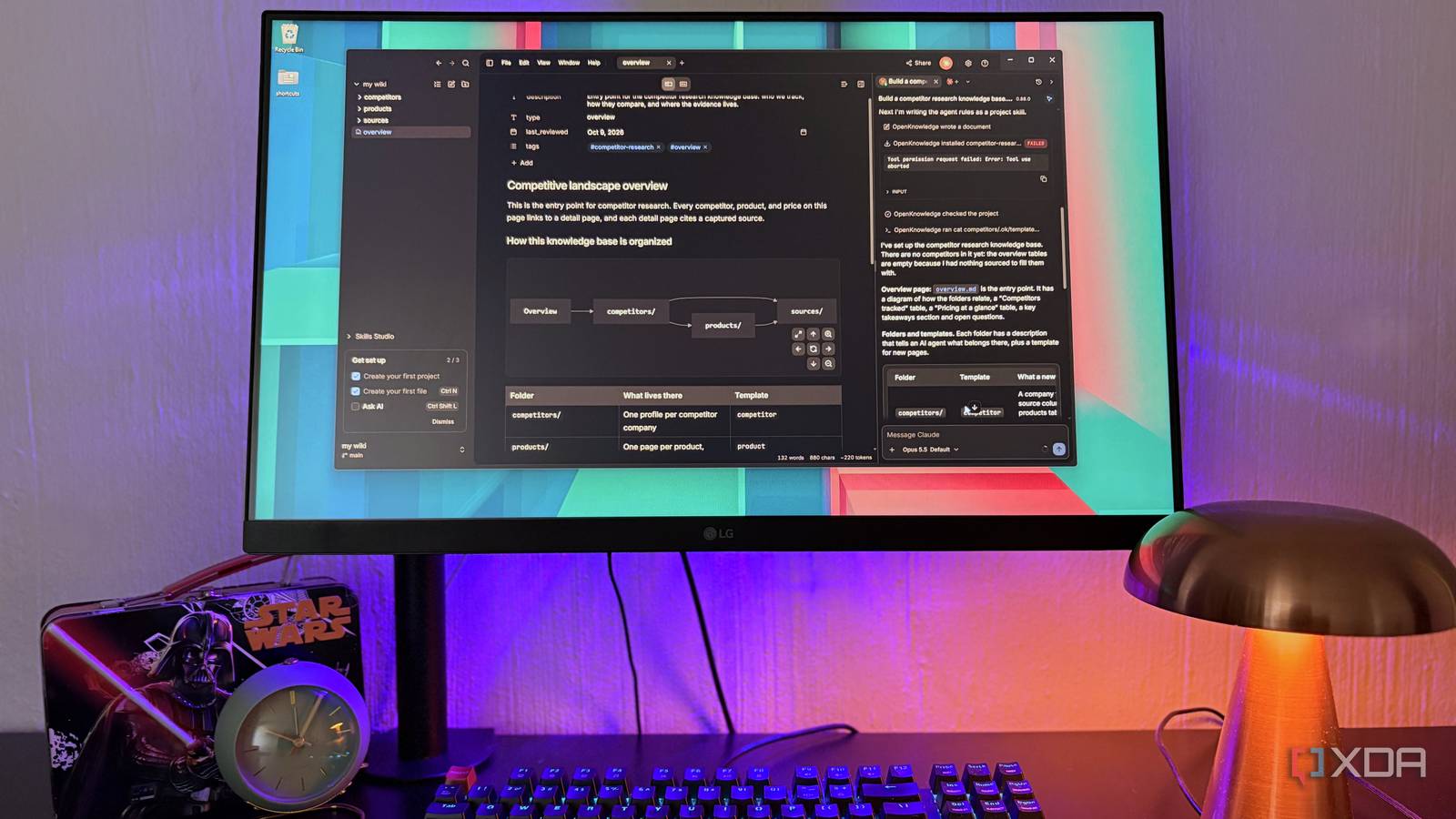
Published Oct 9, 2026, 2:00 PM EDT Nolen began their writing career in 2019, with three years dedicated to editing the Creative section at MakeUseOf. Their expertise lies at the crossroads of technology and creativity, covering areas like photography, video editing, and graphic design. Outside of work, you'll often find Nolen diving into a good book, writing their own stories, or playing video games. Every note-taking app has spent the last couple of years bolting on AI, and it tends to look the same in all of them: a chat box that can summarize what you're working on and not much else. And the apps that go a little further with more comprehensive AI features usually do it by keeping your notes in their cloud database. This is not a very easy sell for an Obsidian user who specifically uses the app to keep their work local. Then an open-source editor showed up in June, called OpenKnowledge, and it's built on the idea that the AI tools you already pay for should be able to work inside your notes directly, and locally. What OpenKnowledge actually is It works like an Obsidian vault, just built with a second user in mind OpenKnowledge comes from Inkeep, an AI agent company, and it's a free, open-source markdown editor that's built for you and your AI tools to work on the same documents together. You can point it at any folder on your drive, so obviously one of the first things I tried was my Obsidian vault. Everything showed up exactly as I'd left it, even the non-markdown files, and their links were all still intact. There's no database behind your files here. Notes are plain .md files in a regular folder, same as a vault, which explains why when I went hunting for an export button, I couldn't find any - instead, it appears any note you create in the OpenKnowledge app automatically populates in your chosen folder. It keeps its own settings in a hidden .ok folder and ignores Obsidian's settings folder, and the docs say it won't move or rename your notes. It's free under the GPL license, with desktop apps for Windows, macOS, and Linux. The AI side was where I expected a bill to show up, but instead it picked up the Claude, Codex, and OpenCode installs I already had and used those, so any cost comes out of plans I pay for anyway. It has a comprehensive editor Notion-style polish on top of files Obsidian would recognize The editing itself feels a little closer to Google Docs or Notion than to Obsidian's live preview. The formatting renders as you type, but there's a toggle to switch the note to raw markdown and back without losing your spot. The slash command gives you all your usuals, with headers, tables, code, and so on. There's also support for HTML embeds. There are tags and dates that show up in plain form fields, so the YAML at the top carries over perfectly from an Obsidian vault. A folder can also hold its own templates, so any new note in that folder can start pre-filled. And every note also gets a timeline of older versions. As I've mentioned, my vault made it over in one piece with everything intact, including wikilinks. The only thing that doesn't make it over is anything plugin-specific that you set up in Obsidian. Where the AI comes in Have an agent build the structure of your knowledge base When you set up a new project, it comes with a checkbox to hook it up to your AI tools. On my PC, it found Claude, Codex, and OpenCode.That box will install a connection and an instruction file for each tool. The agents run inside a chat panel. A built-in terminal handles the CLI versions if you prefer those, or the job can go out to Claude Desktop or ChatGPT Desktop instead (I stick with the panel just for the sake of convenience). Then it's just a matter of prompting your AI. I went for a competitor research knowledge base as my first test run. It sets up the folder structure first and foremost, with a template in each folder, then writes an overview page with a diagram of how everything links together. Each folder will also get a short description of the contents, this is mainly written for the AI's benefit. The sources folder, for example, says it's only for new captures and that any analysis belongs somewhere else. The agent also won't make things up to fill an empty table. OpenKnowledge wants every claim traced back to a source saved inside the knowledge base, so nothing comes from the model's own memory. Adding a source involves simply pasting in the link and telling the agent to ingest it, then the page will get saved in its entirety, along with the URL and the date you grabbed it. From there it follows Andrej Karpathy’s LLM wiki idea: The agent writes research notes that cite those saved sources, and they stay marked as drafts until you tell it you’ve actually made up your mind, and then it turns them into a finished page. My knowledge base is still a little sparse since I've only been using OpenKnowledge for about a week now, but having the agent in here to help with the admin of the knowledge base is something I think more note-taking apps should offer because it saves so much time. The agent's avatar in the corner opens a list of every file it touched, with a diff for each edit. You can also undo anything at this point, and deleting or moving the files will ask for your permission. There's an Ask AI box at the bottom of every note as well, plus comments you can pin to a passage and send to the agent in one batch. Local models are supported through LM Studio, though from what the docs say, smaller ones tend to fumble the tool calls, so this will come down to what your hardware can handle. Same vault, same markdown, different jobs Every time I try a new note-taking app, I wonder if this is finally going to be the one to replace Obsidian. None of them ever do, including OpenKnowledge, but that's because it actually works in tandem with the vault. So even if you want to make a full switch, you can migrate your entire note stack by just opening your vault as a folder. OpenKnowledge
I tried an open-source Obsidian alternative, and it’s the first AI note app I actually trust
Full Article
Original Source
Read the full article at Xda-developers →KhanList aggregates and links to publicly available news content. We do not host full articles from third-party sources. Always verify important information with original sources.