
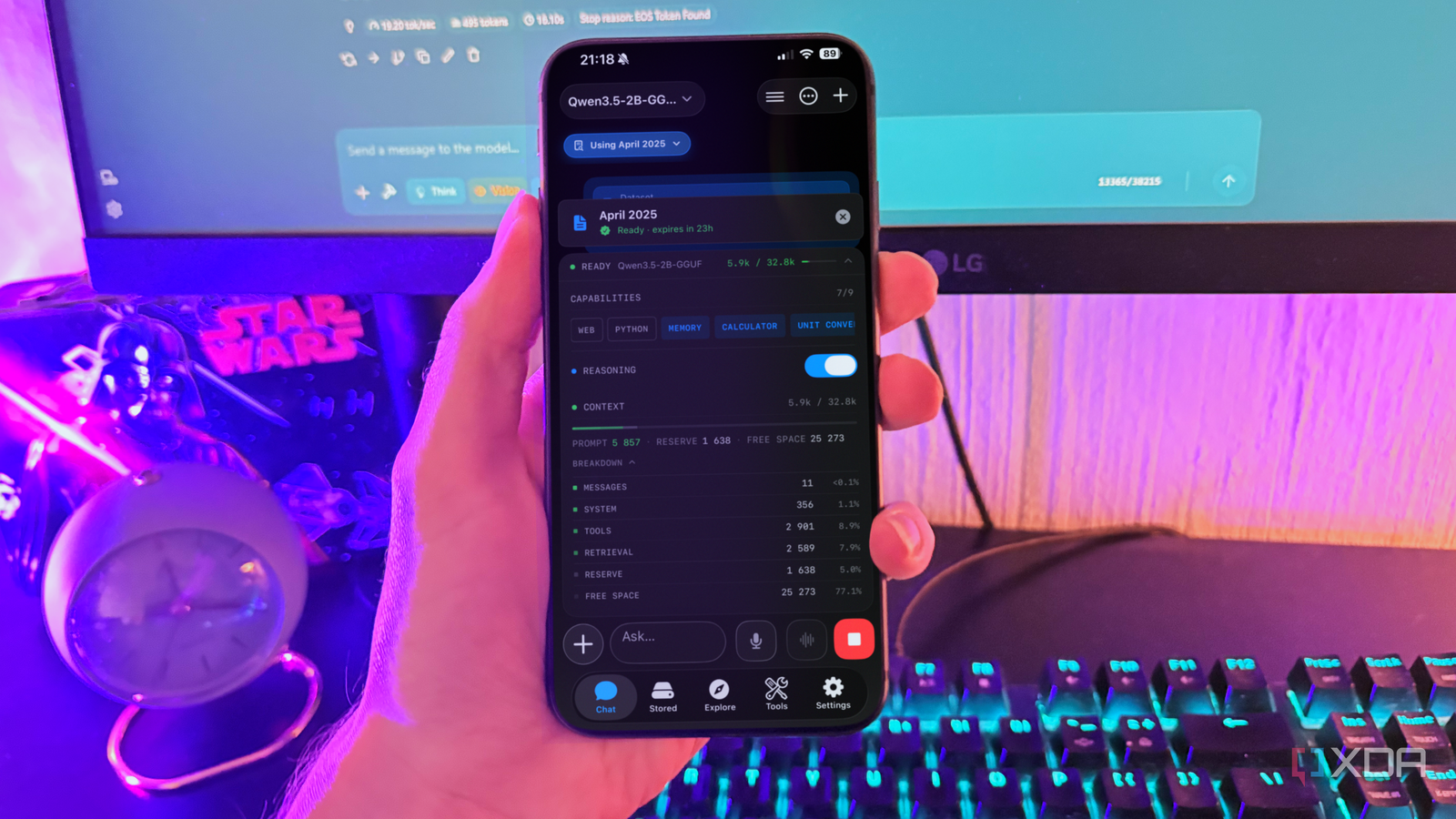
Published Sep 7, 2026, 7:00 PM EDT Nolen began their writing career in 2019, with three years dedicated to editing the Creative section at MakeUseOf. Their expertise lies at the crossroads of technology and creativity, covering areas like photography, video editing, and graphic design. Outside of work, you'll often find Nolen diving into a good book, writing their own stories, or playing video games. Running a language model on your phone used to feel like a novelty, and now there's a whole aisle of apps that actually make it practical. Reading the store listings, you'd struggle to tell any of them apart though - they all look identical and you don't actually know how each one holds up after you've spent some time with it. The only way to know which one to choose is to run them as your only mobile AI for an extended period. I started experimenting with mobile local AI earlier this year, and at this point I've tried about six runners. However, only a couple of them are really worth the install in my opinion, and even then, only one actually checks all my boxes. For reference, I'm running these on my iPhone 16, which has 8GB of unified memory. Want to stay in the loop with the latest in AI? The XDA AI Insider newsletter drops weekly with deep dives, tool recommendations, and hands-on coverage you won't find anywhere else on the site. Subscribe by modifying your newsletter preferences! Google AI Edge Gallery The easiest way to get on-device AI Google AI Edge Gallery is the app I'd point a total newcomer to, and I mean that as a compliment. Google builds it and keeps it open source, and it's a proper App Store download now rather than the sideloaded file it started as. The engine is Google's LiteRT, built specifically for phone chips, and my battery hardly reacts to running this app for extended periods - at least, way less than streaming or playing a game. There's quite a lot of control tucked away inside the tidy interface surface. It has most of the configurations a desktop runner has, including temp, toK, topP, context length, CPU/GPU acceleration, and speculative decoding. But my favorite part is still the Agent Skills. This opens you into a chat window with options for using an interactive map, setting reminders, tracking your mood, querying Wikipedia, and generating QR codes. This is why Edge Gallery is the best local alternative to Google Assistant, because many of their functions overlap. The model selection is where it may disappoint. Edge Gallery only accepts LiteRT-format models, and that catalog is tiny beside the GGUF world every other app draws from, so you wind up with Gemma whether you meant to or not. Importing a LiteRT build from Hugging Face is possible, but almost nothing I actually wanted came in that format unless I'm willing to convert it myself. The iOS build also has more rough spots; the Mobile Actions do close to nothing on an iPhone, so using this app to its full capacity is best suited for Android users. But the chat is still solid for iOS. PocketPal The option for tinkerers PocketPal has been my mobile default longer than anything else on this list, and unlike the others it runs on Android as well as iOS, so most people reading this can use it on whichever phone they want. It runs on llama.cpp and instead of a fixed shelf you pull models straight from Hugging Face, there are hundreds of them in GGUF. Compared to Edge Gallery, that's a whole different world, and it's going to be your route past the Gemma family. I run Qwen 3.5 2B (Q4_0) and Qwen 3.5 4B (Q3_K_M) on here, they're much better suited for anything research or learning-adjacent. It'll also run more niche models like H2O's Danube or a Phi build, so you can really match the model to the job. The control is the real perk. You get temperature, context length, and also penalty parameters, as well as a built-in benchmark that shows what your hardware can take before you commit to a download. Pals let you save personas and presets, and newer builds even added in-chat web search if you bring an API key. It's really the full package, and this is what I'd recommend to those who've already been running local LLMs on PC. The one thing it won't do is read a document. There's no way to attach a file or hand it a PDF, so you have to paste the text in yourself. For pure chat, that doesn't really matter, and it held its spot as my main app because pure chat was most of what my phone got used for. Noema The obscure app running formats the big names can't Noema is the app I see barely anyone in this corner talking about, and I have a feeling that might be because it's iOS-only because local LLM users seem to lean more Android due to its hardware flexibility. So if you have an iPhone, this is the app I couldn't recommend enough. It runs GGUF like the rest, but also Apple's MLX and Liquid AI's own SLM format, which is what will get you past the usual Qwen and Gemma builds if you want to experiment more. An MLX model tuned for Apple silicon is something neither of the other two can load at all. What actually got me started with this app was its document support and RAG system. None of the others I've tried have this. But you can give Noema a PDF or a markdown note, it embeds it on the device itself with a small Qwen3 embedding model at Q8_0 that downloads once, and answers come back from your own material with the sources cited. It's also a proper AI workspace beyond just chat. If there are answers you want to hold on to, there's a scratchpad for those. You can also branch a conversation to chase a different angle without losing the original thread. Another really cool thing is that responses paste into Obsidian with formatting intact, so if you're a mobile Obsidian user, this is going to be the AI app you want to add to a local workflow. It'll even tell you whether a model fits your RAM before you go to the trouble of downloading it. None of this makes it a polished app, though. It's a little scrappier than what Google ships, and the iOS-only limit locks out a big chunk of readers before they begin. Speed is the other tax - a few tokens a second once you load anything beyond a tiny model. The least popular one won After several months of testing mobile runners, Noema is the one I reach for the most. That's largely due to its document support, which most other mobile runners do not have. Edge Gallery is still the one I'd hand a beginner, and if quick chat across a big pile of models is all you're after, PocketPal covers that better than Noema.
I tried 3 mobile local LLM apps for a month, and the least popular one does what the rest can't
Full Article
Original Source
Read the full article at Xda-developers →KhanList aggregates and links to publicly available news content. We do not host full articles from third-party sources. Always verify important information with original sources.