
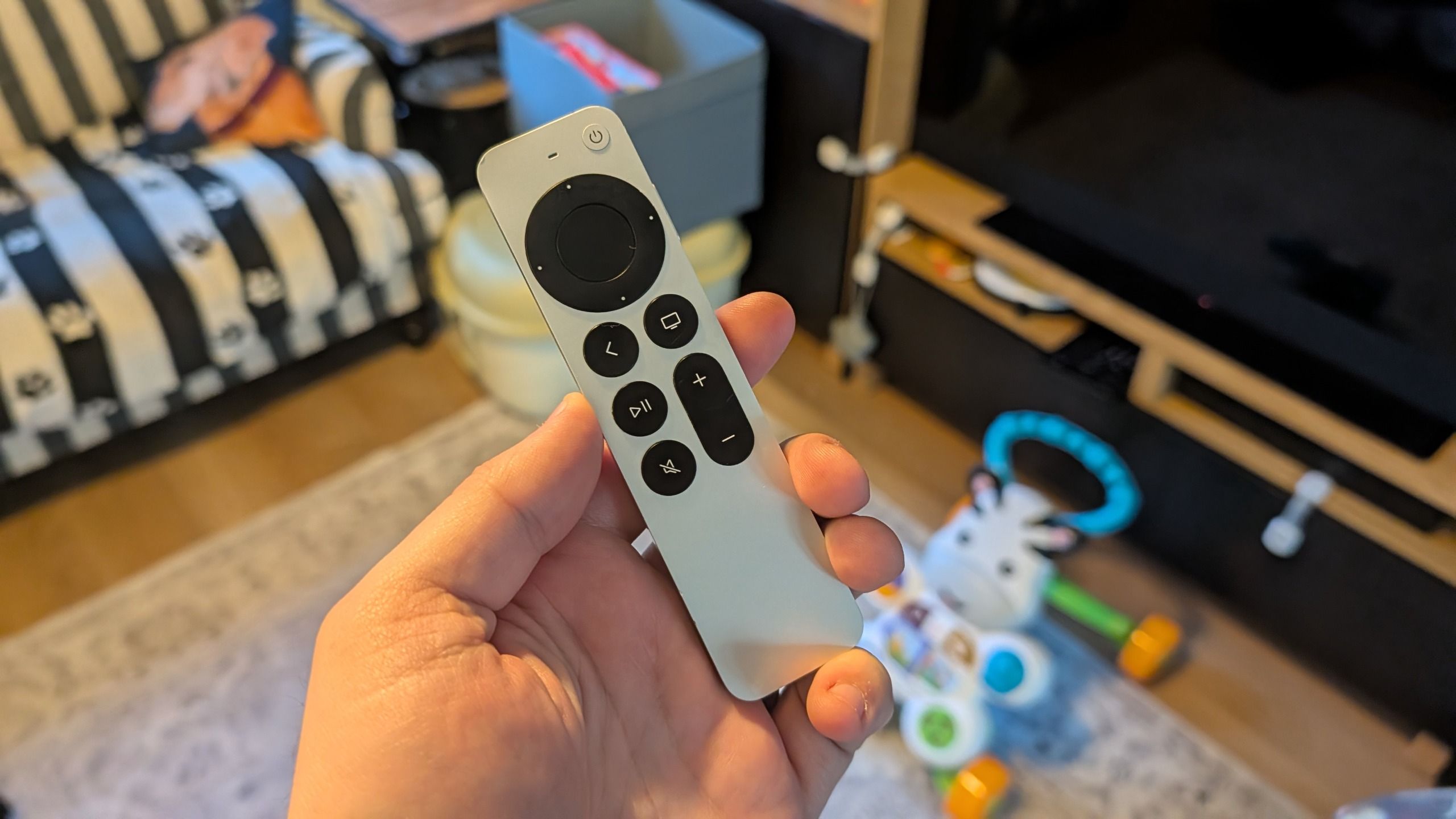
(Image credit: Future) My 11-month old son is obsessed with my Apple TV 4K remote. It used to be that he just wanted to chew it, which isn't ideal since it's made of metal, but these days he's started actively playing with it and pressing buttons. Unfortunately, this also means the remote is starting to go missing quite a lot.It feels like it ends up in that dimension that is only accessible to socks in the dryer and objects your kids were holding before you turned your back for two seconds. Thankfully, unlike most remotes, the Apple TV remote has a way to let you track it down — and I'm not talking about those bulky cases that attach an AirTag to it, either. It all relies on this hidden iPhone feature.How to hunt down your missing Apple TV remote (Image credit: Future)Normally if you're missing an Apple device, your first idea would be to jump into the Find My Device app and look there. It's how you track down AirTags, phones, tablets and even some Apple Pencils — among other things. The Apple TV remote, specifically the third generation Siri remote, does not include that level of support.That's not to say you are stuck if your Apple TV remote falls down the back of the couch, or into the fourth dimension where it's impossible to see no matter how hard you look. Because the Apple TV app actually has a feature to locate it. It's similar to the precision tracking Apple already offers for other devices, even if it isn't quite as accurate.Here's how it works: 1. Open the Apple TV Remote app The Apple TV Remote app isn't a standalone app in your app list, but you can access it from the Search bar at the bottom of your home screen — or via the recent apps section in the pull-down menu. Devices running iOS 27 can add this remote to the home screen, which does make repeat access easier. 2. Choose the right Apple TV At the top of the Remote app you'll see a long pill-shaped button. Tap it and you'll be shown a list of Apple TV devices associated with your Apple account. If you're like me, that's only a single box, which makes things easier.Once you've found the right device, look for the Find button on the right side of the screen and tap it. There's a little illustration of an Apple TV remote next to it to indicate what this does. 3. Connect to your missing remote The Find screen will show an interface featuring a circle of swirling dots. You'll need to move around to try and connect to your remote, at which point a Blue circle will appear in the center. The closer you are to your remote, the larger the blue circle will be. (Image credit: Future)This is about all you get when it comes to tracking your remote down, though. In my case the issue was that we had absolutely no idea where the remote could be, and any attempt to look in or around the couch proved absolutely fruitless.I went so deep into the cushions that I managed to find an unopened can of Pepsi that had been sitting there for an undetermined amount of time. No, I have no idea how that got there either, usually the depths of my couch are only home to dog fur, crumbs and the occasional missing Lego piece. Still, no matter how hard my wife and I looked, we could not find the remote.Get instant access to breaking news, the hottest reviews, great deals and helpful tips.It even got to the point where I wondered if I'd accidentally dropped it in a box of stuff I'd taken to the trash earlier that day. The Remote app's tracking feature didn't help me nail down an exact location, but it gave me a rough idea on where the blasted remote actually was — even with the interference from the couch itself. Once I knew where to look, the job became significantly easier.That said, it still required some effort on my part, including slowly moving the couch until the remote revealed itself. It turned out the thing was hiding under the back of the couch, and since my couch doesn't leave a huge gap between it and the floor, the remote wasn't visible all the times I'd gone down with a flashlight to try and find it.So there are definitely things Apple could do to make that hunting process easier.How Apple could improve remote discoverability (Image credit: Future)I've seen a lot of people asking why the Apple TV remote doesn't have an AirTag installed, and at first I agreed with them. Then I realized that the Apple TV remote doesn't need an AirTag, per se, at least not in the way people think. Considering the TV remote almost never leaves the room, let alone the house, tracking down its geographical location isn't a priority.There's already something similar to precision tracking, albeit without the same distance levels you'd get with Ultrawideband-enabled devices like AirTags and recent iPhones. So adding UWB and a distance meter would definitely be a welcome change when the next Apple TV 4K box is released.What's really missing is the fact that the current Siri remote doesn't have any kind of speaker. That means if the remote does go missing, you have to go through a process of trial and error to hunt it down — rather than just forcing it to play a sound and make the process that much easier.I'll admit, most remotes don't have built-in trackers, and if it disappears down into the depths of your couch then you have to go looking for it without any technological help. But since Apple has already gone halfway there, there's no reason why it can't push ahead with an experience that's even closer to using an actual AirTag.After all, the Siri Remote is quite skinny, and a lot easier to lose than most streaming remotes — particularly those ones that use replaceable AAA batteries.Bottom line (Image credit: Future)If you end up in a situation when your Apple TV remote goes missing, your first instinct is probably to use the Remote app as a substitute. It's one of the great things about the best streaming boxes, there's almost always an app for that — especially on iPhones.But Apple's remote app has the thing that could help you get the real thing back, and without paying $59 for a replacement Apple TV remote. There are some ways it could be improved, but it's still much better than the alternative. So the next time your remote goes missing, either at the hands of a tech-obsessed toddler or for some other reason, make sure to load up the Apple Remote app to help hunt it down. Follow Tom's Guide on Google News and add us as a preferred source to get our up-to-date news, analysis, and reviews in your feeds. More from Tom's GuideI used to find my iPhone's Shortcuts app intimidating — then iOS 27 changed everythingScammers are using iPhone Duo pre-orders to try and steal your passwords — here's how to stay safeiOS 27 has a hidden anti-scam setting — here’s why every iPhone user should turn it on Tom is the Tom's Guide's UK Phones Editor, tackling the latest smartphone news and vocally expressing his opinions about upcoming features or changes. It's long way from his days as editor of Gizmodo UK, when pretty much everything was on the table. He’s usually found trying to squeeze another giant Lego set onto the shelf, draining very large cups of coffee, or complaining about how terrible his Smart TV is.
I tore my living room apart looking for the Apple TV remote my son hid — until this iPhone feature saved the day
Full Article
Original Source
Read the full article at Tomsguide →KhanList aggregates and links to publicly available news content. We do not host full articles from third-party sources. Always verify important information with original sources.