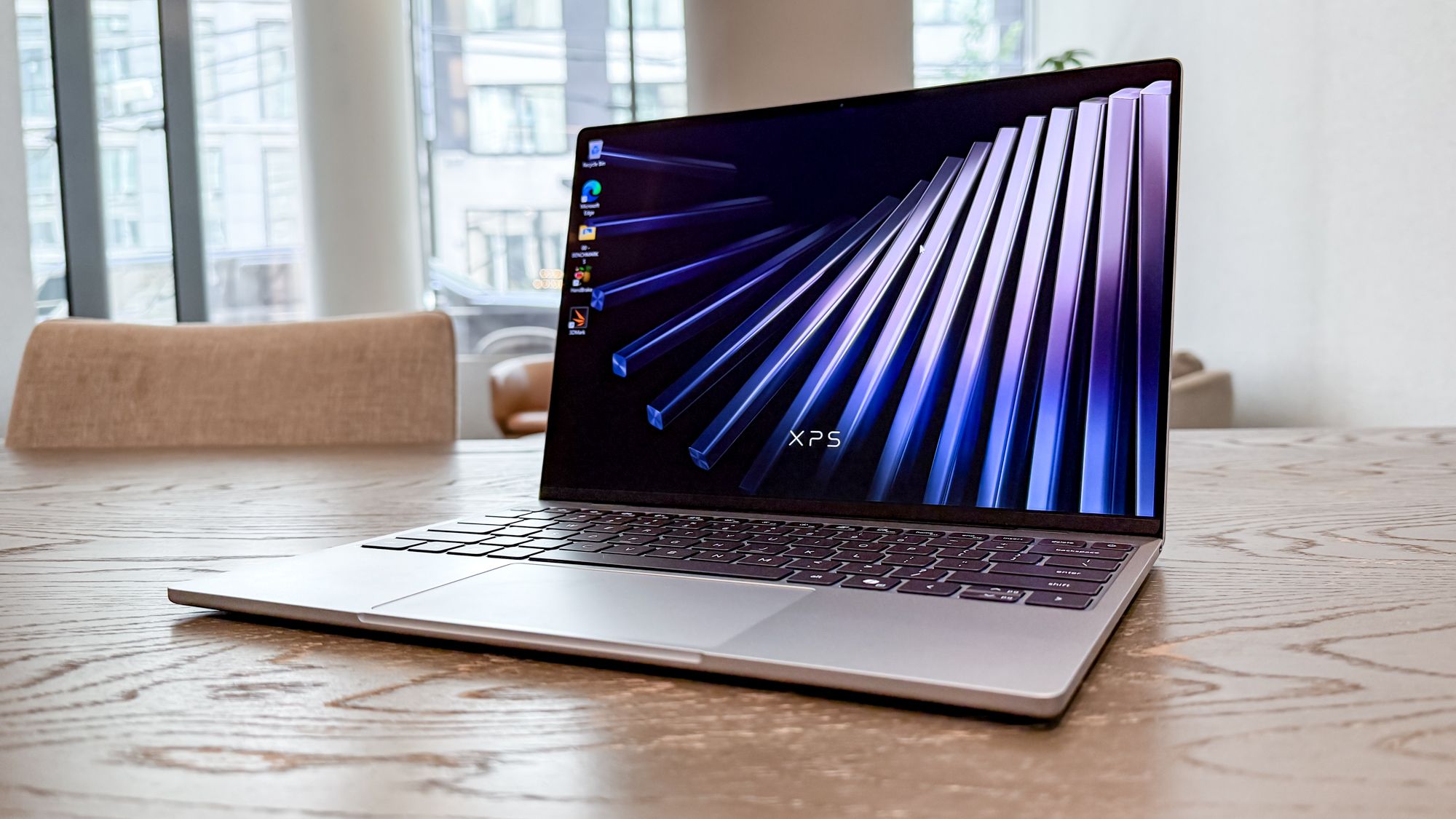
(Image credit: Tom's Guide) Watch out, MacBook Neo! The new Dell XPS 13 is here, and it could arguably be the best budget laptop available. With a starting price of $699, it packs many of the features you’d find in higher-end XPS laptops. Given the ongoing RAM crisis, this notebook is seriously worth considering for what it offers.Unlike most budget Windows laptops, the XPS 13 has a CNC aluminum chassis built to the same standards as its more expensive XPS counterparts. Not only does it look great, but it’s also the thinnest XPS laptop ever. Toss in other features, such as a vivid 2.5K touch display, a backlit keyboard, and fast performance, and you have a winner.I’ve spent 48 hours with the Dell XPS 13 and find that it lives up to the hype. To be clear, I tested the model with 16GB of RAM, which retails for $899. I’ll review the model with 8GB of RAM soon, but for now, here’s what I think of the new Dell XPS 13.Dell XPS 13 (2026): SpecsSwipe to scroll horizontallyHeader Cell - Column 0 Dell XPS 13 (starting)Dell XPS 13 (tested)Price$699 ($599 for eligible students)$899CPUSeries 3 Intel Core 5Series 3 Intel Core 5GPUIntel GraphicsIntel GraphicsDisplay13.4-inch 2.5K (2560 x 1600) InfinityEdge touch display13.4-inch 2.5K (2560 x 1600) InfinityEdge touch displayMemory8GB16GBStorage512GB512GBPorts2x USB-C2x USB-CConnectivityWi-Fi 7, Bluetooth 6.0Wi-Fi 7, Bluetooth 6.0Dimensions11.69 x 7.90 x 0.50 inches11.69 x 7.90 x 0.50 inchesWeight2.2 pounds2.2 poundsDell XPS 13 (2026): Design (Image credit: Tom's Guide)“Wow, that’s light,” was the first thing I said when I picked up the XPS 13. And that wasn’t just my brain playing tricks on me. At 2.2 pounds, this laptop is lighter than the 2.7-pound 13-inch MacBook Air and MacBook Neo. This is exactly the kind of laptop I want to travel with since it’s so light — a fact that was very clear when I barely felt it in my backpack when I brought the XPS 13 from the office to my apartment. (Image credit: Tom's Guide)The smooth aluminum chassis also ensures that the XPS 13 is plenty sturdy, as it doesn’t easily bend or flex. This is a far cry from the plastic laptops I’m used to in this price range. I’m glad that Dell didn’t sacrifice build quality to drop the price, as the aluminum casing is an important selling point here. (Image credit: Tom's Guide)Another big selling point for anyone deciding between the XPS 13 and the MacBook Neo is the former’s backlit keyboard. This is something some folks don’t think about, since many laptops have backlit keyboards, but if you work at night or just need help seeing the keys, it’s a crucial feature.Dell XPS 13 (2026): Display (Image credit: Tom's Guide)The Dell XPS 13 has a 13.4-inch 2.5K-resolution touchscreen display. Though it’s not an OLED panel, everything looks bright and colorful to me. When running a video featuring colorful animals, I was impressed by the color representation and accuracy. Naturally, text-heavy websites are very clear.Get instant access to breaking news, the hottest reviews, great deals and helpful tips.Swipe to scroll horizontallyDisplay test resultsRow 0 - Cell 0 Dell XPS 13 (2026)MacBook NeoNits (brightness)394 (SDR) | 433 (HDR)452 (SDR) | 480 (HDR)sRGB112.6%110.9%DCI-P379.8%78.6%Delta-E0.210.22As you can see from our display benchmarks, the XPS 13 delivers solid color representation (sRGB and DCI-P3) and color accuracy (Delta-E). While Dell’s notebook has higher resolution and touch support, the MacBook Neo matches the XPS 13 in color representation and accuracy. However, the Neo's display is overall brighter, especially with SDR content.While the 13-inch MacBook Air has a slightly taller display at 13.6 inches, everything is still clear on the XPS 13’s display. This is a big win, especially since laptops in this price range tend to have duller displays.Dell XPS 13 (2026): Performance (Image credit: Tom's Guide)The XPS 13 features the new Wildcat Lake CPU and gives me my first chance to test a laptop with Intel’s lower-end Series 3 processor. Our review unit also has 16GB of RAM and a 512GB SSD. While these specs aren’t mind-blowing, they get the job done.Swipe to scroll horizontallyCPU benchmarksRow 0 - Cell 0 Dell XPS 13 (2026)MacBook NeoGeekbench (single/multi-core)2570 / 81363535 / 8920Handbrake (mins:secs)10:089:57Even with 15 Microsoft Edge tabs open and a YouTube video running in the background, the XPS 13 didn’t noticeably slow down. My experience aligns with our CPU benchmarks, which show solid single- and multi-core scores.Even with its 8GB of RAM, the MacBook Neo has a slight edge in CPU performance, underscoring the incredible efficiency of Apple’s affordable laptop. As for the Handbrake video transcoding test, the MacBook Neo performed the task about 10 seconds faster.We haven't run our battery life test yet, but Dell claims up to 17 hours of streaming battery life for the XPS 13. We’ll see if the XPS 13 can match the Neo’s 13.5-hour endurance in our lab tests. If Dell can match or exceed that, it would be another big reason to buy.Dell XPS 13 (2026): OutlookFor what it offers, the Dell XPS 13 is an excellent budget Windows laptop. It’s extremely rare to find such a solid notebook at this price point. I’ll have a full review for you soon, but based on my experience so far, I’m very impressed with what Dell has delivered.As for the MacBook Neo comparisons, they’re even more relevant now, given Apple’s price hikes, which have put the Neo at the same starting price as the XPS 13. If you’re married to a specific platform (macOS or Windows 11), the decision should be easy. However, if you just want the best value, you now have two strong options.Stay tuned for my full XPS 13 review, along with a deeper face-off between Dell’s laptop and the MacBook Neo to help you decide which one is best for your needs. Follow Tom's Guide on Google News and add us as a preferred source to get our up-to-date news, analysis, and reviews in your feeds. More from Tom's GuideI ditched the MacBook Air for a MacBook Neo for 48 hours — and I'm shockedWe benchmarked the MacBook Neo vs budget Windows laptopsHow to maximize your MacBook Neo for peak performance Tony is a computing writer at Tom’s Guide covering laptops, tablets, Windows, and iOS. During his off-hours, Tony enjoys reading comic books, playing video games, reading speculative fiction novels, and spending too much time on X/Twitter. His non-nerdy pursuits involve attending Hard Rock/Heavy Metal concerts and going to NYC bars with friends and colleagues. His work has appeared in publications such as Laptop Mag, PC Mag, and various independent gaming sites.
I tested the Dell XPS 13 for 48 hours — the MacBook Neo is officially on notice
Full Article
Original Source
Read the full article at Tomsguide →KhanList aggregates and links to publicly available news content. We do not host full articles from third-party sources. Always verify important information with original sources.