
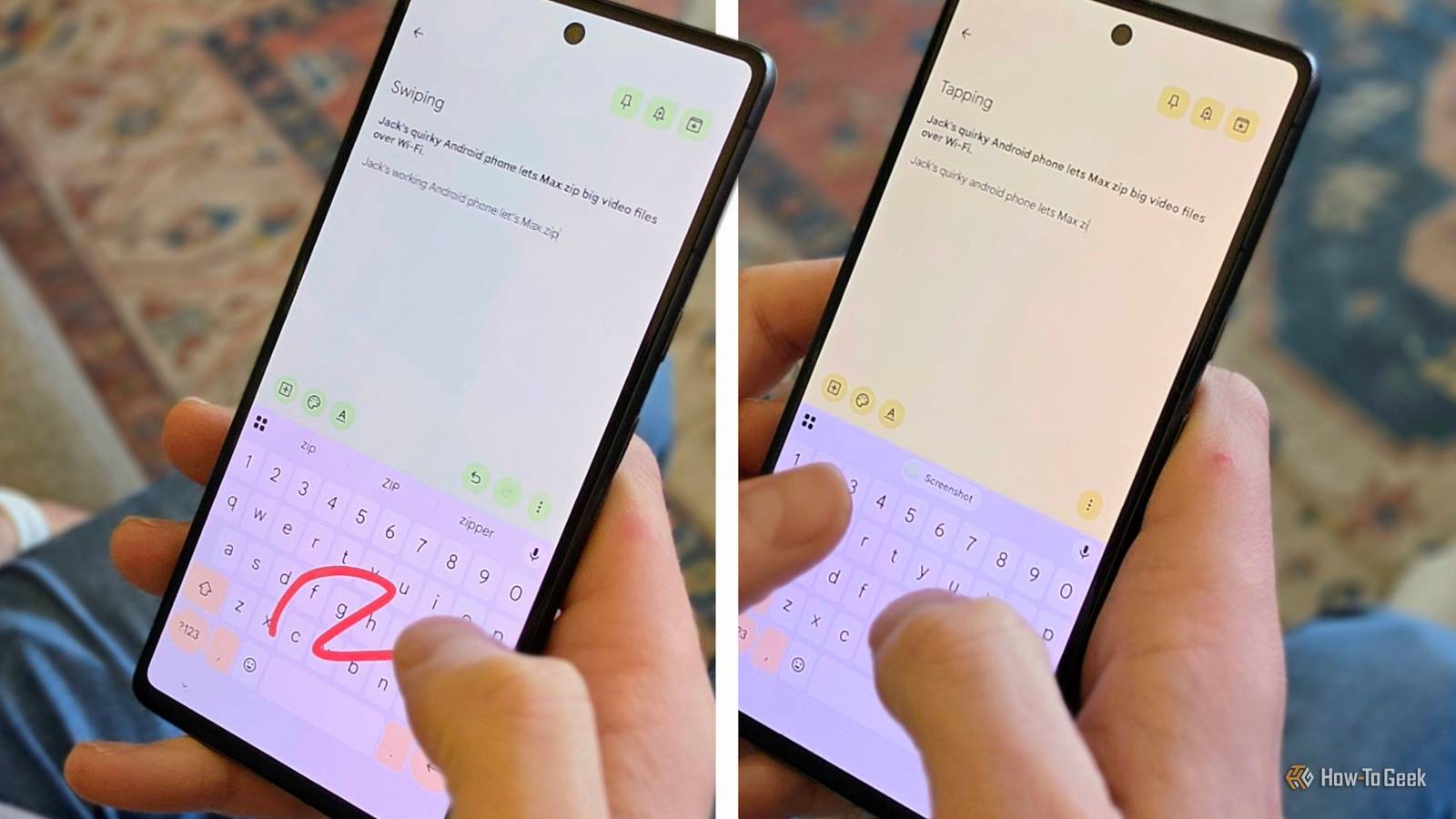
Published Oct 10, 2026, 6:30 AM EDT Joe Fedewa has been writing about technology for over a decade. Android and the rest of the Google ecosystem have been a focus for years, as well as reviewing devices, hosting podcasts, filming videos, and writing tutorials. Joe loves all things technology and is also an avid DIYer and food blogger. He has written thousands of articles, hundreds of tutorials, and dozens of reviews. Before joining How-To Geek, Joe worked at XDA-Developers as Managing Editor and covered news from the Google ecosystem. He got his start in the industry covering Windows Phone on a small blog, and later moved to Phandroid where he covered Android news, reviewed devices, wrote tutorials, created YouTube videos, and hosted a podcast. From smartphones to Bluetooth earbuds to Z-Wave switches, Joe is interested in all kinds of technology. After several years of jailbreaking and heavily modifying an iPod Touch, he moved on to his first smartphone, the HTC DROID Eris. He's been hooked ever since. Smartphone keyboards introduced us to a brand new way to type: swiping. Why tap every letter when you can just slide your finger over them? It's become a standard feature in nearly every Android keyboard app, and it's my preferred method. I wanted to know if it's actually faster. When Swype launched on Android 16 years ago, it felt very futuristic, but also practical — of course, this is how we should type on a touchscreen! As much as I like slide typing, I do occasionally wonder if it's still the fastest way to type. I was surprised by the results when I performed this test two years ago, and, somehow, I was surprised again this time. Swiping vs typing put to the test Does new school beat old school? Credit: Joe Fedewa / How-To Geek Gboard is my keyboard app of choice — I've been using it for as long as I can remember. As I said, glide typing is my usual method, so this should be my strength. However, last time, I ended up being nearly a full second faster on average with traditional tapping. This time around, I decided to change it up a bit. First, I wanted to see how I would fare with an unfamiliar keyboard app along with Gboard. Second, I ditched the classic "quick brown fox" typing test for a tech-related pangram: Jack's quirky Android phone lets Max zip big video files over Wi-Fi. Now, to conduct this test, I recorded myself entering the sentence five times, both with standard two-thumb tapping and swiping. I then played back the recordings, timed each attempt, threw out the slowest time, and averaged the other four. Here's how it went. Gboard: "Glide" vs type The home field advantage Let's start with what Google calls "Glide" typing in the Gboard settings. For this test, I didn't bother with capitalization — Gboard automatically handles it when gliding. Of my fastest four times, I only had one error. Average time: 11.28 seconds. Next, I wanted to test something new this time, so I did two different versions of tap typing. First, I manually capitalized and added the dash in "Wi-Fi." Gboard doesn't automatically capitalize words such as "Android" when typing like it does while swiping. Then I ran the test a second time without bothering to capitalize or add extra punctuation. On the first run-through, I only had one error across my four fastest attempts, and an average time of 14.63 seconds. Significantly slower than my glide time. When I did the same typing without the extra manual steps, my average time was 11.27 seconds. Almost identical to gliding. Heliboard: "Gesture" vs type Challenging myself with an unfamiliar keyboard Out of curiosity, I wanted to see how I would do with a keyboard I haven't used much before. A few of my colleagues have had positive things to say about Heliboard, so I gave it a try. This time around, I didn't do the two different tapping tests. I ignored capitalization for typing and swiping (Heliboard calls it "Gesture" typing). My average swiping time with Heliboard was pretty slow: 14.32 seconds. Unsurprisingly, I had significantly more errors as well. I didn't do much better with tapping, either. My average time was 13.79 seconds, but I had fewer errors. I may have been wrong about swipe typing Two years ago, I was surprised to find that I was faster at tapping than swiping. I overlooked something important, though. The pangram I used — "The quick brown fox jumps over the lazy dog" — doesn't require any extra capitalization or punctuation. When it comes to pure speed, typing with two thumbs seems to be the fastest method. However, capitalizing proper nouns and adding extra little bits of punctuation slows you down in a way that swiping doesn't. At least when it comes to Gboard, swiping seems to take care of more of that for you. I'm really happy that I made this discovery. Despite the results from last time, I continued using swipe typing simply because I find it easier. Now, I know that swiping is actually just as fast as typing if I want my text to have "proper" formatting (which I often do). The more you know!
I tested swipe typing vs tapping, and I've been wrong about which is faster
Full Article
Original Source
Read the full article at Howtogeek →KhanList aggregates and links to publicly available news content. We do not host full articles from third-party sources. Always verify important information with original sources.