
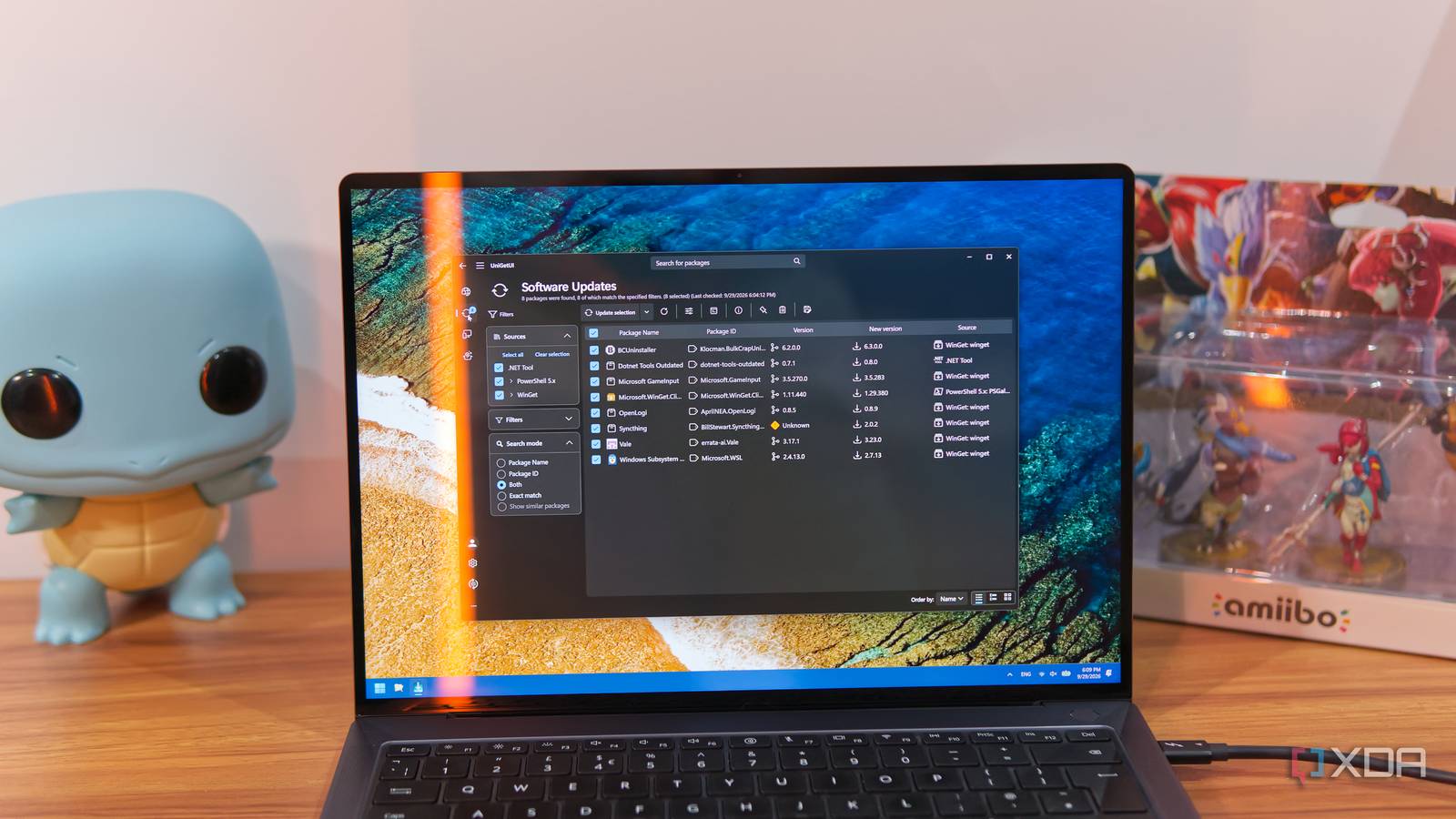
Published Sep 30, 2026, 2:00 PM EDT João has been covering the tech world for over 7 years, with a heavy focus on laptops and the Windows ecosystem. I also love all things tech and videogames, especially Nintendo, which he's always happy to talk about. Prior to joining XDA in 2021, he worked at Neowin: https://www.neowin.net/news/poster/jo%C3%A3o-carrasqueira/ For a long time, Windows lacked basic package management capabilities, but that changed in recent years with the introduction of the aptly-named Windows Package Manager (also called winget). The problem with this tool, however, is that it's just that: a fairly basic package manager that may not cover all your needs. Thankfully, there's a better solution in the form of UniGetUI. This tool isn't just one package manager, it's all of them, meaning it makes it easier than ever to manage and update all my Windows 11 apps in one place. And it has other perks, too. UniGetUI has come a long way It's not a small project anymore I want to provide some context for UniGetUI, because it's not often that you get to follow a project from so early on in its life and see it come this far. This project started many years ago as WingetUI, and it was just meant to provide a graphical interface for Winget, but it later evolved into UniGetUI, and I even wrote about it two years ago when it was still relatively early on in its development. UniGetUI was a completely independent project, but earlier this year, it was acquired by Devolutions, which has vowed to keep the app free while giving it much more reliable backing and support. That's a common fear with projects started by a single person, so this acquisition may actually be a good one. When the buyout was announced, Devolutions said UniGetUI has 300,000 monthly active users, which is a positive surprise to see for a project that seemed relatively small in scale just a couple of years ago. There are even versions of the tool for macOS and Linux now, which is wild to see for what seemed like such a Windows-centric project. It updates and installs (almost) all my apps Winget is just a piece of the puzzle UniGetUI brings together all major package managers for Windows, including Winget, Chocolatey, and Scoop, but also includes more dedicated packages, like items from the PowerShell Gallery, .NET packages, and Npm. Almost everything you can think of can be updated through UniGetUI. While Winget does have the majority of apps you'd want, there are clear benefits to having more package managers here. For one thing, things like PowerShell Gallery and Npm are important for specific kinds of users and there's no way to easily manage these tools through Winget. But even for Chocolatey and Scoop, which are conceptually closer to Winget, you may prefer using those over Microsoft's own app updater. Some developers may also choose to avoid Microsoft's repository, meaning some important apps may only be on these other package managers. It's important to have choice. UniGetUI gives you all of these sources in one place, which isn't just convenient because you have a centralized place to do it, but it also presents it to you in a more human-readable format, since it's a proper GUI. You can easily select updates to install or skip, see version numbers, and so on. On top of that, it's automated. UniGetUI can check for updates on your behalf and let you know what's available so you can update as soon as possible. It takes a lot of work out of keeping your PC secure and up to date. However, you're still in control. when you first install an app through UniGetUI, you can choose to enable or disable automatic updates, or just freeze it out of updates entirely in the future. Bundles make it easier to set up a new PC Install your apps in one go Bringing multiple sources of apps and packages together is already a huge advantage, but what takes UniGetUi that much further is its concept of app bundles, which you can create and save for yourself, or share as needed. Bundles let you group together multiple packages from across any source of your choosing. These groups of apps can then be loaded on a system so you can install them all in one go, or select the ones you need the most. Say you're in an enterprise environment or school where multiple PCs all have the same apps. You can create a bundle with these apps, store it in a shared location, and load it up in UniGetUI to install all those apps in one go. When I first tested UniGetUI a few years ago, this feature was at least partly broken, but now, it works perfectly. I was able to install the same set of apps on two of my laptops with no issues, and it was far easier than it would have been otherwise. The current version of the app also lets you create a PowerShell script for installing the apps, rather than forcing you to install them all using UniGetUI again. It's great to see how far it's come. To be clear, Winget also lets you back up installed apps and restore them in one go, but you have very little control over it. It backs up all the packages you've installed through Winget (except the ones that fail), and it installs the apps in the backup unless you modify that backup file. UniGetUI is just far more flexible, on top of supporting apps form multiple sources. It's not all automatic You do need to do some work yourself The downside to all the capabilities of UniGetUI is that not all of it will be ready to go by default. UniGetUI will detect the installations of the tools you already have, so things like Winget will work out of the box, but for Chocolatey, Scoop, Npm, Pip, and others, you need to install the respective package managers. That may make UniGetUI feel a bit redundant, since you still need to set up a few things beforehand, but it does make things a lot easier to have all these package managers in one place, even if they're still installed individually. It also gives you the freedom to interact with them on your terms at any given time. Maybe you want to use a GUI occasionally, but also have the terminal available. You always have that option. UniGetUI is the be-all and end-all of package managers By bringing together so many package managers in one place, including search and update management, automating the update process, and allowing you to create custom bundles of apps, UniGetUI is an essential tool for managing your apps on Windows 11. If you truly care about keeping your software up to date, I can't recommend it enough. UniGetUI
I replaced Windows' app updater with one tool that actually lets me manage all my apps
Full Article
Original Source
Read the full article at Xda-developers →KhanList aggregates and links to publicly available news content. We do not host full articles from third-party sources. Always verify important information with original sources.