
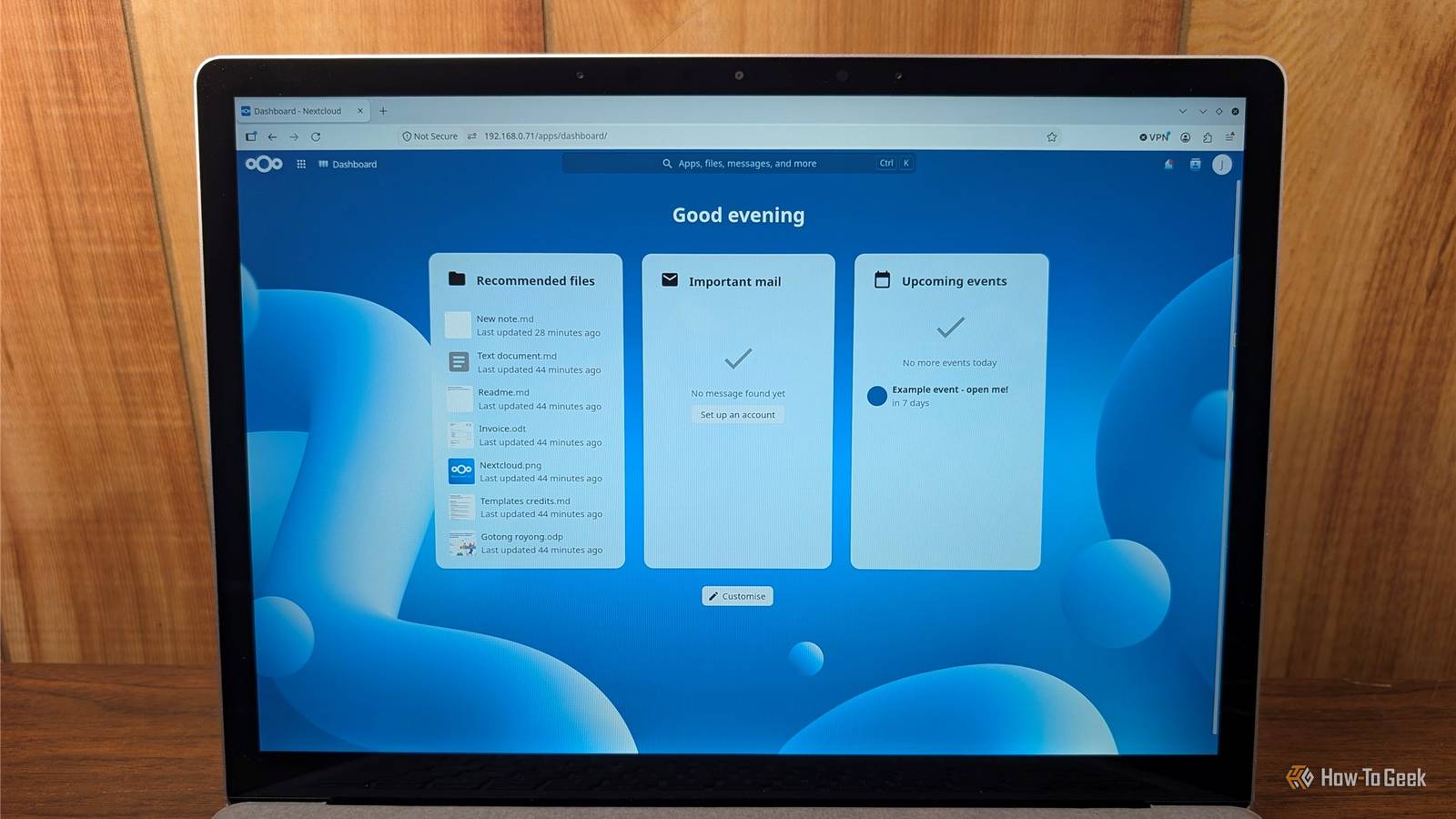
Published Oct 4, 2026, 10:30 AM EDT Nick Lewis is an editor at How-To Geek. He has been using computers for 20 years --- tinkering with everything from the UI to the Windows registry to device firmware. Before How-To Geek, he used Python and C++ as a freelance programmer. In college, Nick made extensive use of Fortran while pursuing a physics degree. Nick's love of tinkering with computers extends beyond work. He has been running video game servers from home for more than 10 years using Windows, Ubuntu, or Raspberry Pi OS. He also uses Proxmox to self-host a variety of services, including a Jellyfin Media Server, an Airsonic music server, a handful of game servers, NextCloud, and two Windows virtual machines. He enjoys DIY projects, especially if they involve technology. He regularly repairs and repurposes old computers and hardware for whatever new project is at hand. He has designed crossovers for homemade speakers all the way from the basic design to the PCB. Nick enjoys the outdoors. When he isn't working on a computer or DIY project, he is most likely to be found camping, backpacking, or canoeing. One day, OneDrive just appeared on my PC. Before I knew it, it was syncing files, backing up my entire desktop, and storing photos. Unfortunately, OneDrive has problems. The default storage is a meager 5GB—not enough for the amount of junk I keep on my desktop. Additionally, OneDrive has a tendency to delete files, or at least get them accidentally deleted. I didn't want to give up the practical benefits of OneDrive, but I didn't want to pay Microsoft in perpetuity for more storage either. I also wasn't especially confident that a botched update wouldn't delete most of the contents of my user folder. I eventually switched to a self-hosted Nextcloud instance, which provides most of the same functionality, but it runs on a PC sitting in my home. The cost is fixed, and I can be sure it'll do what I want. NextCloud is a self-hosted OneDrive It has almost none of the drawbacks Nextcloud is a self-hosted file sync and collaboration platform, much like OneDrive. I can store files, share them, and sync specific folders automatically so they're safely stored on my own personal cloud. To cover the other features OneDrive has, Nextcloud uses an app system. You can add apps specifically designed forPhotos, a calendar, Contacts, and even an entire collaborative Office suite. There are apps available for Windows, macOS, Linux, iOS, and Android, which allow you to use Nextcloud like you would any big cloud service provider. Setup is pretty easy, especially if you use the Nextcloud All-in-one installer. You can run Nextcloud on most mini PCs without an issue and even some Raspberry Pis, but as you add more complex apps, its demand will grow. Don't install Nextcloud on your lowest-powered device and expect it to run well. Your storage is your own No subscription required Credit: Patrick Campanale / How-To Geek My main reason for switching was cost. OneDrive costs at least $20 per year for 100GB of storage. If you want more storage per person, it can cost up to $130 per year. At the time I made the switch, I purchased two 12TB hard drives for about $110 each. Today, the prices have increased to somewhere between $40–50 per terabyte. However, that is still competitive with OneDrive's storage plan. Rather than a recurring fee that you'll pay regardless of how much storage you need, you can buy a decent amount up front—say 4TB—and then add more as your needs grow. You control your backups completely You also get to control how your data is stored. If you want to implement a specific versioning system, you can. You're not limited by the options provided by Microsoft. That also comes with a lot of responsibility—you are completely responsible for your own backups. I sort my files into two groups. The first group are my replaceable files, things I'd like to keep on hand but could replace if necessary. Those files are simply mirrored across a few drives. The second group is my irreplaceable files. Those files get written to a separate drive that remains disconnected most of the time and I store an encrypted backup on a cloud service just to be safe. You keep your privacy The only person with access to your data is you Credit: Nick Lewis / How-To Geek When you upload data to a cloud storage solution like OneDrive, you're placing your data in someone else's hands. Depending on the specific cloud service and their policy, your photos could be indexed, or your documents could be scanned by AI. If you don't dig through the terms and conditions, you may never know it is happening. One of my major motivations was taking control over my data. I want AI features, but I don't want to trust that Microsoft is handling my data responsibly. With everything stored on my local server, I can set up and run any AI features I want without needing to worry about what will be done after. Nextcloud can do more than OneDrive There is an app for everything OneDrive and Office Suite integrate to form a pretty cohesive combination, but NextCcoud is capable of doing even more due to the apps that you can download. Nextcloud works as a file storage solution much like OneDrive as its default behaviour, but there is also an app that adds an Office Suite that is comparable in quality to Microsoft Office. But it doesn't stop there. Some of the apps I like include: Memories — A photos management suite. Cookbook — For storing and sharing recipes. News — An RSS feed. Talk — A chat app that supports video, text, screen sharing, and more. There are literally hundreds available that cover almost every use. Nextcloud is your own personal OneDrive By switching, you get the same basic services you had with OneDrive, but without the subscription and with significantly more features. Of course, you aren't limited to the built-in apps either. Nextcloud is well documented, and you can easily get ChatGPT or Claude to write you an app that does literally anything you want.
I replaced OneDrive with a free open-source alternative
Full Article
Original Source
Read the full article at Howtogeek →KhanList aggregates and links to publicly available news content. We do not host full articles from third-party sources. Always verify important information with original sources.