
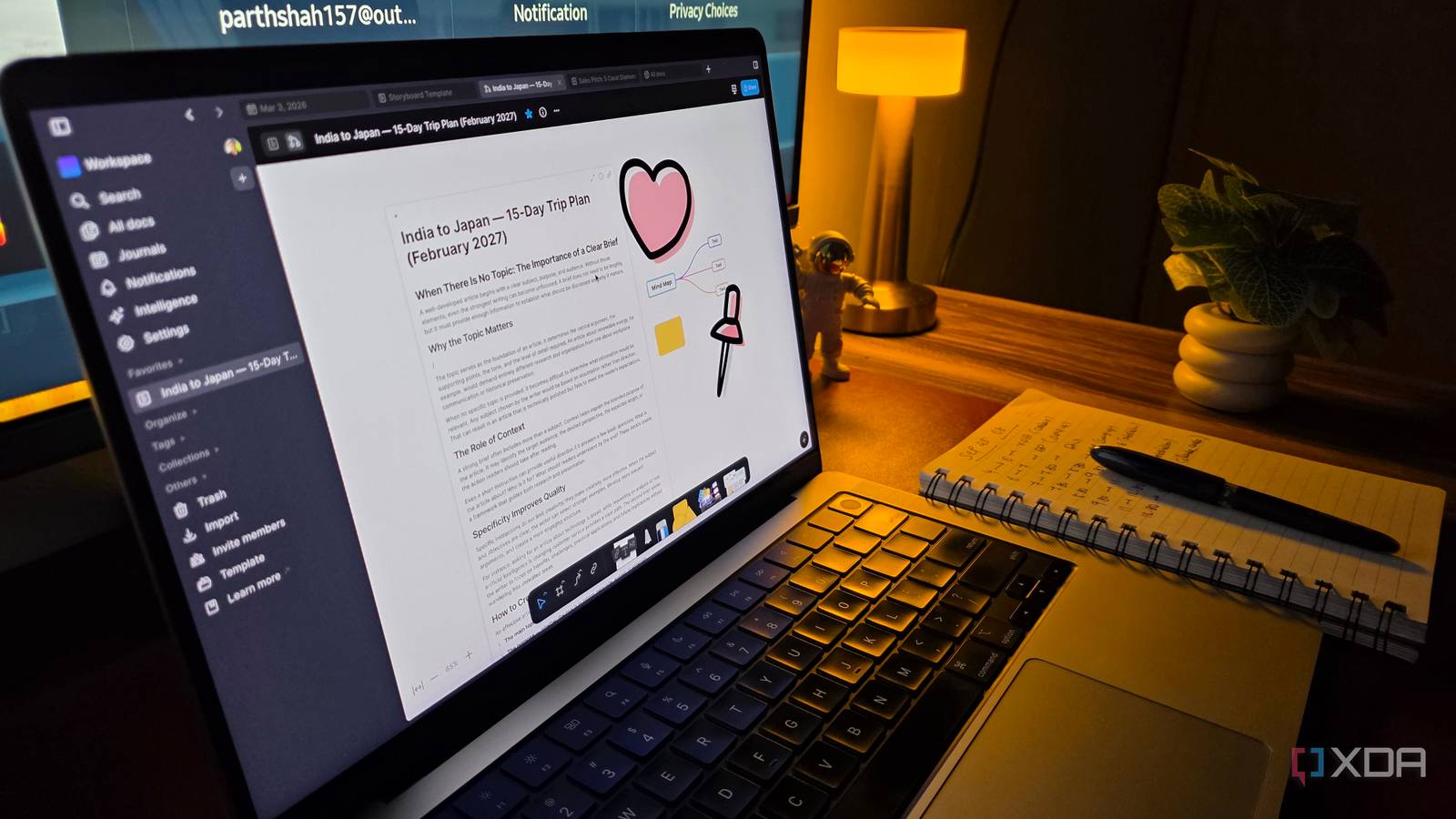
Published Sep 27, 2026, 4:00 PM EDT Parth, a seasoned tech writer, wields the keyboard (or pen) with finesse to unravel the intricacies of both Windows and Mac operating systems. He has covered evergreen content on mobile devices and computers for multiple publications over the last six years. You can find his work on AndroidPolice, GuidingTech and TechWiser. Whether it’s demystifying system updates, deciphering error codes, or exploring hidden features, Parth’s prose guides readers through the binary maze. When not immersed in tech jargon, you’ll find him sipping chai, pondering the next software review, and occasionally indulging in a friendly debate about mechanical keyboards. Obsidian has been one of those apps I rarely question. It is fast, works offline, and gives me enough control to build my knowledge system exactly how I want. Then I tried AFFiNE. After spending more time with it, I started noticing several areas where my Obsidian setup suddenly felt more limited than I had realized. Databases make my work easier It’s way better than versatile than Obsidian Bases Databases are one of the biggest reasons AFFiNE fits my workflow better than Obsidian. I can switch between table, calendar, and Kanban views depending on what I am working on, while keeping the same underlying information and properties intact. For my writing workflow, I can create properties for publication, deadline, priority, status, category, and then view everything as a simple table when I want details, a calendar when I am planning deadlines, or a Kanban board when I want to see articles moving from research to writing, editing, and publishing. Obsidian Bases has improved the database side of Obsidian, but I still find AFFiNE’s implementation more complete for day-to-day project management. The biggest advantage is that I don’t need to hunt for third-party plugins to fill obvious gaps. Kanban is a good example. In Obsidian, I have relied on a separate plugin to create proper Kanban boards, and that plugin has not been updated in around a year. Edgeless and Mind Maps are better than Obsidian Canvas I have more tools to play with I use visual boards quite often when I am researching a complicated topic or trying to figure out the structure of an article, and this is where AFFiNE stood out to me. Its Edgeless mode feels more polished and visually pleasing than Obsidian Canvas. I get a much richer set of tools for arranging ideas, drawing connections, working with frames, adding shapes, text, and stickers, and treating the space more like a proper whiteboard rather than a collection of cards. For example, if I am working on a client website, I can start with the main topic in the center and branch it into different parts of the project. Under each branch, I can keep adding observations and potential sections until the entire idea starts taking shape visually. Obsidian Canvas can handle visual planning, but I find its built-in toolset more limited. There are community plugins, but AFFiNE gives me much more of that functionality out of the box, and that brings me to the next section. AFFiNE does more out of the box Calendar view and templates are handy AFFiNE delivers relevant features before I even think about plugins or workarounds. The built-in calendar view is a good example. I can see deadlines and database entries on a proper view without dealing with third-party plugins. The template system is another small thing that makes a big difference to me. AFFiNE has templates for planning, project tracking, whiteboards, research, Kanban boards, and plenty of other workflows. I also like how easy it is to bring outside content into my workspace. AFFiNE supports embedded web content through its frame block, Figma, and other apps. Then there is one of my favorite touches: any document can effectively become a visual workspace. I can start writing in a normal page, and once I am ready to brainstorm it, I can switch it into Edgeless mode. That transition feels far more natural than maintaining separate notes and visual boards. That is why AFFiNE feels more user-friendly to me. Obsidian gives me flexibility, but it’s up to me (and third-party developers) to assemble that flexibility. It can replace more than just Obsidian I can self-host the whole thing The more I used AFFiNE, the more I realized that I wasn’t just comparing it with Obsidian anymore. It started overlapping with several other tools in my workflow as well. AFFiNE combines documents, databases, whiteboards, project planning, templates, and visual brainstorming in the same workspace, so I don’t need a different app for every part of a project. For example, I can use a database and Kanban board instead of maintaining a separate Trello-style project tracker. Edgeless can handle a lot of brainstorming I would normally reserve for a dedicated whiteboard app. That matters a lot for my writing workflow. A single article can involve research, screenshots, source links, ideas, deadlines, and several stages before publication. With AFFiNE, I can keep everything under one roof. I already like running useful services on my own hardware, so the fact that I can deploy AFFiNE on my own server with Docker fits naturally into the way I work. Obsidian is still an excellent app, and I can see why so many people swear by it. But AFFiNE made me realize that I want more than a place to store and connect notes. I want databases, visual planning, project tracking, templates, and the ability to self-host without dealing with plugins. That is where AFFiNE won me over. I am not saying everyone should abandon Obsidian overnight, but if your workflow has started to stretch beyond plain notes and backlinks, give AFFiNE a try. AFFiNE AFFiNE is an open-source PKM tool that rivals Notion and Obsidian.
I replaced my Obsidian setup with this all-in-one open-source workspace
Full Article
Original Source
Read the full article at Xda-developers →KhanList aggregates and links to publicly available news content. We do not host full articles from third-party sources. Always verify important information with original sources.