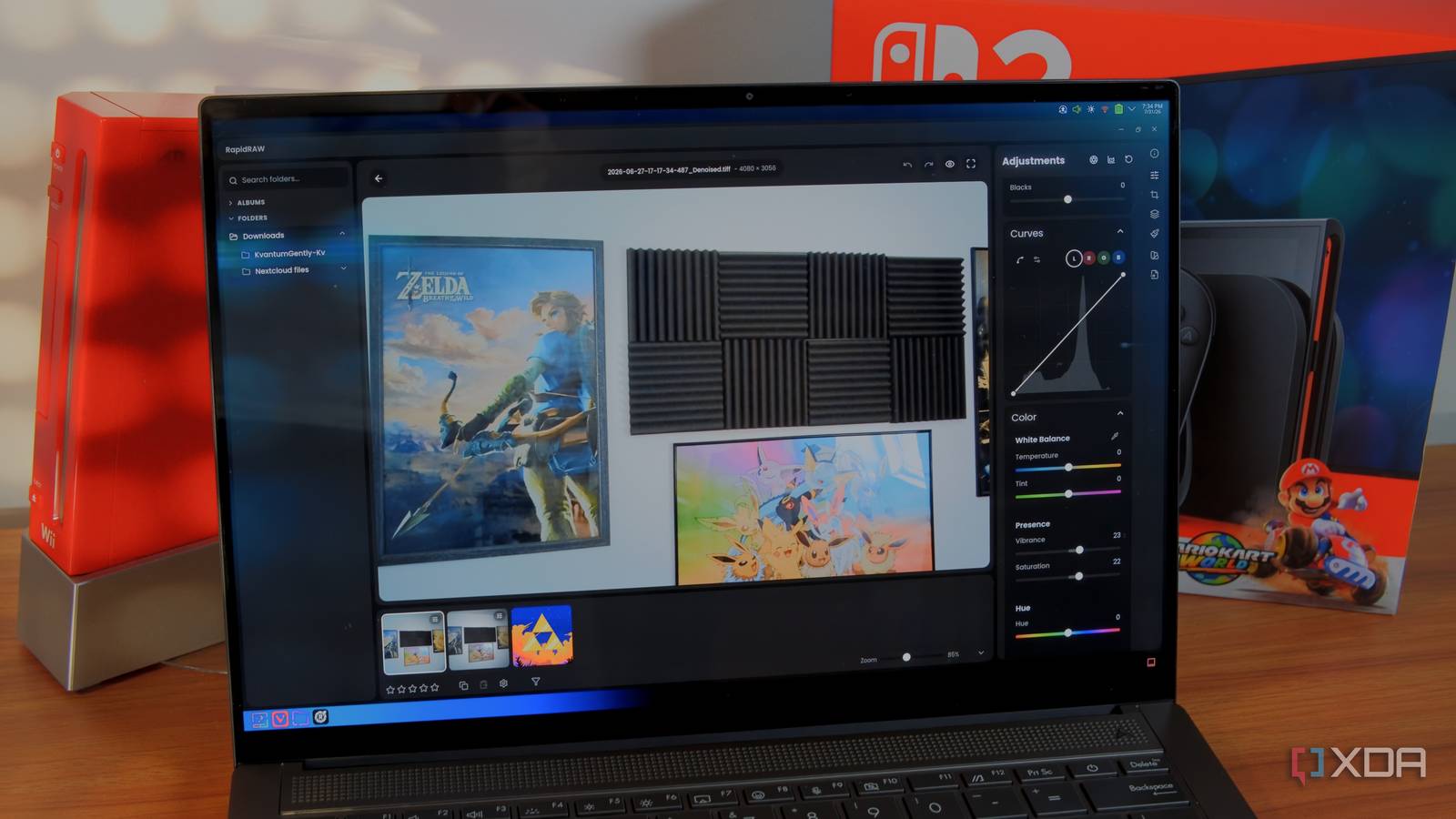
Published Jul 31, 2026, 6:00 PM EDT João has been covering the tech world for over 7 years, with a heavy focus on laptops and the Windows ecosystem. I also love all things tech and videogames, especially Nintendo, which he's always happy to talk about. Prior to joining XDA in 2021, he worked at Neowin: https://www.neowin.net/news/poster/jo%C3%A3o-carrasqueira/ Adobe's Creative Cloud suite may dominate the creative industry, but that doesn't mean there aren't a lot of people eager to ditch the company's software for various reasons. Open-source alternatives to Lightroom have existed for some time, but I could never quite get into the likes of Darktable or RawTherapee, so I still needed Adobe. That all changed with RapidRAW. This project has been public for a little over a year, and it's already easily my favorite Lightroom competitor. It's fast, modern, and lightweight. Finally, a modern app Darktable and RawTherapee this is not The first thing that's immediately striking about RapidRAW is that it has an interface that can actually stand toe-to-toe with the modern Lightroom app in terms of visuals. Unlike Darktable and RawTherapee, the available options are very quickly made apparent to you, yet the menus aren't cluttered or confusing. It's all clean, so every tool is easy to find. There are some exceptions to this, like the automatic noise reduction requiring you to right-click a photo, but for the most part, things are laid out well, and the interface doesn't feel overwhelming. RapidRAW manages to do this despite being a fully-fledged app with all the settings you need. You can adjust exposure, contrast, shadows, highlights, detail and noise levels, and much more. Perhaps even more impressive is the fact that all of this fits into such a small and lightweight app. RapidRAW's installer for most platforms comes in at around 30MB, and the AppImage version for Linux — which requires no installation — is just under 100MB. Creative apps always tend to take up a lot of space, so it's great to see an exception that doesn't sacrifice the feature set. It has everything I need The perfect way to manage my photo library I'll admit my photography edits aren't the most advanced out there, so perhaps I can't speak for everyone, but the feature set in RapidRAW really doesn't leave much to be desired. It has everything I could want, and it actually does some things better than the alternatives I've mentioned. It has the basic light and exposure settings, and it supports both a basic tone mapper and the newer, more advanced AgX tone mapper that offers more refined control over tones so you can get the perfect look. One thing that I see a lot of alternatives miss out on — even Affinity — is the ability to automatically apply these lighting adjustments, but RapidRAW does have this capability. It doesn't always get things right, but when it works well, it does save me a lot of time fine-tuning the settings. Noise reduction settings are also something I need frequently, and RapidRAW supports both manual noise reduction — a recent addition to the app — and AI-powered automatic noise reduction, similar to Lightroom. This uses the NIND denoiser algorithm, and it works pretty well for raw photos. Early versions of RapidRAW used BM3D denoising, which often resulted in blurry text, but the newer AI model works far better. Other settings like color temperature, saturation, vibrance, and more advanced features like masking, are all available here, too. It's a very well-rounded app. What makes it even better is that it also gets very frequent updates. RapidRAW is just over one year old, but there have been 62 releases since its debut, and each one seems to make significant additions. As I just mentioned, manual noise reduction was one such addition, and it was truly great to see. It's even on Android now But mostly on tablets Among the many improvements to RapidRAW since I last checked it out is a new Android version of the app, which could finally give me a way to edit RAW photos on the go for free and with solid quality. The Android app seems to carry the full feature set of the desktop app, which would make it far more powerful than most photo editing apps made for phones. However, RapidRAW on Android seems mostly tailored for tablets at this point. I tried using it on two phones, and while the UI loaded and everything seemed to be there, the app couldn't update the image preview in real time, and most importantly, I wasn't able to export an image. When I tried it on a tablet, though, everything appeared to work flawlessly, so it's already looking great for Android tablet users. Hopefully phone users get the same love in the near future. Getting good results is a challenge But presets help As much as RapidRAW has streamlined and improved upon the more old-school alternatives like Darktable, it still falls a little short of Lightroom when it comes to the final result. When using Lightroom, or even a free (but not open-source) alternative like Affinity, it's generally pretty easy to get a visually pleasant result. Colors look mostly right, and balancing the shadows and highlights is usually pretty easy as long as the contrast isn't too stark. In RapidRAW, I took a while to find settings I was happy with. The basic tone mapper often applied lighting changes in exaggerated ways and made it hard to get a somewhat realistic look that was still pleasant. However, colors were more punchy by default, closer to real-life, which made it tempting to go with that. The AgX tone mapper gives me a little more control and I can refine the output better, but it has its own downsides. By default, images from my camera had something of a red tint, so I had some extra work adjusting the curves for the red spectrum. Plus, colors looked very washed out, so I had to punch up the saturation and vibrance (which made the red tint all the more obvious). That being said, after some work, I did end up with a pleasant result, and RapidRAW lets you save the values of every slider as a preset, so you can apply it later. Presets can be styles, which set all the values to the preset ones, or tools, which add the preset values onto any changes you've already made prior to using the preset. That may end up saving me a ton of time in future edits. Here's a comparison of the same photo edited in RapidRAW versus the best free alternative, Affinity: Overall, I like the result more from RapidRAW in terms of colors and lighting on the display, wall, and desk, but the image is noticeably softer and some detail is lost. You can see the black areas of the laptop are also crushed and the labels on the keyboard are much more obscured, even after taking extra time to correct it. Here's another example: Again, the same general thoughts apply here. To RapidRAW's credit, the lost detail does help reduce the need for spot healing, since tiny specks of dirt seem to disappear once noise reduction is applied. That's my other main issue with RapidRAW: AI-powered noise reduction continues to be the most effective, but there's no GPU acceleration for the task yet, which means it takes a few minutes to run for a single photo. The developer has mentioned this is being worked on, so hopefully it comes sooner rather than later. RapidRAW may be all you need Even with some shortcomings, RapidRAW has quickly become my favorite open-source alternative to Lightroom. It's fast, lightweight, multi-platform, and fully-featured, even if some features take a little bit of extra work. It's impossible not to love RapidRAW, and I hope to see it get even better going forward. RapidRAW
I replaced Lightroom with an open-source alternative, and Adobe's subscription suddenly felt pointless
Full Article
Original Source
Read the full article at Xda-developers →KhanList aggregates and links to publicly available news content. We do not host full articles from third-party sources. Always verify important information with original sources.