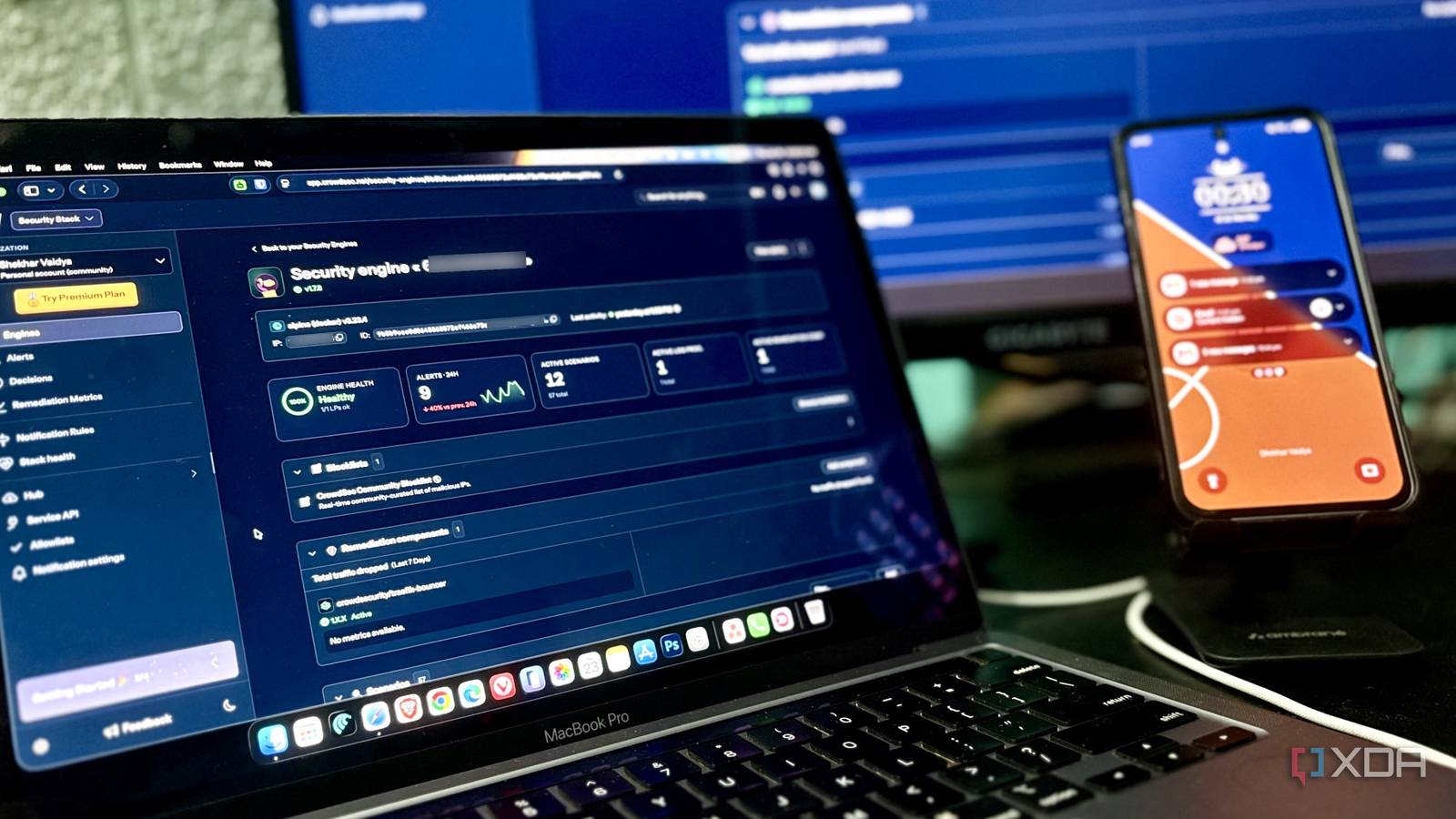
Published Jul 25, 2026, 10:00 AM EDT Shekhar Vaidya is a veteran technology journalist and computer science engineer. He is the founder of TechLatest, where he has spent years providing technical analysis on hardware and Windows ecosystems. Now a Computing Writer at XDA, Shekhar leverages his deep background in NAS, storage solutions, and PC internals to help readers master their tech. After I exposed my public-facing services through Pangolin, my mindset about homelabs changed. Previously, container uptime and server health were my only concerns, but once I was exposed, I started wondering who was trying to get in. My Omada ER605’s firewall was never an issue; it was doing its job perfectly, blocking unsolicited traffic. But it had nothing left to say once a request made it through and reached my reverse proxy. So, I decided to add CrowdSec out of curiosity, and it had already started flagging real exploit attempts within a few hours. The firewall wasn't the whole story The attacks were already inside The homelab setup is simple. A repurposed business laptop as a bare-metal Debian server, private external access via Tailscale, and public external access via Pangolin. Let me explain a little more about the whole Pangolin setup. It works on four major components: the Pangolin server acts as the control plane, Gerbil manages the WireGuard interface, Traefik acts as the reverse proxy, and finally, Newt as Pangolin's WireGuard client for outbound connections to the VPS. Once it is done, I can expose any number of services publicly from the Pangolin dashboard. That's the homelab and Pangolin setup. My home network's firewall is handled by the TP-Link Omada ER605, a dual-WAN router running two ISPs in a 7:1 load-balance split. The ER-series routers have a default stateful firewall that’s enough for a home user. It allows outbound connections but blocks unknown inbound connections that don’t match the existing outbound session. Nothing gets into my LAN unless the router allows it. CGNAT means I don't even need the router's blocking to do much work since both my ISPs already hide me behind shared IPs, so I don't even have a public static IP to defend in the first place, and that works in my favor. Many of the internet-wide port scans aim for random public IPs; since I don’t have one, most scans likely never reach my gateway's public-facing side at all. Coming back to the Pangolin setup. I host on a VPS because I need a public static IP. Most risks don’t even directly matter to my homelab, because my home server sits behind Pangolin and Traefik. But hosting on a VPS with a public IP means open ports 80 and 443. Those are intentionally open because that’s exactly how Pangolin works. The traffic passes through 80 and 443, and the firewall blocks everything else. Once HTTP traffic reaches Traefik, the firewall's job is effectively over. But it makes the situation both good and bad. The good part I've already explained. The bad part: every request now lands on the reverse proxy, from login attempts and credential stuffing to random bots and CVE fingerprinting. It doesn't mean all of them are malicious; they are valid HTTP requests that the firewall allowed to pass through. And my router probably never sees any of these requests. That’s when I started looking for something that could understand my traffic behavior and not just ports. And my search ended when I came across CrowdSec. One placeholder key nearly took the whole edge down So, to be clear up front: I wasn’t trying to replace my existing firewall — home server or VPS. I was trying to add another layer of security that understood the incoming HTTP traffic behavior. And CrowdSec made the cut because it was free, community-driven, and seamlessly compatible with my current Traefik setup on the VPS. The CrowdSec setup looked simple at first, but in the end I almost took down the entire edge. I started by deploying CrowdSec alongside the existing Pangolin stack as a new container on the same compose file, with crowdsecurity/traefik, crowdsecurity/http-cve, and crowdsecurity/http-dos loaded at startup. Since I already had Traefik from Pangolin, and it was not Docker-label-based, I had to add crowdsec-bouncer to the experimental.plugins block in traefik_config.yml and turn on accessLog. After that, I wired the middleware into the websecure entrypoint inside dynamic_config.yml. docker-compose.yml: crowdsec: image: docker.io/crowdsecurity/crowdsec:latest container_name: crowdsec restart: unless-stopped environment: COLLECTIONS: "crowdsecurity/traefik crowdsecurity/http-cve crowdsecurity/http-dos" volumes: - ./config/crowdsec:/etc/crowdsec - ./config/crowdsec-data:/var/lib/crowdsec/data - ./config/traefik/logs:/var/log/traefik:ro traefik_config.yml: experimental: plugins: crowdsec-bouncer: moduleName: github.com/maxlerebourg/crowdsec-bouncer-traefik-plugin version: v1.3.5 accessLog: filePath: /var/log/traefik/access.log bufferingSize: 0 entryPoints: websecure: http: middlewares: - crowdsec-bouncer@file dynamic_config.yml http: middlewares: crowdsec-bouncer: plugin: crowdsec-bouncer: enabled: true crowdsecLapiKey: "YOUR-BOUNCER-KEY" crowdsecLapiHost: "crowdsec:8080" crowdsecMode: live Once the initial setup was done, I brought the stack up, except that the config still had a placeholder API key sitting in it. Because of the wrong API key, the plugin failed, every request started failing, and it took all my six exposed services down for about ten minutes. Once I caught the mistake, I got a real API key by running cscli bouncers add, dropped the API key into dynamic_config.yml, and restarted everything. I verified all the logs after the full restart, and I moved on to the next step of hooking the engine into CrowdSec’s console. This part was easy since I had already done the hard part. I signed up on app.crowdsec.net and enrolled my local engine by executing a simple Docker command with the enrollment key generated from the CrowdSec console. sudo docker exec crowdsec cscli console enroll YOUR-ENROLL-KEY After that, I kept it running, and the first real detection landed within roughly a couple of hours of going public. It was an http-technology-probing alert for /owa/auth/x.js from an Azure-hosted IP. I even confirmed it as an actual enforced ban via cscli decisions list. After almost a week of runtime, I opened the dashboard and saw real numbers. Traefik consulted CrowdSec more than 8000 times, out of which it blocked around 38 requests. The ratio made one thing clear: it wasn’t hammering every request but only making selective decisions. I wasn’t surprised by the ban list, but by the constant stream of traffic hitting my public-facing services. Seeing the traffic changed everything Ignorance was strangely comfortable After watching the dashboard with a week's worth of data, the traffic alone changed my mindset around exposing services publicly. I was aware of the exploits in general, but watching those numbers for my own services still caught me off guard. None of this felt like somebody was targeting me; I already knew it was automated internet traffic. What the dashboard did was make me realize the constant background noise that existed across every public-facing service I run. This didn’t make my ER605 useless and didn’t mean it was missing attacks, but it simply wasn't designed to inspect HTTP requests. The numbers were so mesmerizing I started exploring CrowdSec more deeply. While digging, I found where a lot of that noise was actually coming from: CrowdSec's community intelligence. CrowdSec's community blocklist (CAPI-origin) flagged more than 32,000 bans across brute-force attempts, HTTP scans, and exploit probes, and these all came via other users' CrowdSec instances, whereas my local detections were around 205. This meant many threats were identified elsewhere before they ever had a chance to interact with my public endpoints. Now, coming back to my setup: Pangolin and CrowdSec ended up doing two different jobs, not one shared one. Pangolin did what it was best at, exposing my services securely, and CrowdSec made sure to watch each request after those services became reachable. They were complementing each other by providing an additional safety net. I installed CrowdSec to test my theories, but once I saw the constant stream of activity, going back to the firewall alone didn't feel like enough anymore. Exposed doesn't mean what I thought it did Before implementing CrowdSec into my infrastructure, I thought my default firewall rules were enough for the heavy lifting. But now I understand where each one's responsibility begins and ends. And after running it for a week, I learned that the takeaway isn’t the block count but better visibility into what 'exposed' actually means. By the end of the week, CrowdSec had become one of those tools that quietly faded into the background, handling the traffic I no longer want to deal with manually.
I put a crowd-sourced firewall in front of my exposed homelab, and it started blocking attacks on day one
Full Article
Original Source
Read the full article at Xda-developers →KhanList aggregates and links to publicly available news content. We do not host full articles from third-party sources. Always verify important information with original sources.