
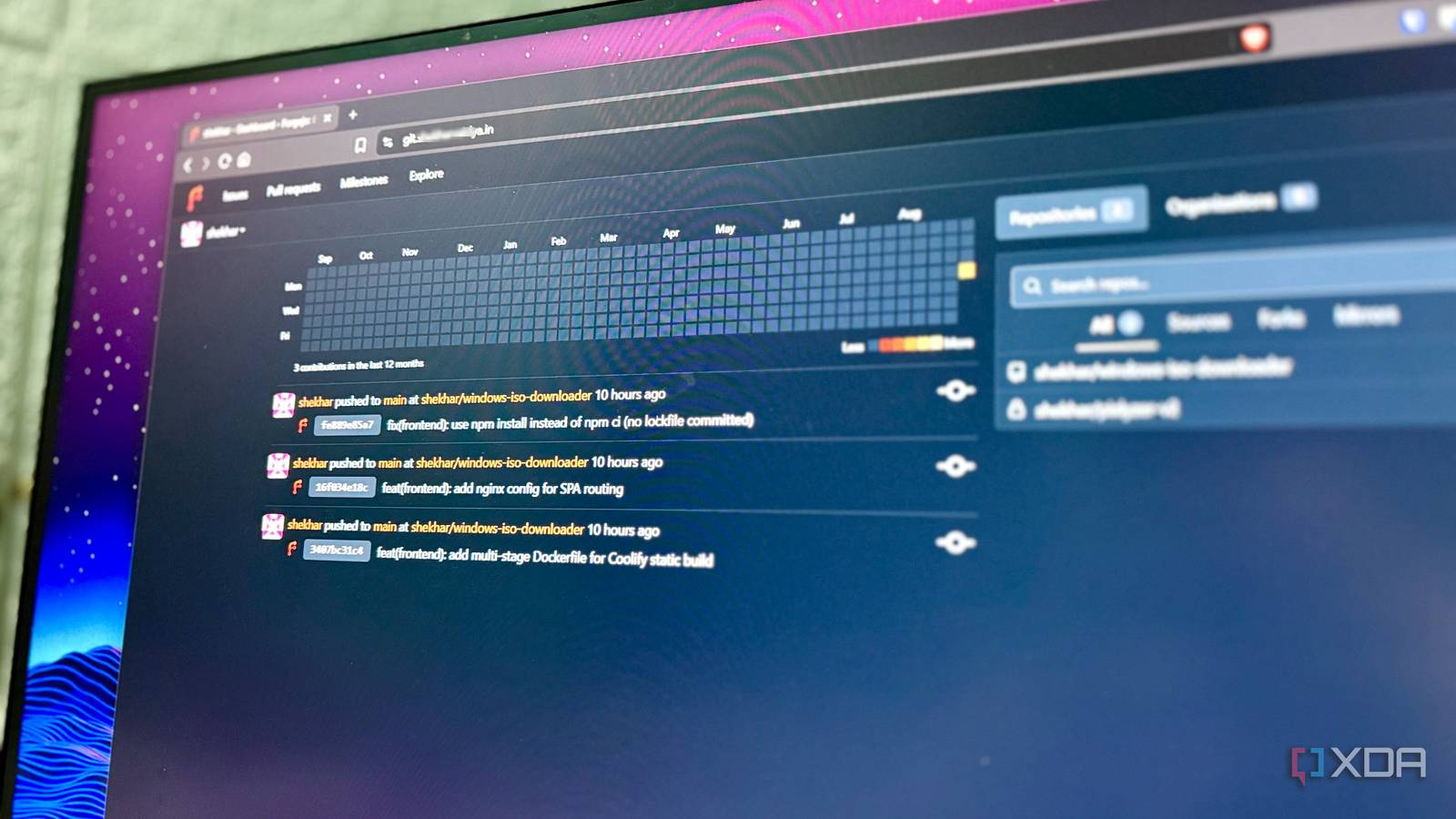
Published Sep 8, 2026, 5:30 PM EDT Shekhar Vaidya is a veteran technology journalist and computer science engineer. He is the founder of TechLatest, where he has spent years providing technical analysis on hardware and Windows ecosystems. Now a Computing Writer at XDA, Shekhar leverages his deep background in NAS, storage solutions, and PC internals to help readers master their tech. I self-host almost everything that I use. Whether they're daily utilities or side projects, I host them in my homelab or on rented VPSs. My point is that I control each one. The one odd piece in this whole chain was GitHub, where I keep my side-project codebases. GitHub has been the default for me since I started coding, even before the AI era. GitHub was never the problem. My tinkerer mind decided I should self-host everything I can. So, I decided to give Forgejo a try and see how much it would affect me if I moved my projects to a self-hosted server. How my side projects ended up on GitHub in the first place The default nobody questions Nobody deliberately chose GitHub. Most developers start with Git for version control, and the default location for saving Git repositories is GitHub. It is free, has no additional overhead, and is deeply integrated with the Git workflow. I have been using Git and GitHub since my grad days. 50+ repositories, 1000s of commits, and 100s of PRs later. I never looked for an alternative until a few weeks ago. After moving into self-hosting and homelabbing, I gradually moved all my daily-used services to my homelab. The only remaining bit was my side projects’ version control, which was hosted on someone else’s server — GitHub. After digging around a bit, Forgejo looked like the best self-hosted Git alternative available. I immediately deployed it on my home Debian server. As usual, the initial deployment took only a few moments via Portainer Stacks on Docker. Since I included the server domain, root URL, and SSH domain in the initial deployment, the frontend wasn't instantly available on the local IP address and gave me a ROOT_URL redirect loop. I had to add it as a resource to my Pangolin setup to make it work. Why Pangolin? That’s a whole separate CGNAT story; we will discuss it another day. I initially decided to move two of my side projects to Forgejo; one was a private repository, and the other was public (open-source). And the migration was simpler than I expected. GitHub repo URL, access token, and done. You don’t even need the access token if the repo is public, and you don’t want to migrate additional items such as Issues, PRs, Releases, etc. It took me a few minutes to migrate those two projects. Those two combined had around 443 commits, 15 branches, 17 tags, and 15 releases. The repositories were now available from the outside and looked like ordinary hosted Git repositories, but the next important question was how much Forgejo changed my development and deployment workflow. Forgejo Forgejo is a free, self-hosted Git server forked from Gitea. It supports repository hosting, issues, pull requests, wikis, and CI/CD through Forgejo Actions, giving developers a GitHub-like experience on their own infrastructure. The same workflow, pointed somewhere else git push didn't know anything had changed The most important part of the whole thing wasn’t the installation and the migration. On a regular day, I rarely visit GitHub or migrate a repo. I wanted to check whether my daily workflow was affected by the new Frog server. For context, I develop on my local machine and then push the changes to the GitHub repo. Then GitHub notifies my self-hosted Coolify of the new commit via webhook. And, finally, Coolify deploys the update automatically. Obviously, I didn’t want to touch the production environment, so I cloned the public repo via git clone in a new directory. I made the changes to the codebase, then added, committed, and pushed via the usual git commands. Before the push command, I made sure Coolify was connected to my new Forgejo repo via Forgejo's built-in Forgejo webhook type and its Gitea-compatible payloads. Once I pushed to remote, the webhook fired automatically, and Coolify started the rebuild without me manually touching anything on the Coolify dashboard. So, what actually changed? Honestly, nothing; my workflow was the same as before. I didn’t have to rewire my muscle memory. I just had to redo all the one-time setups, like the Coolify-Forgejo webhook and SSH deploy key for private repository access. After that, it was the same as before, but now my codebase lived on my own infrastructure. Now, I had another question in my mind, and you might be wondering the same. If the workflow is effectively unchanged and with more control, there must be downsides to this setup. What you give up for that control Nobody else is watching this uptime Yes, there are a few downsides to this. A couple of missing features from GitHub and a few responsibilities that shifted to my shoulders. I am not going to list every feature, just the ones that I used regularly on GitHub. The most important one is CI runners. The open-source project I deployed earlier for demonstration had a GitHub Actions workflow that fires on every push to main. It runs preset rules to generate downloadable assets via Releases. Forgejo recognized an existing GitHub Actions workflow file and even offered to run it as a Forgejo Actions job. But it does nothing, just a warning: “No matching online runner with label: ubuntu-latest." I am not saying that Forgejo is incapable of CI; it can run GitHub Actions-compatible YAML syntax through Forgejo Runner, but that requires registering a background runner daemon on my host machine, which is a friction point. Another one is that the migration didn’t include package registries. The second private project I migrated needs a Docker base image for deployment. So, my only options were either I keep that dependency on GHCR permanently (which negates the whole point of self-hosting) or manually rebuild it and push to Forgejo's own package registry. Beyond that one-time friction, the bigger issue was that the infrastructure was my problem now. Forgejo is hosted on my own home server, so keeping it up and running was my responsibility now. If my home server loses its internet connection, it locks me out from pushing anything to the server or triggering a deployment. If you are not aware, my home server is a repurposed 8-year-old business laptop turned homelab, so it's not exactly enterprise-grade hardware capable of handling anything I throw at it. Backups and server updates also play an important role. My point in mentioning all this is that control also means owning the failure modes. One week, zero regrets, a bit more paperwork After living with Forgejo for a week now, I can tell that my workflow didn’t dramatically change or magically improve. It is the same git commands, same webhooks, same deployment chain, and honestly that is a better result. The one real change is one less external dependency in the chain, which I traded for a few more added responsibilities: uptime, backups, CI runners, and package-hosting decisions. I won’t tell you what to do with your own workflow, but for me, with a few side projects and a couple of deployments per week, the trade-offs are worth the control it gives.
I moved all my side projects off GitHub to Forgejo, and my workflow stayed exactly the same
Full Article
Original Source
Read the full article at Xda-developers →KhanList aggregates and links to publicly available news content. We do not host full articles from third-party sources. Always verify important information with original sources.