
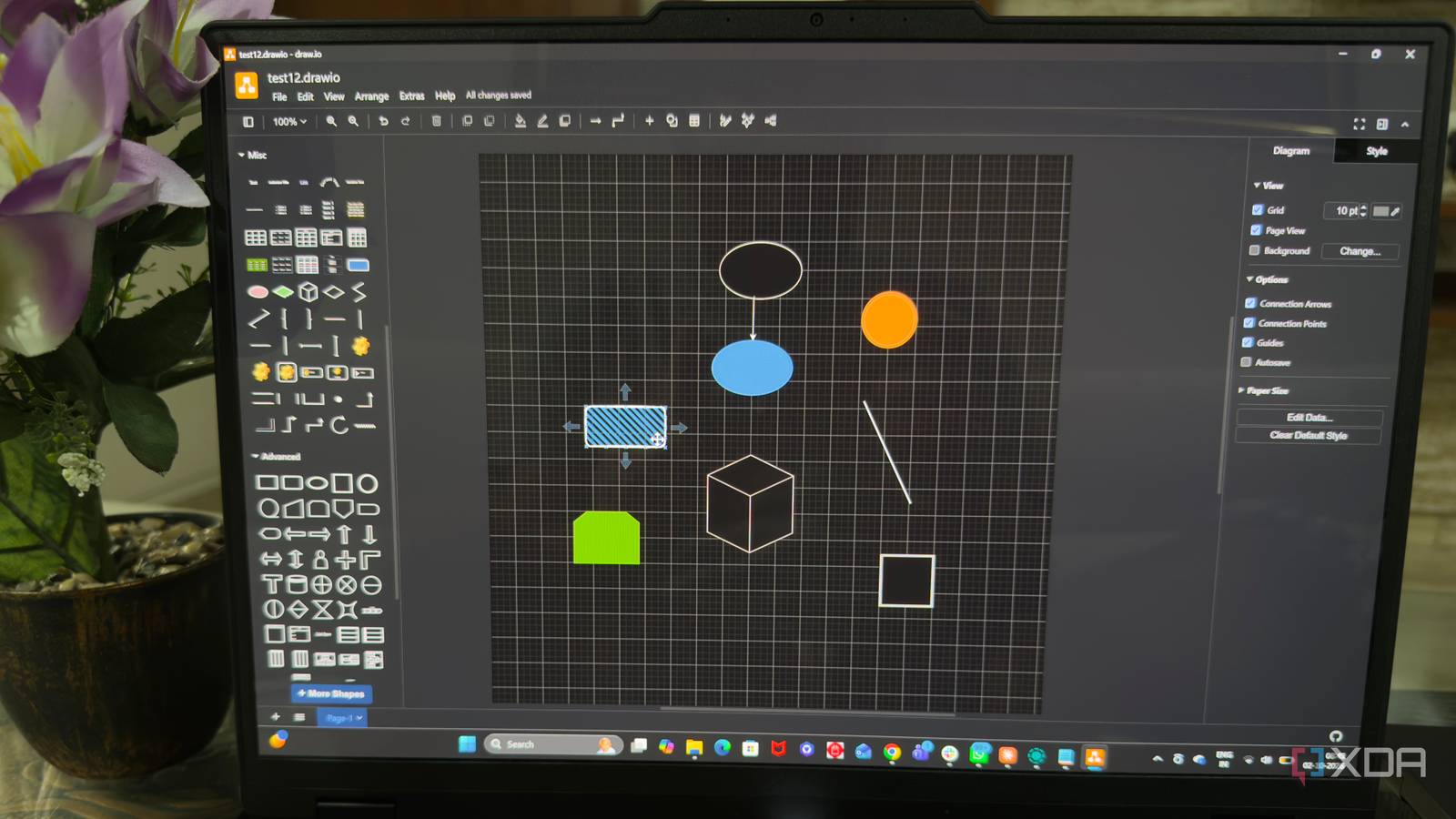
Published Oct 3, 2026, 10:30 AM EDT Beginning his professional journey in the tech industry in 2018, Yash spent over three years as a Software Engineer. After that, he shifted his focus to empowering readers through informative and engaging content on his tech blog – DiGiTAL BiRYANi. He has also published tech articles for MakeTechEasier. He loves to explore new tech gadgets and platforms. When he is not writing, you’ll find him exploring food. He is known as Digital Chef Yash among his readers because of his love for Technology and Food. I often need to create diagrams to explain ideas, workflows, and technical concepts, but I don't always want to pay for a dedicated application to do it. Microsoft Visio is one of the obvious choices, but I wanted something simpler that could still handle serious diagramming work. I started looking at free options and came across draw.io. I had seen the name before, but never really considered using it as my main diagramming tool. This time, I decided to give it a proper try instead of assuming a free tool would come with too many limitations. What I found surprised me. draw.io looked too simple in the beginning It looked simpler than I expected When I first opened draw.io, I honestly wasn't expecting much. The interface looked clean and fairly basic. There wasn't a lot happening on the screen, and I initially wondered whether I had found a proper Visio alternative or just another lightweight diagramming tool. I decided not to judge it too quickly and spent a little time exploring the interface. That was when I started noticing that simplicity was actually one of its strengths. The layout was easy to understand, and I didn't have to dig through complicated menus just to figure out where things were. I could quickly find the canvas, toolbar, panels, and basic controls without needing a tutorial. I also liked that draw.io didn't try to overwhelm me during the first few minutes. Everything felt straightforward, and I could start experimenting almost immediately. There was no long setup process or unnecessary account creation getting in the way. At this point, I still wasn't convinced it could replace Visio. But I was curious enough to keep exploring. The more time I spent with it, the more I realized that its simple first impression didn't necessarily mean it was limited. Creating diagrams is surprisingly flexible Moving things around feels effortless Credit: Once I started building my first diagram in draw.io, I realized I had much more control than I expected. I can place elements exactly where I want and move them around without constantly fighting the interface. Even when I change my mind about the layout, making adjustments doesn't feel like a chore. I can select an element, resize it, reposition it, and keep refining the diagram without disrupting everything around it. The connectors are another part I really like. I can connect elements and move them around while the connections stay attached. This makes it much easier to experiment with the layout. If I decide that something should sit on the other side of the diagram, I can simply move it instead of rebuilding all the connections. I also use the alignment and positioning controls whenever I want things to look cleaner. They make it easier to keep elements properly spaced without manually adjusting every little detail. What stood out to me is how naturally the whole editing process works. I can start with a rough arrangement and gradually clean it up as I work. I don't have to get everything right on the first try. That flexibility makes draw.io feel much more capable than its simple interface initially suggested. Long list of diagram types, shapes, and templates More than just basic diagrams This is where draw.io started to feel much more capable to me. Once I explored the available options, I found a surprisingly long list of diagram types I could work with. I wasn't limited to basic flowcharts. There are options for network diagrams, UML diagrams, entity relationship diagrams, mind maps, org charts, floor plans, and plenty of other use cases. The shape library is just as extensive. I can find dedicated shapes for different types of diagrams instead of trying to create everything from basic boxes and lines. There are network and cloud infrastructure elements, database symbols, flowchart components, UML shapes, and more. I can also enable additional shape libraries when I need something specific, which gives me even more options to work with. The templates are useful when I don't want to start from a completely blank canvas. I can pick a starting layout, replace the existing elements, and adapt it to what I'm trying to create. This saves time when I'm working on a familiar type of diagram. These options don't feel like they're there just to make the feature list look impressive. I actually use different libraries depending on what I'm working on. After exploring them, I stopped thinking of draw.io as a simple flowchart maker. It has enough variety to cover many of the diagrams I regularly need. I stopped looking for a Visio replacement After spending enough time with draw.io, I stopped thinking about what I was missing from Visio. Instead, I started focusing on what I could actually get done with it. That shift made a bigger difference than I expected. I don't need a complicated setup or a paid subscription just to create diagrams for my work. draw.io fits into my workflow without making diagramming feel like another task I need to manage. It has also become one of those tools I can open whenever an idea is easier to explain visually. I started looking for a free Visio alternative, but ended up finding a diagramming tool I genuinely want to keep using. Draw.io Draw.io, or diagrams.net, is a free diagramming tool for creating flowcharts and mind maps, ideal for teams, professionals, or anyone who needs to visualize information.
I found a free alternative to Microsoft Visio that doesn't compromise on features
Full Article
Original Source
Read the full article at Xda-developers →KhanList aggregates and links to publicly available news content. We do not host full articles from third-party sources. Always verify important information with original sources.