
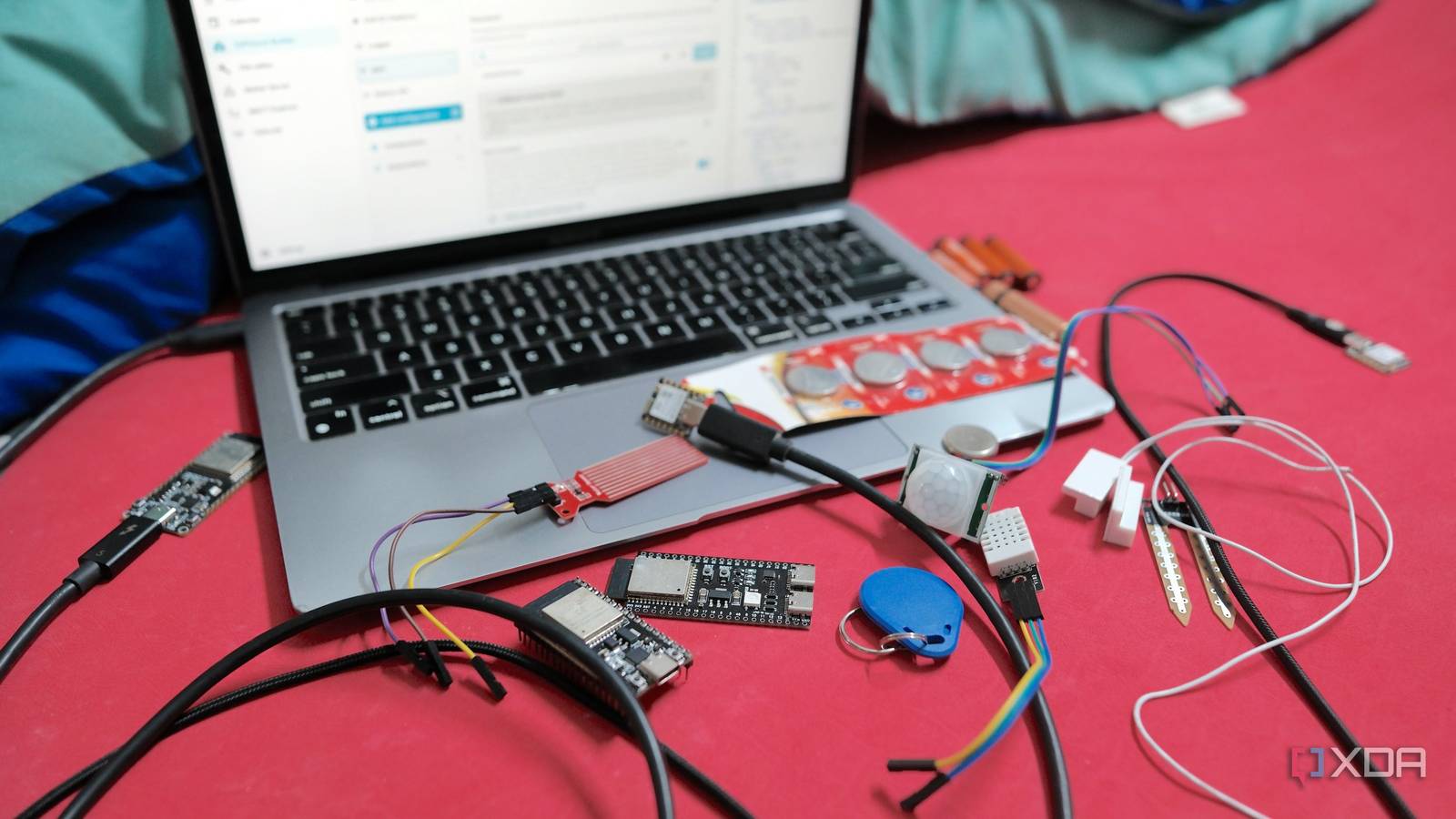
Published Oct 3, 2026, 11:00 AM EDT Samir Makwana is a technology journalist and editor from India since past 18 years and his work appears on MakeUseOf, HowToGeek, GSMArena, BGR, GuidingTech, The Inquisitr, TechInAsia, TechWiser, and others. He has written news, features, and gadget reviews for national technology media publications. His passion is to help people with their technology problems and gadget purchases. For that, he has worked for some of the biggest international technology publications, covering news, explainers, how-to guides, listicles, and product-buying guides. He has worked as an editor and managed teams since 2015. His expertise broadly covers computers, smartphones, game consoles, headphones, smart home products, browsers, and apps. Every ESP32 project I’ve built followed the same path. I found an outlet, ran a cable, and plugged it in. That’s the easiest way to get something working. When I started placing sensors away from the desk, I ran short of wall outlets to power those ESP32 boards. It made me question whether every build needs to draw power all the time. Some of the builds didn’t care whether they were wired. Others, like sensors screwed into a window frame or an exterior wall, were far more awkward with a permanent cable. Now I sort projects by power source before picking up a single part and building them using ESPHome in Home Assistant. These six are the ones where the battery is the better choice. Door and window sensors There’s no outlet inside a window frame A reed switch and an ESP32 make one of the simplest sensors you can build. It tells you whether a door or window is open or closed. A wired version only works if you run a cable through the frame, but the battery offers another way. The sensor can sleep until the magnet moves, wake up on that change, report the new state to Home Assistant, and go straight back to sleep. That wake-sleep-report cycle is the pattern behind every build in this list. A single Li-Ion 18650 cell or three AA/AAA cells with a regulator can easily last a few months, depending on how often the door opens. Pick a board with a low deep-sleep power draw, since some development boards waste power on the USB chip and LED. Water leak sensors Leaks start where you’d the least want a mains cable If there’s one sensor that can convince a smart home skeptic, it’s this one. The SEN18 water level sensor sits on the floor, and when its exposed end touches water or moisture, the reading changes. The ESP32 wakes up every few minutes, checks the reading, reports a leak to the Home Assistant if it crosses your set threshold, and goes back to sleep. That means a short alert delay, but it doesn’t need constant power. Battery also suits the placement, as you can tuck it under sinks, behind washing machines, next to water heaters, and near water tanks. These areas are damp, and a battery-powered build makes more sense than a live cable on the floor. Driveway motion cameras Deep sleep until something moves Camera-centric local-first Ring doorbell alternative build needs mains power because continuously streaming video draws far more current than a battery can sustain. That said, the driveway camera doesn’t have to work that way. Pair a camera-equipped ESP32 with a motion sensor (a PIR sensor works well), and the build only activates when something moves in the driveway. When it detects movement, the board wakes from deep sleep, takes a snapshot, sends it to Home Assistant, and goes back to sleep again. You lose the live feed, but you gain a battery that can last weeks instead of a permanent power run to wherever the camera sits. Just check the board’s deep-sleep power draw, since some ESP32-CAM boards consume more than you’d expect. Soil moisture sensors They need to wake only twice a day Building gardening sensors with a relay and water pump needs continuous power. But if you only need moisture data to know when to water your garden, that’s overkill. With an ESP32 board, you can use a capacitive soil moisture sensor to check the moisture levels twice a day, report it to Home Assistant, and then go back to sleep. Powering the sensor only during the reading cuts the drain even further. A small battery, optionally topped up with a solar panel, can power the build for months. Running a live cable to a raised bed or patio pot was never realistic anyway, so a battery-only node makes sense. Remote temperature nodes The shed and attic never had an outlet I’ve used a temperature and humidity sensor to replace branded smart home sensors before, but it lived near a plug. The same sensor works just as well in a shed, garage, or attic, none of which has an outlet. Instead of pulling a long wire, a battery does the job. Checking every few minutes is enough for most automations, and the ESP32 can return to deep sleep in between. You can send the readings to a Home Assistant dashboard and use them to drive HVAC-centric automations. Extreme heat and cold do affect battery performance, so expect shorter runtimes in an attic or unheated shed. Also, check your Wi-Fi coverage out there, since a weak signal keeps the board awake longer and drains the battery. It just needs to say hello occasionally The Bluetooth proxy I built has no gimmicks and no cloud service. It just sits quietly in a corner listening for Bluetooth devices around my house. A battery-powered presence tag is the other part of the setup, and it’s small enough to clip to a bag or keychain that periodically announces itself for the proxy to pick up. There’s no display or sensor to read, and nothing happens more than a few times a minute. That makes it one of the most power-efficient ESP32 builds, though battery life depends on how often the tag advertises itself. Plugging it into the wall would just defeat the point. Choosing a power source is a conscious design decision None of these projects require a battery, and I’m sure someone has run an extension cord to power most of them. But in every case here, the cable fights the placement, the duty cycle, or the point of the build. Designing every project around the wake-sleep-report cycle from the start made planning much easier. Using a battery with an ESP32 isn’t automatically easier. Configuring deep sleep adds firmware complexity, especially if you want the board to report when the battery needs charging or swapping. It’s extra work, but for these six, it pays off. Brand AITRIP Connectivity Features UART, USB
These 6 ESP32 projects prove that plugging everything into a wall was never the right answer
Full Article
Original Source
Read the full article at Xda-developers →KhanList aggregates and links to publicly available news content. We do not host full articles from third-party sources. Always verify important information with original sources.