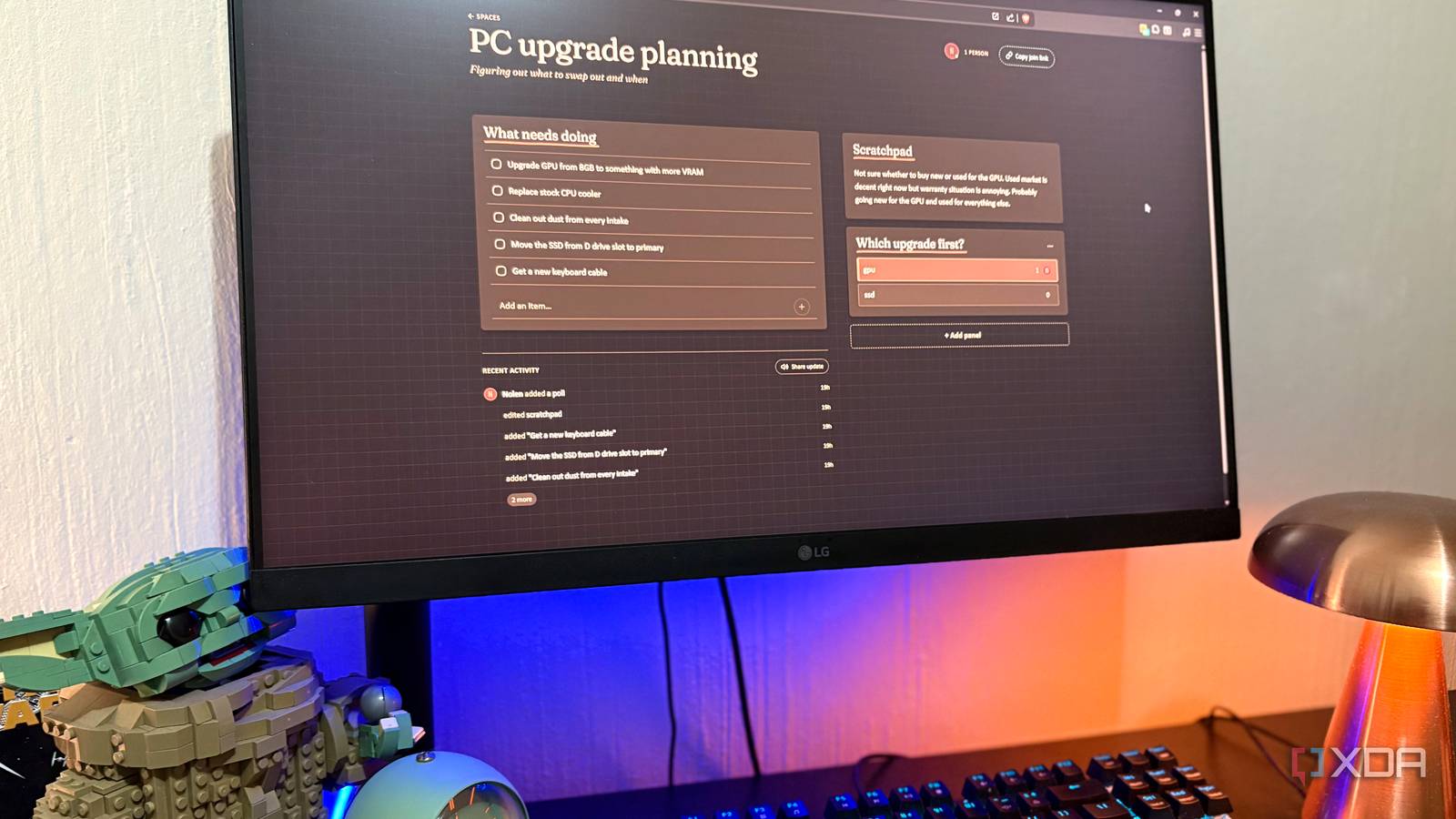
Published Jul 31, 2026, 6:00 PM EDT Nolen began their writing career in 2019, with three years dedicated to editing the Creative section at MakeUseOf. Their expertise lies at the crossroads of technology and creativity, covering areas like photography, video editing, and graphic design. Outside of work, you'll often find Nolen diving into a good book, writing their own stories, or playing video games. Most productivity tools are built for one type of person: the person who already cares about productivity tools. If you're the one setting things up, tagging things, maintaining the system, then a Notion or Todoist or Asana is fine. But a lot of the time what you actually need is just somewhere to jot down a running list and scratch things down. The heavy tools are overkill for that, and the light ones (sticky notes, phone notes app) don't really cut it. This month I set up something that sits right in that middle area. It's a shared page you spin up in seconds, use in whatever browser you want, and doesn't ask you to build anything before you start using it. It's called Plainspace, and it quite literally is a plain space… What is Plainspace? A shared page for people who don't use your tools Plainspace is a small shared workspace for tasks, notes, polls, and simple planning, built by the team behind Super Productivity - the open-source todo and timeboxing app. So it comes from people who know productivity software pretty well, but Plainspace itself is deliberately the opposite of what they normally build, meaning it stops right at the point before the tools get complicated to use. It's open source, MIT licensed, and lives on GitHub under the super-productivity organization, which is honestly the main reason I trust it because I've been a fan of Super Productivity for a hot minute now. And you can run it two ways: the hosted version at plainspace.org is free and works entirely in the browser, or you can self-host it via Docker with a full setup guide. It's the exact same tool either way. The core unit in this tool is called a Space, which is one shared page that holds a checklist, a scratchpad, and whatever else you add on top. You get a link, and anyone you send it to can jump straight in, but you can also just use it solo. That's all there is to the interface, but there's quite a lot you can do with it. It skips every step productivity apps normally insist on Zero pressure The reason my non-technical friends bounce off productivity tools is almost always the same. The tool asks them to sign up, install something, then figure out an interface before they can see what you invited them to. Plainspace asks none of that on the participant side, which is where most of these tools actually lose people. Setup for me was pretty minimal. Self-hosting is a Docker Compose job - three commands to get the containers running, plus a reverse proxy for TLS and some SMTP config if you want the login codes to send. Or, once again, just go to the hosted site. There's also a native app version if you want it, but it's just a progressive web app that packages the browser tab as a standalone window. Once in, you create a new space, give it some details about your task or project, and then add your email for the confirmation code. It's a pretty short and snappy onboarding process. Once the Space exists, you get a shareable link, and anyone you send it to can open the link in their browser and they're straight in. This is the easiest workspace setup I've ever encountered since there's no account or installation requirement. The interface is deliberately dumb (in a good way) You don't need to hope your friends understand how to navigate Notion or Microsoft Loop to join you There are no tools or menus to learn. Basically, if you can navigate any plain messaging or notes app on your phone, you can use this tool within seconds. So when I say the interface is dumb, it's a compliment because it's actually really smart in how accessible it is. Probably one of the best UX flows I've seen in an open-source tool in a long time, not to mention it has quite an aesthetic vibe too. There's a checklist for stuff to do, a scratchpad for stuff to jot down, and an Add panel button that opens three more panel types: another checklist, a poll, or a time-slot picker. That's the entirety of the tool. To add something, just click in the text box and type and hit enter. There's also a recent activity feed at the bottom that shows what everyone's been doing, which is genuinely useful when you drop back into a Space after a day away and want to see what changed without having to DM someone. It's a bit like a shared Google Doc, just a much more fun experience. So, what can something so simple actually be used for? The things I'd send my friends Plainspace links for I've predominantly been using Plainspace to keep track of tiny projects. For example, I've been meaning to make some PC upgrades and also paint my room. There are a lot of little details that go into small changes like these. The scratchpad panel is probably where I've gotten the most value; it's literally just a little notes area. And I love how it's parked right next to the to-dos so I don't have to hop between separate windows. As for group activities, the big one is coordination. More specifically, coordinating anything that isn't important enough to open a real project management tool for. Here I'm talking about board/video games, birthday parties, group gift planning, and anything of that nature. We're all overwhelmed by the demands of everyday life, nobody wants their 5-9 after the 9-5 to be filled with spreadsheets too. So pretty much anything I'd open a group chat for, Plainspace can give it a proper, organized home. The other one is simply planning with people who won't touch my productivity stack. I'm not a power user of most of the tools I use, but I do test software on a daily basis, meaning I've added quite a few tools to my stack over the years and dig deeper into them than the average user. Most people who aren't in tech have no interest in these tools. So if I actually want to create a collaborative space, it would need to be with something they'll find frictionless and enjoyable, like Plainspace. My favorite is probably polls and time-slot picking. So if you're deciding on a restaurant, voting on a group gift, choosing a date, or anything along those lines, the poll and slot-picker handle it in 30 seconds. Everyone gives their input and you get the results immediately. It's basically a lightweight "when2meet" built into the Space. Lastly, if you have the pleasure of living with a roommate or siblings: household coordination. Plainspace is the perfect medium for keeping track of chore rotations, shared shopping lists, and running notes on things that need to persist somewhere everyone can see. The productivity tool I was missing was the smallest and funnest one Most productivity apps ask you to build a system before you use one. Plainspace asks you to send a link and get on with whatever you were trying to plan. It's replaced roughly zero apps in my personal stack, but it's replaced a lot of scattered planning across group chats and notes apps.
I finally found a productivity tool my non-technical friends will actually use
Full Article
Original Source
Read the full article at Xda-developers →KhanList aggregates and links to publicly available news content. We do not host full articles from third-party sources. Always verify important information with original sources.