
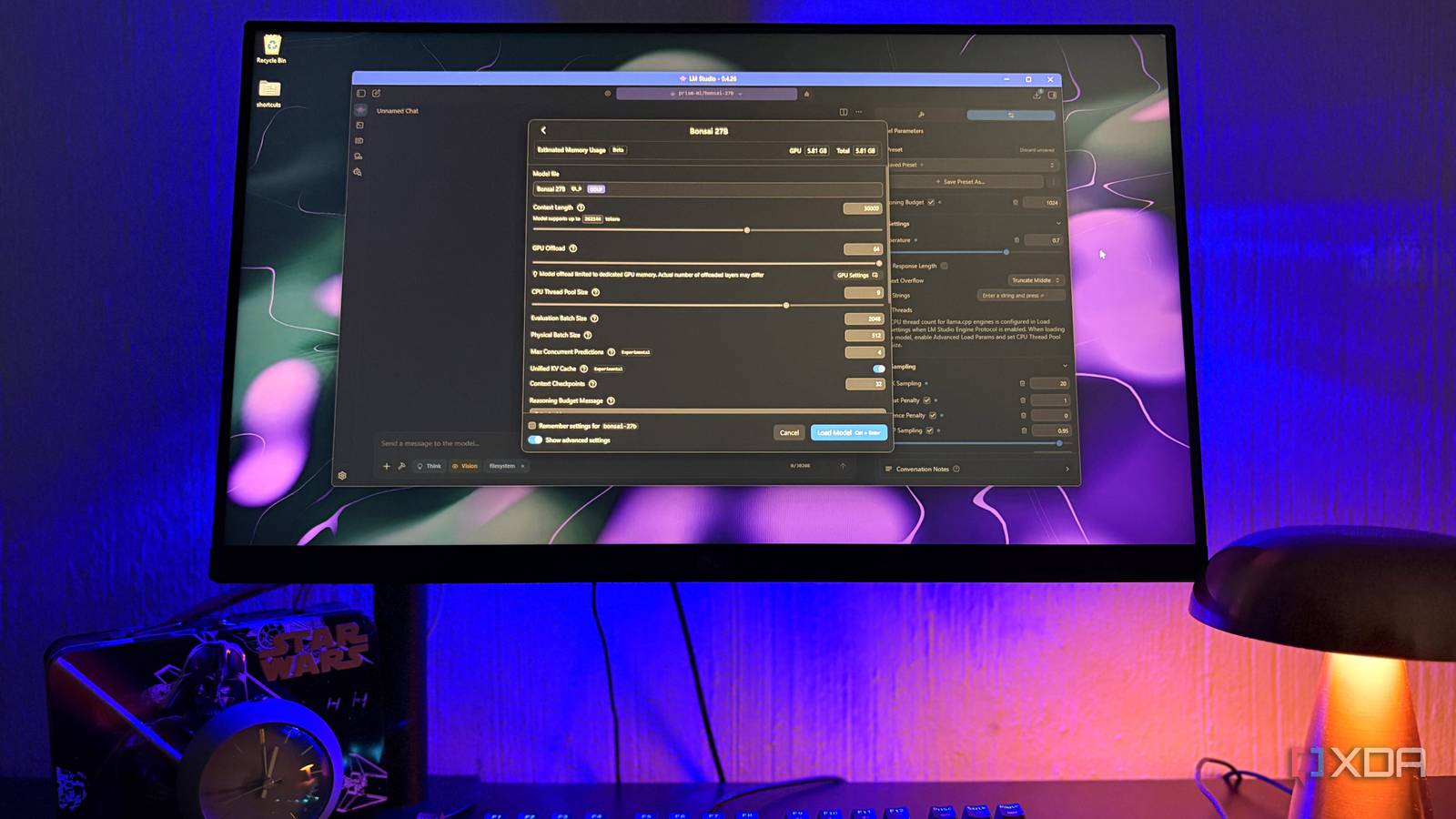
Published Oct 10, 2026, 10:30 AM EDT Nolen began their writing career in 2019, with three years dedicated to editing the Creative section at MakeUseOf. Their expertise lies at the crossroads of technology and creativity, covering areas like photography, video editing, and graphic design. Outside of work, you'll often find Nolen diving into a good book, writing their own stories, or playing video games. 8GB graphics cards kind of put a hard limit on which local models you can run and workflows you can curate. Every new drop sits way over what my PC can handle, so I'm left out of the loop most of the time. Luckily, a good number of models sit somewhere in the 4-9B range, and Qwen 3.5 9B and Gemma 4 E4B have covered that range for me this whole year. Anything bigger usually spills over into system RAM, then the speed drops off more than it's worth bothering with. A decent 4-bit build of Qwen3.6 27B, for example, needs more than double the VRAM I have. Which is why a 27B model listed at under 5GB got my attention. Meet Bonsai 27B It runs like a 4B on my card Bonsai 27B comes from PrismML, a startup out of Caltech research, and it's built on Qwen3.6 27B. That means the model I dropped Qwen for is still technically Qwen, which I'll admit took me a minute to notice. The difference is how hard it's been compressed. At full precision a 27B model is usually over 50GB, but PrismML decreases that by storing every weight as either a +1 or a -1 with one shared scale value for each group of 128 weights, which works out to about 1.125 bits per weight. It comes in two different versions. There's the 1-bit one which is just under 4GB. There's also a newer Bonsai 2, though it only comes in ternary (it adds zero as a third possible value) and some runners, including LM Studio, won't be able to run these files yet. Mine is the 1-bit Q1_0 Staff Pick in LM Studio, which is 4.4GB with the vision files bundled in - this is somehow smaller than the Gemma 4 12B QAT, which I managed to get running but not without compromise. Bonsai also inherits Qwen's 262K-token context window. Most of Qwen3.6's attention uses a lighter linear method, so the memory that longer conversations need grows much slower than it would in most models. Using the full context window will land you at around 10GB even with a compressed cache, so given I have less than 8GB to work with if I leave some headroom for other programs also running, I'm looking at around 30-50k context until I start running out of room. The jobs that Bonsai excels at Where the compression doesn't seem to hurt I started out with PrismML's own sampling setting recommendations: temp at 0.7, top-p 0.95, top-k 20, and repeat and presence penalties turned off. I also gave it its own preset so I could reuse these parameters. It would seem that math and logic hold up the best with Bonsai. PrismML's tests put it at 91.7 for math against 95.3 for full Qwen, and when I gave it a notebook pricing problem with three bundle options it went through every valid combination before picking the cheapest one. This logic is usually what regular 2-bit models lose first, and it's easy to miss because they sound coherent in a normal chat. To be completely honest, I'll most likely be relying on its math and logic for my games and puzzles, but a win is a win. I also tested some documents with it. It was able to give me concise and clean summaries and tool lists, even on longer documents, without me having to split anything up. Instruction following is another one I wanted to keep an eye on since it's one of the areas that tends to slip most after compression, and it kind of helps me determine whether a model is of any use at all. For example, I gave it a short product description with five rules stacked on top of each other, down to which words it couldn’t use and that the price had to be in my currency. Bonsai got each one of them. Short coding tasks are fine, at least on paper: 89.6 on HumanEval+ against 95.1 at full precision. The folder-watcher script it wrote me looked finished but it never tracked which files it already handled, so it would have kept re-reading everything in the folder every second, including its own index file. Where Qwen and Gemma still have the edge The compression does show up in some places I would say that tool calling is Bonsai's biggest weakness. The 1-bit version scores 66.0 on PrismML's agentic and tool-calling benchmarks, down from 80.0 for full Qwen, which is the biggest drop in all of their categories. For anything that has to use tools, I would still use my tried-and-true Qwen 3.5 9B, and recommend Qwen 3.6-35B-A3B if your hardware can support it. Images are also a weak link. For example, I gave it a screenshot of a design app and basically asked it to summarize what it sees - it got the hex values and dimensions right, but the element list repeated three times over and some element names got read as settings. Gemma 4 feeds images straight into the model through lightweight projections, so it remains my go-to for image work. There's also speed. Bonsai does run a smidge slower than the others. The pricing prompt from earlier ran at 27 tok/sek in Bonsai, whereas the same prompt (with the same settings) ran at 35 tok/sec in Gemma 4 E4B. It's not the biggest deal, this is a difference I can live with. My GPU finally runs something over 20B Picking a model just because the number on it is big is a silly habit, but I'm not entirely convinced that I've grown out of it. I experience a bit of FOMO when I can't test the bigger models, so yes, I got a little excited when hearing this one would work on my machine. And it mostly did. There are still tasks I'd prefer to hand to Qwen and Gemma, but Bonsai has proven itself highly capable of following my instructions and solving complex problems.
I dropped Qwen and Gemma for a 27B model that runs smoothly on my 8GB graphics card
Full Article
Original Source
Read the full article at Xda-developers →KhanList aggregates and links to publicly available news content. We do not host full articles from third-party sources. Always verify important information with original sources.