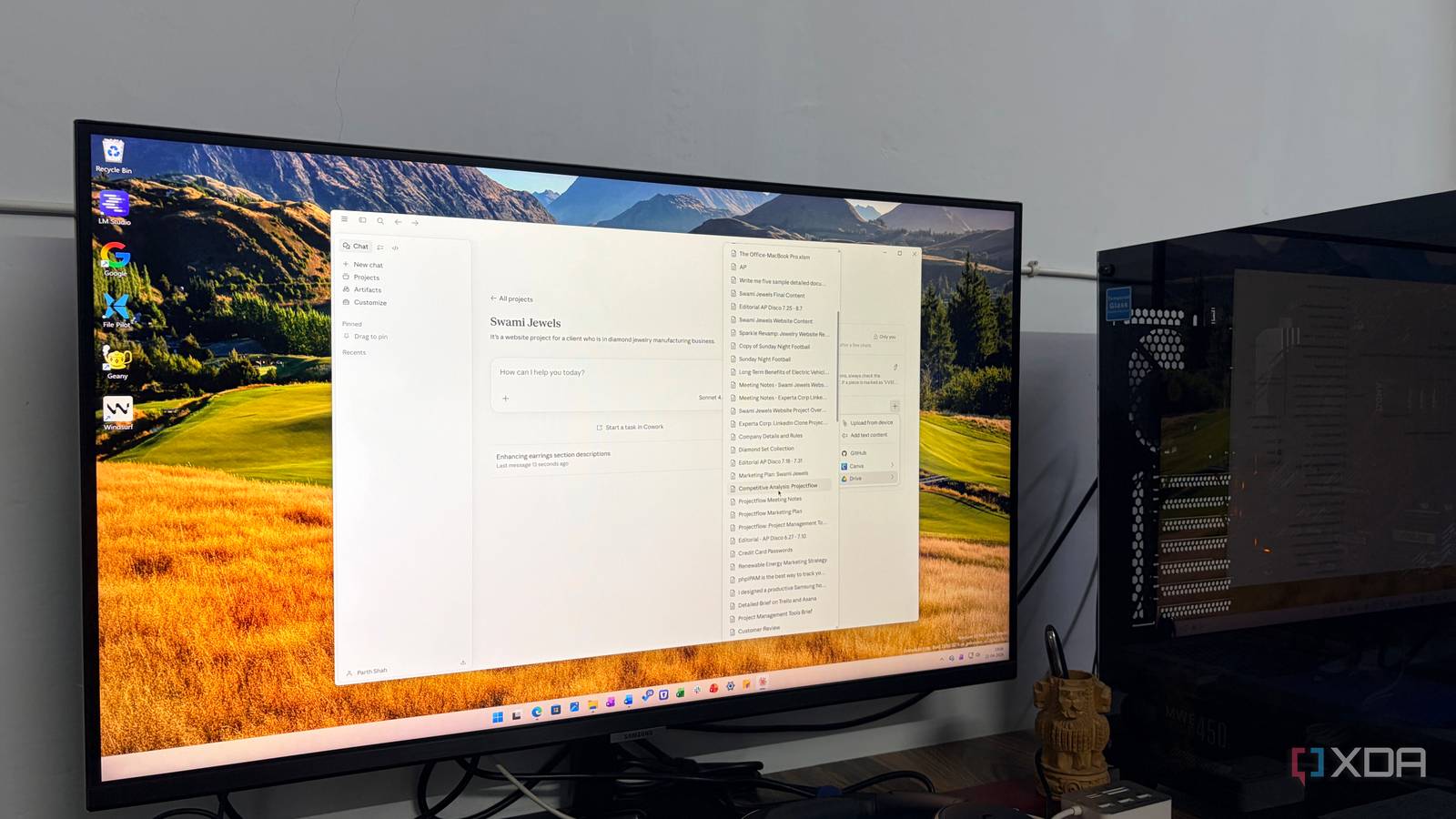
Published Jul 30, 2026, 7:30 AM EDT Parth, a seasoned tech writer, wields the keyboard (or pen) with finesse to unravel the intricacies of both Windows and Mac operating systems. He has covered evergreen content on mobile devices and computers for multiple publications over the last six years. You can find his work on AndroidPolice, GuidingTech and TechWiser. Whether it’s demystifying system updates, deciphering error codes, or exploring hidden features, Parth’s prose guides readers through the binary maze. When not immersed in tech jargon, you’ll find him sipping chai, pondering the next software review, and occasionally indulging in a friendly debate about mechanical keyboards. My notes were everywhere: half-finished ideas in apps, useful conversations buried in chat history, research saved in random folders, and important context in different documents. I had plenty of information, but retrieving the right details when I needed them was becoming harder than collecting them in the first place. I wanted something more useful than another notes app. That is when I started experimenting with Claude as more than just a chatbot. My information was available, but unusable I had information without context I was not short on information. I had article ideas saved in notes apps, testing observations buried inside old AI chats, useful links across bookmarks, and important project details in random documents. The problem was that none of it felt readily available when I actually needed it. I often remember saving something valuable, but I cannot recall where I put it or what keywords I used. After a few minutes of searching, it was usually easier to start from scratch. That made my existing knowledge difficult to use. My notes could store information, but they could not understand the context behind it or connect one observation with another. An old comparison between two AI tools might have been useful for a new article, but only if I remembered that the note existed. I was collecting more material every week, yet my workflow was slowing down rather than getting smarter. I did not need another place to dump information. I needed a system that could help me retrieve it, interpret it, and turn it into something useful. I divided my second brain by responsibility Several focused brains Instead of building one giant project and cramming everything into it, I created several similar projects with clearly defined responsibilities. I made separate spaces for article planning, AI tools testing, personal projects, business work, and other areas that needed their own context. Each project contained only the material relevant to its subject, which helped Claude stay focused rather than pulling in unrelated information into every response. I also gave each project its own instructions and context. The next step was to add the source material. I uploaded PDFs, presentation slides, Google Drive documents, exported Canva files, research notes, and Markdown documents containing information I regularly needed. When my existing material was poorly structured, I sometimes asked Claude to create a clean Markdown reference file on a specific subject. My PKM system with Claude The structure changed how I worked For example, I created a dedicated project for a website client of mine, Swami Jewels. I added everything related to the project: brand guidelines, logo variations, typography rules, product photography, PDFs with client feedback, and a Markdown file outlining the brand’s tone of voice and luxury positioning. On top of that, I added a design guideline document that I asked Claude to help me structure. It included rules such as how much white space to use, how product pages should be laid out, how gold accents should be applied, and how the overall experience should feel premium yet minimal. Once this was inside the Project, I no longer had to re-explain the brand every time I wanted feedback. I can simply ask questions like: ‘Does this homepage section match Swami Jewels’ luxury positioning?’ or ‘Is this product page too visually heavy based on the design guidelines?’ or ‘What was the client feedback on product descriptions in the last meeting?’ I can also request new ideas, such as ‘Suggest three hero section variations that fit the Swami Jewels aesthetic,’ and Claude responds using the actual uploaded brand context instead of generic web design advice. I even used Claude to connect information that would otherwise remain isolated. A design guideline in one document could be evaluated against client feedback in another, while a separate Markdown file provided the broader project context. That was the point at which the setup started feeling like a real second brain. My second brain still needed maintenance It can become messy in no time An important extension of this system is the Claude mobile app. It allows me to access all my projects on the go, which means my second brain is not tied to my desk. Whether I am reviewing ideas while commuting, checking client feedback before a meeting, or refining an article outline away from my laptop, I can continue working with the same context and structure seamlessly across devices. The system became useful quickly, but it did not remain organized automatically. Files became outdated, project priorities changed, and some early documents were eventually replaced by better versions. I therefore started treating each project like a workspace that required occasional maintenance. Building a searchable mind Claude did not replace every notes app or magically organize my digital life overnight, but Projects gave me a practical foundation for building a second brain that I could actually use. By separating different areas of my life, adding the right reference material, and giving each Project clear instructions, I turned my messy information into something searchable, contextual, and helpful. The system still needs occasional maintenance, but it becomes more valuable every time I add to it. If your notes, ideas, and documents are spread across too many places, give Claude Projects a try. Claude is an AI assistant that rivals ChatGPT and Gemini.
I created a second brain with Claude – and this is how I structured it
Full Article
Original Source
Read the full article at Xda-developers →KhanList aggregates and links to publicly available news content. We do not host full articles from third-party sources. Always verify important information with original sources.