
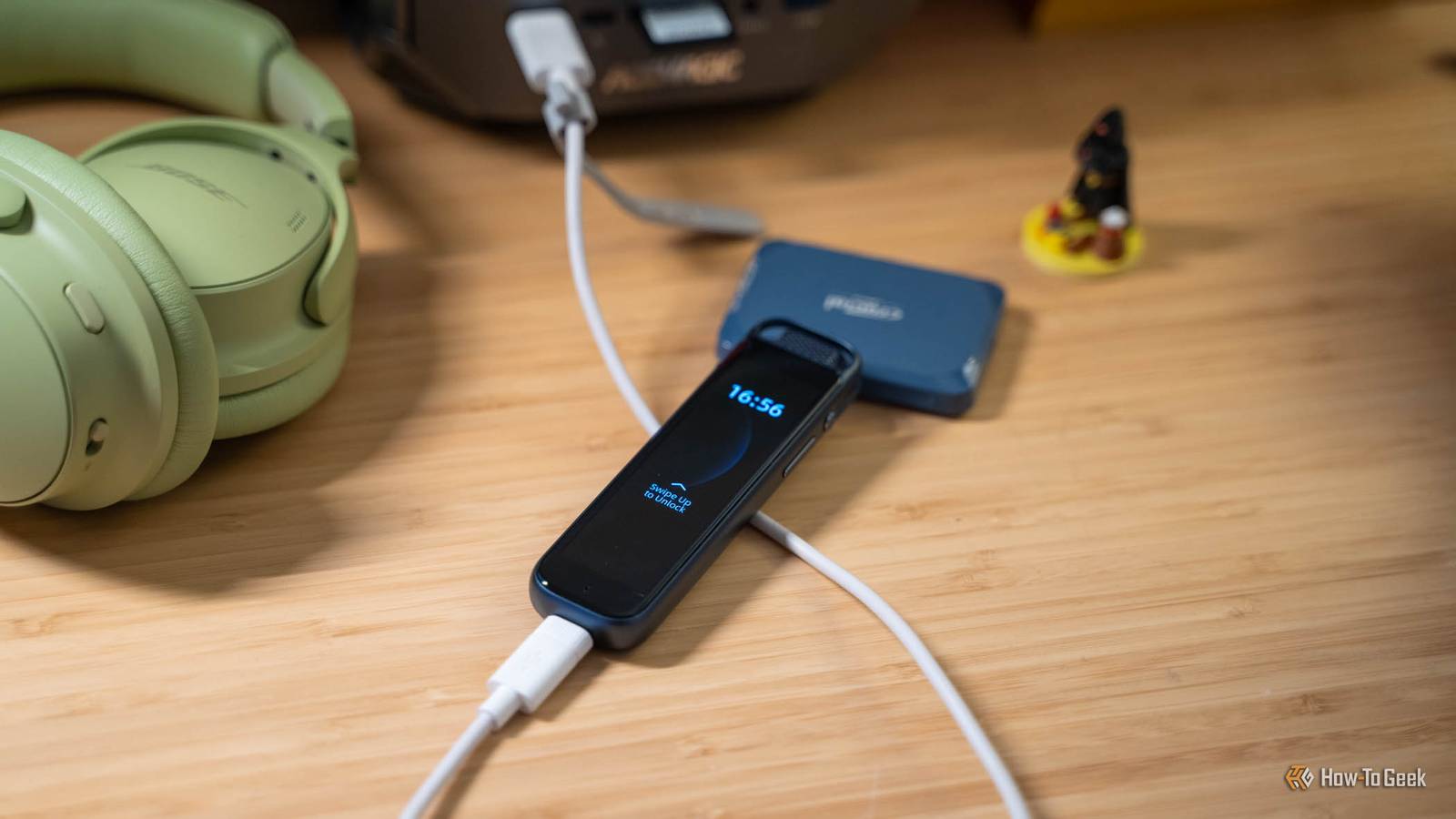
Published Nov 18, 2026, 7:01 AM EST Patrick Campanale has been in the tech space for well over a decade, specializing in PC/gaming news and reviews, as well as maker-focused products to build small businesses. With a start in technology back in 2010 surrounding the Palm/webOS ecosystem, Patrick spent his formative years developing mobile applications as well as blogging for various publications, eventually leading to starting his own website in 2014. After running a technology blog for a few years, he stepped out of that role and into the world of high-end custom PC manufacturing and building, with a focus on YouTube video production and overclocking. Then, in 2017, Patrick joined the 9to5Toys team as an editor/writer/reviewer with over 14,000 articles being published during his time there, ranging from deals and roundups to in-depth reviews on the latest technology, video games, 3D printers, and more. In his free time, Patrick loves to create projects from wood using various robots and methods, including leveraging the technologies of CNCs and lasers. If Patrick isn't working on a computer or playing video games, he's likely in his 2-car garage workshop creating something unique. In addition to all this, Patrick is also the media director at his local church where he feels God has called him to serve, and he loves every minute of it. I have severe ADHD and can get distracted by the simplest of things. I eventually got tired of being distracted by my phone every time I pulled it out for a simple task, and knew there had to be a better way to take notes, jot down ideas, record tasks I had to work on, and just get information into the apps I use every day. So, I set out to do just that with an offline handheld voice recorder and Claude. Through a few iterations, I was able to make a tool that automatically looks for my voice recorder to be plugged into my computer over USB, copies the voice recording files, transcribes them, then finds the information inside the recording and do what needs to be done with it. Here's how I did it, and how you can do it, too. My phone is a terrible voice recorder for quick thoughts and brain dumps The P1 Pro is one button, and I actually use it My phone is an awesome tool for getting distracted, and way less awesome at doing anything quick. I’m not sure about you, but I find myself often pulling my phone out for one simple task and then getting lost in this notification that I saw when I picked it up, then another coming in after that, and, before I realize it, it’s been an hour and I forgot why I even picked it up. Not you? Just me? Either way, that’s how it goes, and that’s why I’ve stopped picking up my phone for noting down quick thoughts or even full brain dumps. When I got my iFLYTEK P1 Pro, I wasn’t quite sure how I would use it. I’m in meetings weekly, but they’re all online and I use headphones. I don’t attend things I want to record the audio of often. But, I knew there was a way it could improve my life, I just had to find it. That’s when I realized it only took a second or two to start recording and there were zero distractions between picking it up, recording, and putting it away. I first got the P1 Pro earlier this year when it was warmer outside and I was going on walks around my neighborhood every morning. I’d often listen to motivational books like Atomic Habits and want to take notes about my favorite parts as I was walking around. Previously, I would pull my phone out and make the note that way. But, I would often get distracted like I said. I tried using Siri to make the notes, but it never came out right. With the P1 Pro (or any voice recorder as I’ve come to try a few out), I can just pull the voice recorder out while walking, say what I want to remember, and then put it away. The problem that I found with this workflow initially was that the iFLYTEK app only gave a limited amount of free transcription minutes a month and I really didn’t want to pay for yet another subscription. Even then, when I used the transcriptions in the app, I still had to take action with the information myself. I wanted a fully automated workflow where I could ramble notes, talk out tasks, and do anything else with the voice recorder and then have everything else handled automatically after that—so I built my own workflow using Claude and my computer. My computer sorts everything before Claude sees a word All I have to do is plug the recorder in Using Codex (and eventually Claude), I built a custom app that runs in the background on my computer using Python. The app itself is fairly simple: it watches for the volume ID of my P1 Pro to be mounted and, when that happens, it copies the files off the P1 Pro to a specific folder on my computer, organized by year and month. It also never deletes files from the recorder so I have a backup, and it skips duplicate files by the hash so it doesn’t double up. Once the files hit that folder on my computer, whisper.cpp runs a small.en model that’s only around 466MB to transcribe the audio from the recording. This is a word-for-word transcription, so it can be rambly and have a lot of filler words in it. Then, Gemma 3 12B, another fairly small local model, runs on my system to create a summary of the notes, pull out candidates to add to my Todoist, decisions, ideas, open questions, and more. This entire process is handled by offline and local models on my computer so my voice and notes never have to leave the system for the initial transcription and summary, giving me increased privacy over using the apps that many of these voice recorders come with. In fact, I don’t even have the recorder paired over Bluetooth to my phone anymore, I just use it as an offline voice recorder and not an AI voice recorder and it works fantastically. iFLYTEK P1 Pro Brand iFLYTEK Storage 64GB Connectivity Bluetooth, USB Ports USB-C Battery Life 20 hours of recording The iFLYTEK P1 Pro portable AI voice recorder offers a sleek interface with a built-in touchscreen for navigating the operating system. There are quick-access buttons for record and lock and it can even be password-protected. You can utilize the built-in AI capabilities through the iFLYTEK app, or plug the recorder into a computer over USB where all the files are available to browse offline. Claude turns my rambling into a real morning plan Only the things I actually committed to become Todoist tasks Every morning, my Claude sends me a morning brief that tells me what I have going on that day. From upcoming Asana assignments to overdue Todoist tasks an even emails that I need to handle, my morning brief keeps me on track every day. So, I integrated my voice recording workflow with the morning brief. As part of the morning brief, Claude will read both the raw transcript as well as the suggestions written by Gemma. I do this because sometimes Gemma can miss specific details or misunderstand things. I plan on replacing Gemma with Qwen3.8-27B to handle everything locally, but more on that later. Once Claude reads the transcript it actually does the full processing of everything. It’ll create Todoist tasks for what needs my attention immediately or in the future, make notes for things that were just ideas, or even add settings to my laser settings database if I take a voice note of a setting that worked in the workshop. Claude does a fantastic job of parsing what is an actual commitment that needs to be added to Todoist compared to just ideas or ramblings that should go somewhere in my Obsidian vault. Plus, each note or task gets a receipt tied to the audio hash so that way things are never duplicated in the future and I can easily track down where something came from. The last cloud step is about to move into my house Qwen3.8-27B and Hermes leave Todoist as the only thing online I recently got both an RTX Spark with 128GB of RAM and an AMD Ryzen AI Max+ Strix Halo system with 128GB of RAM that are both extremely capable of running local models, and I plan to move the parsing and morning brief routine from Claude to Qwen3.8-27B—but I still need to do some testing there. Once I get this workflow set up, then I will be using fully offline models to handle all of my voice notes, which is my end goal for the sake of privacy and cost. I’ll use whatever Qwen model I decide on with Hermes Agent from Nous Research through LM Studio all running on the Spark. Hermes has the same types of connectors that Claude does so it can integrate with Todoist, my email, my calendar, Obsidian, and anything else I need it to do—all without having to use a single cloud-based LLM API. Turns out, all I needed to stay more focused was a recorder in my pocket As I mentioned at the start of this article, I definitely had a focus problem when it came to taking quick notes or brain dumping information. A small recorder that slips in my pocket, has no internet or apps, and handles everything for me by just being plugged into my computer was the exact remedy I needed. While there are many downsides to AI, the fact that I was able to use it to automate this part of my life in a matter of minutes will never cease to amaze me. I also published the code I use for this to my GitHub so you can download it and deploy it on your own setup, too.
I built my own voice note pipeline to sort my ideas and tasks using local AI
Full Article
Original Source
Read the full article at Howtogeek →KhanList aggregates and links to publicly available news content. We do not host full articles from third-party sources. Always verify important information with original sources.