
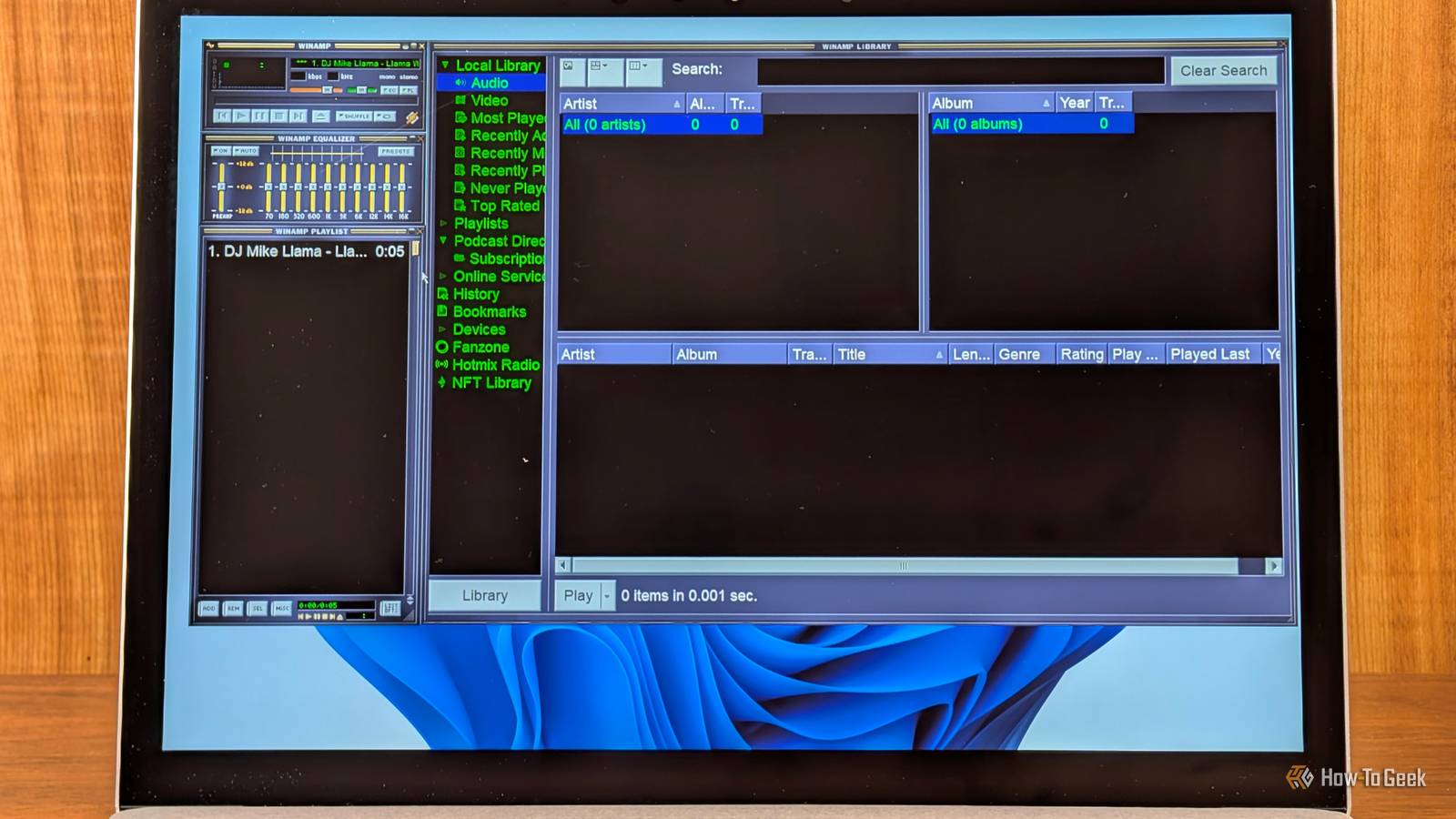
Published Sep 28, 2026, 7:00 AM EDT Nick Lewis is an editor at How-To Geek. He has been using computers for 20 years --- tinkering with everything from the UI to the Windows registry to device firmware. Before How-To Geek, he used Python and C++ as a freelance programmer. In college, Nick made extensive use of Fortran while pursuing a physics degree. Nick's love of tinkering with computers extends beyond work. He has been running video game servers from home for more than 10 years using Windows, Ubuntu, or Raspberry Pi OS. He also uses Proxmox to self-host a variety of services, including a Jellyfin Media Server, an Airsonic music server, a handful of game servers, NextCloud, and two Windows virtual machines. He enjoys DIY projects, especially if they involve technology. He regularly repairs and repurposes old computers and hardware for whatever new project is at hand. He has designed crossovers for homemade speakers all the way from the basic design to the PCB. Nick enjoys the outdoors. When he isn't working on a computer or DIY project, he is most likely to be found camping, backpacking, or canoeing. Winamp is one of the most iconic programs of the late 90s and early 2000s. Despite its long history, it has fallen by the wayside as newer, more capable programs have taken its place. A few years ago, the Winamp source code was briefly released on GitHub before being pulled because it contained proprietary code. Still, copies of that repo exist on GitHub today, which was enough for me to create an updated version of Winamp for myself. Winamp was a product of a different era Credit: David J. Buck / How-To Geek When I'm listening to music, I don't normally click the buttons in the media player app to pause or skip. I use the buttons on my keyboard. Almost every media app today supports those controls. So, when I discovered that Winamp didn't without some tweaking, the first thing I set about doing was creating a plugin that allowed Winamp to read standard media controls from Windows (System Media Transport Controls or SMTC.) After a bit of work with Claude, I'm now able to control Winamp normally. Bluetooth headphones and other wireless devices get track information My devices had no idea what was playing Credit: RIch Hein / How-To Geek Hardware has changed a lot since Winamp was first developed, and by default, Winamp doesn't really play nicely with a ton of modern devices. Winamp couldn't broadcast song information to Bluetooth devices, including car head units or some speakers. Integrating Winamp with SMTC to get the media keys working had the unintended (but welcome) side effect of making it fully compatible with modern audio devices. I'm not sure how often I'll make use of Winamp in my car, but it is nice that it now works correctly with my receiver. Music identification didn't work at all MusicBrainz and AcoustID tag music for me If you use Apple Music or Spotify, or even many of the self-hosted alternatives, you're used to having access to information about your music whenever you need it. Winamp once had access to a service called Gracenote that enabled it to automatically tag songs, retrieve cover art, and generate playlists. However, the Winamp source code can't include Gracenote, since Gracenote is proprietary and requires a license. So, to replicate the same basic functions, I opted to integrate MusicBrainz and AcoustID. MusicBrainz provides the database and information about music while AcoustID identifies unlabeled songs. Together, they give Winamp the ability to identify an unlabeled song, fetch information about it, tag it, and grab the associated cover art. Winamp doesn't know anything about modern formats Opus? As in Beethoven? Winamp has no trouble with classic media files like MP3s, but if you throw something more modern at it, it won't work at all. Some popular modern formats it can't handle include Opus (which is very common) and xHE-AAC. To address that shortcoming, I created a Media Foundation decoder that allows Winamp to handle anything that Windows can play. It is designed to be as maintenance-free as possible. I don't need to rebuild the plugin if I install a new codec extension for Windows; all I have to do is add the extension to Winamp's list. As Winamp ages and new codecs come along, this will be increasingly relevant. My Winamp can now generate playlists DJ Mike is finally a real DJ Winamp used to be able to automatically generate playlists for you based on your local library, but like most of its music recognition features, the generator relied on Gracenote. With Gracenote out of the picture, I needed a different approach. Generating a playlist requires some understanding of emotional context—throwing in Clair de lune immediately following something by Mr. Worldwide is more likely to raise tempers than the roof. I had Claude create a playlist generator that leans on MusicBrainz, Last.fm, and ListenBrainz for information. Now, Winamp can "intelligently" create a playlist that accounts for the attributes of the current song, like genre and the real-world listening habits of other people. The generator then compares that information to what it knows about the songs in my local library and builds a playlist composed of similar songs. All I need to do is right-click a track and select "Play tracks similar to" Winamp can now show lyrics You and the llama can karaoke Most modern media players can display lyrics alongside a song as they play, but Winamp has no such capability. I created another plugin that automatically fetches the lyrics for the song that is playing and then displays them in a new lyrics window. If the song has no words, the lyrics window will just say "instrumental." If the lyric data includes word-by-word data, it'll also highlight each word as it is said in the song, making it easier to follow along if you want to read them. Or shamelessly sing along, if that is more your style. AI can bring almost any program into the modern era Once, old software was often as good as dead. Reviving a program by hand can be an enormous undertaking, even for an experienced developer. Today, that is no longer true. You can use AI to write shims, patches, plugins, and updates that drag your favorite program into the modern era in a few evenings of work without changing what made you love it.
I built a smarter music player by modernizing Winamp with Claude's help
Full Article
Original Source
Read the full article at Howtogeek →KhanList aggregates and links to publicly available news content. We do not host full articles from third-party sources. Always verify important information with original sources.