
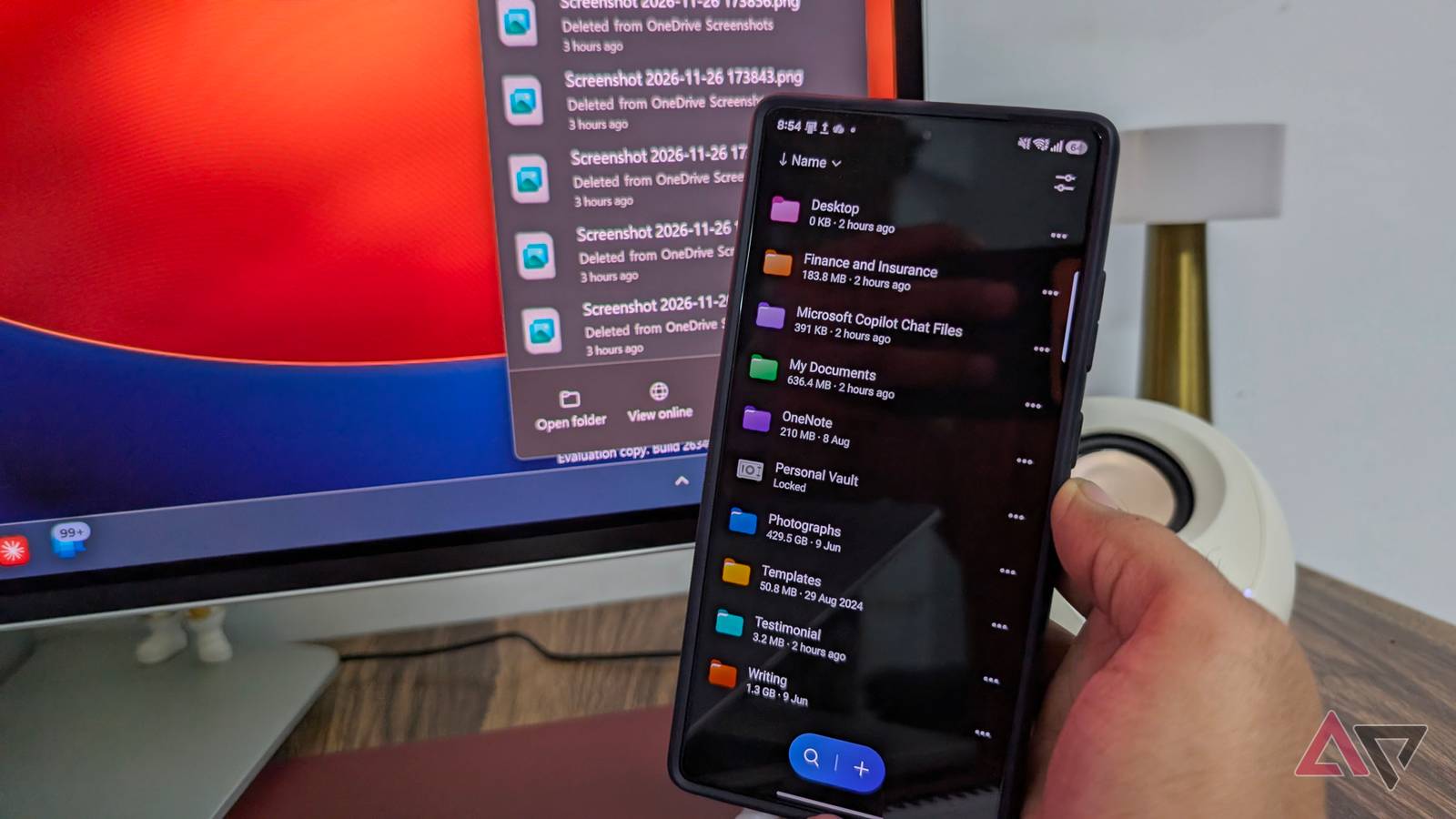
Published Nov 28, 2026, 2:16 PM EST Parth is a technology writer at Android Police, where he has published over 800 articles covering Android, productivity apps, artificial intelligence, and consumer technology. Before joining Android Police, he contributed to Guiding Tech and TechWiser, building his experience in software tutorials, troubleshooting guides, and practical technology coverage. His daily setup includes a Samsung Galaxy S25 Ultra, Google Pixel 8, MacBook Pro with M1 Pro, Samsung Galaxy Watch, and a Windows desktop. He regularly tests Android features, AI-powered tools, productivity software, and device integrations across these platforms. His writing draws on hands-on experience with the apps, devices, and workflows he uses in his everyday routine. Outside of writing and testing technology, Parth enjoys watching K-dramas, exploring emerging mobile technology trends, and following developments in artificial intelligence. Switching cloud storage services isn't something I take lightly, especially when Google Drive has been an integral part of my Android experience. However, as I started storing more financial records, identity documents, insurance policies, and other confidential files in the cloud, I realized that I needed more than just a collection of folders. Microsoft OneDrive already had a solution to my problem. After spending some time with it on Android, I realized how useful Personal Vault is in everyday life. In fact, this single feature has convinced me to move away from Google Drive. Why Google Drive no longer felt sufficient Not every file belongs alongside others Google Drive has been a crucial part of my Android setup. Whether I am storing work documents, sharing photos and travel itineraries, or keeping track of household paperwork, Google's cloud storage has rarely given me a reason to complain. But now I have digital copies of identity cards, insurance policies, bank statements, property documents, and other sensitive paperwork that I don't want to sit alongside my everyday files. While I could create a dedicated folder in Google Drive and organize everything neatly, it wouldn't offer any additional protection. Anyone with access to my unlocked phone and the Google Drive app could potentially browse those documents. I could use a third-party app or Samsung's Secure Folder to store such files separately, but that would fragment my storage workflow. I wanted a solution that combined the convenience of cloud storage with an additional layer of authentication. Microsoft, on the other hand, already has a solution to this exact problem. OneDrive's Personal Vault caught my attention Unlike a regular folder, Personal Vault is a dedicated, protected space within OneDrive that requires an additional identity verification process before I can access its contents. Even if someone has access to my unlocked phone and opens OneDrive, they can't simply browse through my confidential documents when the vault is locked. Setting up Personal Vault on Android is straightforward, too. After I completed the initial verification process, I could use biometric authentication to access my documents. I moved my sensitive files into Personal Vault without making any major changes to my existing folder structure or cloud storage habits. I don't need to download another app, manage a separate account, or manually encrypt individual documents. I can upload, organize, and access my private files just like any other cloud document. It's a thoughtful implementation that strikes an excellent balance between security and convenience. I am surprised Google hasn't introduced something similar in Drive. Automatic locking gives me peace of mind It changed how I scan documents One of my favorite aspects of Personal Vault is its automatic locking mechanism. I don't have to remember to lock the vault every time I am done accessing my confidential documents. OneDrive automatically locks it after a period of inactivity, and I can customize the timeout interval from the app settings. Of course, I can manually lock it whenever I want, too. Personal Vault also changed how I scan physical documents on my Android phone. Previously, I would capture documents using my phone's camera or a scanning app, upload them to Google Drive, and delete the original copies from my gallery. It was a complicated process that often left sensitive documents stored across multiple apps. With OneDrive, I can use the built-in document scanner directly from Personal Vault. Whether I am digitizing an insurance policy, a bank statement, or a driver's license, I can scan it straight into my protected storage space without leaving a copy in my phone's gallery. It's this level of attention to detail that makes Personal Vault more than just a password-protected folder. Personal Vault works well with Windows A smooth integration on the desktop While Personal Vault initially caught my attention on Android, its seamless integration with Windows made it even more appealing. Because I frequently switch between my Android phone and Windows desktop, I wanted a solution that didn't restrict my confidential documents to a single device. Microsoft integrates Personal Vault directly into File Explorer on Windows. It appears alongside my other OneDrive folders, and I can unlock it using Windows Hello or my device PIN. After authenticating, I can browse, open, edit, and manage my documents just like any other file on my PC. Personal Vault also works through OneDrive's web interface, which comes in handy when I am working on my MacBook. This cross-platform flexibility is one of the biggest reasons I prefer Personal Vault over device-specific tools like Samsung's Secure Folder. A small feature with massive impact Microsoft didn't need a complete OneDrive overhaul or a long list of features to convince me to switch from Google Drive. It just addressed a problem that Google has overlooked. Personal Vault fits naturally into my daily routine and gives me more control over how I store and access confidential documents. Google Drive remains an excellent cloud storage service, but until Google offers a native alternative to Personal Vault, I don't see myself switching back anytime soon.
I am switching from Google Drive to OneDrive on Android just because of this single feature
Full Article
Original Source
Read the full article at Androidpolice →KhanList aggregates and links to publicly available news content. We do not host full articles from third-party sources. Always verify important information with original sources.