
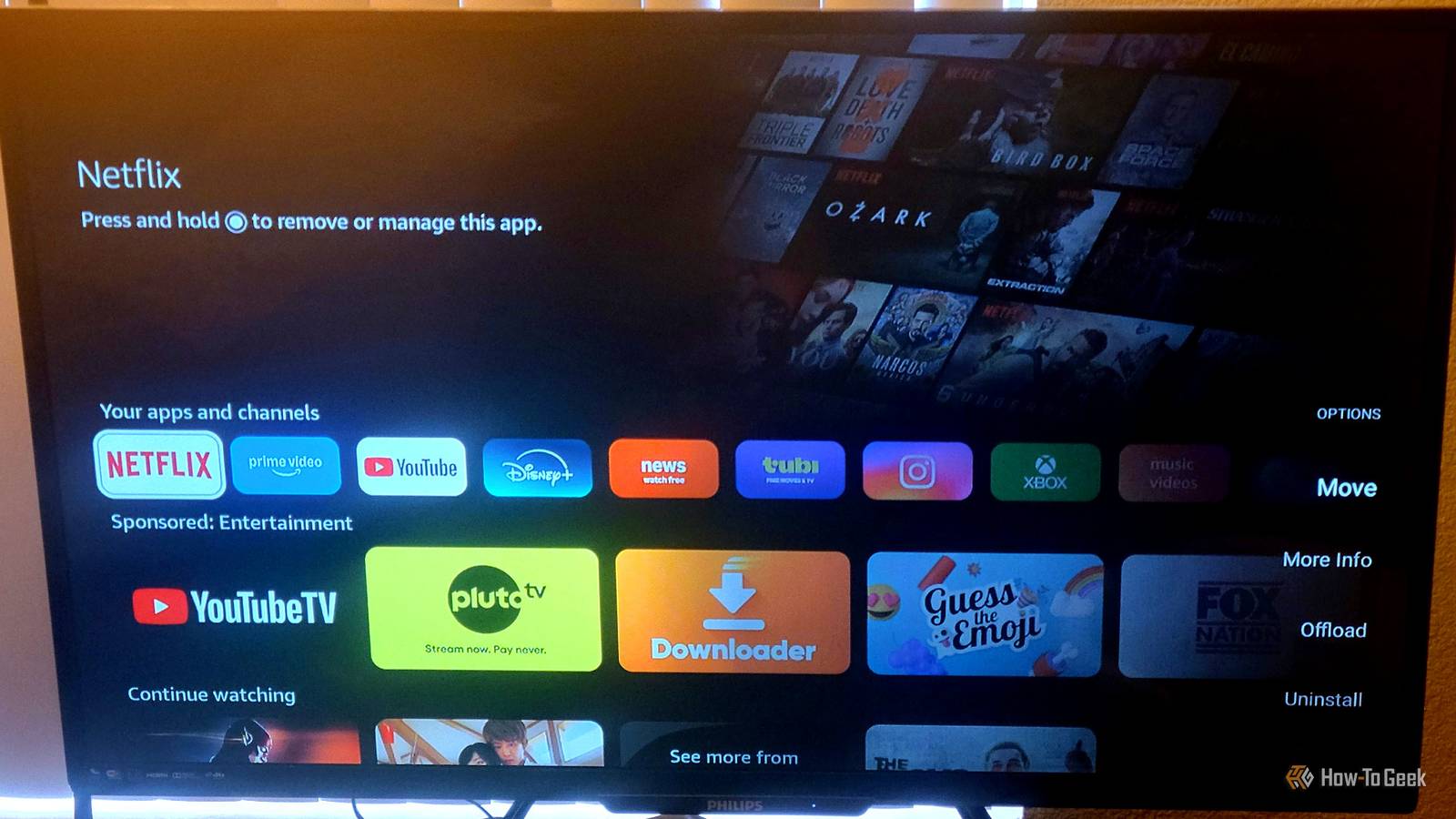
Published Oct 12, 2026, 8:30 AM EDT Aggy is a veteran writer and editor in the technology and gaming space. Having served as a Managing Editor for high-traffic digital publications, alongside being an editor and consultant for over a dozen sites. Aggy's published work spans a wide and respected array of tech and gaming outlets, including WePC, Screen Rant, How-To Geek, Android Police, PC Invasion, and Try Hard Guides. Beyond editorial work, Aggy's direct experience in the tech sphere extends to app development. Aggy has published two games under Tales and is always eager to learn and do more. He also likes working on computers and researching in his spare time. He knows about Windows, Linux, Audio, Video, and much more. You should really understand that buying a streaming device means trading some privacy for convenience. There's a lot of data being collected, and it happens pretty quietly. You are never asked for your permission either; it is just implied since the settings are on by default. Unfortunately, that means a company is profiting off everything you do, but you can always put a stop to it. Your Fire TV watches everything on your screen Amazon uses ACR to track what you watches Automatic Content Recognition (ACR) is tracking tech inside smart TV software that watches everything on your screen. Regular app tracking only sees what you do inside one streaming app. ACR sits under all your apps, closer to the actual display hardware, so it doesn't care where the content comes from. All it's doing is taking screenshots, grabbing pixel and audio fingerprints about twice a second. Those get sent to cloud servers and matched against huge databases of movies, shows, commercials, and broadcast content in real time. Since it pulls straight from the display, it can identify what you're watching, whether it's from a streaming app, an antenna, a cable or satellite box, a game console, or a Blu-ray or DVD player. While we can't know for sure, some lawsuits claim every match gets recorded with the title, the time, and how long you watched, then tied to your home IP address and your TV's advertising ID. Either way, TV makers, advertisers, and data brokers use that info to learn as much about you as they can. They combine your IP with outside consumer databases to fill in details about your household, like age, income, marital status, and education level. That helps companies make targeted ads, track you across devices, and decide whether ads actually worked. So Amazon can show you ads and recommendations based on what you've been watching. Ad networks can also link what you watch on TV to your phone, tablet, or laptop on the same Wi-Fi, so you might get a follow-up ad on your phone right after watching something on TV. Advertisers also use that data to see if you went to a website, looked something up, or bought something after seeing an ad. It all sounds great for everyone but you, which is why people want to turn it off. It's a privacy nightmare because you did not agree to any of this; it's just built into the TV. To keep what you watch private, you need to turn ACR off. You can turn off this tracking in a few minutes Turn these privacy settings off right now You can shut off ACR in a few minutes if you know what to do. Turn on your TV, go to the main menu, and open Settings. Then scroll over to Preferences and tap into Privacy Settings. That one menu is where almost everything lives. Next, find Automatic Content Recognition and turn it off. Then find Device Usage Data and turn it off. When that's on, Amazon logs how you use the device. So it keeps a record of which menus you browse, what buttons you press, and how often you use certain features. Amazon uses that to improve its products and see how people use them. Turn it off, and Amazon stops keeping tabs on how you use your TV. Right below is the Collect App and the Over-the-Air Usage Data. Turn that off too. That tracks which streaming apps you open and how long you spend on them, and if you've got a TV antenna plugged in, it logs which broadcast channels you watch and for how long. Scroll to the bottom of Privacy Settings and turn off Interest-Based Ads. Every Fire TV has a unique advertising ID that gets shared with ad networks and app developers so they can build a profile on you and serve targeted ads. Turning it off takes that permission away. Just keep in mind that turning all of it off does not turn off the ads entirely. What happens is the ads will be more random than usual. So you'll start seeing ads that have nothing to do with you, which is good because it means that advertising companies aren't giving you ads based on what you like. That does tend to get annoying. You start to see a lot of repeat ads that are boring because you don't need whatever product they're selling. For example, during tax season, we all get those TurboTax and H&R Block ads repeatedly. Recently, I've been getting a ton of roofing ads, despite not owning a house, so it's just something you have to deal with. A few things to check after you turn tracking off Updates might turn these settings back on The path to these settings won't always be the same. It depends on how old your Fire TV is and what version of Fire OS it's running. Also, if you modified your stick or forced it not to update, then you're going to see things differently. Newer sticks put everything under Settings, then Preferences, and then Privacy Settings. Older devices or older software might stick those options under Settings and then Applications instead. On older builds, Applications is where you handle app permissions and usage tracking. If you also want to stop the promo banners from autoplaying video and sound, that setting is probably under Featured Content. So if you dig into Preferences and there are no Privacy Settings, check Applications. The toggles you need are probably still there. Unfortunately, this isn't the last time you have to do this. These settings like to flip themselves back on after updates. So make sure to go back in and check that everything's still off after every update. Get ready for terrible ads Turning these settings off takes a few minutes, but I would argue the ads you get after are particularly boring. You'll trade targeted recommendations for random repeats that have nothing to do with you, which makes commercials feel more like a slog. Still, I'd rather watch boring ads than hand a company information about me.
How to disable ACR on an Amazon Fire TV
Full Article
Original Source
Read the full article at Howtogeek →KhanList aggregates and links to publicly available news content. We do not host full articles from third-party sources. Always verify important information with original sources.