
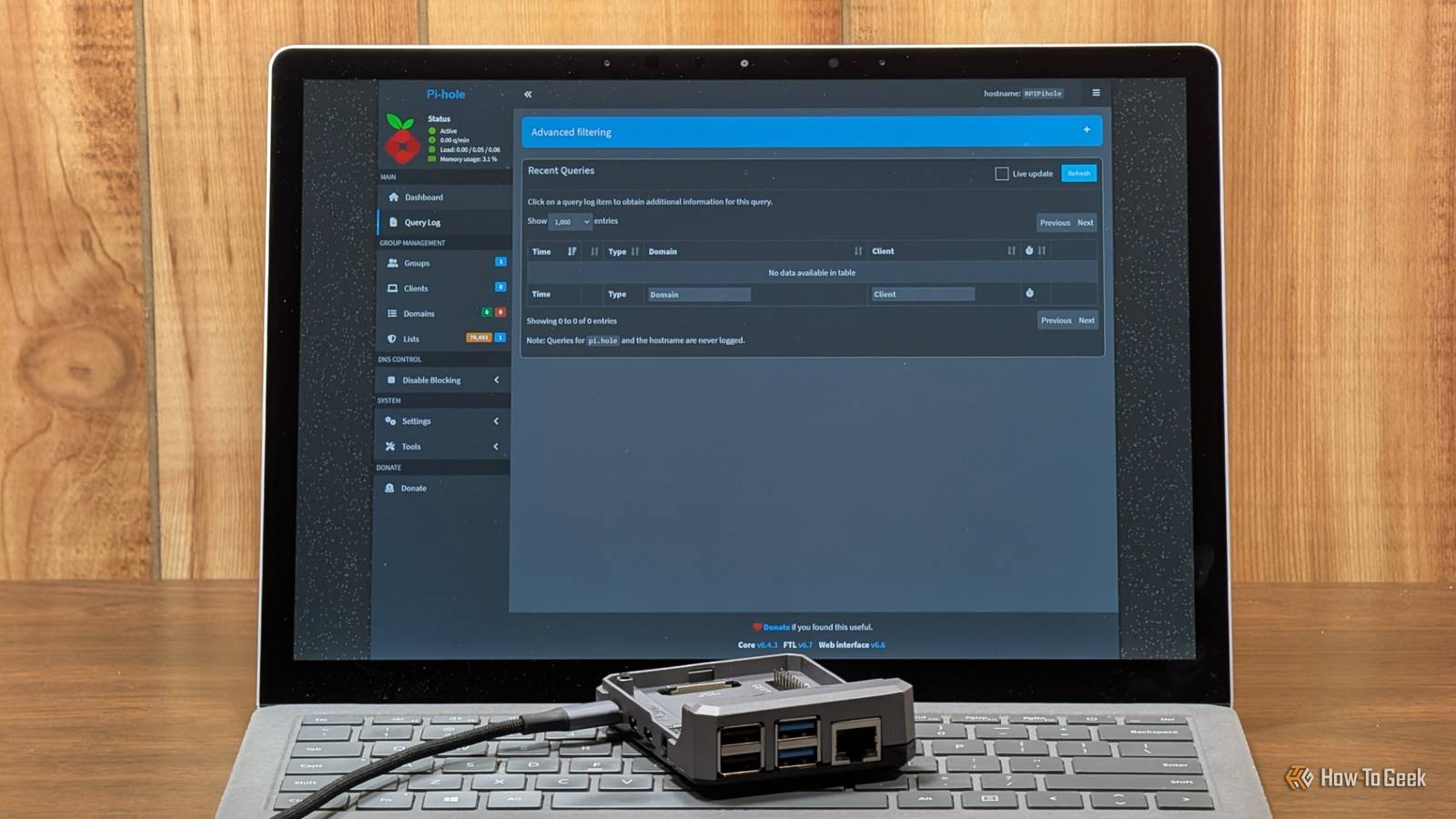
Published Oct 12, 2026, 1:30 PM EDT Umair Khurshid is a technology writer and developer with a strong focus on Linux, FreeBSD, cloud infrastructure, and automation. Before focusing on writing, Umair worked as a developer and DevOps engineer building and automating cloud-native systems. Managing a home involves plenty of little tasks that are easy to forget, from keeping unwanted ads off your devices to finding an appliance warranty or backing up family photos. You can automate many of these responsibilities with Docker containers, turning a computer or home server into something that quietly takes care of everyday jobs. I picked 7 containers that serve different purposes around the house, including network-wide ad blocking, smart home automation, security cameras, meal planning, and document management. They take some initial setup, and a few require compatible hardware, but once configured, they can handle much of their work automatically without demanding constant attention. Pi-hole blocks ads across my entire home Stop unwanted ads and trackers without configuring every device Credit: Adam Davidson / How-To GeekCredit: Adam Davidson / How-To Geek Pi-hole acts as a DNS sinkhole, blocking requests to domains associated with advertisements and trackers. Instead of installing an ad blocker on every phone, computer, and smart TV, you can configure your router to direct the household’s DNS requests through Pi-hole. Devices that use this resolver benefit from its blocking rules without needing individual software installations. This is particularly useful for devices that don’t support conventional browser extensions, including many smart TVs and other connected appliances. Pi-hole also provides a query log that helps you see which domains devices request and adjust your blocking rules when a legitimate service stops working. Once you configure the DNS settings and choose suitable blocklists, Pi-hole largely runs in the background. You might occasionally need to update its lists or allow a domain that a website or application requires. Home Assistant automates my household routines Make lights, plugs, and appliances work together Credit: Ismar Hrnjicevic / How-To Geek Home Assistant brings smart devices into one interface and lets you create automations that handle repetitive tasks. You can schedule lights, control smart plugs, adjust thermostats, and trigger actions based on events or conditions. For example, you could turn off selected lights at bedtime, switch on outdoor lighting at sunset, or have lights respond to occupancy. These automations can run without anyone needing to open an app every time. Home Assistant also supports a wide range of integrations, allowing devices from different manufacturers to work together. The real benefit comes from automating tasks you already perform regularly. You don’t need to automate every appliance in your home. Start with a few useful routines and expand when you find another task worth handling automatically. Frigate runs the home security cameras Record footage and identify important events locally Frigate is a network video recorder that uses object detection to identify people, vehicles, animals, and other supported objects in camera footage. Instead of relying entirely on a manufacturer’s cloud service, you can configure compatible cameras to record to storage you control and review relevant events through Frigate. Object detection makes recorded footage easier to navigate because you can focus on events rather than reviewing hours of video manually. Frigate can also integrate with Home Assistant, allowing camera detections to trigger other household automations when configured appropriately. Mealie makes meal planning easier Keep recipes and grocery lists in one place Credit: Mealie Mealie is a self-hosted recipe manager that helps you collect recipes, plan meals, and prepare shopping lists. You can import recipes from supported websites, save your own cooking instructions, and organize meals for the week. Instead of searching through browser bookmarks whenever you need to cook, you can open your recipe collection from a phone, tablet, or computer. Planning meals ahead also makes grocery shopping easier because you can work out which ingredients you need before heading to the store. Mealie is especially useful when multiple people share cooking responsibilities. Everyone can refer to the same recipes and shopping lists rather than maintaining separate notes. After you build your collection and establish a planning routine, the application requires little ongoing effort beyond adding recipes and updating your plans. Paperless-ngx organizes my household paperwork Search receipts, bills, and warranties without digging through folders Paperless-ngx turns scanned and imported documents into a searchable digital archive. It uses optical character recognition (OCR) to extract text from supported documents, allowing you to search their contents instead of relying on filenames alone. You can use it for utility bills, appliance receipts, rental agreements, warranties, and other household paperwork. Tags, document types, and correspondent information help keep the archive organized. When you need to find a particular receipt or check the details of an old bill, you can search for relevant text and locate the document quickly. Homebox keeps track of my belongings Find appliance details and warranty information when you need them Homebox provides a household inventory where you can record appliances, electronics, furniture, tools, and other belongings. You can store details such as purchase dates, serial numbers, locations, and warranty information alongside each item. This becomes useful when an appliance breaks, you need to identify a replacement part, or you have to provide information for an insurance claim. Rather than searching through drawers for a receipt or moving boxes to find a product label, you can consult the inventory. Scrutiny keeps an eye on my storage drives Spot potential drive problems before they become bigger issues Credit: Scrutiny Scrutiny collects and displays SMART health information from supported storage devices. If your home server stores family photos, important documents, and security-camera recordings, keeping an eye on the health of its drives is worthwhile. Scrutiny provides a dashboard for viewing drive attributes, historical measurements, and available health indicators. After you configure access to your drives, you can review this information without manually running SMART commands on every disk. Changes in reported attributes may reveal warning signs that deserve further investigation. These containers take care of the repetitive work These containers cover different household responsibilities, from blocking unwanted domains and automating smart devices to organizing paperwork and protecting family photos. Each serves a practical purpose, rather than adding another application that everyone has to remember to use. They still require sensible initial configuration, occasional updates, and reliable backups, but once those foundations are in place, most of the everyday work can happen automatically.
These 7 Docker containers run my entire home, and they need almost zero maintenence
Full Article
Original Source
Read the full article at Howtogeek →KhanList aggregates and links to publicly available news content. We do not host full articles from third-party sources. Always verify important information with original sources.