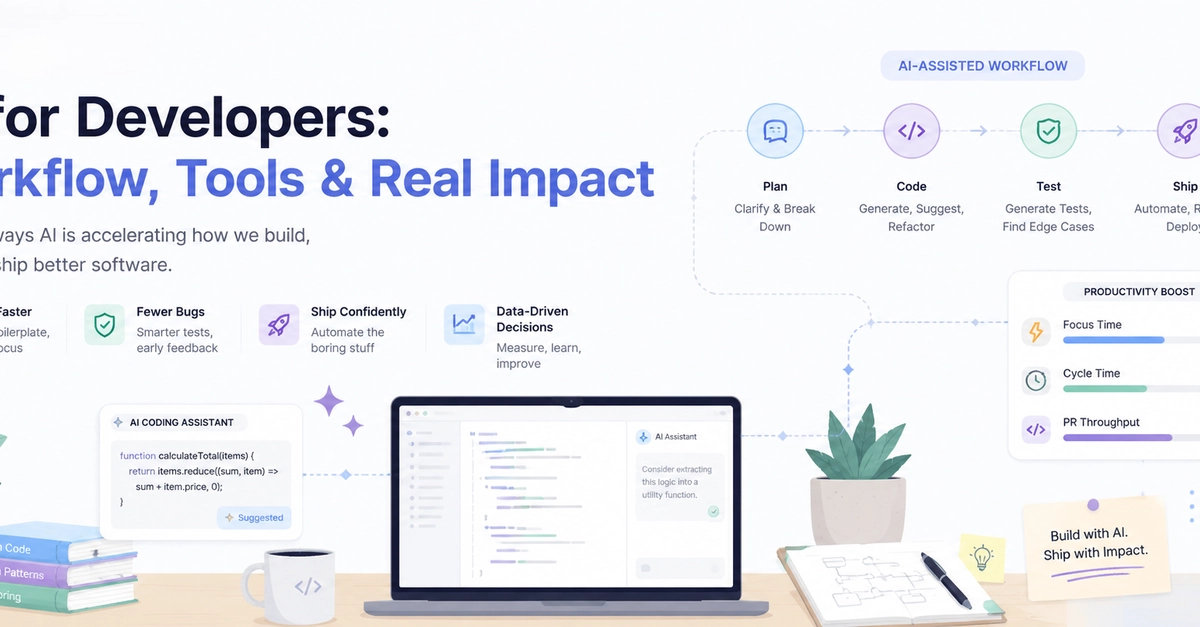
AI did not turn me into a better developer overnight. It did, however, change how I approach repetitive tasks, unfamiliar code, debugging, documentation, and even communication at work. When I first started using AI-assisted development tools, I treated them like advanced search engines. I asked questions, copied snippets, and hoped the generated code would work. That approach was useful, but limited. The real productivity improvement began when I stopped using AI only to generate code and started using it as a development partner—a tool for exploring ideas, reviewing decisions, identifying edge cases, and reducing the mental load of routine work. In this post, I want to share: How AI improved my daily development workflow What AI Helped Me Achieve at Work Where AI Made Development More Difficult What I Got Wrong in the Beginning Advice for Developers Learning with AI Before AI-Assisted Development A normal development task often involved several context switches: Understand the requirement Explore the existing codebase Search documentation Find similar implementations Write the initial solution Debug unexpected behavior Add tests Write documentation Explain the changes during code review None of these activities are unnecessary. They are part of software development. The problem is that some of them consume a lot of time without always requiring deep creative thinking. For example: Writing repetitive validation code Creating test data Converting one data format into another Understanding a complex regular expression Summarizing an unfamiliar module Writing the first version of documentation Investigating common error messages AI helped me reduce the time spent on these tasks so I could focus more on architecture, business logic, user experience, security, and maintainability. 1. I Became Faster at Understanding Existing Code In an office environment, we do not always work on code that we wrote ourselves. Sometimes we open a large function with unclear naming, multiple conditions, side effects, and dependencies across several files. Previously, I would manually trace every execution path before feeling confident enough to make a change. Now, I use AI to support that process. I may ask it to: Explain a function in plain language Identify inputs, outputs, and side effects Describe the execution flow Point out risky conditions Suggest better variable names List questions I should ask before modifying the code This does not mean I accept the explanation without verification. I still read the code. The difference is that AI gives me an initial mental model. Instead of starting from zero, I begin with a structured overview that I can validate against the actual implementation. That has been especially useful when working with legacy code or unfamiliar frameworks. 2. Debugging Became More Structured AI did not eliminate bugs from my work. It helped me investigate them more systematically. Before using AI, debugging could become an unstructured loop: Change something, run the code, read the error, search online, try another change, and repeat. Now I provide AI with useful context: The expected behavior The actual behavior The relevant code The error message The environment What I have already tried Then I ask for possible causes, not just a final answer. A useful prompt looks like this: This function should return grouped user activity, but records from the final day are missing. Here is the code, sample input, expected output, and actual output. List the three most likely causes. Explain how I can verify each one before suggesting a fix. Enter fullscreen mode Exit fullscreen mode This approach is far more valuable than saying: Fix my code. Enter fullscreen mode Exit fullscreen mode The first prompt supports debugging. The second prompt encourages blind dependency. AI often helps me notice things such as: Time-zone conversion mistakes Off-by-one errors Incorrect default values Missing null checks Asynchronous operations that were not awaited Data mutations Incorrect assumptions about API responses Conditions that fail only with empty input Even when AI does not find the exact bug, it can help me create a better investigation plan. 3. I Spend Less Time Writing Boilerplate A significant part of development is repetitive. Examples include: Data-transfer objects Form validation API response models Database mappings Unit-test setup Mock data Configuration templates Basic CRUD operations Documentation comments These tasks still need review, but they do not always need to be written manually from the first character. AI helps me generate a first draft quickly. My responsibility is to make sure that the result follows: The project’s architecture Team conventions Security requirements Performance expectations Naming standards Error-handling strategy Testing practices The biggest productivity gain is not that AI completes the entire task. It removes the friction of the blank page. Editing a reasonable first draft is often faster than creating everything from scratch. 4. My Test Coverage Improved One unexpected benefit of AI-assisted development was better testing. After implementing a feature, I ask questions such as: What edge cases am I missing? Enter fullscreen mode Exit fullscreen mode Create a test matrix for this function. Enter fullscreen mode Exit fullscreen mode Which inputs could break this implementation? Enter fullscreen mode Exit fullscreen mode Suggest negative, boundary, and failure-path tests. Enter fullscreen mode Exit fullscreen mode AI frequently suggests scenarios that are easy to overlook: Empty arrays Duplicate records Extremely large values Invalid dates Missing permissions Expired tokens Network timeouts Partial API responses Concurrent requests Unexpected character encoding I still decide which tests are meaningful. But AI acts like an additional reviewer who is always available to ask, “What happens when the input is unusual?” That improves both confidence and code quality. 5. I Became Better at Documentation and Communication Developers do more than write code. We also write: Pull-request descriptions Technical documentation Release notes Incident summaries Architecture proposals Status updates Explanations for non-technical stakeholders AI helps me turn rough technical notes into clearer communication. For example, I can provide a list of changes and ask AI to organize them into: What changed Why it changed How it was tested Potential risks Rollback considerations This made my pull requests easier to review. It also helped me communicate more effectively with project managers, testers, designers, and other developers. Clear communication may not look like a coding skill, but in an office environment, it has a direct effect on delivery speed. What AI Helped Me Achieve at Work Faster Delivery I can complete certain tasks faster because I spend less time on repetitive implementation, documentation searches, and initial debugging. This does not mean every task is completed instantly. Complex requirements are still complex. AI mainly helps reduce avoidable delays. More Confidence in Unfamiliar Areas When I work with a new library, framework, or part of the codebase, AI helps me ask better questions. It can explain terminology, compare approaches, and provide small examples. That makes unfamiliar work feel less intimidating. However, I always confirm important details using official documentation and the actual source code. Better Code-Review Preparation Before opening a pull request, I sometimes ask AI to review the change from different perspectives: Maintainability Performance Security Readability Error handling Test coverage It does not replace human reviewers. Instead, it helps me catch obvious issues before another developer spends time reviewing them. This makes the review process more productive. More Time for High-Value Work By reducing time spent on routine tasks, I can invest more attention in questions such as: Is this the correct architecture? Does this solution solve the real business problem? Can we simplify the user experience? What happens under heavy load? How will another developer maintain this? Are we introducing security or privacy risks? This is where I believe AI provides the greatest value. It should create more time for thinking—not remove thinking from the process. Where AI Made Development More Difficult AI-assisted development is powerful, but it is not automatically reliable. 1. Confident but Incorrect Answers AI can provide an answer that looks professional and still be wrong. It may: Invent a library method Use an outdated API Misunderstand the requirement Ignore an important edge case Produce insecure code Generate code that works only for the provided example Assume a different framework version This was one of the first lessons I learned: A confident answer is not the same as a correct answer. I verify generated code through documentation, testing, static analysis, code review, and my own understanding. 2. Over-Reliance AI makes it easy to get an answer quickly. That convenience can become a problem. When developers copy code without understanding it, they may complete the current task but weaken their long-term skills. This becomes dangerous during: Production incidents Technical interviews Complex debugging Architecture decisions Security reviews Situations where AI tools are unavailable I try to follow a simple rule: I should be able to explain every important line of code that I submit. When I cannot explain it, I am not ready to use it. 3. Loss of Context AI does not automatically understand the entire project. It may not know: Internal business rules Previous architectural decisions Team conventions Production constraints Compliance requirements Hidden dependencies Why an unusual implementation exists A generated solution can be technically valid but completely inappropriate for the project. The quality of the output depends heavily on the quality of the context. 4. Security and Privacy Risks This is especially important in professional environments. Developers should not paste sensitive information into AI tools without understanding company policies. Sensitive information may include: API keys Access tokens Passwords Customer information Private source code Internal URLs Production logs Financial data Security vulnerabilities Before using an AI tool at work, I consider: Is this tool approved by the organization? What data am I sharing? Is the data retained? Can I remove or anonymize sensitive information? Does the company have an AI usage policy? Productivity should never come at the cost of security or customer trust. 5. Reviewing AI Output Still Takes Time Generated code is not free code. It creates review work. Sometimes AI produces a solution that is more complicated than necessary. At other times, rewriting the generated code takes longer than implementing a simple solution manually. I learned not to use AI for every task. For a small function that I already understand, writing it directly may be faster. The goal is not maximum AI usage. The goal is better development. My Current AI-Assisted Workflow This is the workflow that works best for me. Step 1: Understand the Requirement Myself Before asking AI for code, I define: The problem Expected input Expected output Constraints Edge cases Success criteria If the requirement is unclear to me, generated code will probably also be unclear. Step 2: Ask for Options, Not Just an Answer Instead of immediately requesting implementation, I ask: Suggest three approaches to solve this problem. Compare their complexity, maintainability, performance, and risks. Enter fullscreen mode Exit fullscreen mode This helps me think before committing to one design. Step 3: Generate a Small First Draft I avoid asking AI to generate an entire application in one response. I prefer smaller units: One function One component One test suite One migration One API contract Smaller outputs are easier to understand, verify, and review. Step 4: Review It Like External Code I treat AI-generated code as if it came from an unknown contributor. I ask: Do I understand it? Is it secure? Does it match the project style? Is there unnecessary complexity? Are errors handled properly? What assumptions does it make? Is there adequate test coverage? Step 5: Test Beyond the Happy Path I test: Normal input Empty input Invalid input Boundary values Dependency failures Permission failures Network failures Unexpected responses Generated code often performs well in the happy path and fails in less obvious scenarios. Step 6: Refactor and Document The first working version is not always the final version. I simplify naming, remove duplication, improve readability, and document important decisions. AI can help with this stage, but I make the final judgment. Advice for Developers Learning with AI Learn the Fundamentals First AI can explain concepts, but it should not replace foundational knowledge. Focus on understanding: Control flow Data structures Object-oriented or functional concepts HTTP and APIs Databases Version control Testing Debugging Basic security Time and space complexity Without fundamentals, it is difficult to identify when AI is wrong. Use AI as a Tutor Instead of asking only for final code, ask AI to teach you. Try prompts such as: Explain this code line by line. Enter fullscreen mode Exit fullscreen mode Give me a hint without giving me the complete answer. Enter fullscreen mode Exit fullscreen mode Ask me questions that will help me solve this problem. Enter fullscreen mode Exit fullscreen mode Review my solution and explain where my reasoning can improve. Enter fullscreen mode Exit fullscreen mode Create a small exercise that tests whether I understand this concept. Enter fullscreen mode Exit fullscreen mode This approach helps you build skills rather than collect answers. Write Your Own Solution First For learning exercises, try solving the problem before generating a complete solution. Afterward, compare your approach with the AI-generated approach. Ask: Which solution is easier to read? Which handles more edge cases? Which is more efficient? Which assumptions are different? What did I miss? What did the AI overcomplicate? Comparison is a powerful learning method. Verify Everything Important Use official documentation as the source of truth. Run the code. Write tests. Read error messages. Use a debugger. Ask experienced developers for feedback. AI should support these habits, not replace them. Do Not Be Embarrassed to Use AI Using AI does not automatically make someone a weak developer. Blindly accepting generated output is the problem. Professional developers have always used tools: Documentation Search engines IDEs Linters Debuggers Static analyzers Code generators Frameworks Open-source libraries AI is another tool. The important question is not: “Did you use AI?” The better questions are: “Do you understand the solution?” “Can you verify it?” “Can you maintain it?” “Does it solve the correct problem?” Final Thoughts AI-assisted development has improved my productivity, but not because it writes all my code. It helps me: Start faster Explore unfamiliar code Debug more systematically Generate routine code Find missing test cases Improve documentation Communicate technical work clearly Spend more time on high-value decisions At the same time, it introduced new responsibilities. I must review more carefully, protect sensitive information, verify technical claims, and avoid becoming dependent on generated answers. My biggest lesson is this: AI is most useful when it improves your thinking process, not when it replaces it. The developers who benefit most from AI will not necessarily be those who generate the most code. They will be the developers who can ask precise questions, evaluate the answers, understand the trade-offs, and take responsibility for the final result. How has AI changed your development workflow? Has it made you more productive, or has reviewing its output created new challenges? Share your experience in the comments. I would love to learn how other developers are using AI in real projects.
How AI-Assisted Development Improved My Productivity—Without Replacing My Thinking
Full Article
Original Source
Read the full article at Dev →KhanList aggregates and links to publicly available news content. We do not host full articles from third-party sources. Always verify important information with original sources.