
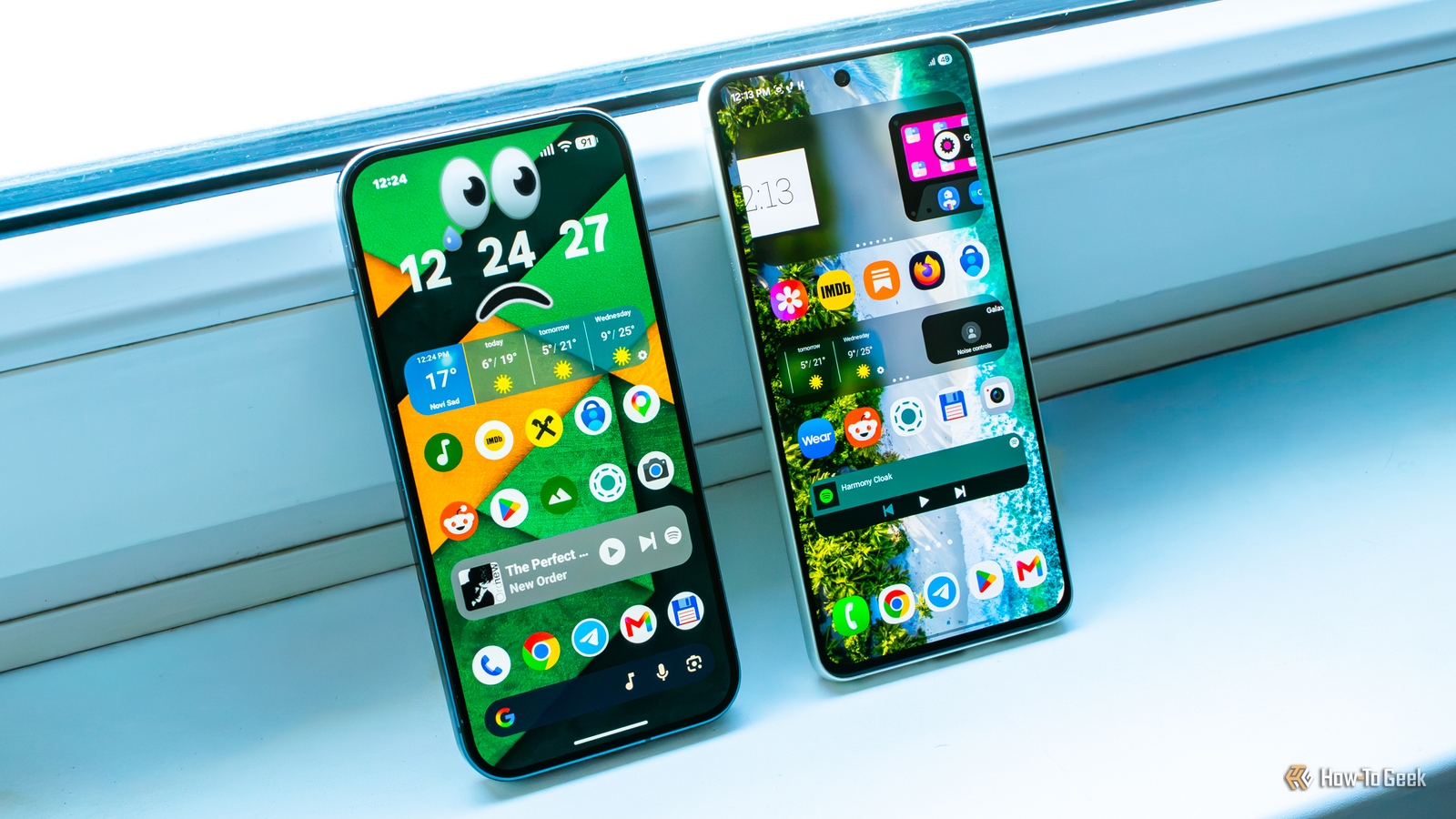
Published Oct 19, 2026, 7:00 PM EDT Ever since he got his first smartphone, the legendary Nokia 6600, back in 2005, Goran became obsessed with technology. This obsession had only gotten worse after he received his first gaming PC a couple of months later. He fell in love with video games in the early '90s, shortly after embarking on his gaming journey with the Sega Master System II and SNES. Since then, he has built dozens of PCs, played thousands of games, and authored hundreds of articles about PC hardware, gaming hardware, and video games. He knows everything there is to know about the PC gaming and PC hardware space, and while his console gaming knowledge isn't as comprehensive, he considers himself a console veteran. Goran has almost a decade of experience writing about tech and video games for numerous web publications including TechSpot, TechPowerUp, and EsportsHeadlines. He has been writing for How-To Geek since December 2022. When he isn't gaming or deciding which component of his PC to upgrade next, you can find him strolling around Novi Sad while listening to music and contemplating what to play next. After using a Samsung Galaxy S21 FE for a good while (more than three and a half years, if I remember correctly), I switched to a Pixel 10 Pro in March 2026. So far, I’m mostly enjoying the ride, but the Pixel experience feels limiting in ways that really rub me the wrong way, and it lacks some features I took for granted on my Galaxy and now miss dearly. The worst thing is that Google could’ve easily brought most of the features I mention below years ago, or at least upgraded its own offerings to match One UI’s. Instead, we’ve gotten a deluge of AI features, most of which aren’t that useful, and some even downgrade what they replaced. If you ask me, I’d gladly let go of most of the AI stuff for the following One UI features that Pixel phones either don’t have or can’t match. Good Lock The best app Samsung has ever released I installed Good Lock a few months after getting the S21 FE, and it and its countless modules were among my most used apps for as long as that was my main phone. I’d explore Good Lock a few times a month and would almost always find a cool new customization option I didn’t know about before. While the sheer number of modules and the options inside each one can be daunting, taking the time to learn the ropes is so rewarding because the app opens up a whole new world of customization for your Galaxy phone. I downloaded it because I wanted more volume steps, since the default 15 just didn’t cut it. A few days later, I was tweaking stuff I didn’t know was possible without a custom launcher or rooting my phone. Pixels, unfortunately, don’t have anything that comes close to Good Lock. There’s a third-party app called Essentials that’s basically Good Lock lite, but even though it has gotten numerous updates since I wrote about it, it still can’t match Good Lock’s breadth of options. If I could transfer just one feature from my old Galaxy to my Pixel, I’d choose Good Lock in a heartbeat. It’s high time Google brought this feature to Pixels Unlike with Good Lock, I didn’t start using widget stacks until about a year after the feature arrived in late 2022. But once I found it, it quickly became one of my favorite One UI features. Instead of wasting home screen real estate on a bunch of separate widgets, I could stack them on top of each other, with all of them accessible right from my main home screen page. For example, I had the clock, smart home, Modes and Routines toggles, Sofascore, and pedometer widgets in one stack at the top, with the weather, battery, and Galaxy Buds widgets in another stack below it. That way, I had a lot of control over my phone, with everything grouped on a single home screen page, and I needed fewer home screen pages. That let me navigate my home screen faster and keep more app shortcuts on it, since I don't like opening the app drawer often or creating folders. It was brilliant. It’s been a different story on the Pixel. I can’t create widget stacks, so I have to spread all those widgets across multiple home screen pages. And since I can’t change the default home screen page, getting to them is painfully slow compared to how it was on my Galaxy. The fact of the matter is that Google has had years to bring widget stacking to Pixels. Apart from saying it was “looking into” the feature back in 2025, all we’ve heard are crickets. Modes and Routines Pixel Modes and Rules have nothing on One UI's Modes and Routines I’ll be honest, I’m not an automation buff, but I liked the way Modes and Routines on my Samsung phone allowed me to create intricate if-this-then-that rules that would require root if I wanted to do the same with a third-party app. I was all over the feature during the first months of owning the S21 FE, when it was still known as Bixby Routines. I created an automation that would switch the phone to the 2G network (still alive and kicking where I live) and disable mobile data whenever I entered my home and connected to Wi-Fi. Another would launch Spotify, disable Wi-Fi, and switch to mobile data as soon as my Galaxy Buds Pro connected to my phone. Once we got custom modes, I set up custom Sleep and Work modes that let only a few contacts call or message me, and only a few apps show notifications. Pixel phones have Modes as well as Rules, but both are woefully limited compared to One UI’s implementation. You can create only a few if-this-then-that rules, and you have to enable location access even for Wi-Fi-based Rules. Regarding modes, Bedtime mode, for example, only allows me to enable the Grayscale screen filter. I can’t even activate Comfort View or Night Light, which I’d much prefer at night since Grayscale is harsher on my eyes than the other two filters. It’s clear that this area is no more than an afterthought to Google, and I’ve been getting so frustrated with the limited Bedtime mode recently that it’s just a matter of days before I install MacroDroid and create a Bedtime mode I actually like. Home screen customization The launcher is (still) the worst part of the Pixel experience The Pixel Launcher remains my biggest gripe with the phone, and my opinion hasn’t changed an iota since I wrote about it in June of this year. Google has added some new features since then, like the ability to remove app icon labels, but the launcher is still laughably inferior to One UI Home (the name of the system launcher on Galaxy phones). As I’ve already said, widget stacking is still nowhere to be seen; I still can’t go beyond the 5x6 home screen grid, can’t change my default home screen page, and have to swipe down twice to reach the brightness slider. The app drawer is still as barebones as ever, and I’m now pretty sure the launcher will never add support for third-party icon packs, with those low-effort AI-generated icons being the closest we’ll get. On the other hand, One UI Home showers you with customization options. Even without installing Good Lock, you can adjust so much more than on Pixels, and once you’ve got Good Lock, the sky’s the limit. You could tweak the launcher to the end of days, and you’d still find new options because, when it comes to customizability, Samsung’s the king, while Google is far, far behind it and most other first-party launchers. Google should be closing the gap with One UI, not piling on AI features Google has decided to focus on AI features instead of introducing and improving things that, you know, people actually use and like. One result is the removal of Google Assistant, which has been replaced with a much less capable Gemini, at least when it comes to basic tasks most of us often perform on our phones. We’ve also been getting a steady stream of other AI features. Sure, some are cool and handy, such as the Pixel 11's Rambler, Pro Zoom, or Pixel Screenshots, but many others (Magic Cue, AI-generated icon packs, Pixel Journal, and a ton of AI features baked into Google apps) aren’t useful to many people and mostly just increase clutter. Meanwhile, Google’s efforts to bring new, useful, non-AI features to Pixels are so poor it’s almost sad. No stacked widgets, no launcher customizations other phones have had for years, no word on improving the poor state of Modes and Rules, stagnation of Android’s desktop mode since it was introduced in March 2026, no Separate app sound equivalent, and the lack of Miracast are just the tip of the iceberg. I still like my Pixel, but if Google keeps up its AI-first, everything-else-last trajectory, I’m pretty sure my next phone won’t be a Pixel.
Google keeps adding AI to Pixels, but I’d trade it all for these 4 Samsung features
Full Article
Original Source
Read the full article at Howtogeek →KhanList aggregates and links to publicly available news content. We do not host full articles from third-party sources. Always verify important information with original sources.