
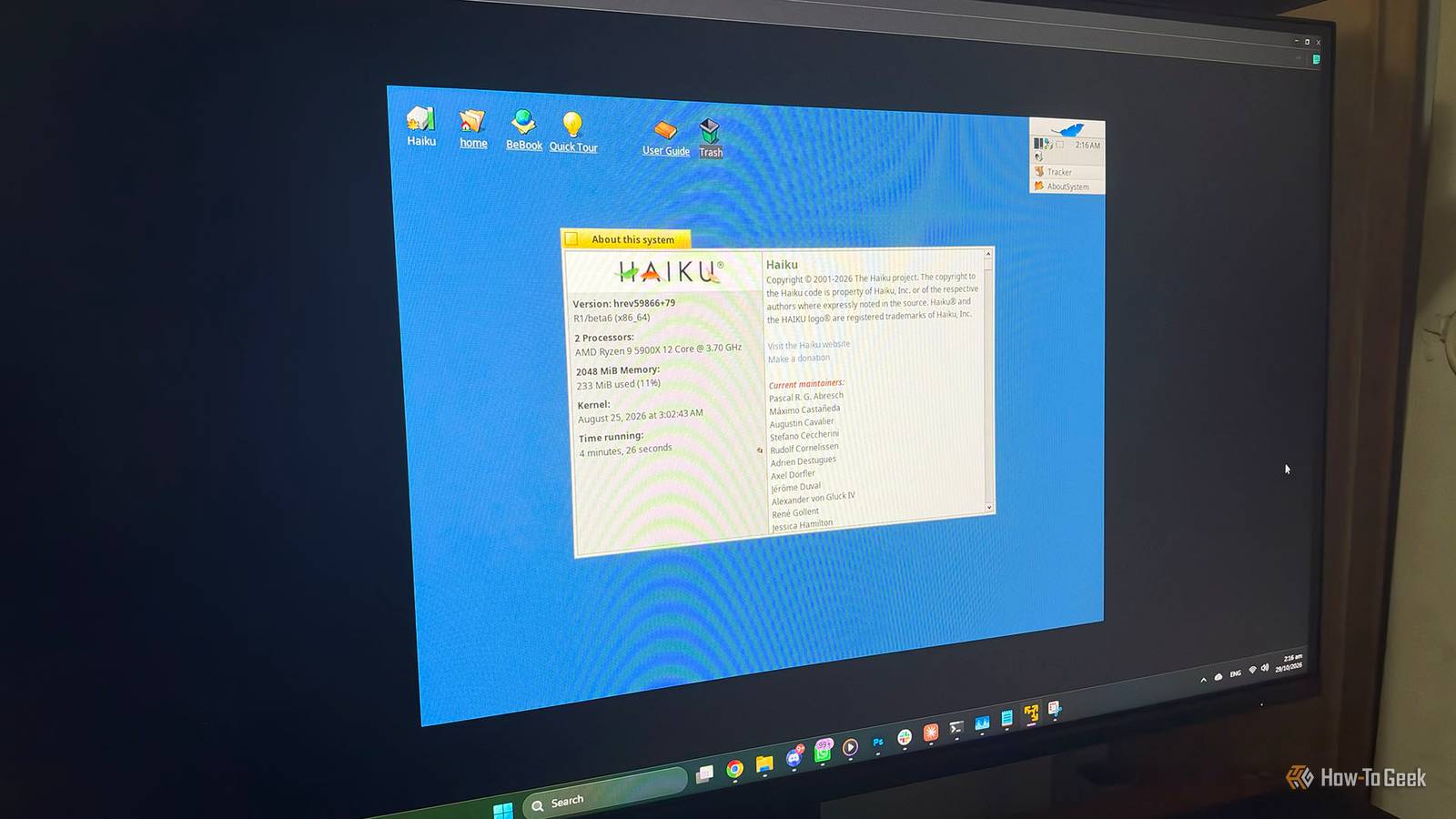
Published Nov 1, 2026, 8:00 PM EST Arol is a tech journalist who currently works as a contributor at How-To Geek since 2022. He first began writing online for the short-lived portal of Spanish-language gaming forum Emudesc in 2013. Years later, in 2017, he got his true start in tech journalism working for a small Google-focused site called Pixel Spot. He transitioned to a news and feature writer role at XDA Developers that same year, where he worked until 2021 before making the jump to other websites. Arol brings nearly a decade of writing experience, and the occasional hot take, to his writings. While he's a technology lover at heart, he holds computer hardware and smartphones particularly close to heart. You'll normally find him covering news, although he has also written the occasional deal, buyer's guide, how-to post, and round-up. He's also written for Android Police and MakeUseOf. He's also a Political Science student at the Central University of Venezuela, and a proud member of student movement Àgora UCV. When he's not writing, you'll probably find him hitting the gym, trying to ace a new hobby, reading his textbooks, or traveling. You can reach him at me@arolwright.com. Most old PCs end up running a lightweight Linux distribution, but that path keeps narrowing as distros abandon older hardware. Haiku, the open-source successor to BeOS, takes a different approach, and its new R1/beta6 release makes a surprisingly strong case for reviving ancient machines. What’s Haiku OS, exactly? A BeOS successor built as one cohesive system Haiku is an independent, open-source desktop operating system inspired by BeOS, the platform Be Inc. developed in the 1990s as a modern alternative to the Mac and Windows. BeOS earned a loyal following for its speed and its smooth handling of media, but the company never found a lasting market. Its assets went to Palm in 2001, and the operating system was effectively abandoned. That same year, a group of enthusiasts started a project, originally called OpenBeOS, to recreate it from scratch as open-source software. The important thing to understand is that Haiku is not Linux, and it isn’t a Unix derivative either. It has its own kernel, its own driver framework, its own graphical interface, and its own set of bundled applications, all developed by a single project with a shared vision. Linux distributions assemble a desktop from many independent parts, such as the kernel, a display server, a desktop environment, and an init system. Haiku is designed as one piece, which is a big part of why it feels so consistent and responsive. It still offers a good degree of POSIX compatibility, which makes porting software from Linux and other Unix-like systems easier. Haiku also carries over several ideas that made BeOS distinctive. Its file system, BFS, supports extended attributes and fast queries, so files can be indexed and searched almost like a database. Its package manager is unusual too: compressed packages are mounted over the running system rather than unpacked, which keeps installs clean and easy to roll back. The project has been in beta for years, but development is active. Haiku R1/beta6 arrived about two years after beta5, which shipped in September 2024, and landed one week ahead of the project’s 25th anniversary. It is available for 32-bit and 64-bit x86 machines, while the ARM64 port is still in development. Why is Haiku OS a good choice? Tiny footprint, real apps, and continued 32-bit support The strongest argument for Haiku on old hardware is how little it asks for. Its requirements start at a Pentium II with 256 MB of RAM, and it installs and boots quickly on that kind of machine. The latest beta pushed this further: optimizations to the malloc implementation and virtual memory now allow a graphical system to boot with only 128 MB of RAM. The kernel’s new malloc, derived from OpenBSD code, improves performance and frees up memory for the rest of the system. Lightweight Linux distributions can get close to those numbers, but they usually do it by stripping things away, swapping in minimal window managers and trimming services until the desktop feels bare. Haiku doesn’t need that kind of surgery. Because the kernel, the interface, and the core applications are built together, there are fewer layers competing for resources, and the full desktop experience is what runs on low-end hardware. Hardware support for older machines is another factor that’s tilting in Haiku’s favor. Major Linux distributions have been steadily dropping 32-bit x86. Ubuntu stopped shipping 32-bit installation media years ago, and Debian 13 no longer offers i386 as a regular installable architecture. Haiku, by contrast, still ships an official 32-bit image alongside the 64-bit one, partly because the 32-bit build preserves binary compatibility with original BeOS applications. For a Pentium 4 or a first-generation netbook without 64-bit support, that matters a lot. The software situation is also better than many people expect. Beta6 can run Firefox and its derivatives, adds QEMU hardware virtualization through NetBSD’s Virtual Machine Monitor, and improves POSIX and hardware compatibility. HaikuDepot, the built-in app store, offers a large catalog of ports, including productivity software like LibreOffice, development tools, and media players. This release also resolves more than 530 bugs and improvement requests, making it the most polished version of Haiku to date. Should you install it on your old PC? Great for revival projects, not a daily driver yet If you have an old PC sitting in a closet, Haiku is well worth a try, as long as you go in with realistic expectations. It’s still officially beta software, and the project doesn’t promise protection against data loss. Early adopters of beta6 have also reported some regressions on specific hardware. That makes Haiku a great fit for a spare machine, a retro computing project, or a distraction-free writing box, but a risky choice for a computer that holds important files or that you depend on every day. Hardware compatibility is the other big caveat. Haiku has no hardware-accelerated 3D graphics, so everything is rendered in software. That’s fine for desktop use but rules out modern games and anything that leans on the GPU. Wi-Fi support relies on drivers ported from FreeBSD and works well on some chipsets but not others, so wired Ethernet or a known-compatible USB adapter is the safer bet. Power management and Bluetooth are less mature than on Linux, too, which matters more on laptops. It’s also worth noting that the bare minimum requirements describe a system that boots, not one that handles today’s web comfortably. Running a modern browser like Firefox on 256 MB of RAM isn’t realistic, so a machine with 1 or 2 GB will give you a far better experience. As for which version to pick, the 64-bit build is the right choice for any CPU that supports it. The only reasons to use the 32-bit version are a CPU without 64-bit support or the need to run legacy BeOS applications. The easiest way to find out whether Haiku suits your machine is to write the image to a USB drive and boot it in live mode before installing anything. If your graphics, storage, and networking work there, the installed system will likely behave the same. And if you need specific software that only exists for Linux, or you want security updates on a long-term schedule, a lightweight Linux distribution remains the more practical option. Haiku gives old PCs a lighter, more cohesive second life Haiku isn’t a universal Linux replacement, but on genuinely old hardware it often feels faster and more complete. With minimal requirements, continued 32-bit support, and Firefox now running, R1/beta6 makes it the most compelling way to bring a forgotten machine back to life.
Forget lightweight Linux, this forgotten OS is reviving ancient PCs
Full Article
Original Source
Read the full article at Howtogeek →KhanList aggregates and links to publicly available news content. We do not host full articles from third-party sources. Always verify important information with original sources.