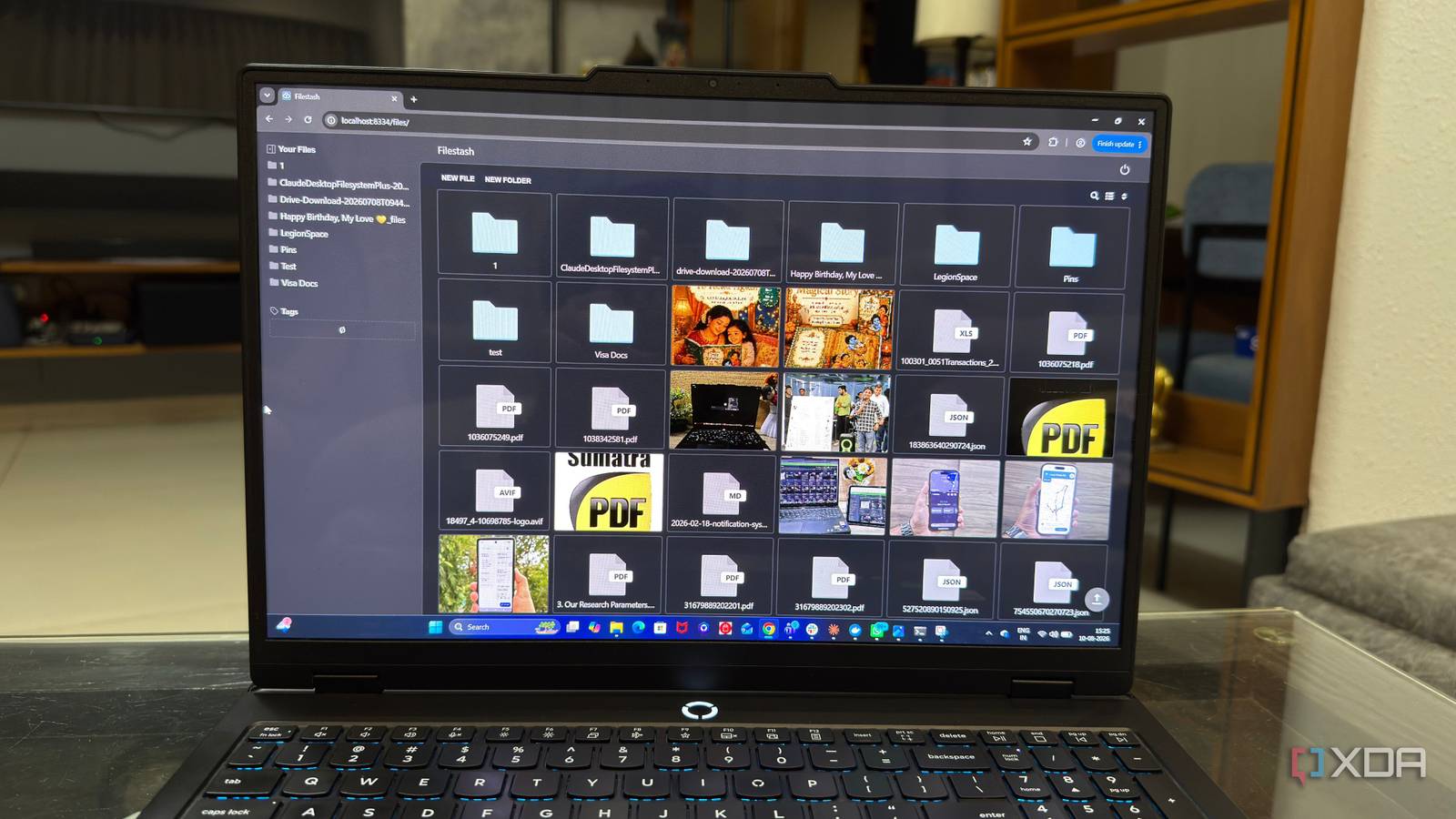
Published Aug 16, 2026, 6:00 AM EDT Beginning his professional journey in the tech industry in 2018, Yash spent over three years as a Software Engineer. After that, he shifted his focus to empowering readers through informative and engaging content on his tech blog – DiGiTAL BiRYANi. He has also published tech articles for MakeTechEasier. He loves to explore new tech gadgets and platforms. When he is not writing, you’ll find him exploring food. He is known as Digital Chef Yash among his readers because of his love for Technology and Food. People who know me know how much I enjoy self-hosting things. I like trying open-source tools, running them on my own server, and slowly building a setup that works the way I want. But one part of self-hosting I don't enjoy as much is replacing a tool that's been working perfectly fine. That is exactly what happened with File Browser. It had been running on my server for years, and I had no real reason to replace it. But with the project set to be archived in September 2026, I started looking for an alternative before I actually needed one. I tried a few options and eventually settled on Filestash. It looked simple enough for my everyday needs, so I deployed it and saw how it fit into my setup. I replaced File Browser with Filestash A lightweight file manager for my server Filestash is a web-based file manager that lets me access and manage files on my server from a browser. It can connect to different types of storage, which means I can use it with more than just a local folder on my server. I deployed Filestash using Docker, just like many other self-hosted apps I run. The setup was simple, and I didn't have to change where I stored my files. I just connected Filestash to the folders I wanted to access and could start using it. What I like about Filestash is that it keeps things focused. I don't need a full cloud platform just to browse my files. I don't need extra features for calendars, contacts, or document collaboration either. I mainly want to open a browser, find a file, upload something, download something, or move files around. That is pretty much what Filestash gives me. It handles basic file management tasks without making setup more complicated than it needs to be. A clean UI makes a big difference A simple interface makes file management easier The UI is one of the first things I noticed after setting up Filestash. It looks clean and doesn't feel crowded. Most of what I need is easy to find, so I don't have to figure out where an option is. I also like how simple it is to move through my folders. The folder structure is easy to follow, and the file actions are right where I expect them to be. I can open a folder, select a file, and quickly choose what I want to do. The file preview is useful too. If I want to check an image or another supported file, I can preview it without downloading it first. This is handy when I'm looking for a specific file and don't want to download several files just to find the right one. Everything also feels quick when I'm using it. Folders open fast, files appear quickly, and common actions don't feel delayed. I use my file manager for small tasks throughout the day, so these details make a real difference. Overall, Filestash keeps the UI simple, clean, and easy to use. Features that make it suitable for my workflow It goes beyond basic file management Filestash also offers much more than basic file management. It includes useful options for things like file sharing, search, bookmarks, user accounts, and access control. I don't use all of them every day, but they are good to have when I need them. One feature that caught my attention is the built-in workflow automation engine. It lets me create simple workflows for tasks involving my files instead of doing everything manually. This could be useful for things like moving files, processing them, or triggering an action when something happens. I also like the plugin system. If I need something that isn't part of the main setup, I can add it through a plugin instead of complicating the whole setup. These features give Filestash more room to grow with my setup. I can keep using it as a simple file manager today and take advantage of the extra features later. Along with file previews and support for different storage types, Filestash packs a lot into the app. I don't need all of it, but I like having the options available. Filestash isn't perfect A few things could still be better Filestash has worked well for me, but I did run into one small issue. At one point, some of the thumbnails stopped showing up when I was browsing my files. I couldn't figure out exactly what caused it, but the problem eventually fixed itself after the server restarted a few times. Filestash depends on the storage you connect to it. If the underlying server or connection is slow or unstable, Filestash can't completely fix that. Some advanced features also need extra setup, especially if you want to add document-editing tools. None of these issues have been serious enough to make me switch back. For what I use Filestash for, the benefits still outweigh these small problems. A simple tool that just works for me After using Filestash for a while, I can see why it fits my setup so well. It keeps everyday file management simple, while still giving me extra features when I need them. I don't have to use everything it offers. I can stick to the basics and explore the advanced features later if my needs change. That's the kind of flexibility I like in a self-hosted app. Filestash Filestash is a self-hosted web client for managing files across FTP, SFTP, WebDAV, S3, Git, and cloud drives, featuring a sleek and extensible interface.
File Browser is being archived, and my self-hosted replacement is faster than it in every way
Full Article
Original Source
Read the full article at Xda-developers →KhanList aggregates and links to publicly available news content. We do not host full articles from third-party sources. Always verify important information with original sources.