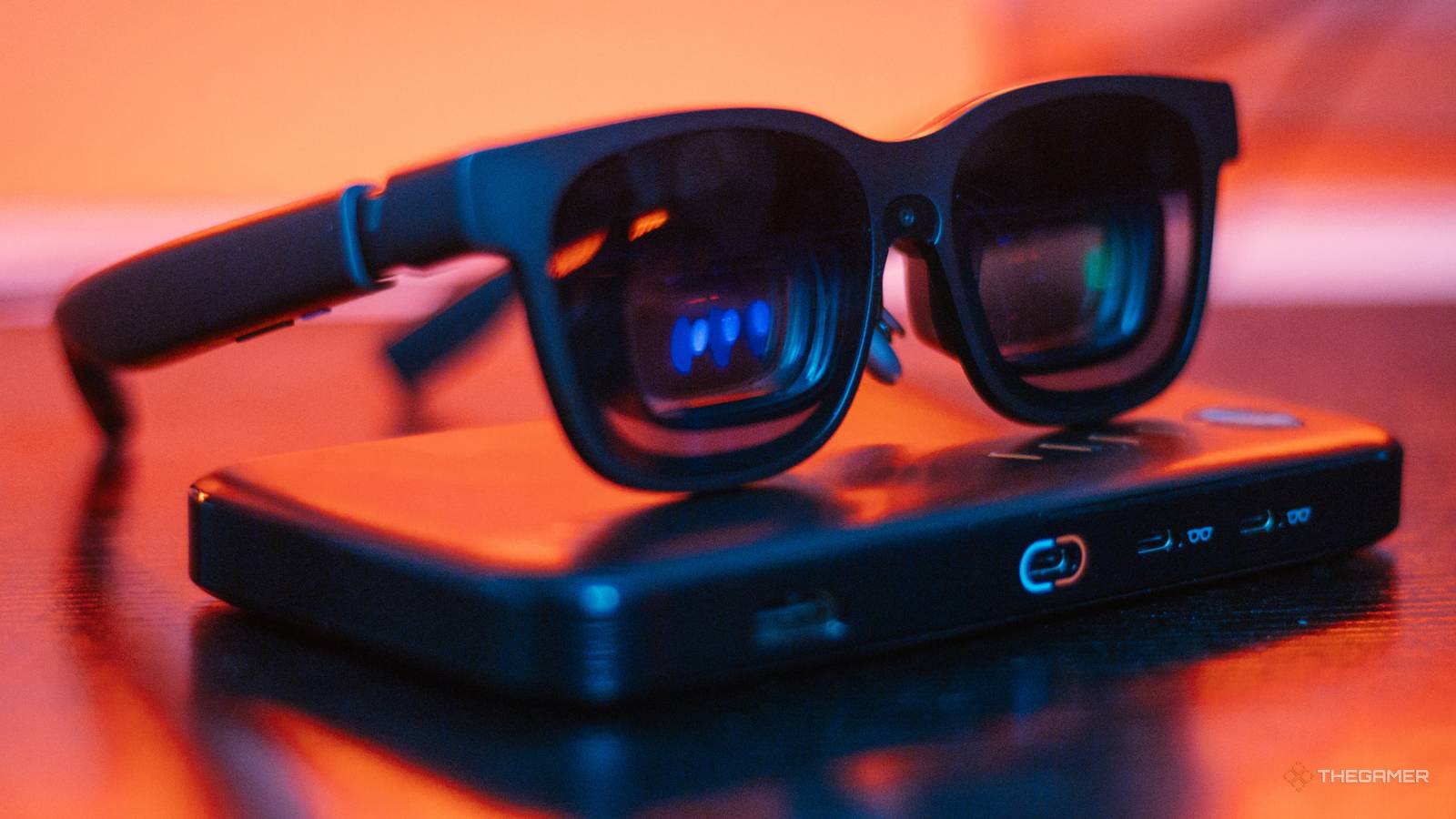
Playing video games in bed always feels like choosing between three equally terrible options. I can either squint at a tiny handheld screen and sacrifice detailed graphics, crane my neck at an awkward 90-degree angle to see the TV hanging on the wall, or project a screen onto my textured ceiling and pretend it’s just as good as the 4K UHD TV in my living room. At least, that was until Viture’s Beast XR Glasses came into my life. I’ve only spent two weeks with this device, and it’s already changed nearly every aspect of my daily entertainment habits. The Beast XR Glasses are easy to set up, convenient to carry, and the experience has far exceeded my expectations. A Refreshingly Simple Setup That Doesn’t Waste Any Time After investing in VR headsets and being somewhat disappointed by their lengthy setups and inconvenience each time I wanted to use them, I had mostly written off anything similar, even accessories like this, that promised to enhance my gaming experience beyond just sitting in front of my TV with a controller in hand. Most of us already have limited free time, so it's not ideal to spend a large portion of that time troubleshooting tech rather than actually gaming. So, going into this, my biggest concern was practicality. For a gaming accessory to be worth the price of a console itself, convenience needs to be one of its biggest selling points, and thankfully, Viture makes convenience a priority. Straight out of the box, I was able to plug the glasses into my laptop to update the firmware, and then into my Lenovo Legion Go S, where the massive 174” screen appeared before my eyes with a brief tutorial. Despite having no experience with AR/XR Glasses, the entire initial setup took me less than five minutes, and I was astonished by how easy it was. Using them with the Nintendo Switch 2 is a smidge more complicated since it requires the Pro Mobile Dock to make the glasses compatible, but it is still easy enough that anyone can do it. Once you’ve completed the initial setup, any subsequent usage is as simple as plug-and-play. The Pro Mobile Dock is an additional accessory that can clip onto the Switch and Switch 2 to make them compatible with the glasses, allow local co-op with two pairs of glasses, and charge the console. Unfortunately, it is rather bulky, even heavier than my Switch 2, and has to be charged before you can use it, but the battery life it adds to my Switch 2 makes up for the minor inconveniences. Aspects of the setup process that will vary from person to person are adjustments to the glasses themselves. Every pair comes with several nose pieces so you can find your perfect fit, and those with an eye prescription may need to purchase and attach a separate prescription lens frame since Viture’s Beast model doesn’t come with a built-in diopter. You can also take a moment to set up the SpaceWalker app, but it’s primarily for utilizing 3D features, so that can always come later. When you’re done using the glasses, they go right back into a compact retro-looking pill-shaped case with a convenient spot for the cord until the next time you need them. Not Perfect, But I’m Still Obsessed I will be the first to tell you that before I got my hands on these, I assumed they weren’t worth the $549 asking price. I half-expected them to be an interesting novelty that would be fun for the first few days, before ultimately ending up forgotten in a drawer. Now, I can’t remember how I ever enjoyed gaming without them. With the Viture Beast XR Glasses, I have constant access to a massive private screen with shockingly good picture and sound quality, all of which I can control with just a few buttons. I’m not kidding when I say it has made every other method of gaming feel lackluster by comparison. I did notice some minor issues with blurred edges on the Extra-Large screen setting, but the clarity improves significantly on the Large screen setting, which is still plenty big enough to keep that giant flat-screen TV feel. Also, anchoring the screen nearly solved the problem entirely. Aside from that, I had no issues with glare, colors, or any other visual elements. If worn for several hours at a time, the glasses can become a tad warm to the touch around the lenses, but it was mild enough that I didn't notice it at all while they were still on my face. I’ve used these glasses to play games, watch movies, and even write on my laptop, though I will admit they primarily shine in an entertainment setting. I’m not a major fan of wide-screen monitors, and while I did use the side-by-side dual-screen option while working, it’s a feature I can’t imagine using often enough to justify buying them solely for that purpose. Another feature I can’t see many users getting the most out of is something unique to the Spacewalker app. This app, designed to work with the glasses, has several features but is primarily used to access immersive 3D features across everything from movies to your own personal gallery, with your phone functioning as an interactive pointer in the digital space. Don’t get me wrong, it was pretty fun to play around with, but it feels niche and a tad unnecessary for the everyday user. It’s nice to have a feature and use it sparingly rather than want it and not have it, I suppose, but I don’t personally see myself having much use for it anytime soon. Now, one of the biggest pros is that the glasses themselves don’t need to be charged. They operate via a wired connection to your device, which does mean your device will die faster than normal if it runs on a temporary charge, but I was still able to pair them with my phone for hours at a time without issue. And as for the Switch and Switch 2, that’s part of what the aforementioned Pro Mobile Dock is for. Over the past two weeks, I also had the chance to test out the Viture x 8BitDo Controller alongside the Beast XR Glasses and Pro Mobile Dock. While I’m not generally a fan of third-party controllers, I’ve grown more open-minded as the prices for everything related to gaming continue to rise. My primary concern with third-party controllers is that they often require some tinkering to feel half as good as first-party controllers, but that doesn’t appear to be an issue here. The Viture x 8BitDo Bluetooth controller is nearly half the price of a Nintendo Pro Controller and functions just as seamlessly with my Switch 2 and my phone. It’s not as weighted, which I tend to prefer, but it doesn’t have that hollow feel that budget controllers tend to have either. I was only able to test out the Switch layout model, but I have to assume the Xbox layout variant is of similar quality. Who Are The Viture Beast XR Glasses For? As mentioned, I’ve used these glasses for both entertainment and productivity, but I personally can’t see them being heavily utilized for the latter. Unless you're a photographer or something similar and would benefit from a larger, more detailed screen while editing, it doesn't feel necessary, and there’s something awkward about not being able to see the mouse and keyboard as clearly while using them. Now, for those looking to treat themselves primarily for entertainment purposes, you can’t go wrong here. Wearing these glasses is like having your own private, luxury entertainment setup anywhere you go. And you’re also not entirely cut off from the world while wearing them. If you have the screen anchored, you can turn away, and the glasses will automatically brighten, allowing you to see through the tinted lenses like a pair of sunglasses. If it’s not anchored, you also have the option to minimize the screen with a click of a button. And since the sound comes directly from speakers in the glasses, which are practically silent to those around you, you can still hear anything in your immediate vicinity without breaking immersion. If you are looking for noise-cancelling audio, you won’t be able to plug a headset directly into the glasses since they lack a headphone jack. But depending on the device you’re using, you can pair your headset directly and then adjust your device’s audio output settings to the headset. That said, I can’t imagine wearing a headset with the glasses on would be all that comfortable. Plus, the impressive Harman audio system is one of the best parts of this device. Now, I can’t say I’d use these in most public settings just yet because I’m not comfortable being even mildly unaware of my surroundings in public places, but if you’re a frequent traveler, I can easily see these as a must-have on flights. Viture currently offers several bundle options that include additional accessories at a reduced cost, such as the Pro Mobile Dock, Viture x 8BitDo Bluetooth controller, and the Pro Neckband. While I haven’t personally tested the Pro Neckband and can’t comment on it, the Pro Mobile Dock is a necessity for Switch players, and the 8BitDo controller is a solid third-party Bluetooth controller. The Viture Beast XR glasses are a luxury item, but if the benefits of AR/XR glasses pique your interest at all, I can almost guarantee you’ll find that these glasses will change the way you enjoy media for the better. I haven’t been this interested in a new piece of tech in years, and I’m already confident these glasses will see more use than any of the individual devices I use them with.
Convenience Meets Immersive Gaming With Viture's Beast XR Glasses
Full Article
📰 Original Source
Read full article at Thegamer →KhanList aggregates and links to publicly available news content. We do not host full articles from third-party sources. Always verify important information with original sources.