
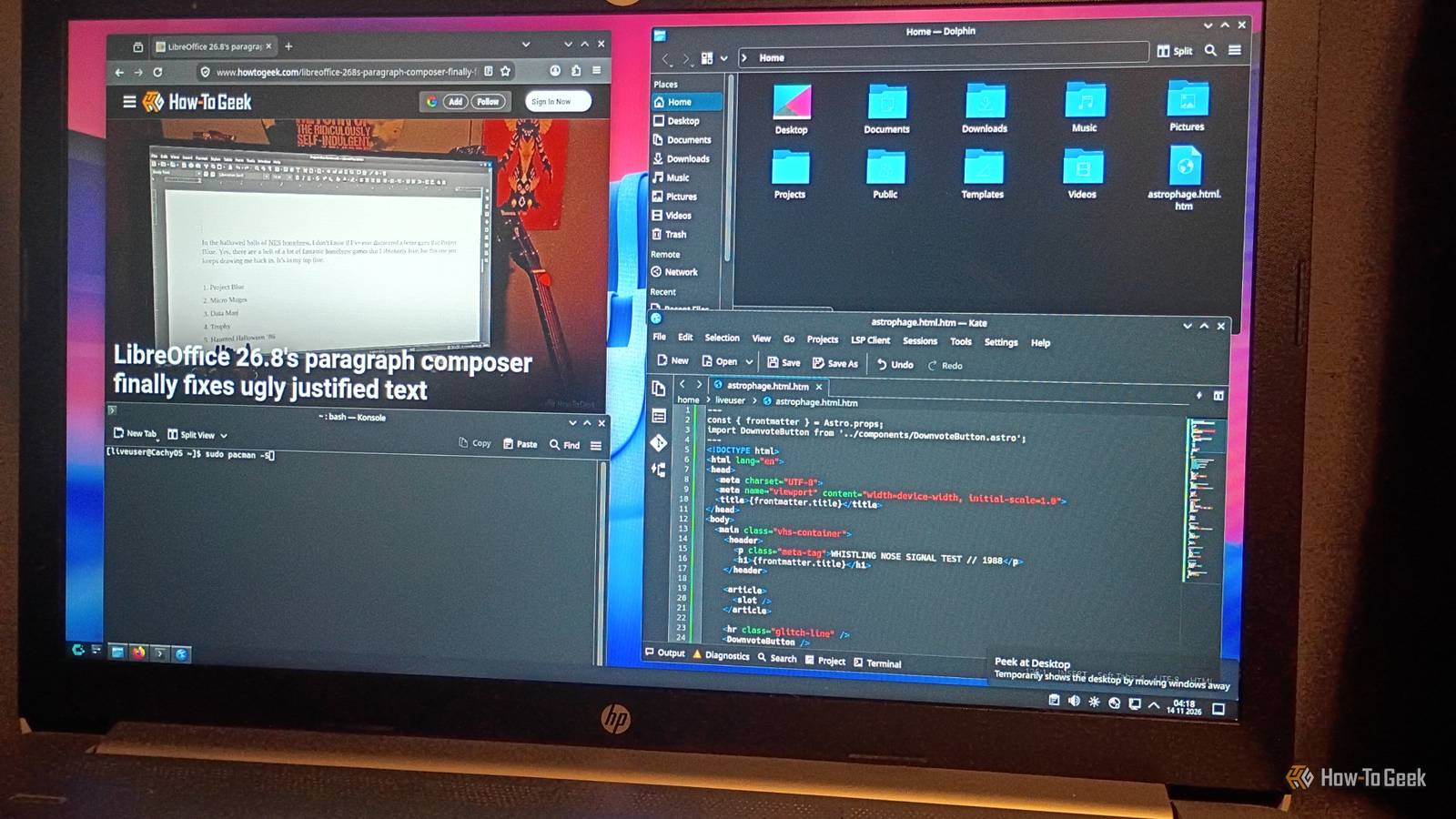
Published Nov 14, 2026, 12:30 PM EST Former radio and TV guy (I Heart Radio and PBS). Now a writer, researcher, and musician who writes about the absurdity of our modern world and other offbeat topics. Specializes in weird music, the old web, retro video games and tech, and researching strange, yet interesting things. His work has appeared in Vice, Tedium, Star Trek.com, Today I Found Out, Typebar, SyFy Wire, and How To Geek. Currently working on a variety of music, web, and writing projects. Visit him on the web at https://djbuckfreelance.neocities.org/. Ever since I've been using Linux as a daily driver, I haven't really considered dropping Mint for something else. Don't get me wrong. I have a machine running Debian, a machine running Arch, and I still use Red Hat and Ubuntu at the office. So I'm very much in the Linux world. But I recently discovered an OS that gives Mint a run for its money (at least for my work): CachyOS. An instantly usable interface With apps that just work I love it when a new OS just starts working properly right out of the box. CachyOS is like that. It's based on Arch Linux, which itself is a killer operating system. According to the official website, CachyOS is a "performance-focused Arch Linux distribution that rebuilds packages with modern CPU optimizations, ships a custom-tuned kernel, and provides a polished installation experience." I won't bore you with the details of my installation, but this is 100% accurate. I had it up and running on an old laptop very fast. The laptop is an HP that originally ran Windows 10, with an 11th Gen Intel Core i3-1115G4 processor. It also has 8 GB of RAM (with 240 GB of storage). It's nothing too fancy, but it will absolutely get the job done. I did a partitioned install, since I was already running Mint on this laptop. I booted it up and immediately liked what I saw. CachyOS is a nice alternative to Mint I've found it much more intuitive and easy to use CachyOS has a clean interface and is very sleek compared to Mint. The GUI immediately lets you access files and launch basic programs without even opening a Terminal. I think that's a boon for new users just getting started with a non-Windows operating system. Personally, I dig the modern, uncluttered design of the OS. I chose to use KDE Plasma for the desktop. It has a taskbar by default, built-in text editors Kate and Micro (the latter of which is a personal favorite), and uses the Dolphin file manager. Mint's default file manager, Nemo, is fine for most things, but I've found Dolphin easier for specific tasks like finding images on the system, accessing downloads, or trying to remember where I installed something (sometimes my absent-minded nature gets the best of me). On my installation, Firefox was the default browser, which is perfect. It works as well as one would expect. I like Kate as a text editor. Since I do a lot of hand-coding (nothing fancy; it's mostly web design and markdown), I like the layout and ease of use a bit better than Micro. So that was a surprise. Trying out the features for my work A subjective look at my short time with CachyOS Overall, I felt like CachyOS was powerful enough to handle basic tasks, and the desktop experience is pretty nice at first glance. But is it better than Cinnamon (the Mint desktop environment I'm currently using)? Can it handle some of my other workflows? And would I switch to it down the line? Just from a sheer aesthetics and navigation standpoint, I think CachyOS is a solid choice for new and experienced users. New apps are easy to install, and the CachyOS Wiki has superb resources to help you with any questions or installation issues. While you can use the Cinnamon desktop environment if you like, I have to say I'm happy with KDE Plasma. It just works well. I love the ability to customize menus to my liking and based on the display I'm using. I'd argue that KDE Plasma beats Cinnamon in this regard, but I do like both. Sometimes, you eat an apple with lunch, and sometimes you go for a nectarine. That pretty much sums up how I feel about different desktop flavors at the moment. For my workflow, it’s incredibly fast. A typical day usually involves doing something in an app, taking screenshots, annotating said screenshots, conducting research, and finally writing everything down (while taking notes along the way). That can use a lot of resources. Instead of freezing every so often, as Mint does on this laptop, CachyOS has been able to handle everything I've thrown at it. It seems to handle resources more efficiently than Mint in my experience. It's great for workflow, and I'm really glad I gave it a shot. After evaluating the OS for a while, I've concluded that I need to use it for my home lab, so I'm swapping out the old laptop for one with CachyOS on it. I feel like it's going to be very useful for the type of work I do there. I want to see how it handles Docker and might try running an LLM locally. CachyOS is powerful and worth trying out CachyOS definitely feels like something to ditch Windows for if you're looking to jump to Linux any time soon. But I'm going to be completely honest here: I'm not giving up on Mint. It'll still have a place in my workflow for one of my machines. Doing Maker projects, coding, and retro gaming video editing (with OBS Studio and Shortcut; I'm not fancy) feel like they're going to work much better here. The OS feels like it's meant for users of any skill level, and that just makes it even better in my book. So, in a way, it beats Mint and Pop! _OS, but you don't have to dedicate yourself to one OS, so it's just another awesome tool in one of my (many) toolboxes.
CachyOS made my Mint laptop feel slow, and I haven't looked back
Full Article
Original Source
Read the full article at Howtogeek →KhanList aggregates and links to publicly available news content. We do not host full articles from third-party sources. Always verify important information with original sources.