
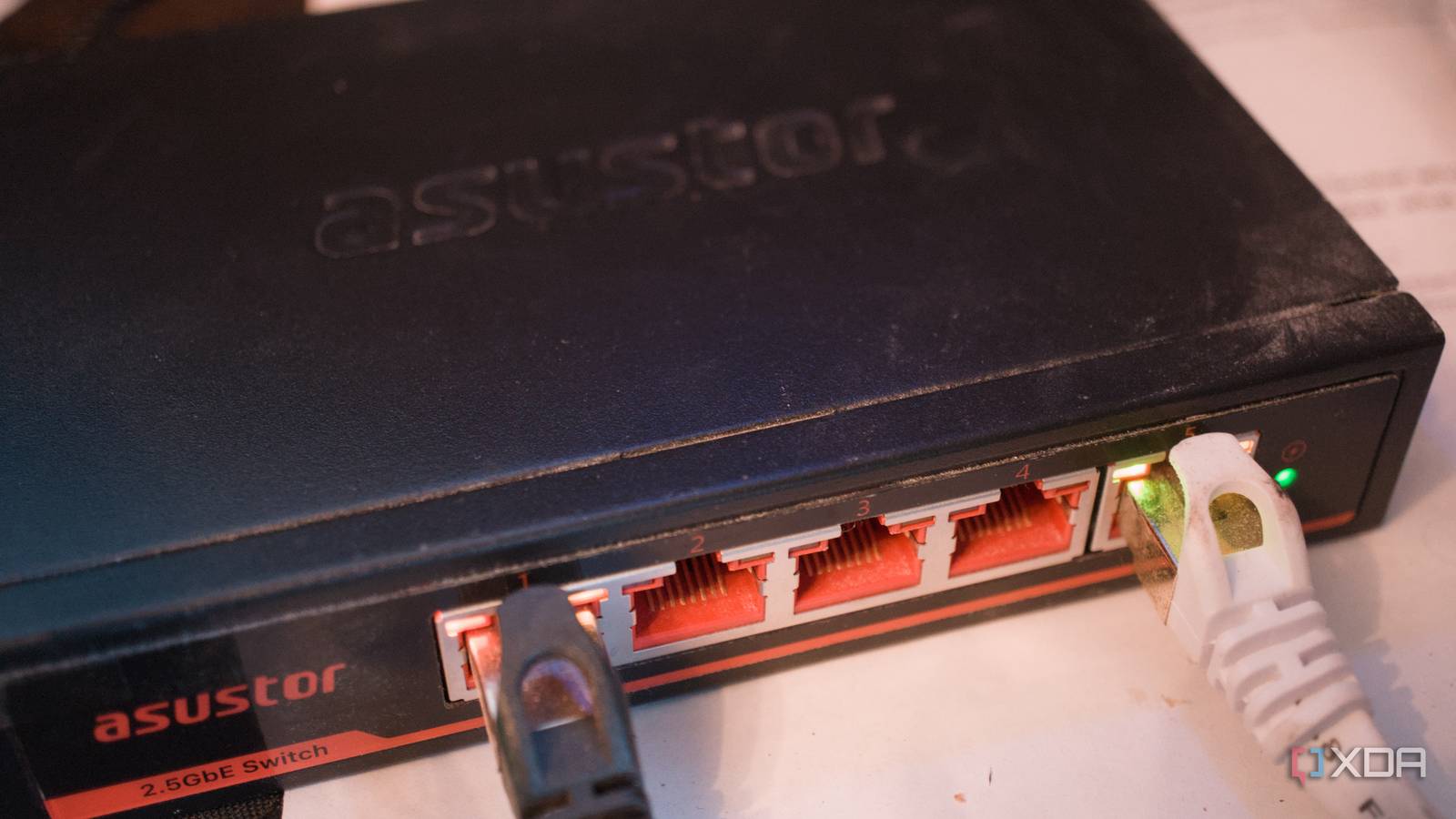
Published Nov 5, 2026, 2:30 PM EST Richard is the PC Hardware Lead at XDA and has been covering the technology industry for almost two decades. He's been building PCs since young, and when not creating content, you can often find him inside a chassis somewhere. To create the ultimate home lab network, one would require managed switches, spending $100s on equipment, and hours upon hours of research and deployment, right? Not at all! If all you wish to do is give your LAN a slight boost in performance and capabilities, a cheap unmanaged network switch is still one of the best upgrades you can make today. Even if the LAN already runs mesh nodes with solid wireless, there may still be room to grow by enhancing the wired side of things. Go for a "normal" network switch Unless you need a specific managed switch feature There's no need to purchase a managed switch if you don't plan on using all the features. An unmanaged switch is precisely as the name suggests. It's a simple device that handles network traffic, and that's it. There's no admin console, no fancy advanced features, and no high cost. A typical router supplied by an Internet Service Provider (ISP) will have a couple of Ethernet ports, which are used to physically connect devices to the network. A mesh router may have a limited number of these ports too. That's where a switch comes in. Even an unmanaged network switch can offer 20, if not more, ports to hook everything up to the LAN, leaving the wireless network free to handle truly wireless devices. Laptops, phones, and other smart tech are better suited to WLAN, so you don't have to run cable trunking everywhere. But a small 8-port network switch could provide additional bandwidth and capacity for the network by allowing for more devices to be plugged in. It's what I did for our home office. I have a fully managed switch setup and utilize VLANs, but when my spouse works from home three days of the week, her work-provided laptop should (and does) completely bypass everything locally. Her side of the office has a simple unmanaged switch, so a single cable was routed beneath the flooring from my managed 10 Gb fiber switch, providing 2.5 Gbps of network bandwidth to her desktop PC, laptop, and anything else she wishes to connect to it. Freeing up the LAN Why didn't I go for a managed switch here? My wife doesn't play games on her desktop PC much. It hasn't been switched on lately, and really she's only in the home office during work hours, so it didn't make much sense to spend more on a managed network switch here. The unmanaged unit from ASUSTOR does a fine job as any other within the same category. There's no 10 Gb fiber bus to interact with. It takes a single 2.5 Gb link from a switch across the room and divides that up further. The best part about using a network switch is it means you can hook up more hardware to the network itself. Sure, a mesh Wi-Fi setup is brilliant for handling wireless linkage, but it requires traffic to be routed between nodes, which can impact performance and latency. Wired networking has no such trouble. So long as you have the cabling and pathing available, devices like a TV, printer, desktop PC, and more can all be physically connected together. Start your self-hosting journey Put together a NAS and cancel subscriptions Running network-attached storage (NAS) at home requires an Ethernet port. If your router has just four ports available, a TV, console, and some other device may already occupy all the ports. That leaves nothing for a NAS or home server, but a network switch sitting between everything can open up more possibilities. Adding a NAS to the mix is the best upgrade you could make for the home. And it doesn't matter whether you build one yourself using old PC parts or purchase a ready-to-go prebuilt enclosure. This new device will be able to store lots of data. Think terrabytes, which is likely much more than what you and your loved ones actually have to stash away. Backups, smartphone media, purchased movies, and more can all be stored and accessed on and from a NAS. But NAS has evolved over the decades to become much more than simple network storage. These devices are more like compact servers, allowing for self-hosted services to be launched and managed. I had a single Synology enclosure running our entire smart home, home lab, and storage requirements. Jellyfin and Plex are a great place to start when it comes to self-hosting. If you have a box full of Blu-ray and DVD discs or purchased digital media, these can be moved to the NAS, which can then catalog and stream it to any device at home (and away). Then once you get to Home Assistant, the entire game changes, and you'll be entering the rabbit hole. One thing to watch out for with switches If there were one recommendation I would make, it would be to double-check the switch offers the necessary speeds you require. 1 Gb is where you want to be with modern networking hardware and is likely what your existing ISP modem supports. But if you're using a mesh router, it may even support 2.5 Gbps, which would allow for an equivalent unmanaged switch to be added to take advantage of the bandwidth. Check your router before buying the switch.
A $20 unmanaged network switch can transform your LAN, even if you're using mesh
Full Article
Original Source
Read the full article at Xda-developers →KhanList aggregates and links to publicly available news content. We do not host full articles from third-party sources. Always verify important information with original sources.