
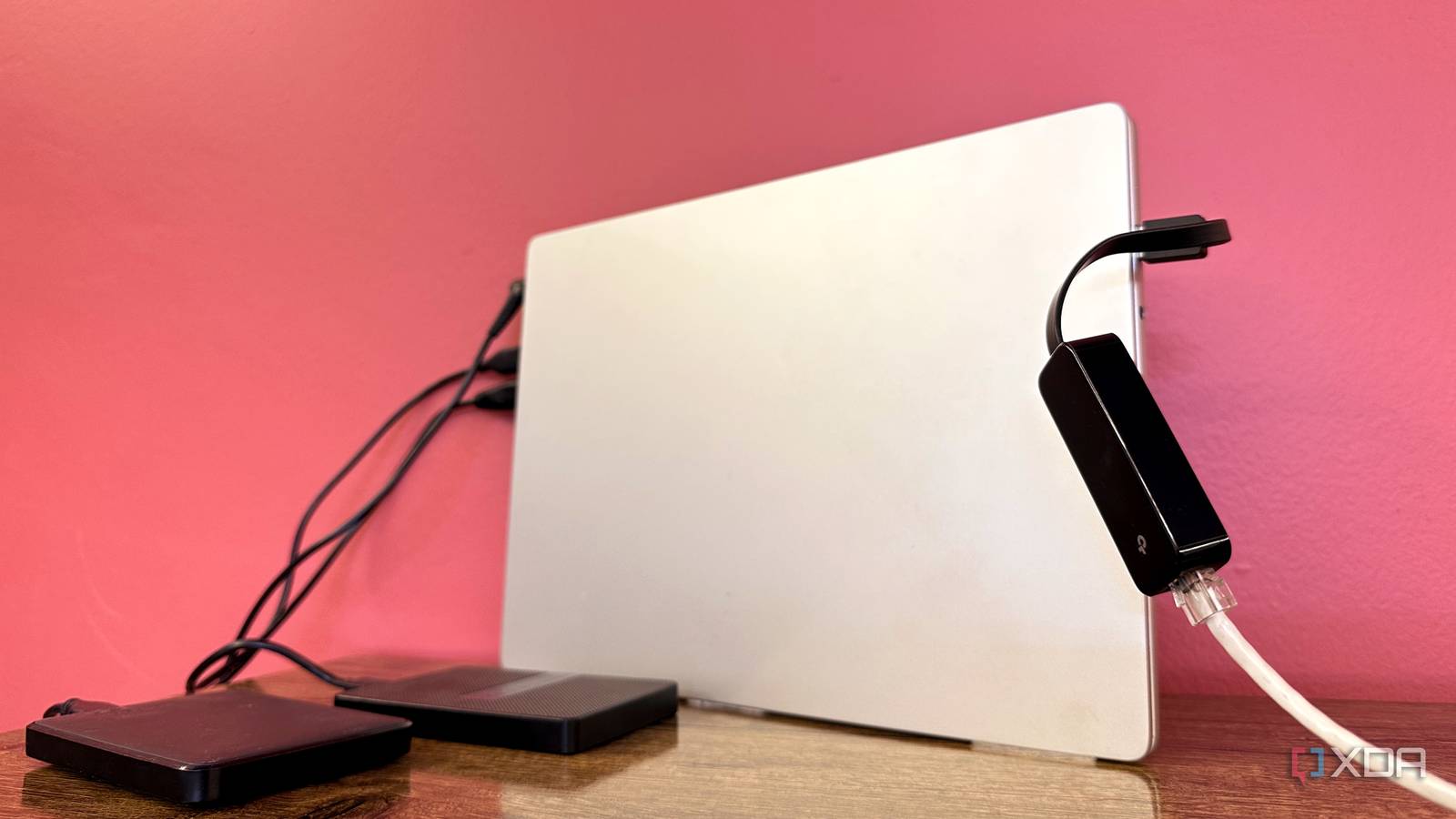
Published Nov 1, 2026, 8:00 PM EST Gaming has been Samarveer’s greatest passion, and the Literature graduate in him takes immense joy in dissecting games for their themes, messages, and impact. Samarveer holds a deep appreciation of gaming, and considers the platform to be the most immersive and impactful across all media. He can be found engaging with gaming communities online, always ready to debate the finer points of ray tracing or itching to write an 8-page collegiate thesis on any game that impacts him emotionally. I’ve spent the better part of a year turning an old laptop into a home server, and I can confidently say that repurposing aging hardware is one of the most rewarding things you can do with a computer you no longer use. The possibilities are always exciting, especially when the alternative is to just let that hardware continue rotting in a drawer. However, just fashioning a home server out of a laptop and installing a few services on it does not equate to it becoming a reliable, long-running server. Sadly, I learned that the hard way, and some of my earliest decisions made life considerably more difficult than it needed to be. In hindsight, breathing new life into an old laptop was fun, but there's plenty that I wish I'd known before getting started. I should've learned Docker before installing everything Your future self will thank you for keeping things organized When I first started self-hosting, installing applications directly on the OS seemed like the obvious choice. The tutorials were easy to understand and follow from YouTube, so I didn't bother learning my way around Docker. Sadly, after installing five or six different services, I realized that managing dependencies, configurations, and updates across my increasingly messy setup wasn't as fun as getting everything running had felt. Docker containers would have alleviated this problem because they isolate applications and their dependencies, while Docker Compose lets users manage multiple services through configuration files. Instead of scattering installations across your operating system, you can keep everything organized, and Docker would make updating, troubleshooting, and migrating considerably easier. Admittedly, Docker does introduce its own learning curve, particularly when networking and file permissions enter the picture. However, self-hosting only gets more complicated as you add services, and retrofitting an organized setup later is considerably more painful, as I found out. You don't need to master Docker on day one, but it's best to establish a consistent structure before your server becomes a digital junk drawer. Your old laptop needs room to breathe Don't let years of dust turn your server into a space heater An old laptop might handle lightweight server workloads without breaking a sweat, but that doesn't mean its cooling system is ready for 24/7 operation. There's a recipe for thermal throttling, and it starts with years of accumulated dust, aging thermal paste that you haven't replaced, and worn-out fans that aren't as fast anymore. Plus, you can't just slap another case fan onto a laptop to call it a day, and even the laptop cooler stands fail to be effective for a 24/7-running machine. Before installing anything on an old laptop, it's best to clean the cooling system, give the fans a once-over, and ensure that the laptop's vents have enough breathing room. In fact, take care to ensure closing the lid doesn't block the vents, as some models position vents where the lid or stand can obstruct them Even if the vents are free, don't keep the laptop inside a cramped cabinet or on a particularly soft surface. This repurposed laptop-turned-home-server may need to transcode media, download files, and back up data constantly. For an old machine, those are undeniably demanding tasks, and sustained workloads can increase temperatures along with fan noise. An Ethernet connection should be non-negotiable A cheap USB adapter saved me hours of troubleshooting An Ethernet cable connected to a laptop with an adapter. When it comes to laptops, Wi-Fi is always the more convenient option, but it's not what I'd choose for a machine expected to serve files around the clock. Even the best Wi-Fi connections suffer dropouts and throughput issues, not to mention that router placement can have a huge role to play in signal interference. There's little point in building a home server if it occasionally decides to disappear from your network. Unfortunately, old laptops don't always have an Ethernet port, especially if you're repurposing an ultraportable. That's where something like a USB-to-RJ45 adapter can come in without requiring any internal hardware upgrades. Just make sure you buy one that supports Gigabit speeds rather than settling for an ancient 100Mbps adapter. If nothing else, a wired connection will definitely eliminate Wi-Fi as a potential culprit when (not if) you have to troubleshoot connectivity. Plus, your server can also remain accessible over the local network when your internet connection goes down, provided your router and local network remain operational. Your laptop battery needs special attention An aging lithium-ion cell is almost always a ticking time bomb To be fair, leaving an old laptop plugged in 24/7 doesn't automatically make its battery an immediate fire hazard. However, we are talking about repurposing old hardware, which obviously would come with years of wear. In this case, constant heat certainly won't help things. If the laptop acts as a home server, you'd naturally want it to be constantly online. That's what leads almost everyone to plug the charger into the laptop and keep the charger on at all times. Lithium-ion batteries degrade over time, and a damaged or swollen cell can become dangerous. If your laptop supports battery charging limits through its BIOS or manufacturer software, enable them to prevent the battery from sitting at 100% indefinitely. However, the best case scenario here would be to remove the battery from the laptop entirely and keep it plugged directly into the wall. Not all laptop models allow this, though. Even charging limits on the laptop won't make a damaged battery safe, though. It's better to always assume that the battery requires constant monitoring, so the best practice is to inspect it periodically for any swelling or deformation. A home server should save you money, so always be ready to stop using the laptop if anything seems wrong. Storage will become your biggest bottleneck Your processor isn't the problem, but that single drive might be When I was new to self-hosting, I was surprised by how comfortable even a six-year-old laptop was at running several lightweight services, and that too, simultaneously. However, storage is where things get complicated, and fast. Most laptops offer just one internal drive bay, and that's what leaves users with limited expansion options once their media library and backups inevitably start piling up. Even a 1TB HDD looks considerably less impressive when you're on the way to build your own Netflix. External USB drives do offer a relatively inexpensive workaround, but they come with the introduction of additional cables and another component to manage. Forget about building a conventional multi-drive RAID array without extra hardware, either. Truth be told, this doesn't make an old laptop completely useless, though. Pi-hole, lightweight applications, and even Jellyfin work perfectly well within reasonable storage limits. However, if you're planning a multi-terabyte media collection with redundancy and room to expand, a dedicated NAS makes considerably more sense. I never knew what a time sink self-hosting can become Choose between a reliable appliance and an expensive hobby early on The one thing I never saw coming was how dangerously addictive self-hosting could become. I started with Jellyfin, convinced myself that ad blocking would be nice, and then I was configuring Immich, tinkering with Docker Compose, and spending my weekends troubleshooting services the names of which I never even knew existed. The problem here is that every additional service comes with its own updates, security considerations, configuration headaches, and backup requirements. Before long, maintaining a home server can consume more time than the subscriptions and conveniences it was supposed to replace. Somehow, there's always another container to deploy and another reason to postpone actually watching that movie and instead play around with my Jellyfin plugins. My advice here would be to decide early on what you want this repurposed machine to accomplish before you turn it into your personal data center. If a service solves a genuine problem, then fantastic. If you find yourself installing something new just because you can, that's when you should take stock of how far down the rabbit hole you're willing to go. Be careful not to let an old laptop's second life weigh down on your wallet (or mind) Repurposing an old laptop has taught me that you don't need a rack full of enterprise hardware to enjoy the benefits of self-hosting. It's been incredibly satisfying to build my own infrastructure and understand its nitty-gritty. Better yet, I've learned skills that extend beyond the machine that was collecting dust in my cupboard. Your home server doesn't need to host every application under the sun, and you certainly don't need to replicate an entire data center to justify keeping an old laptop alive. Start small, experiment freely, and remember that the technology should work for you, not the other way around. Docker Docker Desktop is a one-click-install application for your Mac, Linux, or Windows environment that lets you build, share, and run containerized applications and microservices. It provides a straightforward GUI (Graphical User Interface) that lets you manage your containers, applications, and images directly from your machine. Docker Desktop reduces the time spent on complex setups so you can focus on writing code. It takes care of port mappings, file system concerns, and other default settings, and is regularly updated with bug fixes and security updates.
6 things I wish I'd known before turning an old laptop into a home server
Full Article
Original Source
Read the full article at Xda-developers →KhanList aggregates and links to publicly available news content. We do not host full articles from third-party sources. Always verify important information with original sources.