
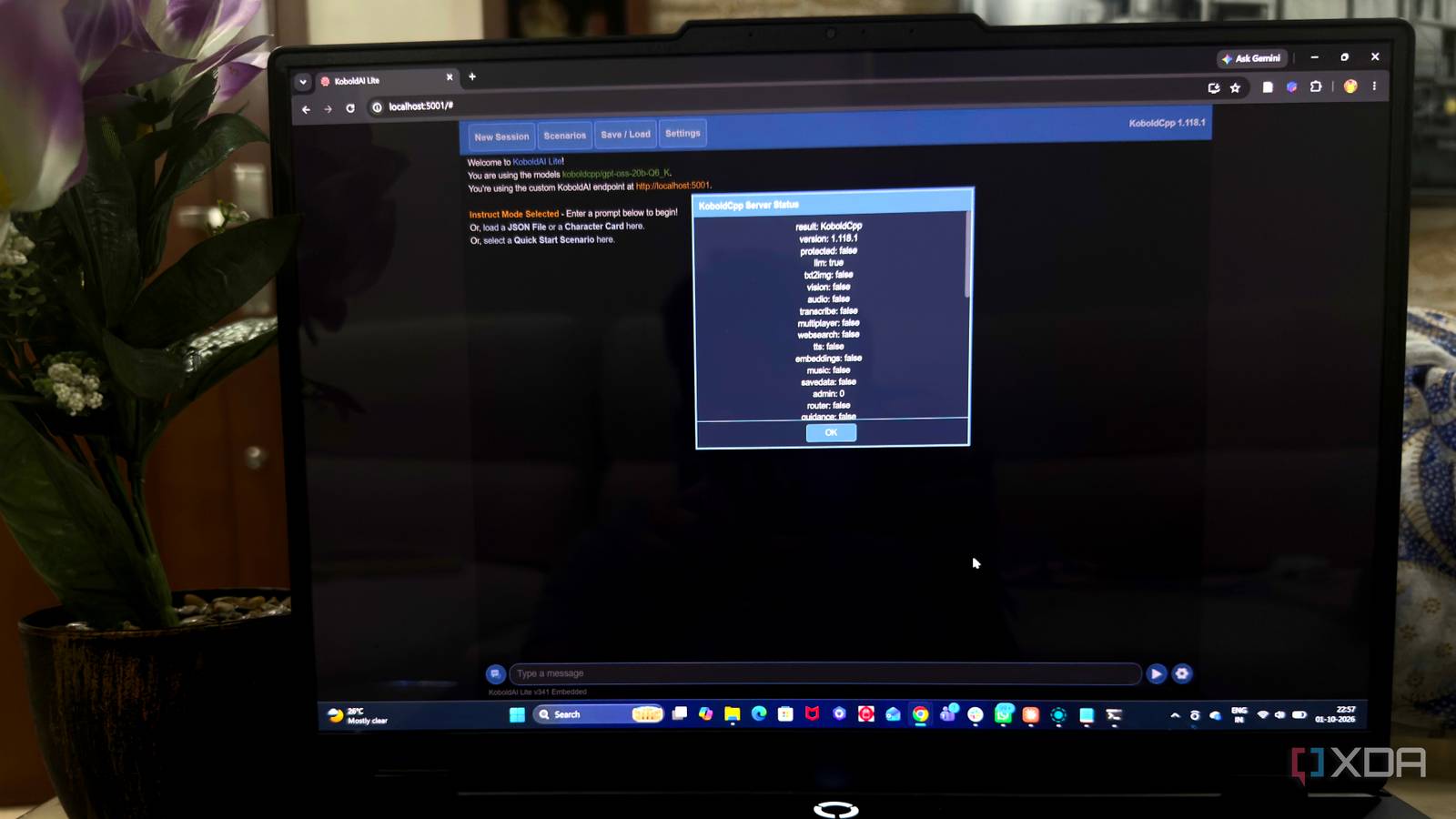
Published Oct 4, 2026, 10:30 AM EDT Beginning his professional journey in the tech industry in 2018, Yash spent over three years as a Software Engineer. After that, he shifted his focus to empowering readers through informative and engaging content on his tech blog – DiGiTAL BiRYANi. He has also published tech articles for MakeTechEasier. He loves to explore new tech gadgets and platforms. When he is not writing, you’ll find him exploring food. He is known as Digital Chef Yash among his readers because of his love for Technology and Food. Local AI has become much easier to explore, but most recommendations still point toward the same handful of popular tools. After experimenting with different projects, I realized plenty of smaller open-source optionsdeserve attention. They don’t all try to do the same thing, and that’s what makes exploring them interesting. Some can fill a specific gap in a local setup, while others introduce completely different ways of interacting with AI. In this list, I’m looking at five lesser-known projects that stood out to me and could be worth trying if you want to build a more flexible local AI environment. KoboldCpp A lightweight home for local models KoboldCpp caught my attention because it feels much simpler than many local AI tools I’ve tried. It is a lightweight application built around llama.cpp, but I don’t have to deal with a complicated installation or a long list of dependencies just to get started. I can download it, point it to a compatible model, and run a local AI environment with minimal setup. I also like that it doesn’t force me into a single type of workflow. The interface is primarily designed around text generation, but there are enough settings to adjust how the model behaves based on what I’m trying to do. It supports both CPU and GPU inference, so I can experiment with different models depending on the hardware I’m using. After spending some time with it, I found KoboldCpp to be one of those tools that stays out of the way and lets me focus on actually using local models. Koboldcpp Run AI models locally with Koboldcpp. One file, zero install. Supports NVIDIA, AMD, and Intel GPUs. Customize your AI experience. Tabby A private coding assistant on my machine I wanted something that could bring local AI into my coding workflow without making me dependent on a cloud-based coding assistant. That’s where Tabby fits into my setup. It works as a self-hosted coding assistant, giving me features such as code completion and suggestions directly inside my development environment. I can connect it to my editor and use it while writing or modifying code, without constantly switching to a separate AI chat window. I also like having control over the models running behind it, since that gives me more flexibility to match the tool with my available hardware. The suggestions aren’t always perfect, so I still review everything before using them, but that’s something I expect from any AI coding tool. What makes Tabby useful for me is that I can get AI assistance during development while keeping the underlying setup on my own system. Tabby Tabby is a cross-platform terminal app for local shells, SSH, and Telnet connections. Khoj Putting my personal knowledge to work Khoj works best for me when I want local AI to become part of my personal knowledge workflow rather than just another chatbot. I can use it to search through my notes, documents, and other information from a single interface, which makes it easier to find things I have saved over time. What I found useful is that Khoj can work with the information I already have instead of making me copy and paste everything into a conversation. It also supports different AI backends, so I can connect it to models running on my own machine. I like being able to ask questions in natural language and get answers based on my own collection of information. The experience feels more practical than simply opening a local model and starting a blank chat. For me, Khoj adds a useful knowledge layer to a local AI setup. Khoj AI Khoj is an open-source, local-first personal AI assistant and research co-worker that acts as a "second brain" by combining conversational chat with semantic search over your private documents and the public internet. Whisper.cpp Local speech-to-text without the hassle I wanted to add speech-to-text to my local AI setup without relying on an online transcription service, and Whisper.cpp turned out to be a simple way to do it. It is a lightweight implementation of OpenAI’s Whisper model that runs locally, so I can transcribe audio without sending the recordings to a cloud service. What I like is that it doesn’t need a complicated AI stack just to handle transcription. I can use it for everything from short voice recordings to longer audio files, depending on the model and hardware I choose. It also works across platforms, making it easier to use the same approach on more than one machine. The transcription quality is good enough for many everyday tasks, while the local processing keeps the workflow private. Whisper Whisper is a great way to transcribe any audio for free on your machine, and it'll do it with great accuracy, too. It's a fantastic application with a lot of power, and you can set it up in minutes. AgenticSeek Letting local AI take action Most local AI tools I use are designed to answer a prompt and wait for the next one. AgenticSeek takes a different approach: I hand over a goal, and the system works through the steps involved. It can handle tasks such as web browsing, coding, and interacting with different tools, so the workflow feels more like working with an assistant than chatting with a model. I can give it a task and let it handle multiple parts without manually guiding every step. It also works with locally hosted models, which fits nicely into the privacy-focused setup I’m building. I still keep an eye on its actions, particularly when a task involves several steps or external resources. That oversight matters because agentic workflows can behave differently from a simple chat. For me, this makes AgenticSeek an interesting way to explore what a more autonomous local AI setup can do. AgenticSeek AgenticSeek is an open-source, fully local AI assistant that autonomously browses the web, writes code, and plans tasks, running entirely on your hardware with complete privacy and zero cloud dependency. Local AI has more options than you think Building a local AI setup doesn’t mean sticking to the same few popular tools everyone recommends. There’s a growing open-source ecosystem with projects designed for very different needs and workflows. Some will fit your setup immediately, while others may take more experimentation. That’s part of the appeal for me. I’d rather explore these lesser-known projects and build a setup around what I actually need than follow the same local AI stack as everyone else.
5 open-source local AI tools nobody talks about, but they deserve way more attention
Full Article
Original Source
Read the full article at Xda-developers →KhanList aggregates and links to publicly available news content. We do not host full articles from third-party sources. Always verify important information with original sources.