
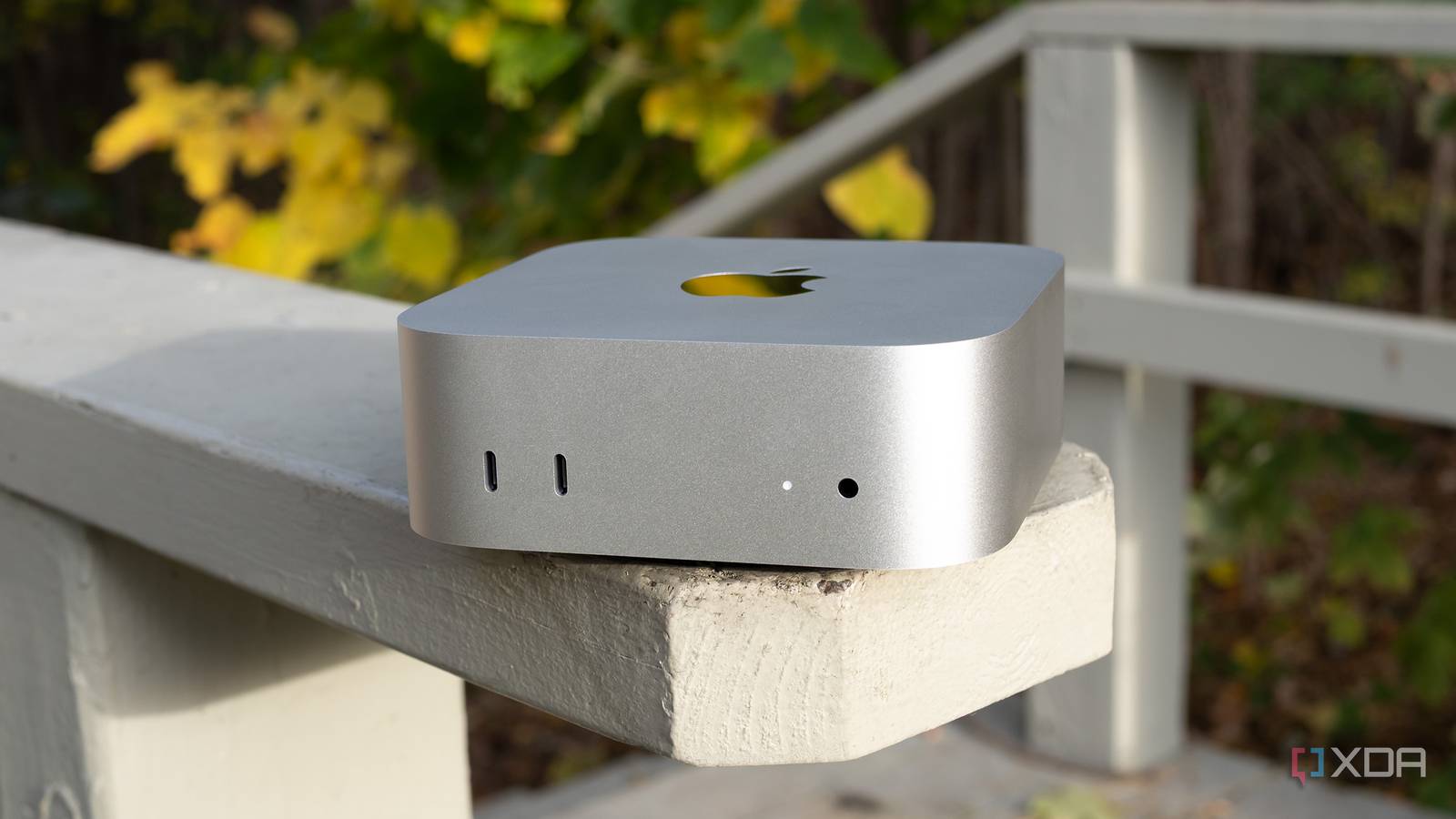
Published Oct 24, 2026, 10:16 AM EDT João has been covering the tech world for over 7 years, with a heavy focus on laptops and the Windows ecosystem. I also love all things tech and videogames, especially Nintendo, which he's always happy to talk about. Prior to joining XDA in 2021, he worked at Neowin: https://www.neowin.net/news/poster/jo%C3%A3o-carrasqueira/ Despite their apparent lack of popularity in the grand scheme of things, I've professed my appreciation for mini PCs a few times in the past, and my main work setup is, in fact, powered by an M4 Mac Mini. This is still my preferred form factor for a computer, and I think they deserve more attention. However, as much as I love mini PCs, it's easy to overlook some of the glaring problems they can carry that affect your daily life or your long-term enjoyment of them. So, before you make that purchase, let me touch on some of the things you may not have considered about using a mini PC in the long term. They can get surprisingly loud Smaller size doesn't mean less noise Due to their small size, mini PCs tend to come with more power-efficient processors (typically used for laptops), which means they don't require as powerful cooling solutions. They also don't have a GPU, which is often a big heat-generating component, so you'd think they're fairly easy to keep cool. Unfortunately, that's not often reflected in what you actually get. I've used many a mini PC in my day, and these things get loud. Seriously loud, and many times, during what you might consider casual use. I'm often on a Discord call while I work, and that alone can cause the fan on most mini PCs to spin up significantly, for example. But even without that, things like having multiple browser tabs and windows open can quickly spin up the fan, and it's not often a quiet one. I will say, much like laptops, mini PCs tend to be a bit quieter while running Linux compared to Windows, but that only holds up until you start pushing more demanding tasks onto them. The only major exception here is the M4 Mac Mini, in my experience, which is as quiet as it gets unless you really push it, and even then, the fan noise is very subtle by comparison. The power bricks are annoying Nitpicky? Yes, probably Another thing that's often not addressed with mini PCs is how you power them, and particularly the fact that their power supply is very often not built into the computer itself, as opposed to a typical desktop. Instead, they come with power supplies that more closely resemble older laptops or those that require higher power passthrough; you have a cable that connects to a large brick, which has another cable coming out to connect to the computer itself. It's not that big of a deal, all things considered, but it does get annoying if you want to have an organized and clean setup, which is probably why you'd get a mini PC in the first place. Thankfully, a few mini PCs now support USB-C power, so you can use a more compact charger without a brick halfway through the cable, and devices like the Mac Mini do have a built-in power supply, so they're not all bad. Ports are enough... until they aren't Impressive at first, insufficient when it matters Despite their minute size, it's impressive just how many ports many mini PCs tend to include, and for the most part, you can fully power your desktop setup with it, which is great. But it's only after you start using it more extensively with all your peripherals that you might notice there actually aren't enough ports. This can take more than one form. With most Windows-based mini PCs, what I've felt is a severe lack of USB Type-C ports, so for some of my peripherals, I'm forced to find adapters to USB Type-A, or sacrifice one of the peripherals I'm already using. Most of the mini PCs I've tested have two USB-C ports, which means I can connect my monitor and webcam, and that's it. If I want to use my portable SSD, I need to unplug my webcam. And that's before more modern peripherals started switching to USB-C, and now I have a mouse that requires that port, too. So I have to use adapters for USB Type-A. But then I might mention the Mac Mini, which has five USB-C ports, and that's usually enough. I have it connected to the Satechi Stand & Hub, too, which gives me some USB Type-A ports when I need them. That seemed fine until one day recently, I tried live-streaming myself playing a video game. At this point, all five USB-C ports were used: one for my monitor, one for my webcam, one for the aforementioned hub, one for my mouse, and one for my wireless microphone. The hub with USB Type-A ports also had some peripherals connected: namely, my keyboard and the capture card used for getting the video feed from my Nintendo Switch 2. During this stream, my game would often cut out and go black for a few seconds, which I eventually managed to fix by unplugging the keyboard. Now, I'm sure that could still have happened with a big desktop PC, but you are more likely to have more ports there with fewer bandwidth restrictions, and that can make a difference. Most of them come from no-name brands Testing isn't always a priority Finally, and perhaps most importantly, a big problem with many of the mini PCs you might hear about come from brands you've never heard of otherwise. You don't get a lot of mini PCs from companies like HP, Lenovo, or Dell. Outside of Apple, your options are limited to brands like Geekom or Minisforum, and there are two problems with that. First, there's support. It's likely much harder to get support for a device that comes from a company without a strong presence in your market, and many of these brands can have websites with poor English and a support team that may not speak it all that great, either. Not to mention the possibility of having to send a device back to another country, which is a hassle. But there are also problems with the devices themselves that can arise. In many of my recent reviews of mini PCs, I've had to point out that Wi-Fi performance takes a massive hit and can sometimes be unusable if you're further out from the router, whereas more recognizable brands like the Mac Mini are usually tested more thoroughly and have more reliable parts. I've also had very frequent issues with my display flickering or not turning on when using many of these mini PCs, turning every other day into a troubleshooting session. Again, Apple doesn't have this problem, and I'm sure if other major brands were making this kind of device, the situation would also be better there. I still love mini PCs All of these issues don't mean that I don't love mini PCs, but they are important to keep in mind. Depending on your patience, setup, and workload, some of these problems may be things you can overlook, or they may not be. For myself, the space I save by using a mini PC is still a huge selling point, and I love how much cleaner my desk feels with it, since it allows me to clutter it with other things that I may occasionally need. It's just unfortunate that if you want something from a well-known and trustworthy brand, your only real option is Apple. I do love the Mac Mini, but I'd also love to see a lot more options from other brands, especially ones aimed at a higher-end market and not just low-powered models. Hopefully, that changes over time.
4 things no one tells you about daily driving a mini PC
Full Article
Original Source
Read the full article at Xda-developers →KhanList aggregates and links to publicly available news content. We do not host full articles from third-party sources. Always verify important information with original sources.