
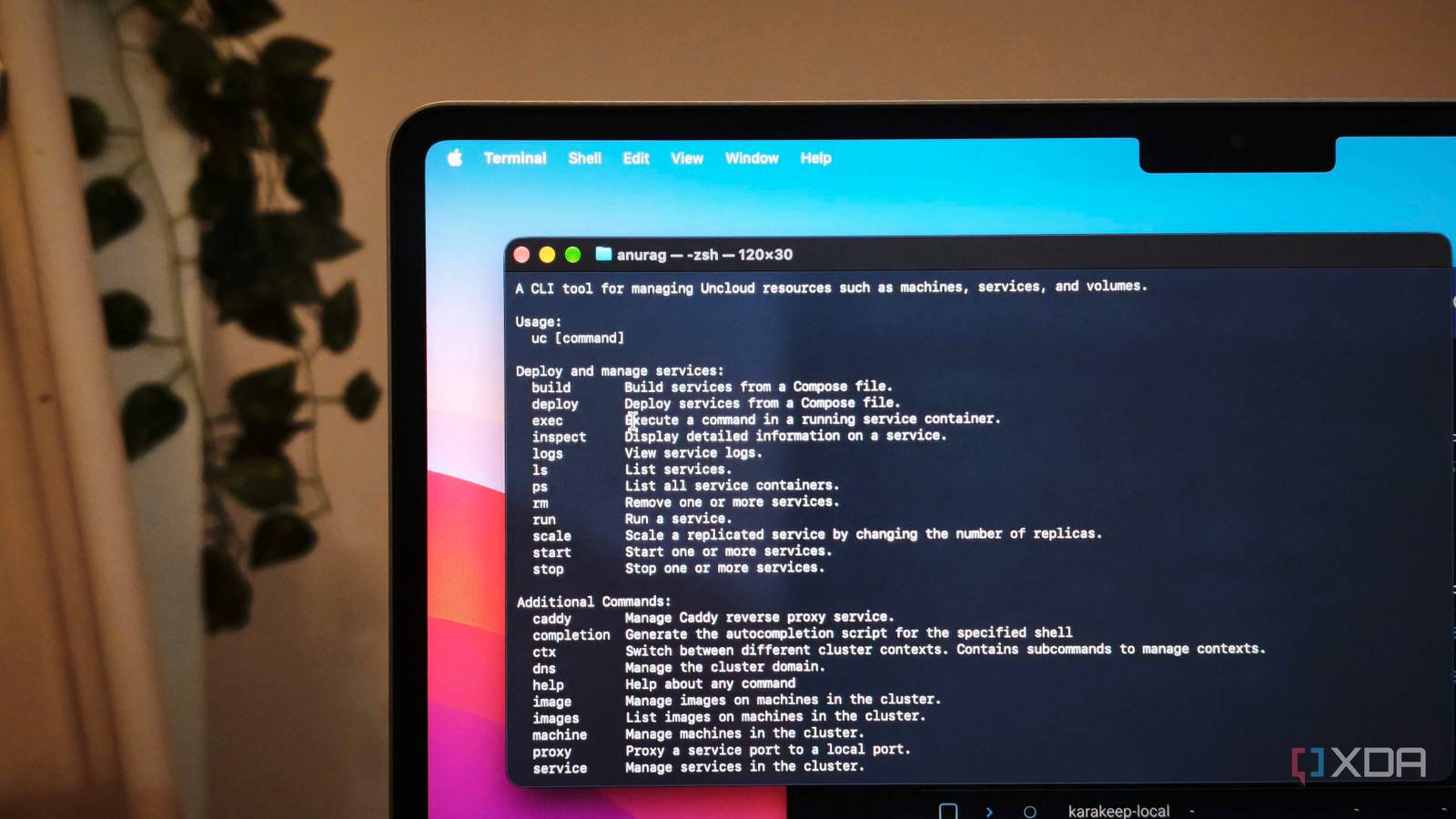
Published Oct 24, 2026, 5:00 PM EDT Anurag is an experienced journalist and author who’s been covering tech for the past 5 years, with a focus on Windows, Android, and Apple. He’s written for sites like Android Police, Neowin, Dexerto, and MakeTechEasier. Anurag’s always pumped about tech and loves getting his hands on the latest gadgets. When he's not procrastinating, you’ll probably find him catching the newest movies in theaters or scrolling through Twitter from his bed. Adding another home server should mean more room for your applications. Somehow, it also becomes an invitation to learn Kubernetes and spend your weekend figuring out how everything talks to everything else. I already have working Compose files, and I’m not particularly interested in turning a few machines into another job. Uncloud makes a compelling pitch here. It takes the Compose files you already use and lets you deploy services across your servers, handling private networking and HTTPS along the way. It’s an open-source alternative to Kubernetes, Swarm, Nomad, and Kamal, built around a workflow that should be familiar to anyone who already runs Docker at home. Your existing Compose files give you a head start Keep the configuration you already understand The thought of having to rebuild a working setup is enough to put me off plenty of self-hosting tools. My Compose files already have the image versions, environment variables, and storage paths that my applications need. Having to write all of that again in another format just because I want to use a second server is an annoying amount of extra work. Uncloud supports enough of the Compose specification that you don't have to start from scratch. You can add your Linux machines over SSH and run uc deploy from the directory containing your Compose file. It works with existing container images and also supports the build section for applications you've built yourself. Before making any changes, Uncloud shows you a deployment plan, so you can see exactly which containers and volumes it will create or change and which machines they'll run on. For applications you've built locally, Uncloud also handles something that would otherwise require extra work: getting those images onto your servers. It uses Unregistry to push images directly to the machines that need them, transferring only the layers they don't already have. This means you don't have to set up and maintain a separate container registry just to deploy your own applications. However, that doesn't mean every Compose file will work without changes. Uncloud supports only a subset of the Compose specification, and custom networks aren't supported. You'll also need to use its x-ports extension if you want to publish web services through the integrated proxy. Service names have to be unique across the cluster, too, so if you have several stacks with a service named db, you'll need to rename a few things before deploying. Your servers can run services together Give each application a suitable home It's easy to run an application on one server and its database on another, but it quickly turns into a hassle when you have to check IP addresses, open ports, and figure out why the two won't talk to each other. Uncloud takes care of much of that by connecting your machines through an encrypted WireGuard network. It also handles service discovery, so containers can communicate using service names even when they're running on different servers. You also get to decide which machine runs what using the x-machines field. For example, I could keep my media server on the machine that has access to my media library and move smaller web applications to another server. This is also useful when you're dealing with different hardware. If an application needs a GPU, you can make sure it runs on the machine that actually has one instead of leaving its placement to chance. For apps that support multiple instances, Uncloud lets you spread replicas across machines and distribute traffic between them. It also comes with an integrated Caddy proxy that handles routing and automatic HTTPS for web services you want to make accessible. I particularly like that networking and publishing are handled as part of the same setup. Storage is one area where you still have to do some work yourself. Just because your servers are connected doesn't mean a Docker volume on one machine suddenly becomes available on another. You'll either need to keep applications on the machine that holds their data or set up shared storage. Uncloud supports options like NFS and SMB through Docker's local volume driver, but you'll still have to configure the storage yourself and take care of backups. There’s less cluster machinery to maintain Spend less time managing your infrastructure Uncloud is an alternative to tools like Kubernetes, Docker Swarm, Nomad, and Kamal. I've tried all of them, and I've found Uncloud much easier to manage. Kubernetes gives you considerable control over how applications run, but I don’t want maintaining a cluster to become the most demanding app in my homelab. Uncloud takes a simpler approach – its machines share cluster state directly, without a central control plane or a quorum of manager nodes to keep available. Swarm and Nomad both rely on a majority of their managers or servers agreeing on cluster state. Uncloud removes that particular maintenance concern. Uncloud also supports rolling deployments with health checks, allowing suitable apps to keep serving requests as new containers come online. When something goes wrong, you can inspect services and read logs through the uc CLI, or connect to the machine and use familiar Docker tools. Kamal is a closer comparison here, since it also prioritizes straightforward deployments and provides gapless updates. Its configuration revolves around a main application and separately managed accessories, such as databases. The important trade-off appears when a server fails. Healthy replicas on other machines can continue serving requests, but Uncloud doesn’t automatically recreate the missing containers elsewhere or scale services in response to demand. Kubernetes provides automatic rescheduling, but with Uncloud, you decide when to replace the machine and redeploy. Uncloud Uncloud is a lightweight, decentralized clustering tool designed to deploy and orchestrate multi-node Docker Compose applications across multiple cloud VMs or bare-metal servers without the complexity of Kubernetes. My homelab has enough chores already I want to add another server to expand what I can run without swallowing another weekend in configuration. Uncloud makes that prospect considerably more appealing. For a home setup built around Docker Compose, it offers a practical reason to put spare hardware to work without making cluster administration your next hobby.
Uncloud uses the Compose files I already made and lets me spread the work across my home servers
Full Article
Original Source
Read the full article at Xda-developers →KhanList aggregates and links to publicly available news content. We do not host full articles from third-party sources. Always verify important information with original sources.