
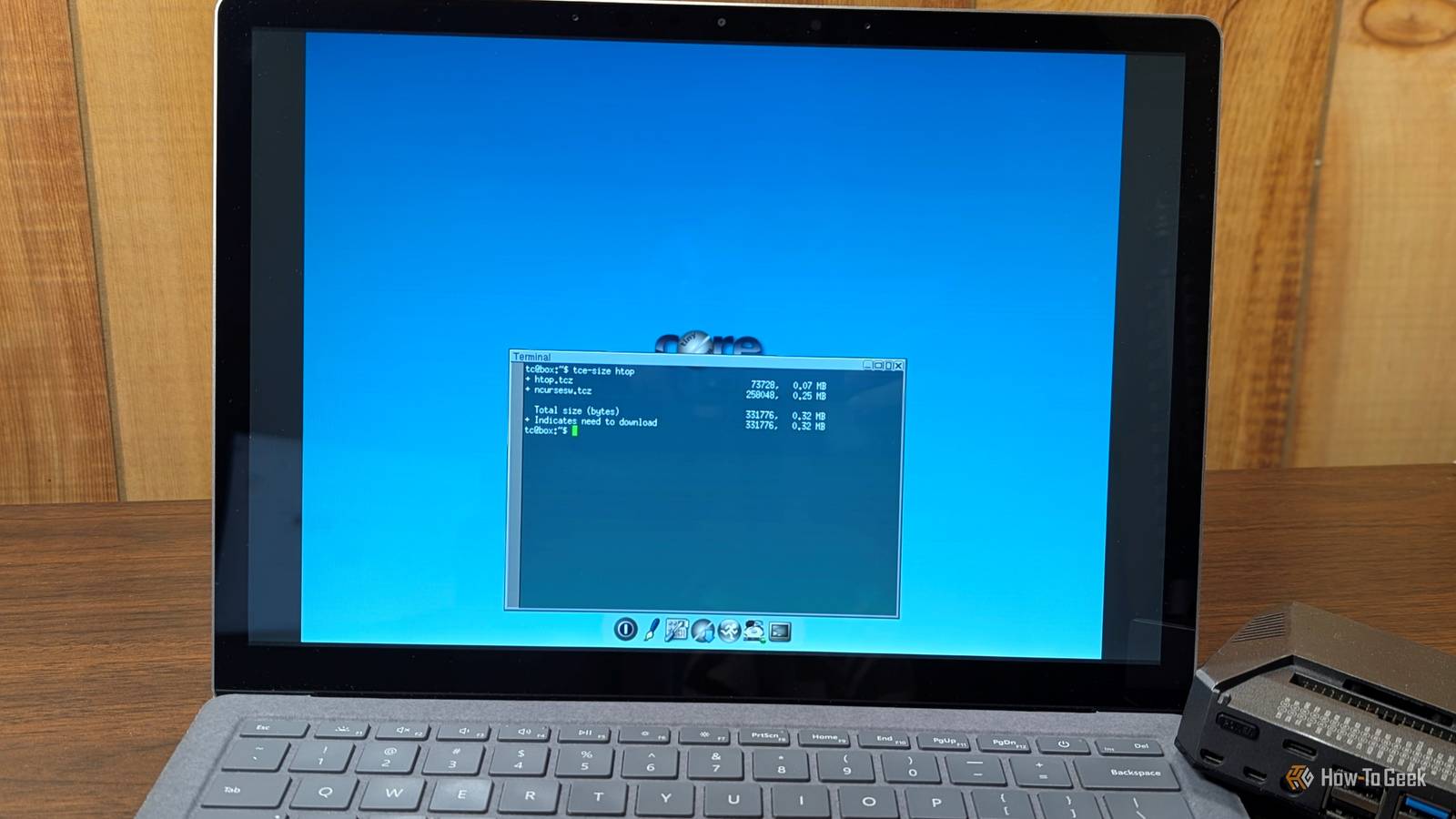
Published Oct 10, 2026, 8:00 AM EDT Nick Lewis is an editor at How-To Geek. He has been using computers for 20 years --- tinkering with everything from the UI to the Windows registry to device firmware. Before How-To Geek, he used Python and C++ as a freelance programmer. In college, Nick made extensive use of Fortran while pursuing a physics degree. Nick's love of tinkering with computers extends beyond work. He has been running video game servers from home for more than 10 years using Windows, Ubuntu, or Raspberry Pi OS. He also uses Proxmox to self-host a variety of services, including a Jellyfin Media Server, an Airsonic music server, a handful of game servers, NextCloud, and two Windows virtual machines. He enjoys DIY projects, especially if they involve technology. He regularly repairs and repurposes old computers and hardware for whatever new project is at hand. He has designed crossovers for homemade speakers all the way from the basic design to the PCB. Nick enjoys the outdoors. When he isn't working on a computer or DIY project, he is most likely to be found camping, backpacking, or canoeing. If you're trying to revive an old laptop, the standard advice is "install Linux." Usually, that means you'll install Linux Mint first. In some cases, that works. However, on really old or low-power devices, even Mint is too demanding. If you need a Linux distro that could run on nearly anything, there are actually some great options out there. They just require a little bit more work. Tiny Core Linux Tiny Core is the reigning champion of minimalist Linux distros Tiny Core is an ultra minimalist distro that runs entirely on your laptop's RAM. That means that a slow mechanical hard drive won't limit your performance. Tiny Core has a bare-bones desktop environment; you add everything else you need as extensions. As a result, the base distro lives up to its name—Tiny Core with a desktop needs less than 25MB of storage space. I was able to piece together a useable distro that used less than 50MB of storage in total. The apps that it has are decent, albeit a bit austere by modern standards. The tradeoff, like you would expect, is convenience. Every feature you want on your PC needs to be added—Wi-Fi won't even work until you install the extension for it. Any files you modify or apps you download need to be specifically saved to the tce directory so they stick around after a reboot. Everything not specifically saved gets wiped when you restart. Alpine Linux with a desktop A server distro that makes a fast, minimal laptop system Alpine is a small distro normally used for containers in Docker or Proxmox, but you can also use it as a lightweight laptop operating system if you want. You just need to select a desktop environment. Alpine has its own package manager, apk, that works much like APT or DNF on more mainstream Linux distros. That makes it easier to work with than Tiny Core without imposing the hardware requirements of Mint. You can fit an Alpine install into less than a gig of storage, though that'll be close once you actually start adding apps. The catch is that because Alpine uses musl instead of glibc, some proprietary apps won't work—though Flatpak can cover many of these gaps. You also have to configure your own audio, Wi-Fi, and power management. Run setup-alpine for the base install, then run setup-desktop to add Xfce or another lightweight desktop environment. Puppy Linux A complete desktop that loads into RAM and runs on a USB stick Strictly speaking, Puppy Linux is actually a family of distros, but they're all designed to be very lightweight. I'd recommend using TrixiePuppy64 for most laptops made in the last 15 years and reserve TrixiePuppy32 for devices that require a 32-bit operating system. Both are based on Debian. Puppy does well in situations where your laptop's drive is slow (or dead), since it can run entirely in RAM. Unlike many a few other minimalist distros, it packages a full set of small but functional apps, including a small office suite. If you need a PC working in ten minutes and don't want to deal with manual setup, Puppy is a good option. Puppy runs as root by default, which is a potential safety and security problem. If you want, you can install Puppy Linux to an internal drive or USB so that your data is persistent between restarts. antiX Full Debian compatibility on 512MB of RAM antiX is a systemd-free distro based on Debian 13 that uses the IceWM window manager. antiX requires at least 256MB of RAM, though 512MB is recommended. There are variants that work with 64-bit and 32-bit systems, which makes antiX suitable for truly ancient hardware. antiX offers the full Debian package ecosystem, which gives you access to way more applications than you get on Alpine or Tiny Core. If you don't want to give up the convenience that comes with a huge number of apps, I'd recommend starting with antiX. Of course, it comes with the usual tradeoffs. The interface is very minimalist and there is a bit of a learning curve to some of the distro's custom tools. It also lacks systemd, which will present a problem with some applications you install that expect it to be there. Choose by the machine's RAM and your patience for setup All four of these distros have very low hardware requirements compared to Linux. They'll all run well on any PC made in the last 15 or so years. If you're trying to get Linux running on something older than that, I'd recommend picking a distro based on the RAM footprint you can tolerate. Tiny Core is the lightest by a significant margin, but it requires a lot of manual setup. If you're inclined to use the terminal a lot, an Alpine Linux install might suit you. antiX and Puppy are both great options if you need to run on a 32-bit CPU and want a "full desktop" experience.
4 super-lightweight distros that beat Linux Mint on older laptops
Full Article
Original Source
Read the full article at Howtogeek →KhanList aggregates and links to publicly available news content. We do not host full articles from third-party sources. Always verify important information with original sources.