
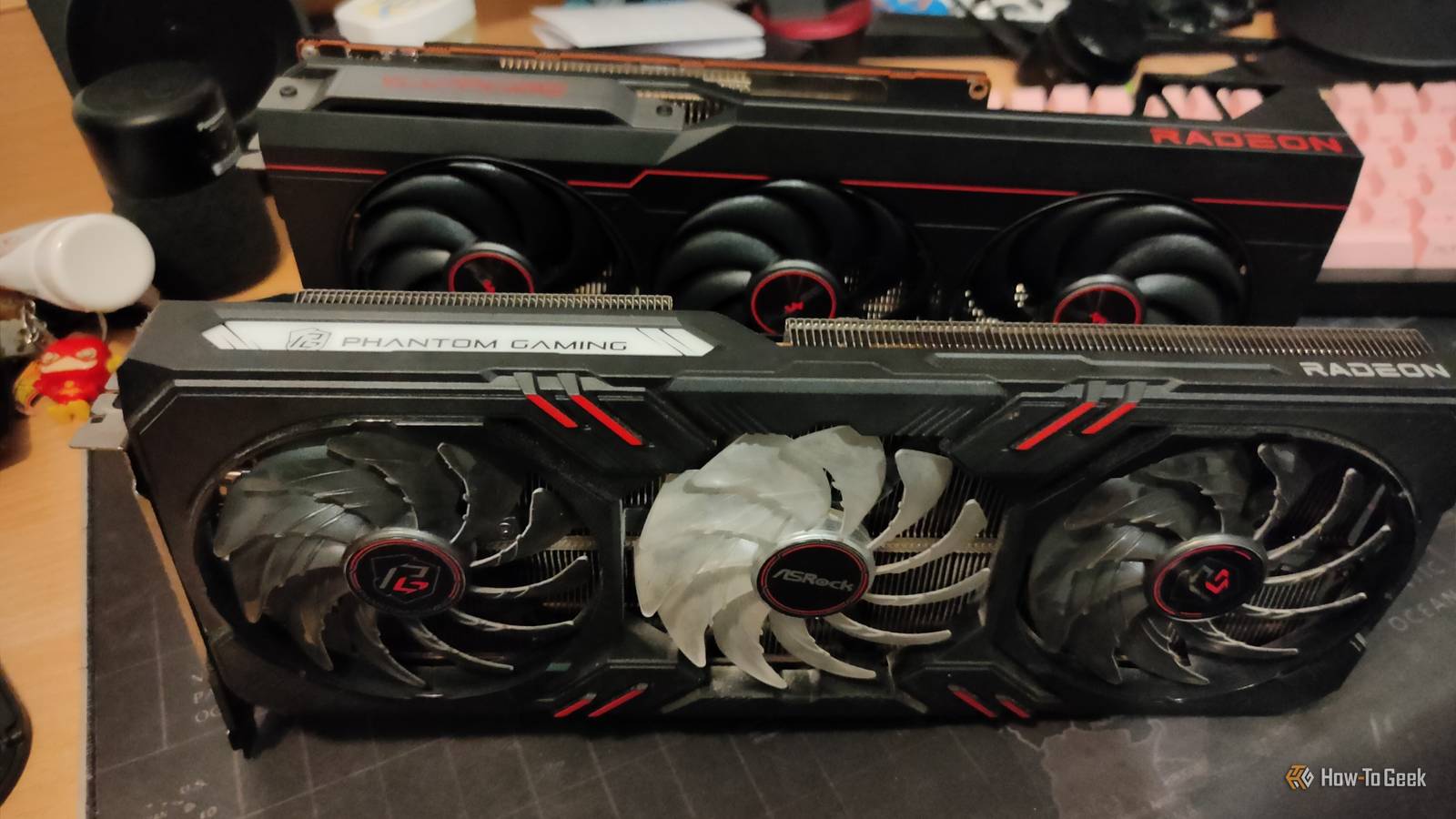
Published Nov 7, 2026, 7:30 AM EST Ismar is a Senior Author at How-To Geek. He previously worked as a writer, editor, and general manager at a content agency before joining the team in 2023. He began his writing career in 2021 after completing a BA in English Language and Literature. Beyond How-To Geek, Ismar has contributed to Red Stag Fulfillment and Authority Hacker. He has also worked on various SEO projects to help clients improve their search visibility. Ismar has been around Windows PCs since the age of three, so friends and family naturally chose him as the resident tech support. His projects often involve tinkering, such as disassembling mechanical keyboards and gaming mice to mod his beloved gear. He also enjoys pushing hardware to the max through overclocking while staying on a reasonable budget. An avid gamer, Ismar has logged thousands of hours across various genres, including first-person shooters, RPGs, racing games, and roguelites. When he is not at his desk, he is probably exploring other people’s phones to discover their quirks and features or experimenting with the latest AI tools. In his free time, Ismar enjoys spending time with his wife, working out at the gym, playing guitar and bass, cooking gourmet meals, and traveling. Above all else, he’s a proud cat owner. PC components cost a small fortune these days, which means putting together a new build can set you back considerably. That's why many of us have started to turn to the secondhand market, as used hardware can save you a significant amount of money. However, just because there are deals out there, not every part is worth the gamble. Buy used: A CPU doesn't have much that can wear out It either works or it doesn't Broadly speaking, CPUs either work or they don't, which inherently makes them a safe bet to buy used. A healthy processor doesn't gradually lose performance as it ages, making secondhand CPUs generally a safe purchase. If a CPU lived a particularly rough life of extreme overclocking, high temperatures, and excessive voltage, it might have suffered from a phenomenon called electromigration, where microscopic internal wiring gradually degrades. However, modern CPUs have safety mechanisms to prevent this, and only a tiny percentage of people run their CPUs in such extreme environments anyway. As far as physical damage is concerned, there's usually not much to worry about with CPUs that haven't been delidded, though an accidental drop can still damage the package or pins. Modern Intel CPUs and AMD processors using the AM5 socket use LGA (Land Grid Array), which means the delicate contact pins are located inside the motherboard socket rather than on the CPU itself. If you're buying an older AM4 CPU, inspect it for bent or snapped pins. I had to return an old Ryzen 7 2700X because several of its pins were bent. Buy new: An old CPU cooler is rarely worth the hassle Nobody should deal with old fans and missing brackets Sealed AIO CPU coolers tend to have a relatively short lifespan of around 5 to 7 years, after which the pump becomes a ticking time bomb. I don't know about you, but for me this is reason enough to stay away from used liquid coolers. As far as air coolers are concerned, they might sound like they'd be a good purchase because it's just a passive heatsink and a couple of fans, but a bad purchase can quickly turn it into an expensive paperweight. Air coolers come with several brackets, fan mounts, and other little bits to ensure compatibility with different CPU sockets. After a PC is built, people usually throw those extra parts back into the packaging before they get lost forever. If you buy a used air cooler that's a few years old, it might not even be compatible with your PC because of a missing bracket. Apart from that, the bearings in the fans on both AIO and air coolers wear out over time, resulting in annoying buzzing, rattling, and grinding sounds in your new PC. While the fans are usually easy to replace, doing so adds to the cost and labor, which makes CPU coolers rarely worth buying used. Buy used: Your next PC doesn't need a brand-new case Steel and glass age surprisingly well A PC case is nothing more than an enclosure that holds the PC parts together. Apart from the I/O panel at the front or top, there's basically nothing that can fail. Modern PC cases often feature tempered-glass side panels, which are relatively resistant to scratches. If the glass is cracked or there are noticeable scratches, dents, rust, broken mounting brackets, or any other issues with the case, you can simply walk away and look for another one. If the case is missing smaller bits like standoffs or drive trays, you can often replace them. You can also omit drive trays altogether if you don't need them, but make sure all the necessary motherboard standoffs are present. The only things you really need to look out for are defective components on the front I/O panel. If you can, test the power button, USB ports, and 3.5mm headphone and microphone jacks to confirm they work — but you can always buy a cheap USB hub and hook it up in the back if something is broken. Buy new: A used SSD could be closer to retirement than you think You don't know its history Storage drives are notoriously expensive, which can make a used SSD look like a great deal in comparison. However, SSDs have a finite write endurance, and fast NVMe drives can be particularly susceptible to overheating. A SMART report can show a high health percentage, but that's not always an indicator of a perfectly functional SSD that won't fail without warning. Remember, we're talking about a device whose sole purpose is to store your data. If the SSD fails, you could lose everything stored on it or potentially have to send it out for expensive data recovery. Buy used: Used RAM is often as good as new Not much to worry about While non-volatile memory can be a risky purchase used, volatile memory is a surprisingly safe bet. RAM modules have no moving parts and don't experience much physical wear. Their typical operating temperatures aren't a huge concern either, making RAM one of the most robust PC components. In fact, several manufacturers offer limited lifetime warranties on their RAM sticks. Given how crazy RAM prices have been over the past year, it makes perfect sense to hunt for deals on the used market. That being said, you should still take all the usual precautions. Make sure there are no signs of physical damage, check whether it's DDR4 or DDR5 to ensure compatibility with your build, and ideally buy both sticks from the same kit for trouble-free dual-channel operation. Tell XDB what you want the PC to do and how much you want to spend. We'll find parts that fit, with current prices. What will you use it for? Pick any Games or apps Optional Budget Plan my build Opens XDB, XDA's free PC builder, in a new tab. Buy new: A secondhand motherboard can turn into a very expensive headache You won't know what's wrong until you start the build Motherboards are crammed with components: PCIe and RAM slots, the CPU socket, SATA ports, various fan, USB, and RGB headers, PCB traces, transistors, and numerous other microscopic components that make up the board. With so many connections and delicate components, motherboards are arguably among the most fragile PC parts. Even if you could live without a missing fan or RGB header, the CPU socket itself can be damaged. The tiny, angled metal contacts used in modern LGA CPU sockets are extremely fragile. They can bend or snap if someone handles them carelessly, even by touching them with a fingernail, let alone if somebody drops something on the socket or tries to install a CPU without aligning it correctly. All these factors make used motherboards a very risky purchase that can lead to hours of headaches and troubleshooting before you can even confirm that the board is at fault. Buy used: You can get a lot more GPU for your money secondhand Just know what you're getting into Graphics cards are almost as complex as motherboards in terms of delicate components, and their fans can start rattling over time. However, the major differentiating factor is their price. They're usually the most expensive component in a PC, which is why buying used can save you hundreds of dollars or get you a significantly more powerful graphics card for the same money. Even if a card was used for mining, it can still be a perfectly good purchase if the previous owner took care of it. I've personally bought half a dozen used graphics cards over the past decade, two of which had been used for mining, and never experienced any wear-related issues with them. Assuming the card isn't damaged and works properly, the only maintenance it might need to restore its original performance is fresh thermal paste and thermal pads. For most people, the reward outweighs the risk when buying a used graphics card. If you have the opportunity to test it in person, put it through its paces, monitor its temperatures and fan noise, and look for visual artifacts. Buy new: A used PSU puts your entire PC at risk The worst place to cut corners The power supply is responsible for delivering power to all those delicate components in your PC. It's made up of large capacitors and numerous other electronic components that gradually wear out over years of use, particularly when exposed to high temperatures. As these components age, they can become less effective at regulating voltage and filtering electrical noise, potentially leading to instability, crashes, and unexpected shutdowns. While a failing PSU won't necessarily blow up your PC, as high-quality power supplies have several safety mechanisms to prevent permanent damage, you never really know how a used unit was handled or how heavily it was used. Given how affordable good power supplies are these days, there's no reason to put your entire system at unnecessary risk with a used model. Even risky PC components can sometimes be worth buying secondhand Think of this list as a set of broad guidelines rather than hard rules. You don't have to avoid every component on the buy-new list if you're careful. People buy and sell entire used PCs all the time without issue, proving that secondhand hardware can be perfectly reliable. Only buy from someone you trust, ask for proof that components work, and test them in person whenever possible.
4 PC parts I happily buy used (and 4 I always buy new)
Full Article
Original Source
Read the full article at Howtogeek →KhanList aggregates and links to publicly available news content. We do not host full articles from third-party sources. Always verify important information with original sources.