
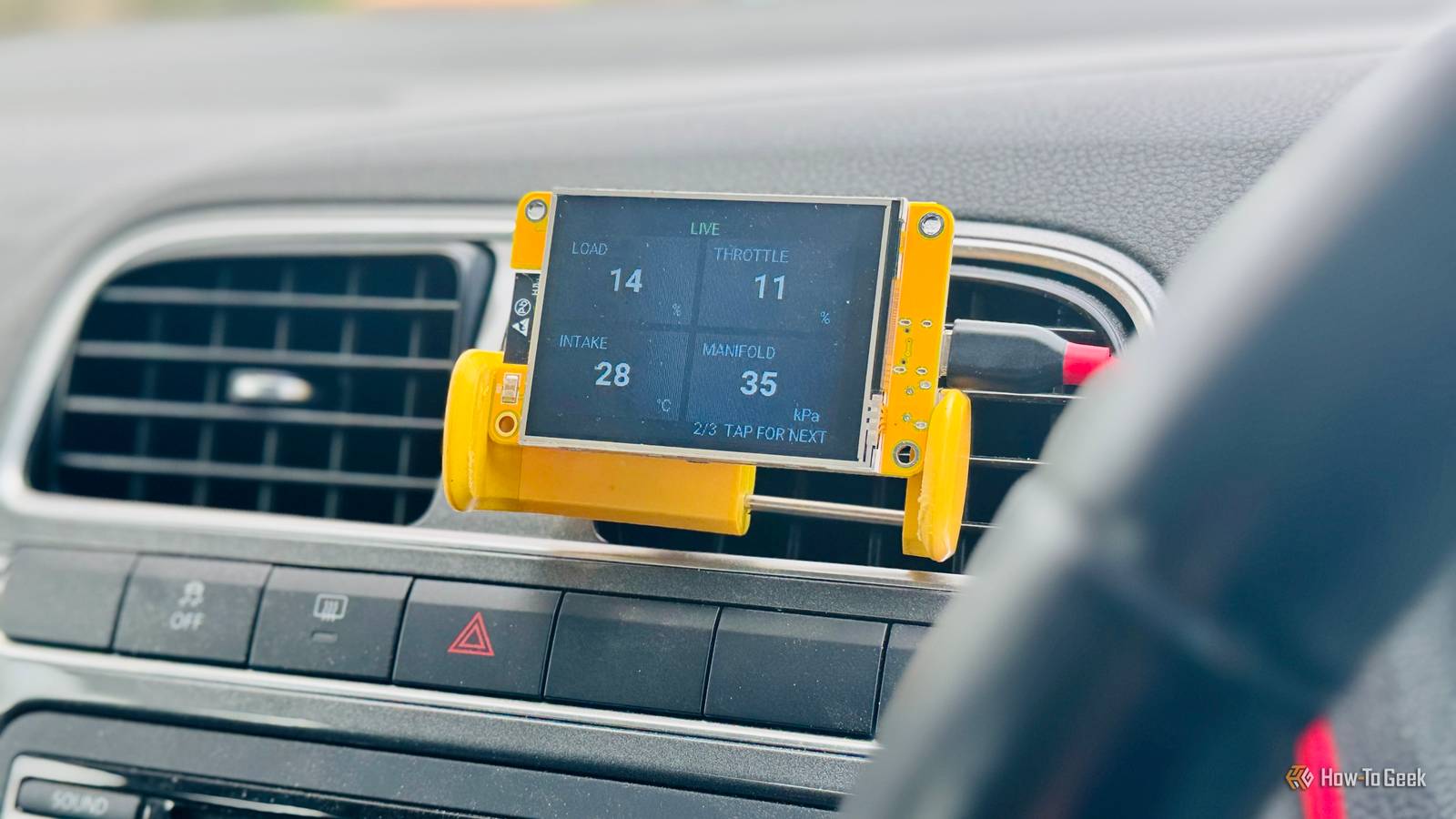
Published Sep 27, 2026, 8:30 AM EDT Adam has a degree in Engineering and has a life-long interest in technology. He has been writing for over a decade for various print and online publications, with a focus on consumer tech. He joined How-To Geek in 2024 while working at Pocket-lint. As well as being a long-term fan of Apple products, he also has a strong interest in smart home tech, running a Home Assistant server at home to automate all his smart home devices. He believes that the ideal smart home should work with minimal interaction from the user, with automations running as if by magic rather than requiring you to push buttons on a control panel. You can find more of his work on Muck Rack. The term "smart home" can often be something of a misnomer. I have plenty of automations in Home Assistant that work when I'm outside of my home. There are several open-source smart home devices that you can use to extend your smart home to your car. WiCAN can turn your car into a Home Assistant device The OBD-II adapter can expose data your car already collects Modern cars collect a huge amount of data. Computers throughout your car track things such as how fast the wheels are turning, the temperature of the engine, the current battery voltage, how much fuel is left, and even whether the doors are open. Different Electronic Control Units (ECUs) are responsible for different jobs, and they can share data through the Controller Area Network (CAN) bus. This is the internal data network in your car that lets these different ECUs share data among themselves. The On-board Diagnostics II (OBD-II) port in your car can give you access to the CAN bus and some of the information it carries. The OBD-II port is the port that car mechanics can connect to get information from your car's systems when trying to diagnose a problem. You can use a cheap OBD-II adapter to send information from this port to your phone or even to an ESP32 display. WiCAN is an open-source, ESP32-based CAN adapter that you can plug into the OBD-II port of your car. It can then share the data from your car's computers over Wi-Fi. Instead of just viewing the data over Bluetooth on your phone, you can share the data with your smart home via MQTT, allowing you to create dashboards to display all the information extracted from your car. Your car effectively becomes another device in your smart home. As long as the WiCAN device is within Wi-Fi range, you can access the diagnostic data exposed by your car's computers and use it however you want. For example, you could set up a phone notification to alert you when your tire pressure is low. OBD2-MQTT lets your car talk to your smart home over the cellular network You may have already spotted a flaw with WiCAN. It can give you access to a huge amount of data, but you can only access that data when your car has a Wi-Fi connection. If you're parked outside your home, this isn't an issue, but a lot of the information you can access is more useful when you're driving the car. The open-source OBD2-MQTT project takes a different approach. The setup requires two different devices. The first is a typical OBD-II adapter that can pull the data from your car's OBD-II port. The second is an ESP32 board with a cellular modem and SIM card. The OBD-II adapter sends the data it receives to the ESP32 device over Bluetooth, and the ESP32 board then publishes that data over the mobile network to an MQTT broker. Home Assistant connects to that same MQTT broker and subscribes to the vehicle data, which you can use to create dashboards or trigger automations. It means that as long as you have a cellular signal wherever you're driving, the data from your car can be sent back to your smart home. This gives you far more useful data than you'd get from a stationary car. Traccar lets you run your own vehicle tracking service Know where your car is without relying on a proprietary cloud service If you want your smart home to know where your car is when it's not in your driveway, then Wi-Fi or Bluetooth probably aren't going to cut it. Your car needs to be able to communicate with your smart home over potentially very long distances. A GPS tracker uses signals from satellites to determine your car's location. Many of these trackers can use a cellular modem to connect to a mobile network in order to share that location data, but you still need some way to access that data. Traccar is a free and open-source GPS tracking platform that replaces the proprietary cloud services used by many vehicle trackers. You can set up Traccar on your own server and configure it to talk to the tracker in your car; there are dedicated Home Assistant integrations you can use to host your own Traccar server and track compatible trackers. This doesn't make your car tracking completely self-sufficient. You're still relying on GPS satellites and cellular networks for the car tracking to work, and there may be costs involved in using cellular data. However, Traccar lets you access that data and share it with smart home software such as Home Assistant, rather than having to rely on commercial tracking platforms. A RuuviTag can tell Home Assistant how comfortable your car's cabin is Monitor your car's interior over Bluetooth Credit: Ruuvi The projects above can tell you where your car is and what's going on under the hood, but sometimes you just want to know how warm it is inside your car before you have to go and climb into it. RuuviTag can help to provide you with this information. RuuviTag is a wireless Bluetooth sensor that can measure temperature, relative humidity, air pressure, and motion. While you can buy the device ready-made, the hardware design files are public, and the firmware is open source and uses an open data format, so you're not tied down to a proprietary app or cloud service. As long as your smart home can communicate with the RuuviTag via Bluetooth, you can access the data. For example, the Ruuvi integration in Home Assistant lets you expose the data from your RuuviTag. This won't work over huge distances, since Bluetooth range is limited, but if your car is at home, even if it's a long way from your smart home server, you can use a cheap Bluetooth proxy to ensure that the data from your RuuviTag can reach your smart home. You can then see how warm or humid your car is just by glancing at a smart home dashboard. Your smart home doesn't have to stop at the front door Many of us spend a lot of time in our cars, so making our vehicles part of smart homes can be really useful. There's no reason why your smart home has to be confined to your four walls; there are plenty of ways to use Home Assistant outside your home, too.
4 open-source smart home devices that belong in your car
Full Article
Original Source
Read the full article at Howtogeek →KhanList aggregates and links to publicly available news content. We do not host full articles from third-party sources. Always verify important information with original sources.