
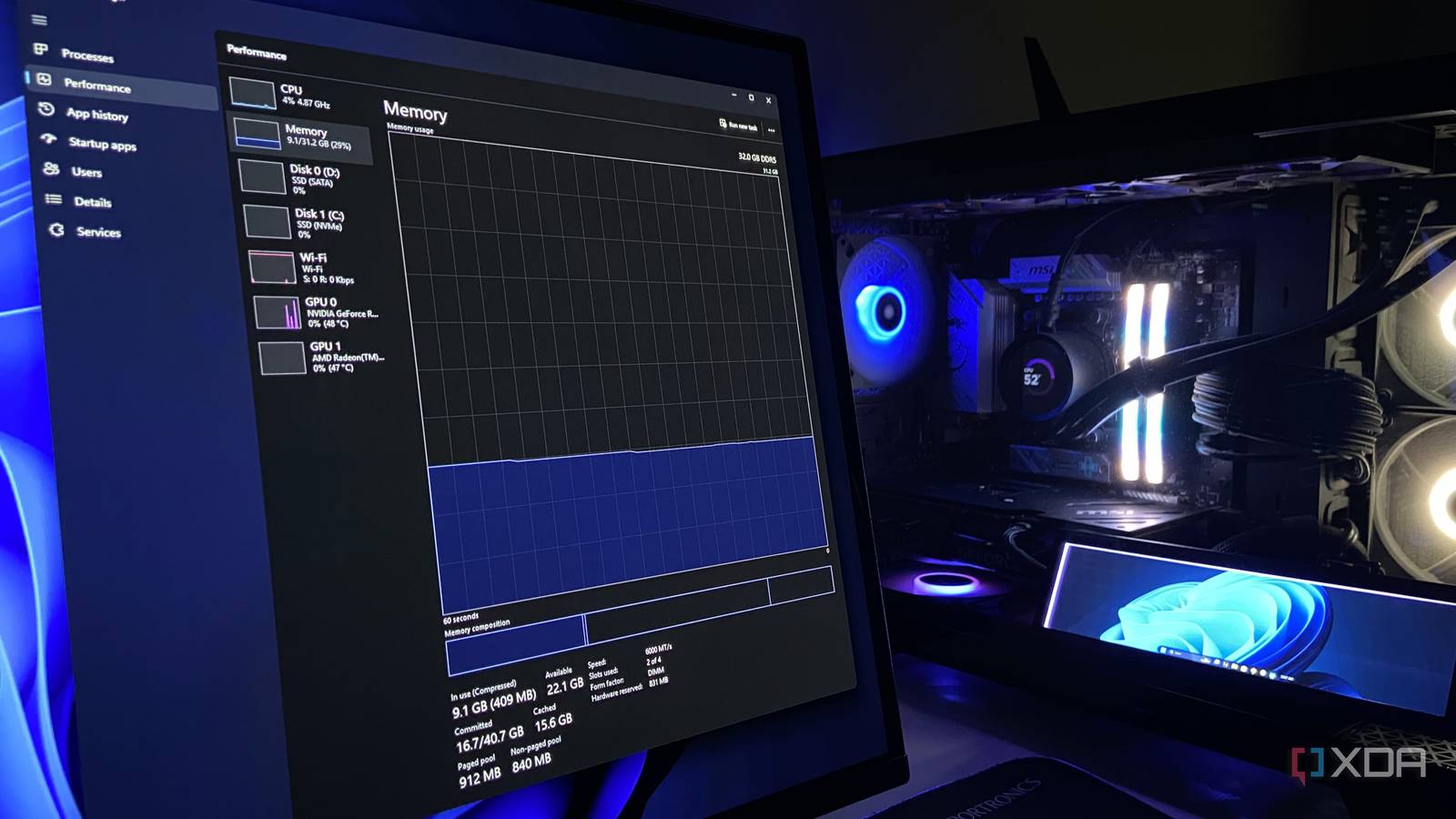
Published Sep 27, 2026, 8:00 PM EDT Abhinav pivoted from a career in banking to pursue his first love in writing. Even while working full-time, he continued contributing as an editor-at-large, a role he has held for more than 7 years. A lifelong tech enthusiast who has built three gaming and productivity powerhouse PCs since 2018, his passion for technology keeps him closely following the semiconductor industry, from NVIDIA and AMD to ARM. His MSc dissertation explored how artificial intelligence will reshape the future of work, reflecting his curiosity about the wider social impact of emerging technologies. In any discussion that fixates around how Windows is hoarding your system's resources, memory compression is a recurring item. On the internet, it often shows up in a list of features you can disable to gain some performance, or free up some RAM in an increasingly memory-impoverished economy. What seldom accompanies that advice, however, is nuance. By that, I mean, an honest look at what the feature is doing while it's enabled, and who actually stands to gain from toggling it off. Windows has been doing this for about a decade, and on most machines, the feature has been earning its keep. Here's everything you want to know about it. Your PC could be compressing gigabytes of data right now And there's one number on your Task Manager that can prove it If you open the Windows Task Manager, head into the Performance tab, and click on Memory, you can see a figure labelled "In use", and right alongside it in brackets is a second number that says "compressed." This number gives you a measure of how much RAM is currently holding data Windows has squeezed down instead of writing to your drive's pagefile. On my machine, with a decent number of Chrome tabs and background apps running, it reads 9.3GB in use, of which 409MB is "compressed." That is data that would otherwise be on my pagefile. What we see happening here is Windows essentially making that chunk of memory smaller so it can keep more of it in RAM, rather than pushing it out to the pagefile on the drive. Windows tends to keep an eye on which pages of memory you've been using, and which have gone cold. When the system RAM starts to fill up, the less-frequently-accessed pages are among the first to be moved out. Instead of dumping them straight to the pagefile, Windows runs them through a compressor, shrinks them to roughly 40% of their size, and sets them aside in a reserved chunk of RAM called the compression store. They're still in your system's memory, but taking far less of it. The moment a program requests those pages again, Windows can quickly unpack them and hand them back without needing to wait on the SSD. Is there any good reason to turn off memory compression? A lot of it depends on your device There's a speed advantage to having the feature enabled. By storing files in the RAM, which is orders of magnitude faster than the fastest consumer storage drive, the system reduces the overall reliance on the pagefile, which results in a snappier performance, as intended. That said, memory compression itself isn't free from overhead. Shrinking a page down and then expanding it again are tasks that the CPU has to perform every time it's necessary, and on a system that's short on processing headroom, such as an older chip with a lower core count, the performance impact is more pronounced than, let's say, an eight-core Zen 5 Ryzen or an Arrow Lake processor. Microsoft itself doesn't spell out a recommendation as to whether a user should keep the feature on or off, but its default makes its position clear enough. On Windows client editions, memory compression is enabled by default, while on Windows server, it ships off. This makes sense since a server's memory is provisioned and managed deliberately by administrators who treat CPU time as a scarce resource, and so compression is left off unless it has been shown to earn its place. Meanwhile, a consumer PC gets no such hands-on management. The compressed number is a warning sign It tells you more about your RAM than the "In use" figure does The compressed figure you see in Task Manager is worth more than a cursory glance, because its size is also a rough measure of how much pressure your system memory is under. Compression only does meaningful work when your system memory runs short, and as such, on a machine with room to spare (say, 32GB or more), it barely activates. That's precisely why my 32GB system, with a full working day's worth of tabs and apps open shows just about 400MB compressed. If your PC routinely shows multiple gigabytes of compressed memory, it may be worth paying some attention to, because it could mean that Windows is regularly running short of comfortable headroom and frequently leaning on compression. A large capacity of your RAM being compressed isn't the feature misbehaving, but the feature working just as intended. If you were to turn it off, the pressure will land on the pagefile instead, which can make your PC perform slower instead. I'd leave it as Microsoft put it On most systems, memory compression has spent a decade doing a job that most people don't even come to notice until they open a specific tab on the Task Manager. The prevailing advice, on the other hand, that argues that disabling it helps improve performance, seldom comes with the context that matters. For nearly every user, the feature isn't actively costing performance that would make a difference in their day-to-day usage.
Windows has been quietly compressing your memory in the background for years, and here's why it matters
Full Article
Original Source
Read the full article at Xda-developers →KhanList aggregates and links to publicly available news content. We do not host full articles from third-party sources. Always verify important information with original sources.