
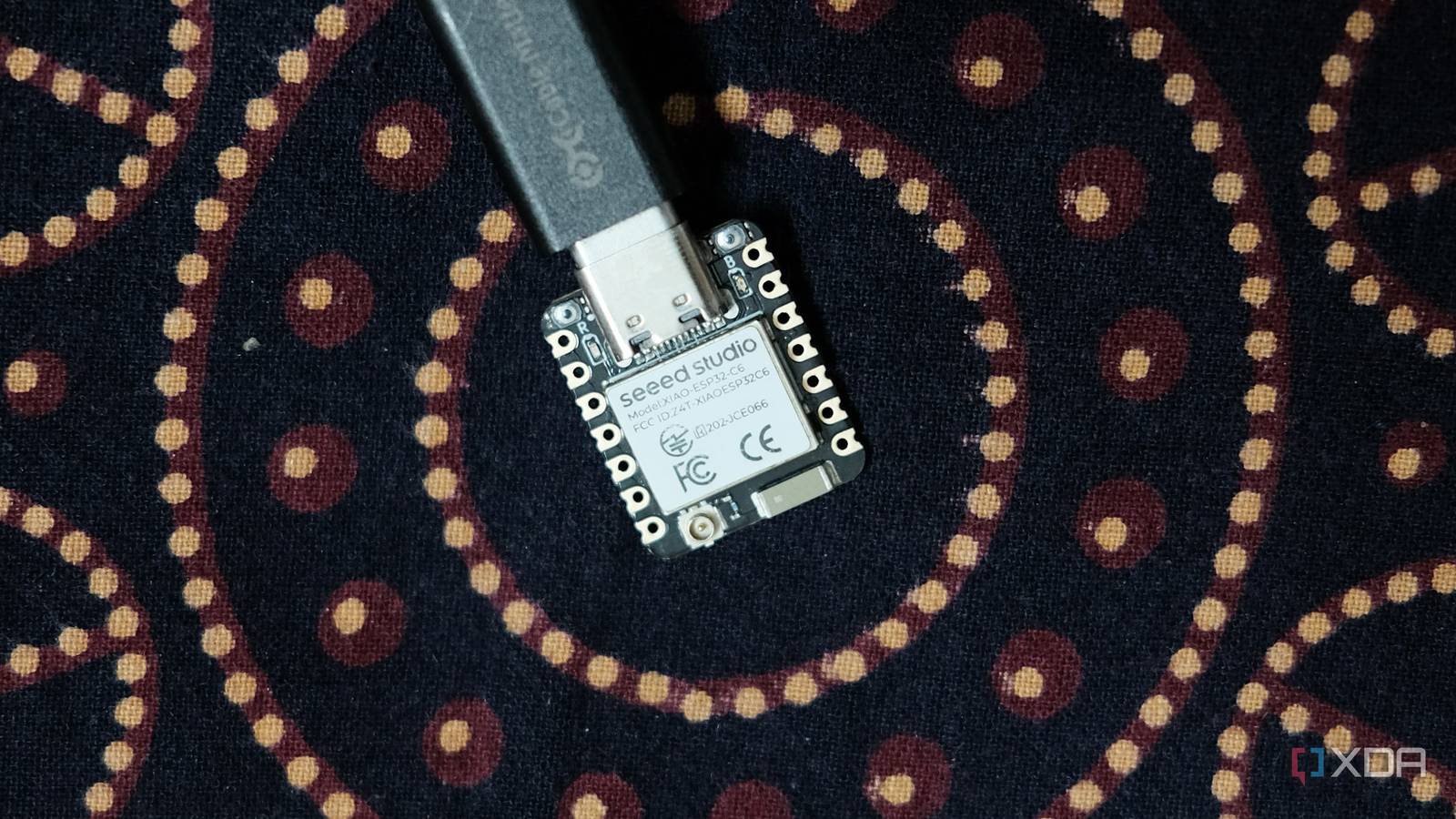
Published Nov 23, 2026, 11:01 AM EST Maker, meme-r, and unabashed geek, Joe has been writing about technology since starting his career in 2018 at KnowTechie. He's covered everything from Apple to apps and crowdfunding and loves getting to the bottom of complicated topics. In that time, he's also written for SlashGear and numerous corporate clients before finding his home at XDA in the spring of 2023. He was the kid who took apart every toy to see how it worked, even if it didn't exactly go back together afterward. That's given him a solid background for explaining how complex systems work together, and he promises he's gotten better at the putting things back together stage since then. Building smart home devices with ESP32-C6 boards is great fun, partly because of the number of projects you can do but also because you're not tied to a particular communications protocol. You can use Zigbee, Wi-Fi, Bluetooth, or Thread, and it's the latter that excites me. I've already set up two Apple TV 4K devices as Thread routers, so development boards that speak the protocol are the easiest way for me to learn. These inexpensive boards can build a wide variety of projects, from adding more Thread routers to reach the furthest parts of the house to creating sensor-studded boards that no smart home manufacturer seems to make. If nothing else, it's a fun way to spend an afternoon, but some more advanced projects get your toes into 3D printing, PCB design, and more. A Thread router Control all your Thread devices with less power than the usual options Credit: Source: firsttris Thread is a mesh, so every always-on device that can route makes the whole network stronger. Tristan Teufel’s esp32c6-thread-router project turns a Seeed Studio XIAO ESP32-C6 into exactly that, a Full Thread Device that extends your Thread and Matter mesh without touching Wi-Fi at all. This build sits in a 3D-printed case with an external SMA antenna, and the case files are on Printables if you want a matching one. The config is more polished than most. It adds Thread diagnostic sensors to Home Assistant, lets you set transmit power (the C6 runs from -15 to 20 dBm), and gives you a switch to flip between the onboard and external antenna. Firmware updates work over Thread, too, so once it’s in place you never need to plug it in again. There are a couple of catches. You need ESPHome 2026.8 or newer for those diagnostic sensors, and it’s only tested on the XIAO. Other C6 boards work if you strip out the XIAO-specific block in the YAML. A Thread border router Extend the range of your Thread network Every other project on this list needs a Thread border router to reach Home Assistant, and ESPHome can now turn an ESP32-C6 into one. The new border router mode in the openthread component bridges the C6’s built-in Thread radio to Wi-Fi, so a single cheap board does the job you’d normally hand to an Apple TV, a HomePod mini, or a dedicated dongle. Wi-Fi-only ESP32s can do it too, but they need a separate radio chip wired up over UART. esphome: name: c6-border-router friendly_name: C6 Border Routeresp32: board: seeed_xiao_esp32c6 variant: esp32c6 framework: type: esp-idflogger:api: encryption: key: !secret api_keyota: - platform: esphome password: !secret ota_passwordnetwork: enable_ipv6: truewifi: ssid: !secret wifi_ssid password: !secret wifi_passwordopenthread: border_router: {} tlv: !secret thread_tlv I flashed it onto a Seeed Studio XIAO ESP32-C6 and pointed it at the same Thread network my Apple TV 4K already runs. On the first flash, it joined as a second border router on that network, and Home Assistant lists it right next to the Apple TV. If you’re using a XIAO, set the antenna pins in your YAML, or it may try the external connector and leave you with a weak Wi-Fi signal. The YAML is short, and the only real requirements are IPv6, a normal Wi-Fi connection with no fallback hotspot, and a recent ESP-IDF. It’s labeled experimental for a reason. The developer’s C6 ran for two weeks without a restart, but the external radio version hung a few times in testing. I wouldn’t make it the only border router in the house just yet. A custom Thread node with sensors Temperature, humidity, mmWave radar, and lux, all off one ESP32-C6 Credit: Source: bootsma Bootsma’s custom Thread node packs three sensors around an ESP32-C6. An HLK-LD2450 mmWave radar handles presence with zones, so it knows which part of the room you’re in, not just that someone is there. A Sensirion SHT41 covers temperature and humidity, and a BH1750 reads light levels, with a status LED that blinks on every lux update. It talks to Home Assistant entirely over Thread, and it’s set up as a Full Thread Device, so it routes traffic for the rest of your mesh while it works. Bootsma reports running it daily with no disconnections, which matters for a sensor you’re going to build automations around. The full YAML is posted on the Home Assistant Community forum, minus the secrets. The custom PCB isn’t, though, because the design files were never shared. You’ll need to rebuild it on a standard ESP32-C6 dev board with breakout sensors, which is more wiring but still a weekend project at most. An air quality monitor Thread is perfect for infrequent sensor readings It's never a bad time to think about your indoor air quality, and let's face it: most air quality sensors either suck or cost a lot. This ESP32-C6 project from Furmwareupdates is a great way to use Thread to keep your space healthier, and the ZIP file in the post even includes the 3D files to manufacture the enclosure. This is a little more advanced, as it doesn't use an off-the-shelf ESP32-C6, but it uses the chip on a custom PCB. The plans for manufacturing are also available for the project, and that makes the board ready to pair with the SEN66 sensor for temperature, humidity, particulate matter, VOX/NOx, and CO2 - all the things you'll want to measure if you're 3D printing at home. Your smart home can always be smarter The combination of Home Assistant, ESPHome, and ESP32 boards is powerful, and the only thing constraining your smart home is what you can dream up. Once you've found a use case that works with your home, learning 3D printing to make cases for the ESP32 boards is a great next step, or take things even further by learning a little basic electronics and adding advanced sensors via breakout boards. Home Assistant OS Windows, macOS, Linux, Android, iOS, web iOS compatible Yes
4 ESP32-C6 projects that run on Thread instead of Wi-Fi with ESPHome and Home Assistant
Full Article
Original Source
Read the full article at Xda-developers →KhanList aggregates and links to publicly available news content. We do not host full articles from third-party sources. Always verify important information with original sources.