
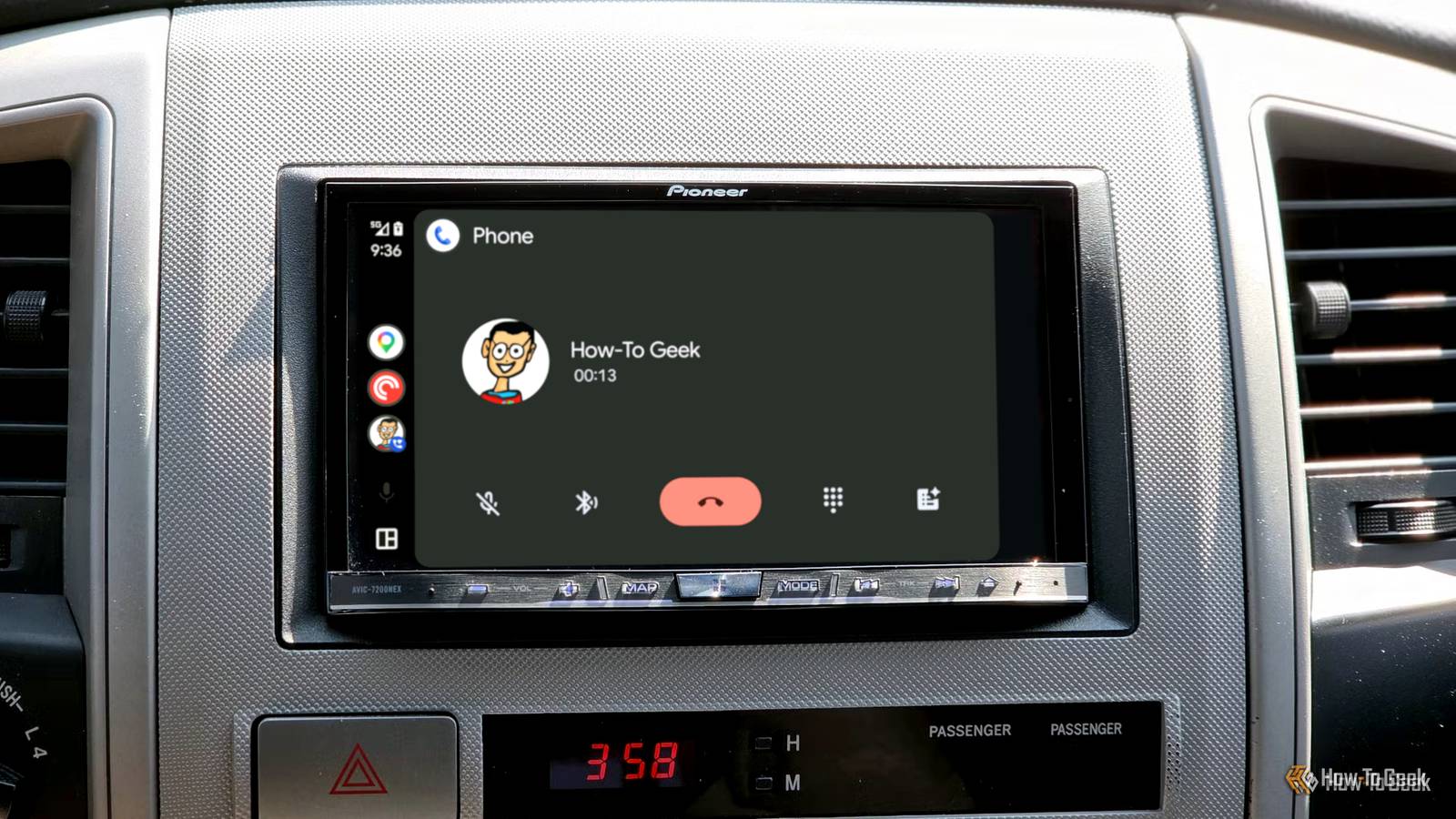
Published Sep 12, 2026, 7:30 PM EDT Ismar is a Senior Author at How-To Geek. He previously worked as a writer, editor, and general manager at a content agency before joining the team in 2023. He began his writing career in 2021 after completing a BA in English Language and Literature. Beyond How-To Geek, Ismar has contributed to Red Stag Fulfillment and Authority Hacker. He has also worked on various SEO projects to help clients improve their search visibility. Ismar has been around Windows PCs since the age of three, so friends and family naturally chose him as the resident tech support. His projects often involve tinkering, such as disassembling mechanical keyboards and gaming mice to mod his beloved gear. He also enjoys pushing hardware to the max through overclocking while staying on a reasonable budget. An avid gamer, Ismar has logged thousands of hours across various genres, including first-person shooters, RPGs, racing games, and roguelites. When he is not at his desk, he is probably exploring other people’s phones to discover their quirks and features or experimenting with the latest AI tools. In his free time, Ismar enjoys spending time with his wife, working out at the gym, playing guitar and bass, cooking gourmet meals, and traveling. Above all else, he’s a proud cat owner. Wired Android Auto is about as plug-and-play as it gets. The moment you plug the USB cable into your phone, everything connects in less time than it takes your engine to warm up a little before you roll off. However, annoyingly, it always seems to turn on Bluetooth too, but why does that keep happening when you’re using wired Android Auto? Your wired Android Auto connection isn’t as wired as you think USB doesn’t tell the whole story Android Auto gives you two options to connect: wirelessly via your phone's 5GHz Wi-Fi antenna, or through a high-quality USB data cable. Many people prefer wired because it's more reliable and heats up the phone less, and in some cars, it's the only method officially supported. That wired connection handles almost everything your phone has to offer: navigation, music, podcasts, message notifications, and so much more. Whether it's screen projection or audio, USB has no problem handling it. Weirdly enough, there’s one thing the USB cable could easily handle but doesn’t: phone calls. It might seem unusual at first, but once you learn why Android Auto splits these tasks between USB and Bluetooth, it starts to make a lot more sense. Android Auto lets Bluetooth handle your phone calls Your calls prefer the scenic route Credit: Cory Gunther / How-To Geek Although USB is more than capable of routing your phone calls to your car, Bluetooth remains the standard way cars handle cellular phone calls. To be more specific, they use a protocol called Bluetooth Hands-Free Profile (HFP), which has been around for a long time. It uses a mono audio channel to transmit audio through the speakers so you can hear the caller, while a microphone records your voice. In other words, a car needs a built-in microphone for Bluetooth HFP to work. As its name implies, Bluetooth HFP is designed to let you pick up, reject, and manage calls, typically through the steering wheel, without having to access your phone. Its focus on safety makes it a perfect fit for cars, and virtually any car released in the past decade or more uses the protocol for phone calls. Admittedly, the audio quality of Bluetooth HFP isn't on the same level as wired or wireless Android Auto, or even Bluetooth A2DP (Advanced Audio Distribution Profile), which is used for music. Instead, it's optimized for low latency, and its lower-bandwidth codecs inevitably hurt audio quality. That's why there's always such a drastic switch in audio quality between your phone call and the music you were playing just a second before picking up the call. Admittedly, wired Android Auto could probably handle the latency issue just fine while maintaining excellent sound quality, but there are some other unique benefits that are worth mentioning. Surprising benefits of running calls through Bluetooth instead of wired Android Auto It's more useful than you think Credit: Hannah Stryker / How-To Geek While it might seem a little annoying that your phone automatically enables Bluetooth each time you just want to listen to music, forcing you to manually turn it off later to stop it from auto-connecting to devices, it's not all that bad. For starters, a major benefit of keeping this connection entirely separate from Android Auto is redundancy. USB cables, even high-quality ones, can drop the connection for a fraction of a second in a car that's constantly vibrating and going over bumps at 70 miles an hour—especially if your car's USB port is worn out. Additionally, Android Auto itself can sometimes crash. It happens a lot less with a wired connection, but it still happens, especially if you've got an older phone that can't handle the heavy load Android Auto puts on it. But since calls remain on a completely separate Bluetooth connection, you won't have to deal with the frustration of dropped calls while driving on the highway. Another interesting benefit has to do with how your car's microphone and the rest of the telephony electronics process audio. A car's interior is an incredibly noisy environment filled with wind and tire noise, as well as other passing cars. At the same time, sound in the cabin bounces off the large glass surfaces, creating an echo. Fortunately, car makers thought of this and designed the microphone to be directional, while also using signal processing to intelligently cancel echo and noise. The system also accounts for the sound coming from the speakers when the other person is talking, preventing their voice from being picked up by the microphone and sent back to them. In fact, Bluetooth HFP has a "switch" that disables signal processing on your phone to ensure the audio quality doesn't deteriorate when the car is doing the same processing. That also explains some weird Android Auto call problems Your audio-less calls have nothing to do with the cable Credit: Ismar Hrnjicevic / How-To Geek When audio calls on Android Auto break, the first instinct for most people is to turn their attention to fixes that involve Android Auto. While some call-related issues can absolutely be caused by an improperly configured or bugged instance of Android Auto, most of the time, it's actually a Bluetooth-related issue. If somebody calls you and you don't hear them, or they don't hear you, there's a good chance the issue has something to do with Bluetooth. Maybe your smartwatch or buds are aggressively trying to take over, or perhaps you didn't enable the right permissions for Bluetooth calling. Other times, it's just a random connection issue that can be fixed by turning Bluetooth off and back on. Another thing that can definitely help is updating the car's firmware. Since calls are being handled through the car's Bluetooth connection rather than the main Android Auto connection, that's what you should probably focus on. It all makes sense once you know this Google probably could have found a way to make calls work over wired Android Auto, but instead, the developers took the "if it ain't broke, don't fix it" approach. Bluetooth HFP has been refined over the years in the car industry, so it's fairly reliable and well-established. It's easy to think that a wired connection would be better, but truthfully, we would just be trading one set of potential drawbacks for another. So, the next time you get into your car, don't try to force Bluetooth off, as it's handling the one job that the USB cable isn't.
Your wired Android Auto connection secretly still uses Bluetooth for one important thing
Full Article
Original Source
Read the full article at Howtogeek →KhanList aggregates and links to publicly available news content. We do not host full articles from third-party sources. Always verify important information with original sources.