
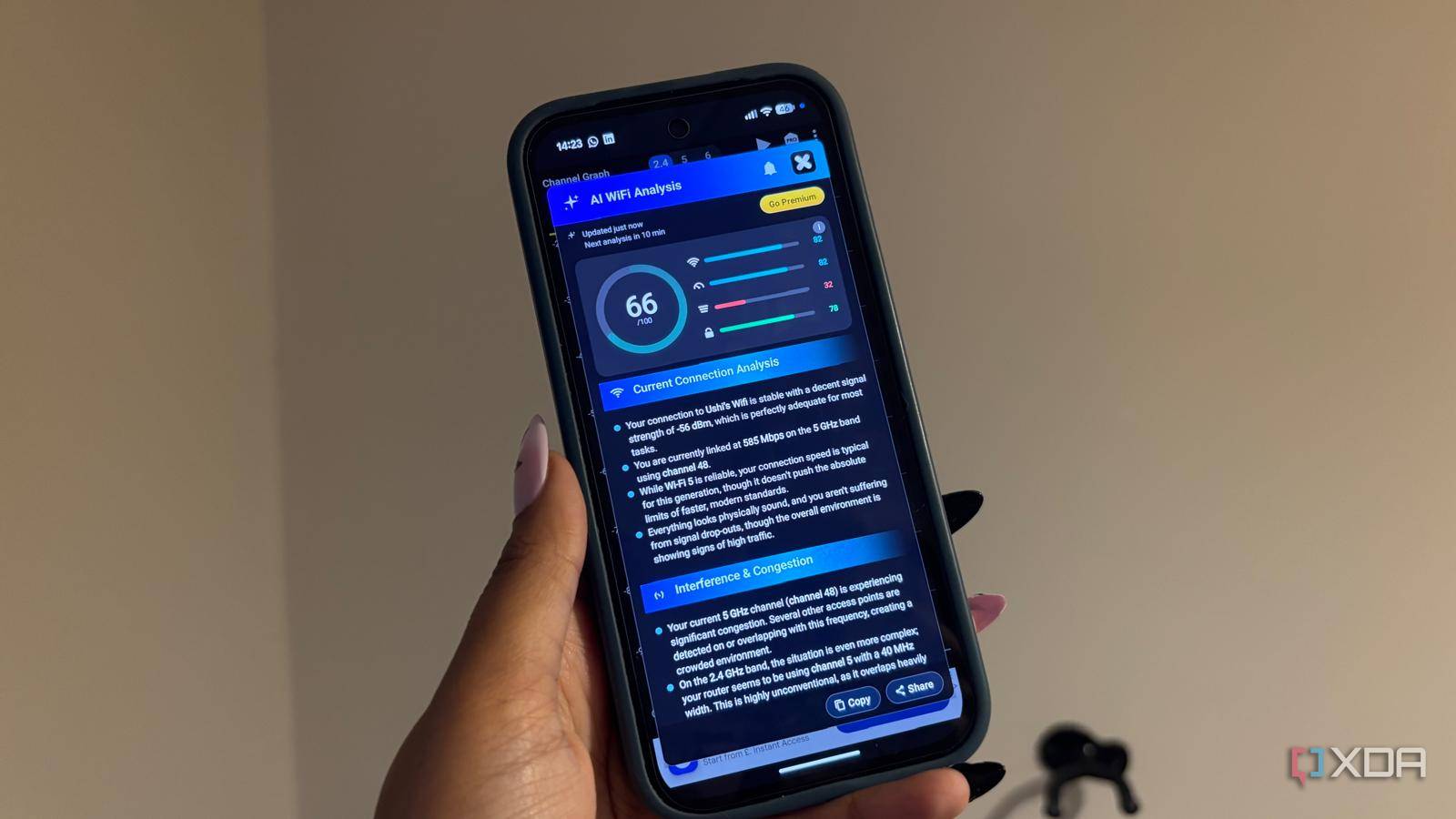
Published Oct 21, 2026, 5:00 PM EDT Jasmine is Software and PC Hardware Author at XDA with years of tech reporting experience ranging from AI chatbots right down to gaming hardware, she's covered just about everything. Whether it's breaking news about the latest AMD NPUs or creating video tutorials on social media platforms, Jasmine has contributed to the world of AI and tech in a variety of ways including interviewing the CEO of Razer, AMD's Director of Product Marketing and the VP of Lenovo. Passionate about gaming and PC technology, she has built countless computers, keyboards and other peripherals - knowing them inside and out. When you set up a high-end router in a suburban neighborhood or apartment building, you might find that your 5GHz network is choking on overlapping channels while half the spectrum sits completely dormant. Out of the box, most consumer routers restrict themselves to the lower non-DFS 5GHz channels to avoid regulatory fines or interference with weather radar and military frequencies. By leaving dynamic frequency selection disabled, you are voluntarily fighting for scraps in a crowded four-channel pool. Unlocking DFS channels opens up a massive interference-free superhighway that gives your Wi-Fi network room to breathe. DFS isn't illegal But there are some regulations What actually is DFS, or dynamic frequency selection? DFS channels sit right in frequency ranges shared with weather radar systems, satellite communications, and aviation Doppler radars. You're essentially sharing the spectrum with all of these. It's not illegal to use these channels. You're not committing a crime by switching DFS on, but you must follow mandatory rules when using these channels. To legally use DFS channels, FCC regulations require that your router or access point continuously monitor the frequency. If it then detects even a whisper of radar signatures, it must immediately vacate the channel and jump to a non-DFS frequency, causing a momentary disconnect as the AP shifts traffic. This momentary disconnect is essentially a fear of radar and the reason why so many manufacturers keep DFS turned off or buried in advanced settings by default. However, unlocking gear is a major game changer for power users, giving you real-world advantages that make a big difference in day-to-day use. Four standard non-DFS channels are available, and every router in your apartment building or neighborhood is likely stacked on top of each other within them. By switching on DFS, you're escaping those lower-band bottlenecks, as it opens up a much wider, sparsely populated block of frequencies. Because fewer consumer devices and neighbors operate on DFS channels, you can comfortably run wider channel configurations like 80 MHz or even a clean 160 MHz block without instantly colliding with co-channel interference. Setting up DFS channels isn't hard Use a Wi-Fi analyzer for more information Before you start, complete an audit of your Wi-Fi and connection. You can do this by scanning your local RF environment. You can download a range of free Wi-Fi analyzer tools on your mobile phone. These will let you see how crowded the lower 5GHz channels are in your area compared to the quieter DFS range. Using your phone, you can move through your house and see how that shifts in different areas. Once you've done this, you can then access your advanced router settings and navigate to the 5GHz wireless configuration page. This is where you can enable DFS channels by toggling on DFS channel support. You can select an open DFS channel or set your channel auto-selection to include DFS bands and then apply settings. Use the information you got from your Wi-Fi audit to choose the most suitable channel for yourself. Once you've done this, monitor and verify. Check your client connection speeds, signal metrics, and stability to confirm your devices have successfully migrated to the new clean spectrum. Using your Wi-Fi analyzer tool again should show whether this change made a difference. This might not work for everyone Close to an airport? Think again This change won't work for everyone. There can be some compatibility quirks. If you live near a major airport or a meteorological Doppler radar station, your router might occasionally drop a client for a few seconds as it automatically vacates the DFS channel when it detects radar pulses. If you don't live near devices that use this, it won't make much of a difference, but near airports, the constant dropping out can be frustrating, even if it's only for short periods. Before switching, also confirm client device support. Many older smart home devices or niche client devices might not support DFS channels. Most modern smartphones, laptops, and streaming boxes do, but some legacy IoT chips can occasionally be picky. Don't lose out on performance Check if DFS channels are right for you Consumer routers play it safe out of the box to avoid regulatory headaches, leaving half of the 5GHz spectrum gathering dust. Forcing your network to utilize DFS channels is one of the easiest ways to bypass neighborhood congestion. Log in to your router, toggle on DFS, and give your high-speed wireless devices the open highway they deserve.
Your router avoids the best 5GHz channels by default, and turning on DFS gave my Wi-Fi room to breathe
Full Article
Original Source
Read the full article at Xda-developers →KhanList aggregates and links to publicly available news content. We do not host full articles from third-party sources. Always verify important information with original sources.