
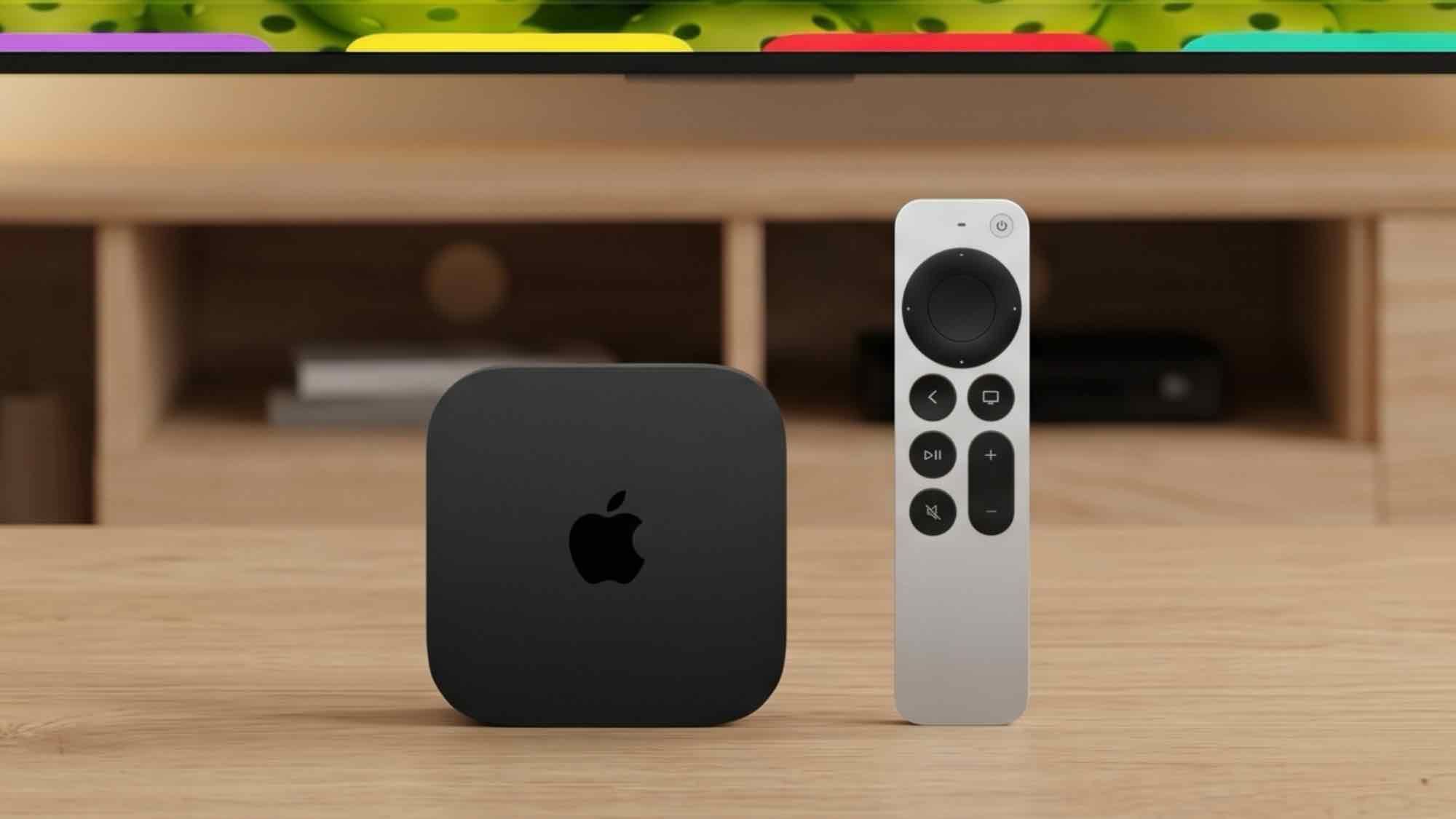
(Image credit: Apple / Edited with Gemini) If you own an Apple TV, you know the routine. You sit down to relax, reach for the remote, and find nothing. Ten minutes later, after lifting every couch cushion and checking under the rug, you finally locate it.As part of Apple's Welcome home product showcase, which signaled a major expansion into the smart home space, the company unveiled a direct fix for this living room headache. The new Apple TV 4K upgraded Siri Remote now features a built-in speaker that plays an audible chime when triggered via voice command or the Find My app.Combined with Precision Finding, which provides directional cues on your iPhone or Apple Watch, tracking down a misplaced remote requires far less guesswork.This leads to an obvious question for existing owners: do you have to drop $300 on a new streaming box, or can you buy the remote by itself?Yes, you can buy it separatelyThe new Siri Remote is sold as a standalone accessory. Apple offers the upgraded remote individually for $59 on the Apple Store.It is available to order alongside the broader hardware lineup, with shipments beginning Friday, November 13 — matching the launch date of the new Apple TV 4K. (Image credit: Apple)For users happy with their current streaming box who simply want an easier way to find the remote, the $59 standalone Siri Remote offers a straightforward, budget-friendly fix without forcing a full system upgrade.Sign up to the weekly Tom's Streaming Guide to stay in the loop with the latest releases and top recommendations across your favorite streaming services. We’ve got you covered with a complete guide on what’s worth watching.What models does it support?The standalone remote is compatible with:Apple TV 4K (1st, 2nd, and 3rd generations)Apple TV HDWhat’s new with the 2026 Siri remote?If you are eyeing the standalone upgrade, Apple packed several practical features into the body of the remote:Precision finding. The remote supports highly accurate directional guidance directly on your iPhone screen. Find My now guides you straight to the remote with distance counters and directional arrows, making short work of room searches.A built-in speaker. Apple finally added a hardware speaker to the body of the remote. You can now say, "Hey Siri, find my remote," or use the Find My app, and it will emit a clear, audible chime from beneath your sofa cushions.And, of course, broad backward compatibility. As we know, Apple made the remote backward compatible with earlier set-top models, so you can upgrade your remote without throwing away a perfectly good streaming box.Interested in what else Apple unveiled at its smart home showcase? Check out our Apple 'Welcome home' event live blog for full coverage, hands-on impressions, and deep dives into all the latest releases. Follow Tom's Guide on Google News and add us as a preferred source to get our up-to-date news, analysis, and reviews in your feeds. More from Tom's GuideApple 'Welcome home' event LIVE — HomeView, Apple TV 4K, HomePod mini 2 unveiled — all the news, prices and release datesControl your Apple TV like a pro with these 5 hidden remote featuresI found 5 hidden shortcuts for my Apple TV 4K that make it so much easier to use — here's how to use them Kaycee is Tom's Guide's How-To Editor, known for tutorials that get straight to what works. She writes across phones, homes, TVs and everything in between — because life doesn't stick to categories and neither should good advice. She's spent years in content creation doing one thing really well: making complicated things click. Kaycee is also an award-winning poet and co-editor at Fox and Star Books.
You don’t need the $300 Apple TV 4K to get its best feature — just buy the new Siri remote
Full Article
Original Source
Read the full article at Tomsguide →KhanList aggregates and links to publicly available news content. We do not host full articles from third-party sources. Always verify important information with original sources.