
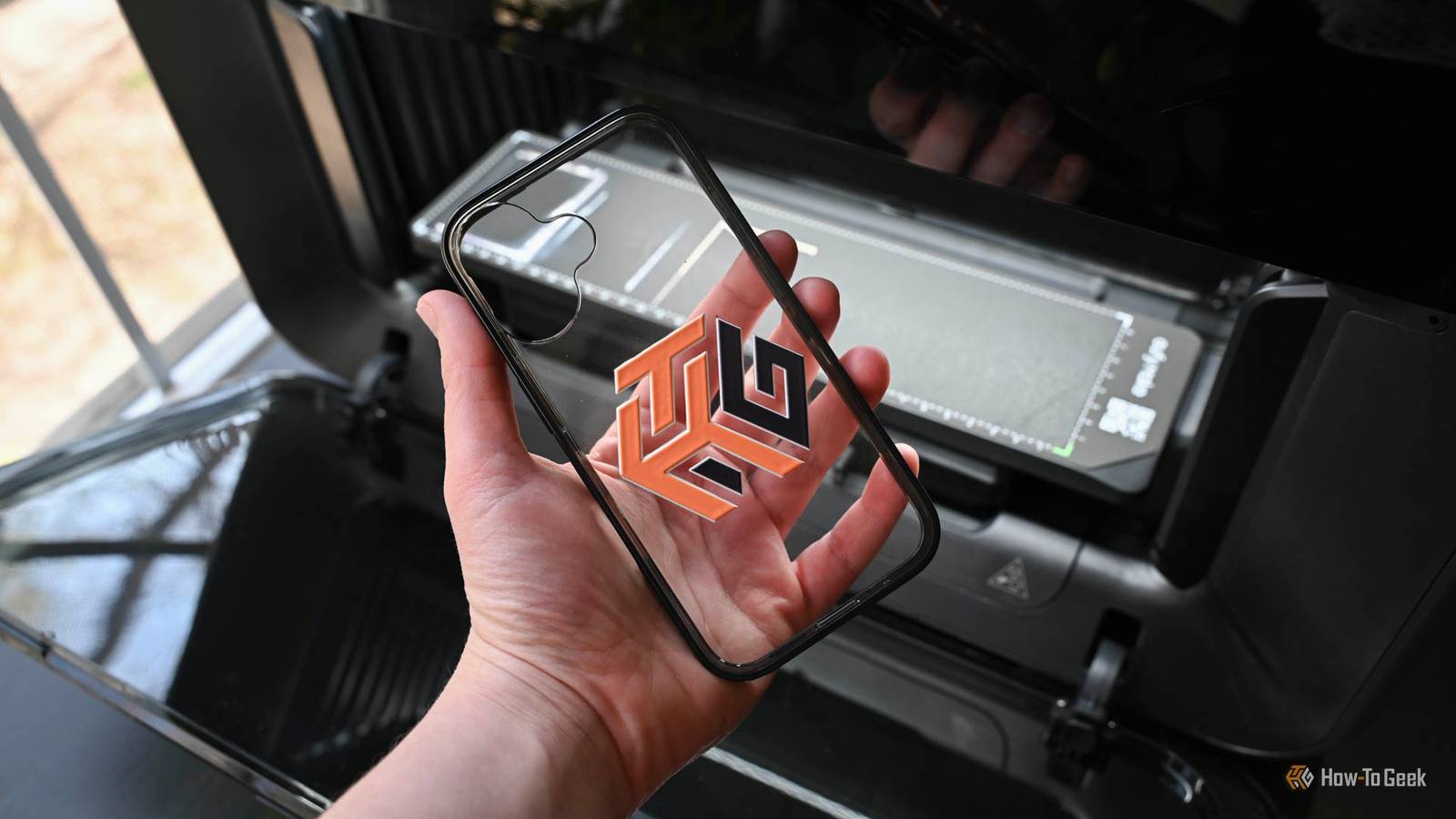
Published Nov 5, 2026, 6:00 AM EST Tim has been covering technology for almost 20 years, in that time spanning a broad range of topics from security to product reviews. He is especially focused on the Apple ecosystem, productivity, and consumer advice. Over the years Tim has written thousands of articles, reviews, and round-ups in addition to producing video content and original photography. A graduate of journalism, he found his footing as a freelancer with a laptop and loves how he is able to work from practically anywhere. Now a Senior Editor for iPhone, Mac, and Smart Home at How-To Geek, Tim still loves to write. He can also be found crafting round-ups and productivity posts for the Zapier blog. Earlier in his career Tim spent nearly a decade as a writer and eventually Apple section editor for MakeUseOf. Tim currently lives in Brisbane, Australia. Outside of work he loves to hike and work out, play video games, and spend quality time with his wonderful partner and two cats Inka and Roger. New 3D printer models keep coming thick and fast. This can lead to a feeling of FOMO that makes you want to upgrade, but your old printer probably has plenty of life left in it. Unless you’re specifically looking to boost your printing capacity, your money is better spent scratching that maker itch with something else. Laser engravers and cutters Options for every price point Laser engravers and cutters allow you to mark and cut raw materials like wood and metal. You can create your own designs, line up the design software using cameras on the machines, and then make them a permanent design with the click of a button. They’re perfect for cutting paper with precision or personalizing gifts or handmade items. 2026 has been a big year for laser-based crafting tools. Once the domain of enthusiasts and business owners who could stomach the high price tags, the barrier to entry has fallen dramatically. At the start of the year, we saw the release of the long-awaited xTool P3, a $7,000 laser engraver that combines pro-level performance with the ease of use that hobbyists expect. Later in 2026 came Bambu Lab’s first laser engraver, the R1. For a fraction of the price of the P3, the R1 makes CO2 laser engraving seem cheap with a highly capable 55W laser for just shy of $2,500. It focuses on usability, applying the Bambu Lab 3D printer formula to engravers with its self-aligning mirrors and easy setup. But you don’t need to spend four figures to get simple engraving and cutting at home, with budget-focused options like the xTool M2, which combines inkjet printing with engraving and cutting for a starting price of just $600. The diode laser used by the M2 isn’t as capable as the CO2 laser used in higher-end models, but for an entry-level machine it’s a solid starting point. UV printer Print on virtually anything UV printers use a unique type of ink that is cured instantly using ultraviolet (UV) light. This allows you to add unique designs to a range of materials without waiting for the ink to dry. It means that you can print on porous and non-porous materials alike, since the light immediately sets the ink and turns it into a solid finish. UV printers pair particularly well with a 3D printer since you can use them to print designs onto items that you have 3D printed. This is faster than multicolor printing and far less wasteful, though you’ll still need to pay for UV ink. Another benefit of a UV printer is the ability to create raised texture prints, adding a tactile element to visual design. The most prominent hobbyist UV printers on the market right now are the eufyMake E1 (starting at around $2,000) and the xTool O1 ($2,500). With this in mind, Bambu Lab is rumored to be introducing its own UV printer in the near future, so it’s worth keeping an eye on what sort of price point this will launch at and how rivals will respond. 3D scanner Point and shoot Credit: Creality A 3D scanner makes it relatively easy to replicate an object simply by pointing the scanner to capture it from all angles. The primary reason you’d want to do this would be to create a copy of an item, but they’re also good for rapidly capturing an accurate scan of an item that you can modify to suit or designing parts that fit within scanned areas. Like laser engravers and UV printers, 3D scanners have traditionally been aimed at the professional market. The popularity of 3D printing has ushered in a new era of affordable 3D scanners, with brands like Creality launching the $700 Pika to complement its lineup of more expensive imaging tools. Without wanting to sound like a broken record, Bambu Lab is in the process of launching its own S1 scanner too. Microcontrollers like the ESP32 The cheapest new hobby you can pick up The ESP32 label applies to a family of microcontrollers from Espressif Systems that are used in everything from retail products like smart home sensors to hobby projects. They’re far from the only microcontrollers on the market, but they are by far the most popular for their relative ease of use and cheap price point. If you’re not comfortable writing code, frameworks like ESPHome allow you to use human-readable markup like YAML to build things. Many projects exist online that include all of the code you could need, and instead focus on having you connect the various components by following wiring diagrams. Many ESP32 projects are only possible with the aid of the 3D printer you already own. While all of the items on this list so far cost anywhere from a few hundred to a few thousand, the ESP32 is a far cheaper prospect. For as little as $5, you can grab a development board and build something from scratch or follow a simple guide. You can even 3D print parts like breadboards and wire holders to keep costs low. Soldering iron A skill that will pay for itself A soldering iron will set you back around $50 and is a must-have if you’re getting into electronics projects. You can get started with some cheap and easy soldering projects that focus on developing your technique. With the basics nailed, you can do things like repair your own electronics by replacing broken buttons and take on more advanced projects like building your own mechanical keyboards and macropads. You can also use a soldering iron in 3D printed projects to do things like add heat-set inserts to your models. Looking for more ways to spend your spare time? Check out these no-cost tech hobbies you can pick up in a weekend.
You don’t need another 3D printer—buy these 5 maker tools instead
Full Article
Original Source
Read the full article at Howtogeek →KhanList aggregates and links to publicly available news content. We do not host full articles from third-party sources. Always verify important information with original sources.