
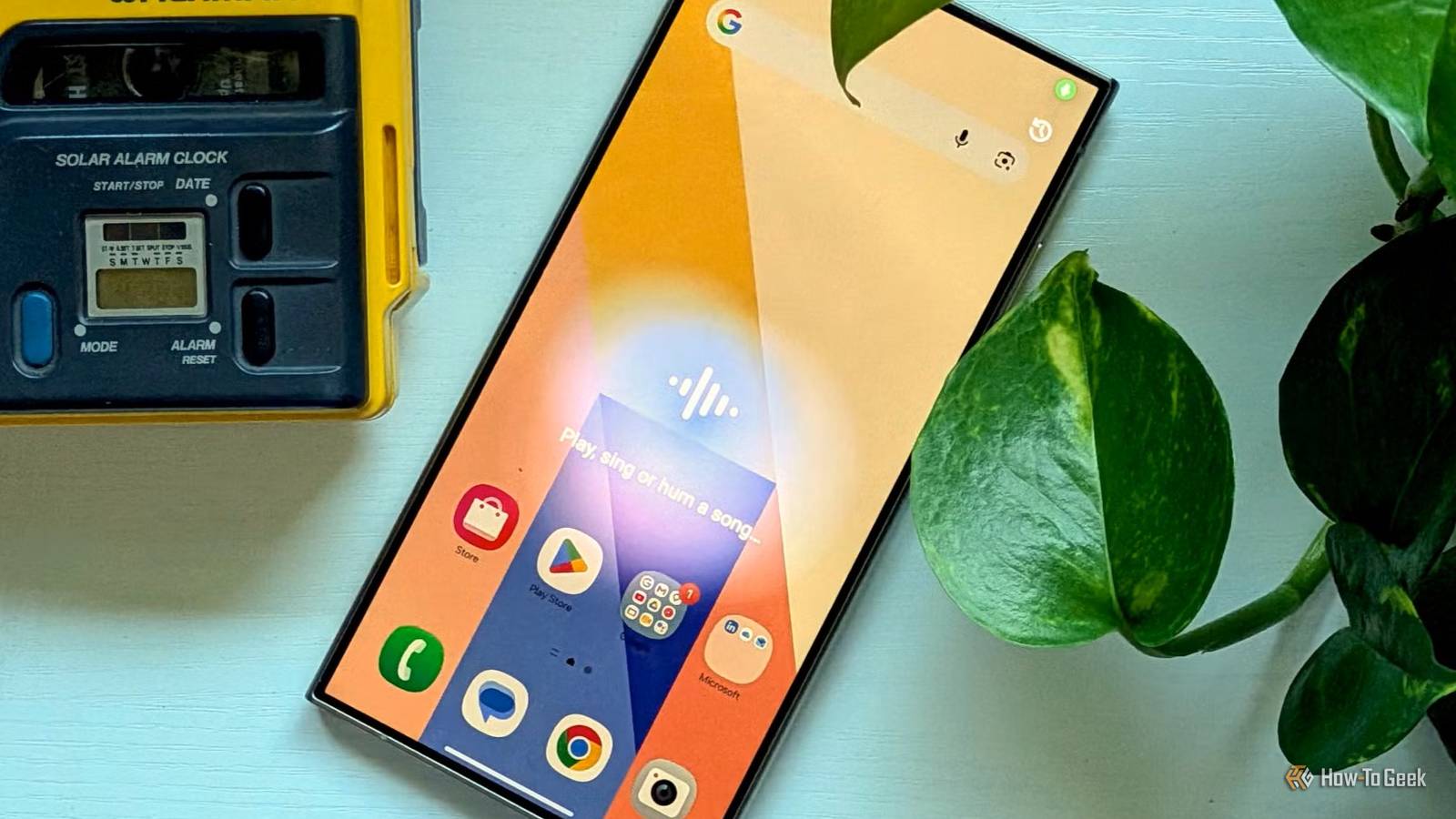
Published Sep 25, 2026, 6:30 AM EDT Tyler is an journalist and content contributor at How-To Geek with over three years of experience covering the automotive and tech industries. His work focuses on delivering clear, well-researched, and engaging content that helps readers better understand the vehicles they drive and the technology that they use everyday. Before entering automotive media, he spent five years as an academic editor, developing a strong foundation in research methodology, factual accuracy, and structured analysis. This background informs his journalistic approach today, ensuring that every article balances technical insight with accessibility for a broad audience. I’ve installed plenty of apps over the years simply because my phone couldn’t do something I wanted it to do. Need to identify a song? Download an app. Want to send a file to someone nearby? There was an app for that, too. But Android has come a long way, and many of those once-essential apps are no longer necessary. Modern Android phones now have built-in tools for just about everything. I’ve found this especially noticeable as Android’s built-in features have become more capable. These six features are a good reminder that sometimes the app you need is already sitting on your phone. Song identification Song Search makes a certain app obsolete Back when it first hit the App Store, Shazam blew my mind. It could easily identify a song after just a couple of seconds of listening, and very rarely did it get things wrong. A couple of other apps popped up to try and rival Shazam, but they had clearly cornered a niche in the market. Everyone I knew had it installed on their phones. Built-in AI features on Android devices have come quite a long way, though. Modern Android phones now come with a feature called Song Search, which essentially functions the same way. It can identify a song that is playing, or you can hum it, and it will make a guess. In my experience, it works just as well. Wirelessly sharing files with nearby devices Android's version of AirDrop As someone who has been pretty staunchly loyal to Android phones, one of the few things that made me envious of people with Apple devices back in the day was AirDrop. Being able to send files easily to other devices nearby is really convenient. You used to have to download a separate app, and you often had to make sure the person you wanted to share with had the same app. Honestly, it was more hassle than it was worth. Android devices now come with Quick Share, which essentially works the same way as AirDrop. In some ways, Quick Share is even better. It can send files to any other Android device and can even share with devices running Windows. Live captioning and transcribing A great accessibility feature Audio content is pretty widespread on mobile devices. Whether you're talking to someone on the phone or scrolling through social media, you need audio for a lot of things. Live captioning makes all of this much more accessible. Where you used to have to get a dedicated app for this, Android now offers it as a basic feature in its accessibility settings. Android devices come with both live transcription and live captioning. Live transcription shows speech as text on your screen, making it easier to have conversations with people around you. You can also set it up to alert you when someone says your name, and you can type responses to the transcription. Live captioning detects speech on your device and generates captions, including providing captions for phone calls. Your phone can act as an interpreter Although languages are still limited Anyone who has traveled abroad will tell you just how handy having a translator app can be. Being stuck somewhere you can't communicate is scary, and being able to translate what other people are saying can be a lifesaver. The old-school way of doing this was just to jump into Google Translate or download a dedicated app. Android devices now come equipped with the Interpreter app, though. This feature lets you choose from a list of available languages and translate conversations. You can set it to listening mode, where it simply translates what somebody is saying. You can also set it to conversation mode, where two people speaking different languages can communicate using the device as an intermediary. Searching for images that you see No more typing vague descriptions into Google If you've ever seen something in a video or post that you wanted to look up, but you didn't quite know how to describe it, then you're not alone. I spend a lot of my day on the internet, more than I'd care to admit, and I often find myself wanting to search for stuff that I see in other people's videos. Some apps offer this functionality, but one of Google's latest additions to Android devices works better. Most modern Android devices come equipped with a feature called Circle to Search. It only launched back in 2024, so it's still fairly new. Essentially, you circle anything on your screen, your device processes the image, and then it produces search results that are relevant to whatever you've circled. Record your screen on your phone A seemingly simple feature While some Android phone manufacturers did offer screen recording software a little earlier, it wasn't until 2020 that Android included it as a built-in feature. Before that, you needed a separate app to record what was happening on your screen. It has become reasonably advanced, letting you record your full screen or specific areas. You can also select whether it records audio from media and your mic, just media, or no sound at all. Android devices come with a pretty wide array of built-in features As time marches on, third-party apps are becoming more and more redundant. Don't get me wrong: you can still do a lot of things natively on your phone, but Android keeps adding useful features that make apps obsolete. You used to need a completely separate app to do anything on this list, but now they are included as features on modern Android devices.
You don't need a separate app for these 6 Android features anymore
Full Article
Original Source
Read the full article at Howtogeek →KhanList aggregates and links to publicly available news content. We do not host full articles from third-party sources. Always verify important information with original sources.