
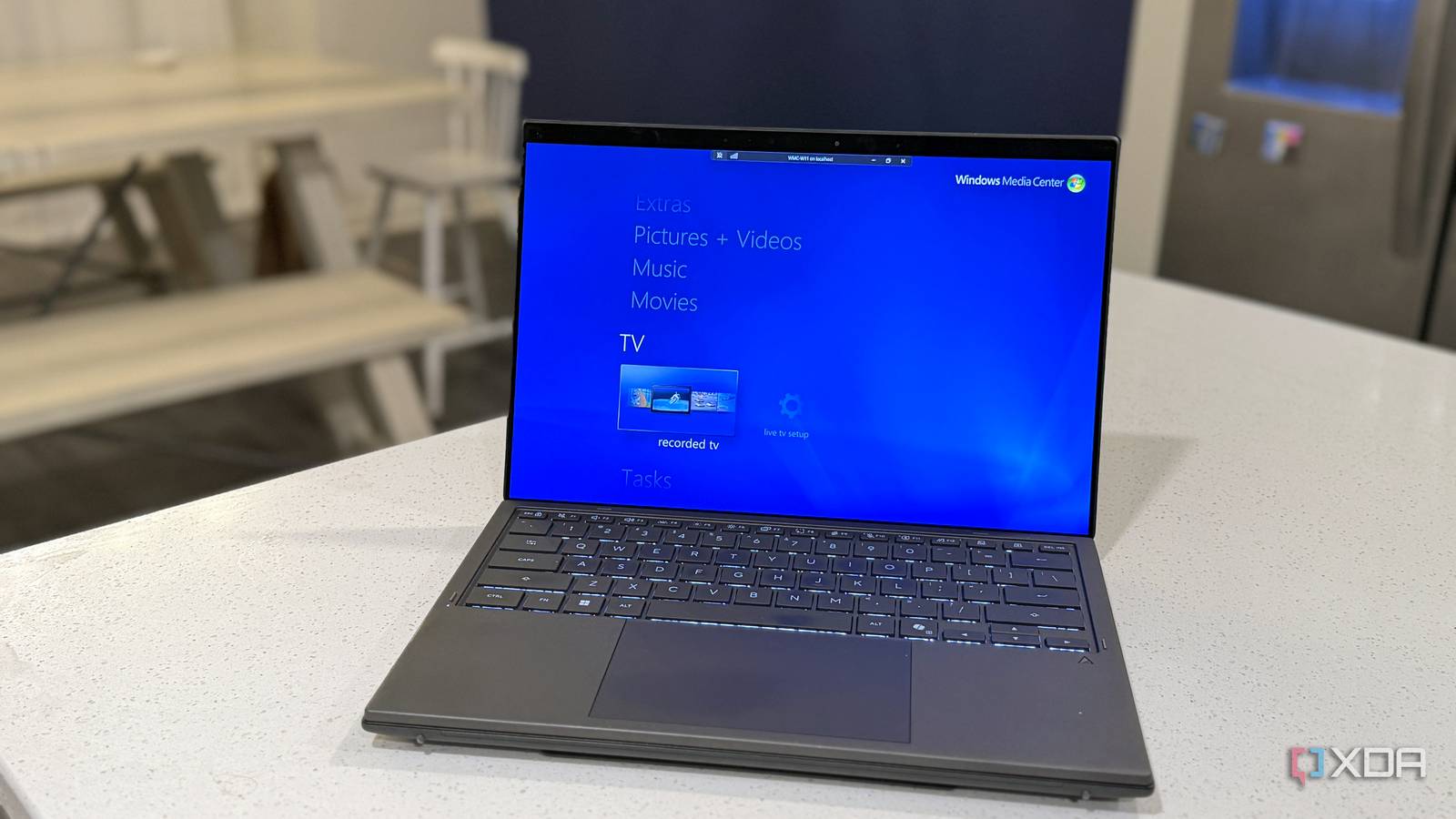
Published Nov 14, 2026, 1:30 PM EST Maker, meme-r, and unabashed geek, Joe has been writing about technology since starting his career in 2018 at KnowTechie. He's covered everything from Apple to apps and crowdfunding and loves getting to the bottom of complicated topics. In that time, he's also written for SlashGear and numerous corporate clients before finding his home at XDA in the spring of 2023. He was the kid who took apart every toy to see how it worked, even if it didn't exactly go back together afterward. That's given him a solid background for explaining how complex systems work together, and he promises he's gotten better at the putting things back together stage since then. Microsoft has a lot of good ideas, but perhaps not the best sense of timing. Zune was rushed out as a counterpart to the iPod; Windows Mobile assumed we'd all want to use tiny pens on our devices before Samsung even thought of folding screens, and Windows Media Center turned our PCs into DVRs before the Xbox became the main media consumption device. Sure, TiVo shipped first, but that was tied to a box that did nothing other than DVR your shows, at a price that cost as much as a PC. The thing is, even with free guide data for over-the-air TV, Windows Media Center struggled. Sure, nowadays we have DVR capabilities on streaming services like YouTube TV and in cable TV boxes, but at the time it was early-adopter territory. I feel it's worth revisiting in this age of self-hosting to cut down on subscription fatigue, and the good news is that it runs on Windows 11. TiVo might have been first, but it was subscription-based Windows Media Center first appeared in the XP era, as a standalone OS used on new Media Center PCs. Microsoft wanted you to use your PC from the living room, decades before the Steam Machine. When Windows Vista came out, it was bundled in the Home Premium and Ultimate editions as a bonus, and most versions of Windows 7 included it. Having a nice, unified dashboard for self-hosted media and OTA TV via a tuner was amazing, but the killer feature was free TV guide data that didn't rely on a cable subscription. That also meant you could pre-record shows without having to figure out how to set the VCR. Nowadays, the only way to get free guide data is to own an HDHomeRun device, as every other service has a nominal fee. I could probably buy an HTPC to run Windows Media Center with how much I pay yearly for streaming subscriptions. The only other viable option at the time was TiVo, which cost a lot in 1999-era dollars for the hardware, then another couple hundred (depending on which year) for lifetime guide data. Recordings are left on your drive, not behind a license that might disappear WMC let you create your own library of content, recorded from OTA programming or a cable card. That was harder than it sounds, to be fair. I remember struggling to find a TV tuner that would work with my PC without costing a fortune. Now you can get network-connected tuners that stream the signal to your devices, but it was a different story back then. The one thing was that copy-protected cable recordings were locked to the PC that made them. DRM has always been a thing with broadcast content, and that's not going away. One guide covered everything you could watch, which no streaming app manages today Live TV, recordings, and your own library sat behind one green button Think of how siloed the streaming landscape is right now. Or how OTA and cable have changed. Sure, you can set up Plex or XMBC or Jellyfin and add plugins to get OTA TV into the interface, or buy any number of streaming sticks and boxes, but none of them feel as cohesive to me as WMC. It was built as a remote-first interface, and you could buy media remotes once it moved off dedicated PCs. And everything was behind that green button. Your home movies, photos, recorded TV, ripped CDs and DVDs. No switching between apps like on a streaming box today, and no need to remember which show is where. Just one blue dashboard, readable from the couch. An Xbox 360 put the same guide and recordings in every room by 2005 Then in October 2005, Microsoft added Xbox 360 extender support. You could DVR on your PC, then stream it from your Xbox 360. Years before DirecTV, AT&T U-verse, or Comcast launched their whole-house DVR services. CableCARD was supported early on, but it was OEM-locked until 2009. It took months before a third-party CableCARD device was available to buy, but that's not the point. Microsoft was ahead of the curve. Microsoft walked away just as people started cutting the cord Only 6% of Windows 7 users ever opened it, and Microsoft had the telemetry Then things changed. In 2011, Microsoft was building Windows 8, and looking at what it could remove from the existing versions. The numbers were bad for Windows Media Center. Only 6% of Windows 7 users opened it in July 2011, and only a quarter of those used it for more than ten minutes. Windows 8 turned it into a paid add-on for $10. Windows 8 Pro users could get it for free if they added it quickly, which is when I grabbed a copy. It was removed completely from Windows 10 because not enough people used it. In 2015, the guide data switched from Zap2it to Rovi, which caused major issues in accuracy and actual delivery, and at the beginning of 2020, Microsoft shuttered the guide service. Streaming solved the problem Media Center was built for, then brought the bills back The rise of on-demand content streaming reduced the desire to use DVR services. Casual viewers thought it wasn't worth the effort for things that were always available, so they stopped recording their own library content. Then the subscriptions started getting more expensive, and content that was assumed to be eternal was removed from services or switched to other providers, and that's to say nothing about the lag of live sports behind OTA broadcasts. Media Center still runs on Windows 11, and the idea outlived the software You can still use Windows Media Center on modern Windows, but it relies on a community project, a second service for guide data, and to own a TV tuner. If you want to run it like I do, ignore any prompts to install PlayReady because that part of Microsoft's servers is no longer there. You'll need something like Schedules Direct to pull guide data, which is yet another subscription, but at least it's not expensive. It's worth the pain for me, because it gives me live TV that I can record. WMCsetup WMCsetup gets Windows Media Center running on modern Windows versions, so you can build the media PC of your dreams.
Windows Media Center made the PC a DVR before streaming took over
Full Article
Original Source
Read the full article at Xda-developers →KhanList aggregates and links to publicly available news content. We do not host full articles from third-party sources. Always verify important information with original sources.