
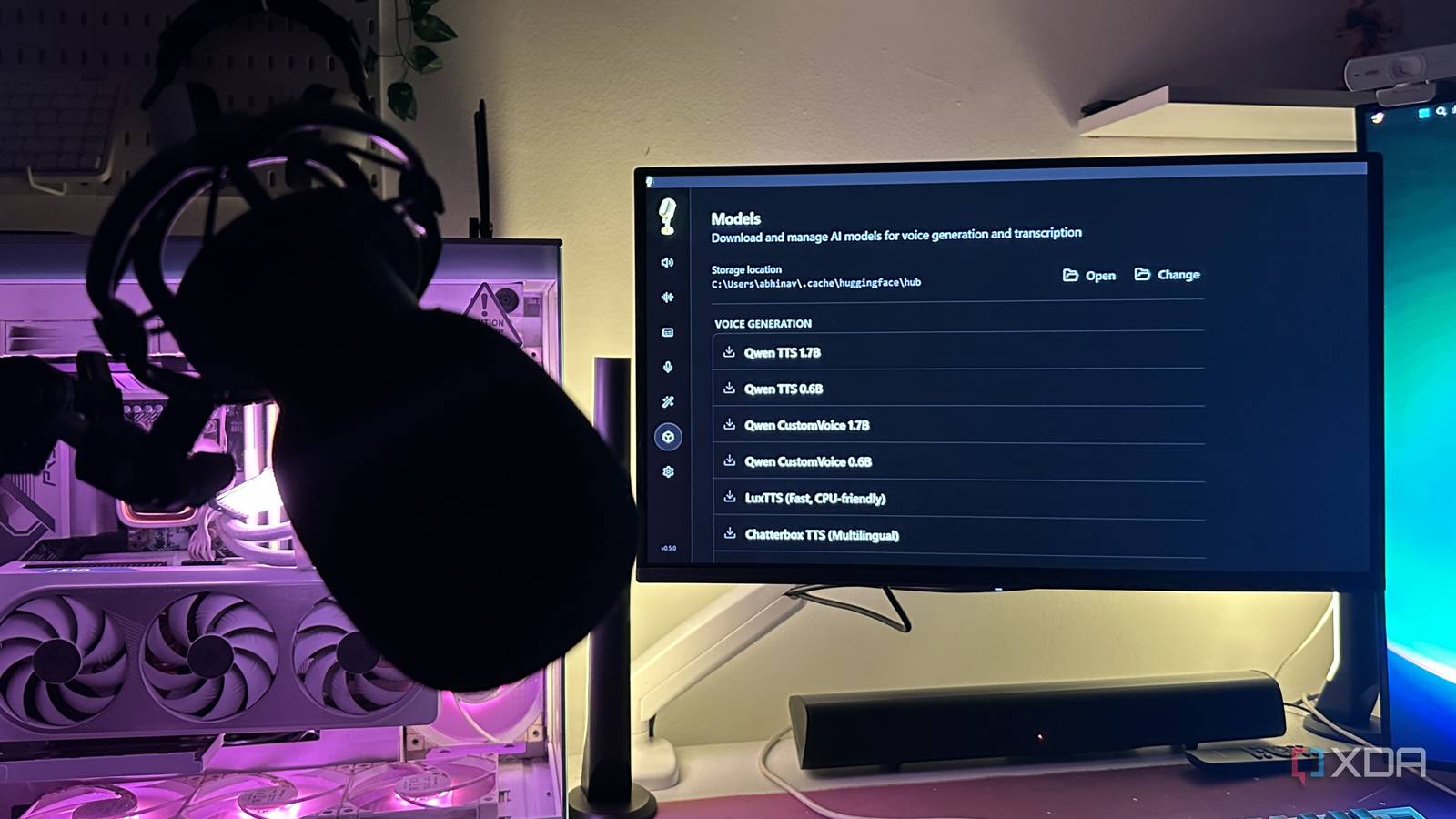
Published Oct 7, 2026, 7:00 PM EDT Abhinav pivoted from a career in banking to pursue his first love in writing. Even while working full-time, he continued contributing as an editor-at-large, a role he has held for more than 7 years. A lifelong tech enthusiast who has built three gaming and productivity powerhouse PCs since 2018, his passion for technology keeps him closely following the semiconductor industry, from NVIDIA and AMD to ARM. His MSc dissertation explored how artificial intelligence will reshape the future of work, reflecting his curiosity about the wider social impact of emerging technologies. A few months ago, when Kyutai released Pocket TTS, I was able to clone my own voice from a 5-second-long clip, which was an experience that left me wondering just how fragile the voice-based identity checks at banks and insurers had become. The barrier to access was so low that anyone with a PC and an internet connection could've followed the same steps and reached the same outcome. A few months later, it seems that this very same process has gained a dedicated desktop application for Windows, Linux, and macOS, in the form of an open-source utility known as Voicebox. The installation is point-and-click, the results are much more convincing, and the entire thing can run on consumer hardware. Here's why it's equal parts impressive and equal parts frightening. What is Voicebox? What does it do, and who is it for? Voicebox is an open-source and free-to-use voice studio created by Jamie Pine, who is the founder of Spacedrive Technology Inc. It is distributed under the MIT license, pitched as a local replacement for two paid services, including ElevenLabs for voice cloning and text-to-speech, and WisprFlow for dictation. Since it's open-source and everything runs on the hardware you own, using it doesn't require an account. At the center of the app, of course, are its voice cloning capabilities, which is why I was interested in the app to begin with. A user can build a voice profile from an uploaded audio file, a microphone recording, or audio captured directly from whatever is playing on the user's PC, including a YouTube video or a Spotify podcast. From there, five of its speech engines, including Alibaba's Qwen3-TTS and Resemble AI's Chatterbox can read any typed text back in that voice across as many as 23 languages. The core voice-cloning feature is surrounded by a comprehensive set of tools. Voicebox comes with a timeline editor for multi-voice projects, an effects rack, system-wide dictation powered by Whisper, and even a local API that lets coding agents speak back to you in a cloned voice. Despite what it might seem like, there are plenty of legitimate reasons for using it. The utility is designed for everything from audiobook and podcast production to NPC dialogue, voice assistants, and various accessibility features. That being said, as is obvious, there's enough potential for more malicious use-cases as well. Spacedrive's terms acknowledge that its voice-ownership checks are limited, and don't extend to the desktop application itself. This clearly means that there's nothing stopping someone from cloning another person's voice and using it for whatever purpose they may see fit without the safeguards that normally exist on a hosted service. How does Voicebox work? And what you need to run it Under the hood, Voicebox is essentially a desktop wrapper around a collection of local speech models. If you give it a voice sample, it's transcribed by Whisper, and then a speech engine such as Qwen3-TTS uses the audio and transcript to generate new speech in that voice. It all sounds complicated, but the app's UI makes using it a piece of cake. The only skill set you'd need to run this app is being able to boot a PC and run a setup wizard. Voicebox's website says that as little as 3 seconds of audio is enough for voice cloning, but its docs recommend 10 to 30 seconds of clean speech for the best results. Either way, that's an absurdly low bar for anyone with a public-facing voice, given how much usable audio can be found through a YouTube interview, a podcast, or even an Instagram reel. It also makes responding to unknown callers riskier than usual, since all it takes for a cyber threat actor to record a few seconds of your voice to clone it. There isn't much of a hardware barrier either. The requirements are 8GB of RAM, 5GB of storage, and a multicore CPU. The recommended requirements only go up to 16GB of system RAM and preferably an Nvidia GPU. Those are the specs that my Lenovo Legion 5 Pro laptop from 2022 already comes with, and that's where I tested the utility myself. There were two other details buried in the patch notes that I thought were worth keeping in mind. Since version 0.4.5, cached models have been able to generate speech without an internet connection, while the most recent build, v0.5.0, dates back to April. Once everything is downloaded, nothing sits between you and the voice you're generating, which is something I tested myself. Using Voicebox is fast, easy, and concerningly simple It takes three steps, and you're done The latest version of the Voicebox gives you three ways to get a voice cloned. You can upload an existing clip, record one through your microphone, or capture whatever is playing on your PC, although recordings and captures are capped at 30 seconds. You're then asked to provide the transcript for the recording, and from there, that's pretty much it. There's no identity check, ownership declaration, and nothing on the profile screen asking whether the voice actually belongs to you. Before the first run, I needed a couple of downloads. The first was Qwen3-TTS 1.7B, which was about 3.6GB. The second was a separate CUDA backend for my laptop's RTX 3070 GPU, because Nvidia acceleration doesn't come bundled with the app. Once the two were installed, the whole process, right from recording my sample to generating the cloned voice took less than five minutes. In regard to the results, it was downright fascinating to see how well the model was able to clone the characteristics of my voice. The cadence, pitch, and timbre were all carried over into a sentence that I had never spoken, with only a few imperfections giving away that it wasn't exactly me. Funnily enough, when I played the sample to three of my close friends, all three cited the same reason for being able to tell them apart, which was the absence of background noise in the generated clip. It isn't perfect, but for cyber threat actors, it doesn't have to be While almost certainly impressive (and I might add, unlike anything I've seen before), the output isn't completely indistinguishable from my voice. Acoustic anomalies associated with AI-generated voices are still present, and specialized deep learning detectors could certainly be able to distinguish the output from organic speech. The problem is that those tools aren't exactly sitting on the other end of a phone call for an unwitting recipient. To someone who doesn't interact with me regularly, the clone is convincing enough to pass as my voice.
Voicebox cloned my voice from a few seconds of audio on my own PC, and it's the most terrifying thing I've seen local AI do
Full Article
Original Source
Read the full article at Xda-developers →KhanList aggregates and links to publicly available news content. We do not host full articles from third-party sources. Always verify important information with original sources.