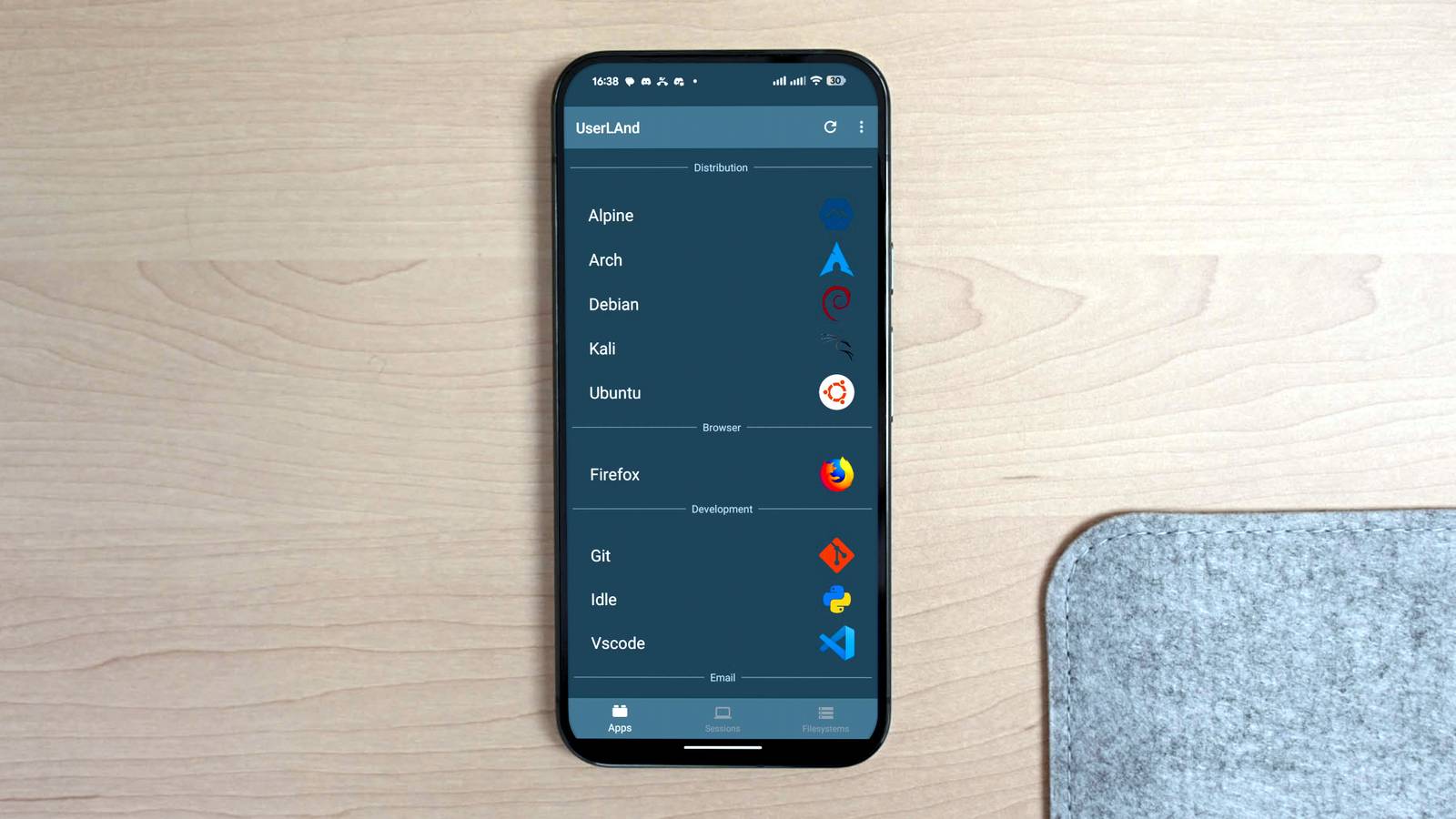
Published Aug 12, 2026, 1:30 PM EDT Arol is a tech journalist who currently works as a contributor at How-To Geek since 2022. He first began writing online for the short-lived portal of Spanish-language gaming forum Emudesc in 2013. Years later, in 2017, he got his true start in tech journalism working for a small Google-focused site called Pixel Spot. He transitioned to a news and feature writer role at XDA Developers that same year, where he worked until 2021 before making the jump to other websites. Arol brings nearly a decade of writing experience, and the occasional hot take, to his writings. While he's a technology lover at heart, he holds computer hardware and smartphones particularly close to heart. You'll normally find him covering news, although he has also written the occasional deal, buyer's guide, how-to post, and round-up. He's also written for Android Police and MakeUseOf. He's also a Political Science student. When he's not writing, you'll probably find him hitting the gym, trying to ace a new hobby, reading his textbooks, or traveling. You can reach him at me@arolwright.com. Most Android users don't realize their phone can run a full Linux environment, and if they do, they may think a popular app called Termux is the only path to get there. However, if you need something that goes a little further than just a Linux terminal, there's another option that might just do the trick. What's UserLAnd? A full Linux distro in your pocket UserLAnd is a free, open-source application available on the Google Play Store that allows Android users to run full Linux distributions directly on their device without requiring root access. Developed and maintained by a small team, it was designed with accessibility in mind, lowering the barrier of entry for people who want a real Linux environment on their phone but don't have the technical background to navigate complex manual setups. The way UserLAnd works is fairly straightforward in principle. It uses a combination of PRoot—a user-space implementation of the chroot system call—and a custom SSH or VNC connection layer to create an isolated Linux environment that runs on top of Android's existing kernel. Because Android is built on Linux, the underlying kernel is already compatible with Linux binaries, which means UserLAnd can run actual distribution packages without needing to recompile or virtualize them. When you first open UserLAnd, you're presented with a list of supported distributions and applications. At the time of writing, you can choose from full distros like Ubuntu, Debian, Kali Linux, and Alpine, among others. You can also opt for individual app environments, such as a standalone Firefox instance or an XFCE desktop session, depending on what you actually need. Once you make a selection and go through a brief setup process, the app downloads the necessary filesystem image and configures the environment automatically. Within a few minutes, you're dropped into a working Linux shell or desktop, depending on your choice. There's no command-line wizardry required to get started, which is a meaningful distinction from most alternatives. How does it compare to Termux? Same goal, very different philosophy Credit: Lucas Gouveia/How-To Geek Termux is arguably the most well-known way to run a Linux-like environment on Android, and for good reason. It's lightweight, fast to set up, and has an active community that has packaged an impressive number of tools. But calling Termux a full Linux environment is a bit of a stretch. At its core, Termux is a terminal emulator and package manager that runs in Android's native user space. It doesn't install a real Linux distribution. Instead, it provides a shell environment with a curated selection of ported packages, built specifically to run without root on Android. That distinction matters more than it might seem. Because Termux operates in Android's user space rather than within a proper Linux filesystem hierarchy, some tools behave differently or simply don't work the way you'd expect them to on a desktop system. The filesystem layout is non-standard, paths are different, and software that expects a conventional Linux environment can require workarounds or may not function at all. For experienced users who know exactly what they need, this is rarely a dealbreaker. For everyone else, it adds friction. UserLAnd, by contrast, gives you an actual Linux distribution with a standard filesystem. Software behaves the way it would on a desktop installation because, functionally, it is running in a real distribution environment. You can install packages directly from the distro's own repositories, use tools that depend on standard paths, and get closer to a genuine Linux experience. The tradeoff is performance and resource usage. UserLAnd's PRoot layer adds overhead compared to Termux's more direct approach, and on older or lower-spec devices, that can be noticeable. Battery usage also tends to be higher. If raw speed and efficiency are your priorities, Termux still has the edge. If you want something that behaves like a real system with minimal setup effort, UserLAnd is the more natural fit. What other alternatives are there? More ways to run Linux on Android Beyond UserLAnd and Termux, there are several other options worth considering depending on your hardware and what you're trying to accomplish. Each takes a meaningfully different approach, and the right choice depends a lot on how deep you want to go. Andronix is one of the more popular alternatives and takes a similar approach to UserLAnd by using PRoot to run Linux distributions without root access. Where it differentiates itself is in the presentation. Andronix pairs its distro setup with a polished app interface and offers curated setup scripts that get you running a full desktop environment quickly. Some advanced features and distro options are behind a paid tier, but the core functionality is free. It supports a wide range of distributions and has good desktop environment options if you plan to use a monitor or external display with your phone. For users who have rooted their devices, Linux Deploy is a much more powerful option. Rather than relying on PRoot, Linux Deploy uses chroot directly, which means significantly better performance and fewer compatibility quirks. It essentially installs a real Linux system into a disk image on your device, which runs with much closer to native speed. The setup process is more involved and requires root access, making it a poor fit for casual users, but for anyone who wants the most capable and compatible Linux environment possible on Android, it remains one of the strongest options available. Finally, there's the QEMU-based virtualization route, which involves running actual virtual machines on your phone. Apps like Limbo PC Emulator make this possible, though performance is generally quite limited on mobile hardware. This approach is more of a curiosity than a practical daily driver for most people, but it does offer the ability to run virtually any operating system, including non-Linux ones. It's worth knowing about if your use case is unusual enough to demand it, even if it's rarely the right first choice. Linux on Android is more accessible than you'd think Whether you're a casual tinkerer or chasing a specific workflow, Android gives you real options. If you need something a little more "complete" than Termux, UserLAnd is where I'd point most people first—it's capable, beginner-friendly, and genuinely useful without asking much in return.
UserLAnd gives you a real Linux distro on Android—without Termux's compromises
Full Article
Original Source
Read the full article at Howtogeek →KhanList aggregates and links to publicly available news content. We do not host full articles from third-party sources. Always verify important information with original sources.