
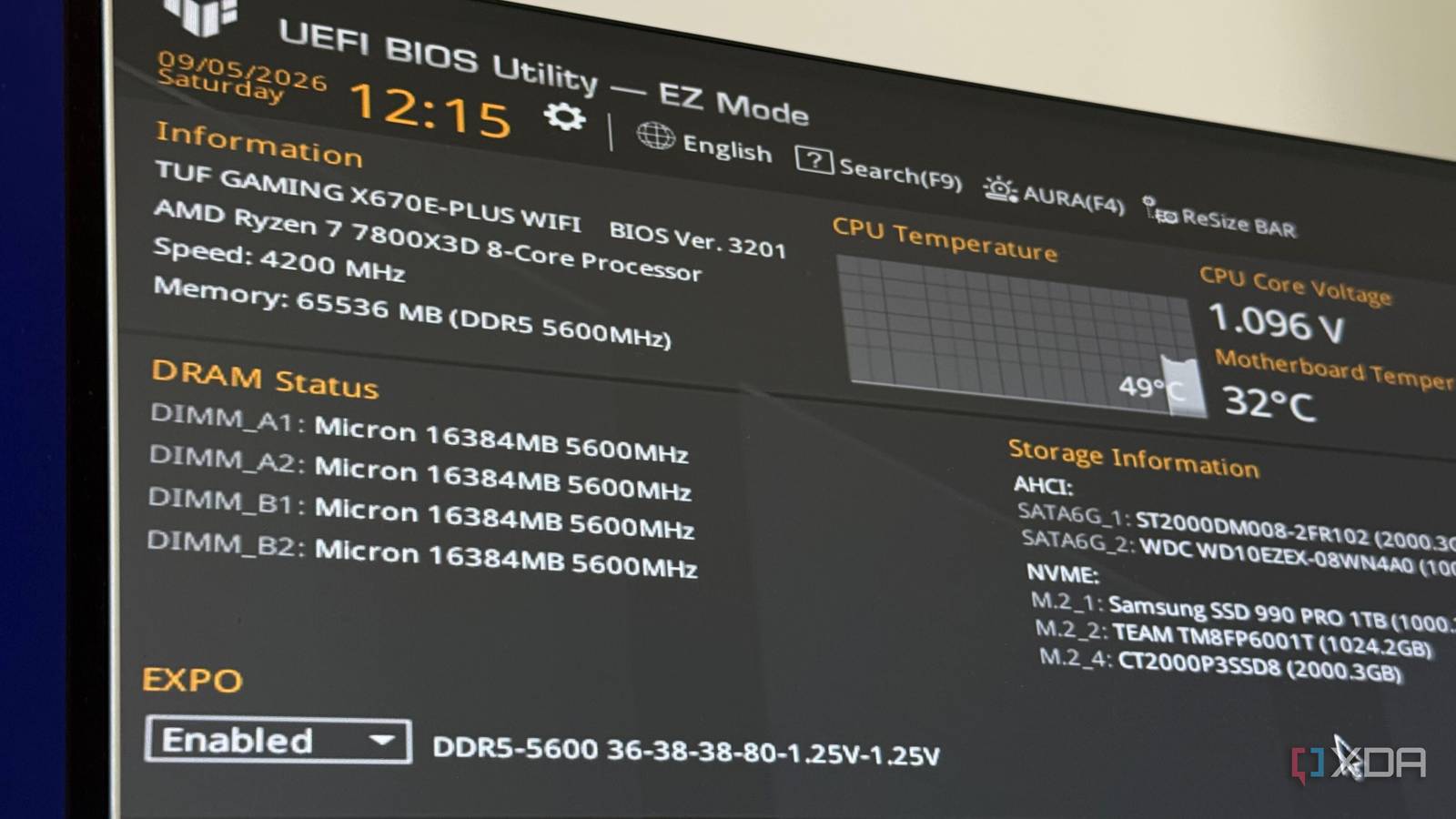
Published Sep 8, 2026, 7:00 AM EDT His love of PCs and their components was born out of trying to squeeze every ounce of performance out of the family computer. Tinkering with his own build at age 10 turned into building PCs for friends and family, fostering a passion that would ultimately take shape as a career path. Besides being the first call for tech support for those close to him, Ty is a computer science student, with his focus being cloud computing and networking. He also competed in semi-pro Counter-Strike for 8 years, making him intimately familiar with everything to do with peripherals. Most PC guides related to BIOS settings end up in similar places, covering EXPO and XMP, Resizable BAR, and other usual suspects. They're not incorrect at all, and enabling those can generate some of the more transformative increases in performance you can get out of BIOS tweaks, but your BIOS is a very deep place. Some of the settings worth finding and experimenting with are buried beneath context menus and beneath advanced toggles, and on my 7800X3D system, some of the more effective ones were found while looking for something else unrelated. The obvious settings aren't wrong They should be toggled first, before you start trying anything else Credit: Source: XDA Let me preface the rest of the settings in this article by saying that you absolutely should enable things like ReBAR and XMP/EXPO. Those two settings alone will not only net you serious performance gains, but they ensure you're getting the performance you paid for. In the case of RAM, XMP and EXPO ensure your memory is running at its rated speed stated on the packaging, and ReBAR enables your system to access that VRAM buffer you probably paid a premium for. Don't skip them, and in fact, start with them first before continuing on. A power supply setting that doesn't have much to do with your PSU Power Supply Idle Control can help squelch idle crashing Under Advanced, inside AMD CBS, then CPU Common Options, past the prefetcher toggles and the watchdog timer configuration, there's an option called Power Supply Idle Control with three values: Low Current Idle, Typical Current Idle, and Auto. It governs how deeply the processor drops at idle, which in turn changes the load your power supply sees. Some units handle very low draw poorly, and the result is a machine that reboots or black-screens while you're not touching it, hours or days apart. That symptom is one of the most consistently misdiagnosed faults on this platform, because most of the time, random idle crashing is seen as a hardware fault with your power supply. Switching it to Typical Current Idle keeps draw higher and the rail more stable, but in return, you give up some idle efficiency for it. It's a specific tweak with a specific use case, but it's a good one to keep in the back pocket. Your graphics card might be running at half width right now PCIe slots can behave badly at idle This one is specific to my board, and if I were to encapsulate it in a vacuum, it's the best argument I have for reading your own manual instead of a generic guide. ASUS documents that the PCIe 5.0 x16 slot on this board shares bandwidth with the second M.2 socket and drops to x8 when that socket is populated. The secondary x16 slot is disabled outright when the fourth M.2 socket is in use. So you add a drive, your graphics card quietly halves its link width. In my case, I have populated all the M.2 drive slots in my system, so this directly applies to me. In the same area, the PCIe Link Speed submenu can be found, and that lets you pin the x16 slot, the M.2 sockets, or the chipset link itself to a specific generation. Dropping the graphics slot from Gen 5 to Gen 4 is also the standard fix for intermittent dropouts caused by marginal link training, particularly through riser cables, and it costs essentially nothing in games. Precision Boost Overdrive is a toggle, but the curve is the real effect Enabling PBO on its own doesn't do a ton Credit: The usual advice is to enable PBO on Ryzen chips like my 7800X3D, but in all honesty, that accomplishes less than you'd hope. That's because the chip isn't straining against the power ceilings PBO raises. Giving it more headroom it wasn't using anyway changes very little, but there is a way to actually make a transformative change. What does move the needle is a negative Curve Optimizer offset, which shifts the voltage-frequency curve down so the processor holds higher clocks at lower voltage, i.e. an undervolt. Reported offsets land somewhere between -10 and -30 depending on silicon, though the variance is wide enough that some owners run -30 without complaint while others can't hold -10. An undervolt that survives a long all-core render will often fall over at idle or under light single-threaded load, because that's where the chip boosts highest at the lowest current. A single stress run tells you almost nothing in this instance, and it's what CoreCycler exists for, walking each core individually through sustained load so you find the weak one. C-state settings that fix some USB weirdness Can't believe I didn't try it sooner Sitting at the top of AMD CBS is Global C-state Control, described as governing IO-based C-state generation and data fabric C-states. The symptom these address directly is peripherals dropping out and reconnecting at random. This setting completely fixed the issues I was having with my audio interface, which, at random, would start outputting audio that sounded like it was put through a very harsh robotic filter, and it would continue to do so until I unplugged and plugged it back in. Changing this solved that issue entirely, at the cost of some idle power. RTM is good advice If there's a takeaway beyond the specific settings, it's that your motherboard manual is a better resource than almost any guide. And that's because it's the only document that describes exactly what's in your BIOS. Not all of these are performance-enhancers, but a lot of them point to common symptoms people experience that often don't have straightforward solutions.
Two years of BIOS tweaking taught me that the best settings are never the first ones you'd try
Full Article
Original Source
Read the full article at Xda-developers →KhanList aggregates and links to publicly available news content. We do not host full articles from third-party sources. Always verify important information with original sources.