
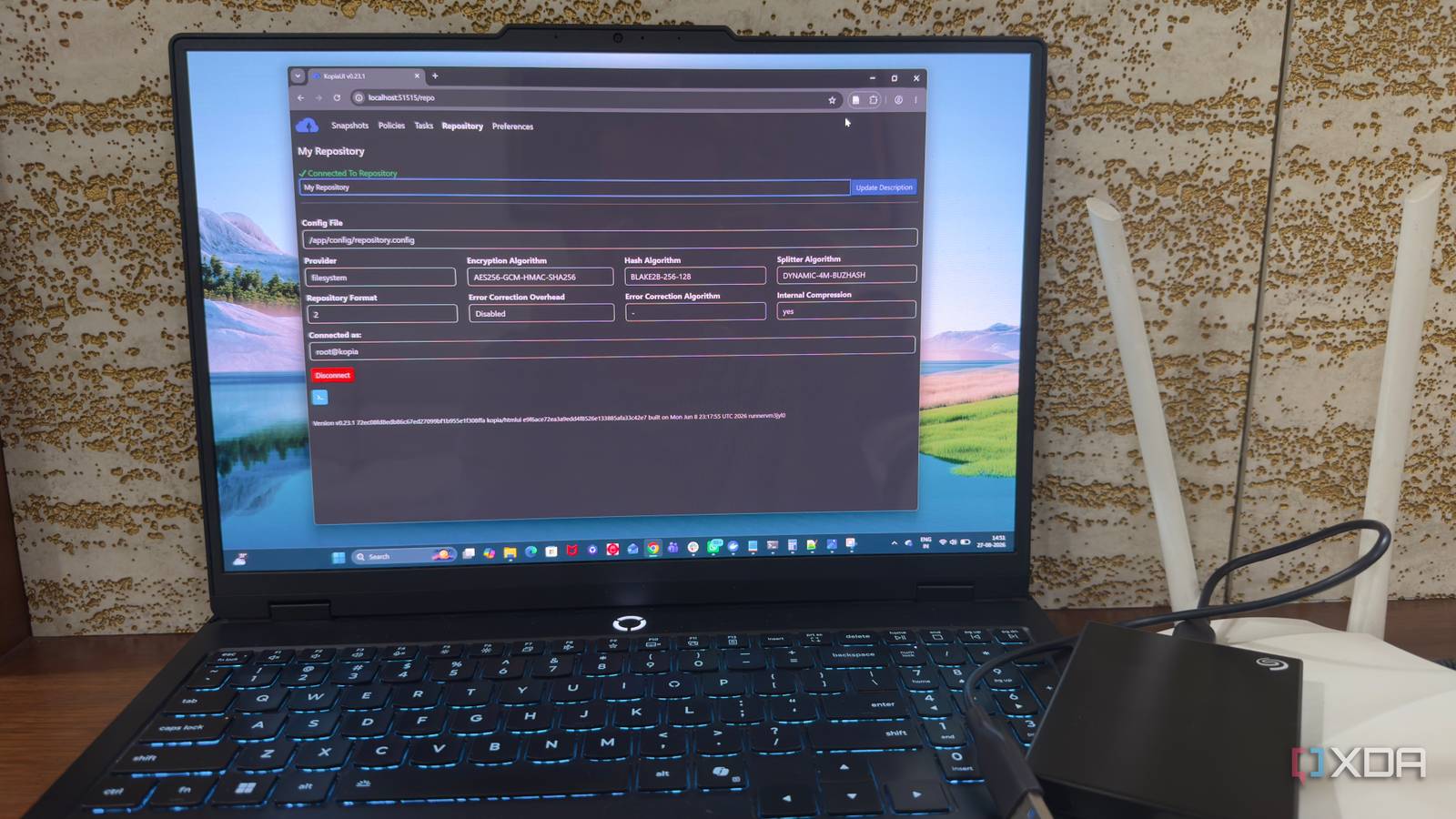
Published Sep 4, 2026, 12:30 PM EDT Beginning his professional journey in the tech industry in 2018, Yash spent over three years as a Software Engineer. After that, he shifted his focus to empowering readers through informative and engaging content on his tech blog – DiGiTAL BiRYANi. He has also published tech articles for MakeTechEasier. He loves to explore new tech gadgets and platforms. When he is not writing, you’ll find him exploring food. He is known as Digital Chef Yash among his readers because of his love for Technology and Food. I’ve learned that self-hosting comes with an unexpected problem: the more useful your server becomes, the more you have to protect it . What started as a few containers eventually turned into a setup holding files and services I actually care about. That made backup less of a side task and more of a requirement. For a while, I handled it myself with scripts. It seemed like the obvious solution because I could control exactly what happened. But eventually, I started looking for something more reliable and easier to manage. That search led me to an open-source backup tool, Kopia, that completely changed how I handle backups. My old backup scripts worked But I never fully trusted them I had a few scripts that handled different parts of my self-hosted setup. They ran on schedule, created the files I expected, and rarely caused obvious problems. The problem was the uncertainty around them. Whenever I changed something on my server, I had to wonder whether the scripts still worked the way I expected. A renamed folder, a changed Docker volume, or a small configuration change could easily make a backup incomplete without immediately being obvious. I also found myself checking logs more often than I wanted. A successful script execution didn't always give me confidence that it had captured everything important. I was relying on the backups for files I genuinely didn't want to lose. The scripts weren't necessarily bad. I had simply outgrown them. Kopia gave me one proper backup system My backups finally had one home Kopia is an open-source backup tool designed to create fast, secure, and reliable backups. It uses a repository-based approach, so instead of creating a pile of separate backup files, it stores snapshots in a structure designed for managing multiple versions of my data. That approach immediately made more sense for my setup. I could install Kopia on my machine using Docker, create a repository, and start backing up the folders that mattered to me. I didn't have to build another collection of scripts around it. Kopia gave me a single system to work with instead of making me maintain several independent backup jobs. I also liked that Kopia isn't tied to one type of storage. I could use local storage or send the repository somewhere else, depending on how I wanted to structure my backups. After spending so much time maintaining small scripts, having one dedicated tool handle the backup layer felt like a much cleaner approach. The features that made me trust Kopia with my data It handled the boring backup work What made me trust Kopia more was how many backup tasks it handled for me. With my old scripts, I had to think about these things myself. Kopia had them built in. One of the most useful features for me is deduplication. Kopia doesn't save the same data again and again with every backup. If a file hasn't changed, it can reuse the data that is already stored. This saves space and makes it easier to keep more backup versions. Kopia also encrypts my backups. This is important because I don't always want my backup data sitting unprotected on another storage device or server. I also liked the retention rules. Instead of manually going through old backups and deciding what to delete, I can tell Kopia how many versions I want to keep and let it handle the cleanup. Compression helps reduce the storage space needed for the backups too. These aren't complicated features, but they removed a lot of small things I previously had to worry about. That made the whole backup process feel much more dependable. Backing up and restoring is finally straightforward I stopped babysitting my backups Once I had Kopia set up, the day-to-day process became much simpler. I could schedule backups and let them run in the background instead of checking whether each individual script had done its job. When I need to check my backups, Kopia gives me a clear view of the snapshots it has created. I can see what is available without digging through folders full of dated archives. The restore process is just as simple. If I accidentally delete a file or need an older version, I can browse the available snapshots and find what I need. I don't have to remember which archive contains the file or manually extract several backup files to find it. This is probably the biggest practical change for me. Backups are no longer something I regularly have to manage. They run quietly in the background, and when I actually need them, I know where to look. For a self-hosted setup, that's exactly how I want backups to work. My backups finally became boring I didn't switch to Kopia because my old scripts were completely broken. I switched because I wanted to stop worrying about whether they would still work tomorrow. As my self-hosted setup grew, backups became too important to rely on a handful of scripts I had written and maintained myself. Kopia gave me a more mature way to handle that responsibility without making my setup harder to manage. I still need to follow a sensible backup strategy and keep copies in more than one place, but I no longer feel like I'm constantly babysitting the process. Kopia Kopia is an open-source backup software you can self-host and point to your favorite local or cloud storage location.
This self-hosted tool replaced a year of backup scripts, and now I barely think about backups at all
Full Article
Original Source
Read the full article at Xda-developers →KhanList aggregates and links to publicly available news content. We do not host full articles from third-party sources. Always verify important information with original sources.