
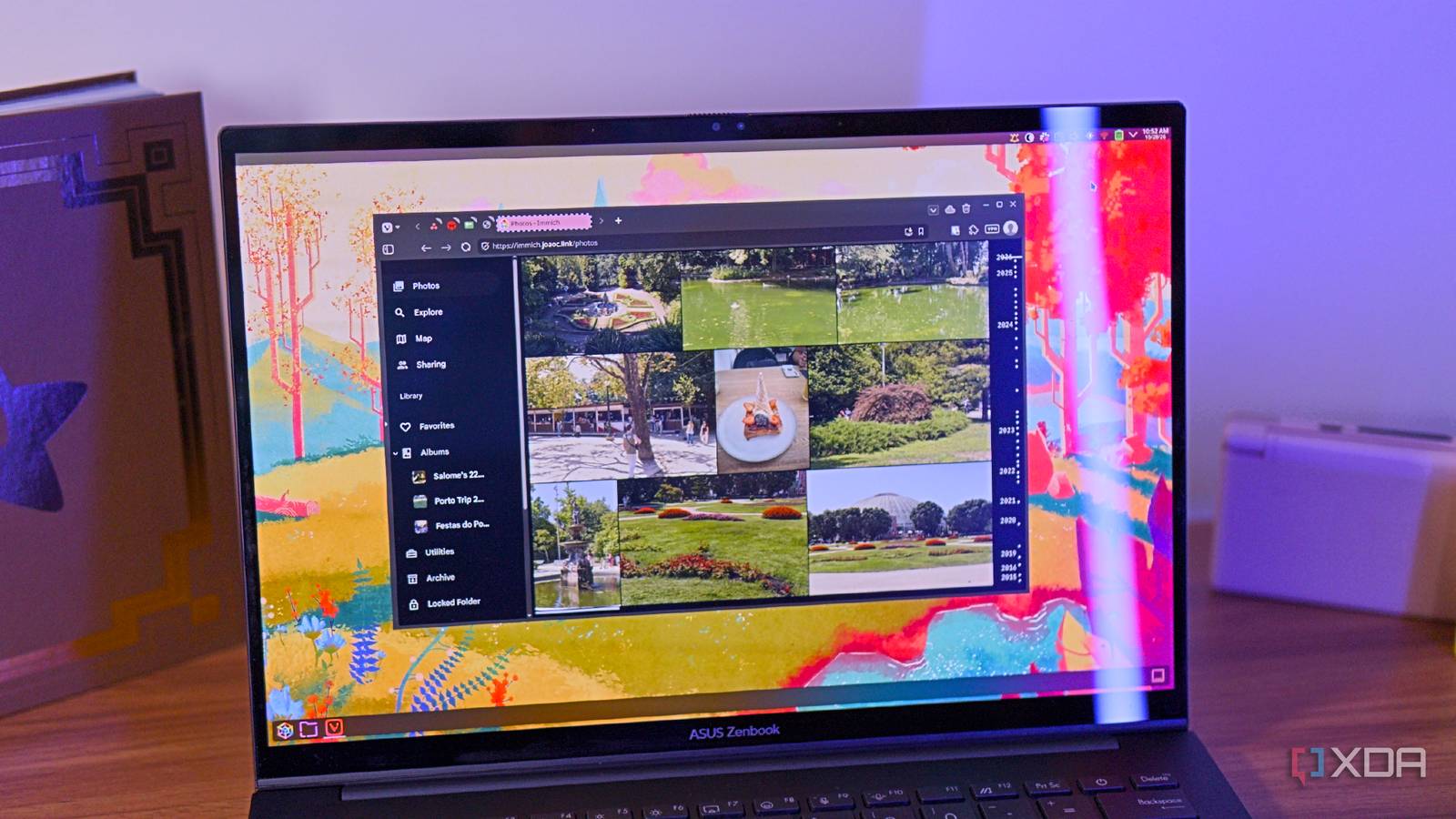
Published Oct 28, 2026, 2:00 PM EDT João has been covering the tech world for over 7 years, with a heavy focus on laptops and the Windows ecosystem. I also love all things tech and videogames, especially Nintendo, which he's always happy to talk about. Prior to joining XDA in 2021, he worked at Neowin: https://www.neowin.net/news/poster/jo%C3%A3o-carrasqueira/ For a long time, like many people, I stored photos I wanted to keep in the cloud. I was more partial to OneDrive, while my wife used Google Photos. Recently, though, thanks to the power of NAS devices and self-hosting we've found a solution that works better for both of us while allowing us to uphold our privacy. Immich is a self-hosted photo storage and management service, and frankly, it's been nearly perfect ever since we started using it. It combines the modern and simplistic UI of Google Photos with some useful editing and management features, plus a level of privacy that no cloud-based service could offer. My photos are all organized Whether it's a timeline or through albums Right off the bat, Immich presents my photos in the way that I want to see them. Everything in my library is displayed in a timeline, which is basically what you'd expect. pictures are sorted by date, and I can easily jump to a specific point in time thanks to the scroll bar also showing me labels for each year and month. Scrolling is fast, too, and images don't take too long to load as I move down the list, which is nice to see. At the top of the feed, there's a memories section that highlights pictures taken on the same day in previous years, which is also a neat way to look back on my photos. Aside from time-based sorting, Immich also lets me create albums with photos of my choosing, so I can easily gather photos from specific events or trips. I use this quite a bit, and the neat thing about them is that they're also easier to share with other users on my Immich instance. While the timeline consists of photos on my own account, I can share albums with my wife and make those photos easily visible to both of us. There's also the map feature, which lets me see where photos were taken, assuming that information is in the image's metadata. I generally don't use this feature, but if you like building a visualization of the places you've been, this is also cool. It's worth noting that this is all entirely on your local server, so all this information is only accessible to you. It lets me find duplicates And there's more, too In addition to simply being storage for my photos and allowing me to organize them, Immich also ahs various management tools and utilities that help me with other aspects of managing my library. One big example is the duplicate finder, which I used a lot when I was first setting up my library. Immich can find images that look very similar or exactly the same and let you choose which ones to keep, which helps me save my space and keep things looking more organized. It also has a tool for reviewing large files, so if you have videos or uncompressed assets you don't want taking up a big chunk of storage, you can delete them or compress them if needed. I mentioned above that the Map feature can also show your photos by location if that information is in the image's metadata, but Immich can lend a hand here, too. The Manage location utility lts you choose a location and then select multiple photos in one go to assign that location to, so even if your camera doesn't embed image metadata, you can easily add it after the fact and create a more complete picture (no pun intended) of the places you've been and where you took photos. Finally, another big utility Immich offers is automation. You can create workflows based on certain triggers, such as metadata from an image, or simply uploading a photo, which automatically organize your photos by adding tags or adding them to specific albums. I'll admit this isn't something I've tried in depth, but it looks very capable if this is something you need. There's even some AI All running locally, of course Immich even comes with some AI-powered feature that can also help with organization and finding specific photos. Most notable to me is the fact that it can recognize faces in pictures and identify them as the same person, which makes it easier to find pictures of myself or a specific family member. I'll admit that it's not always 100% perfect, especially because photos can have lower quality or be at odd angles, but it still works pretty well, and it almost always tags the right people. What's more, if someone is showing up as two different people, I can merge those two profiles into one person, so all the pictures are grouped together and detection improves for them in the future. AI also enables smart search features, so I can use the search bar to find terms like "garden" or "beach", and pictures of those settings will be returned in the results thanks to image recognition. All of these capabilities run locally on my server, so again, none of this information is uploaded anywhere on the internet. It just helps me without ever undermining my privacy. I still keep a cloud backup But on the cheap Of course, there's a pretty big problem with storing things exclusively on a home server, and that's the fact that all that data could be compromised by a house fire or other accident that breaks my personal server. That's why I do keep a cloud backup of my Immich files, but not on a service that cares about tracking my data or any kind of information. My data is backed up to a Backblaze B2 bucket, and I only pay for what I use. Since my backup is just under 200GB, my monthly bill usually comes in at around $1.5 (including tax), which is significantly less than I'd have to pay for 2TB of Google Photos storage, or just 1TB of OneDrive storage. And because Backblaze is not meant for browsing or managing files, there are no AI features or anything that uses my data for training or anything of the kind. It's just a storage service. Immich is wonderful Many times, moving from the convenience of a cloud service to self-hosting can come with a lot of downsides, but Immich is one of those tools that feels just as good as the real deal. It's got a great UI, plenty of features, and it makes browsing and managing my library feel great. The initial setup can sometimes be a hassle, but I still wholeheartedly recommend it. Immich OS iOS, Android, web Key highlights Self-hosted iOS compatible Yes Android compatible Yes
This self-hosted photo tool replaced Google Photos and OneDrive for me, and it's more private too
Full Article
Original Source
Read the full article at Xda-developers →KhanList aggregates and links to publicly available news content. We do not host full articles from third-party sources. Always verify important information with original sources.